
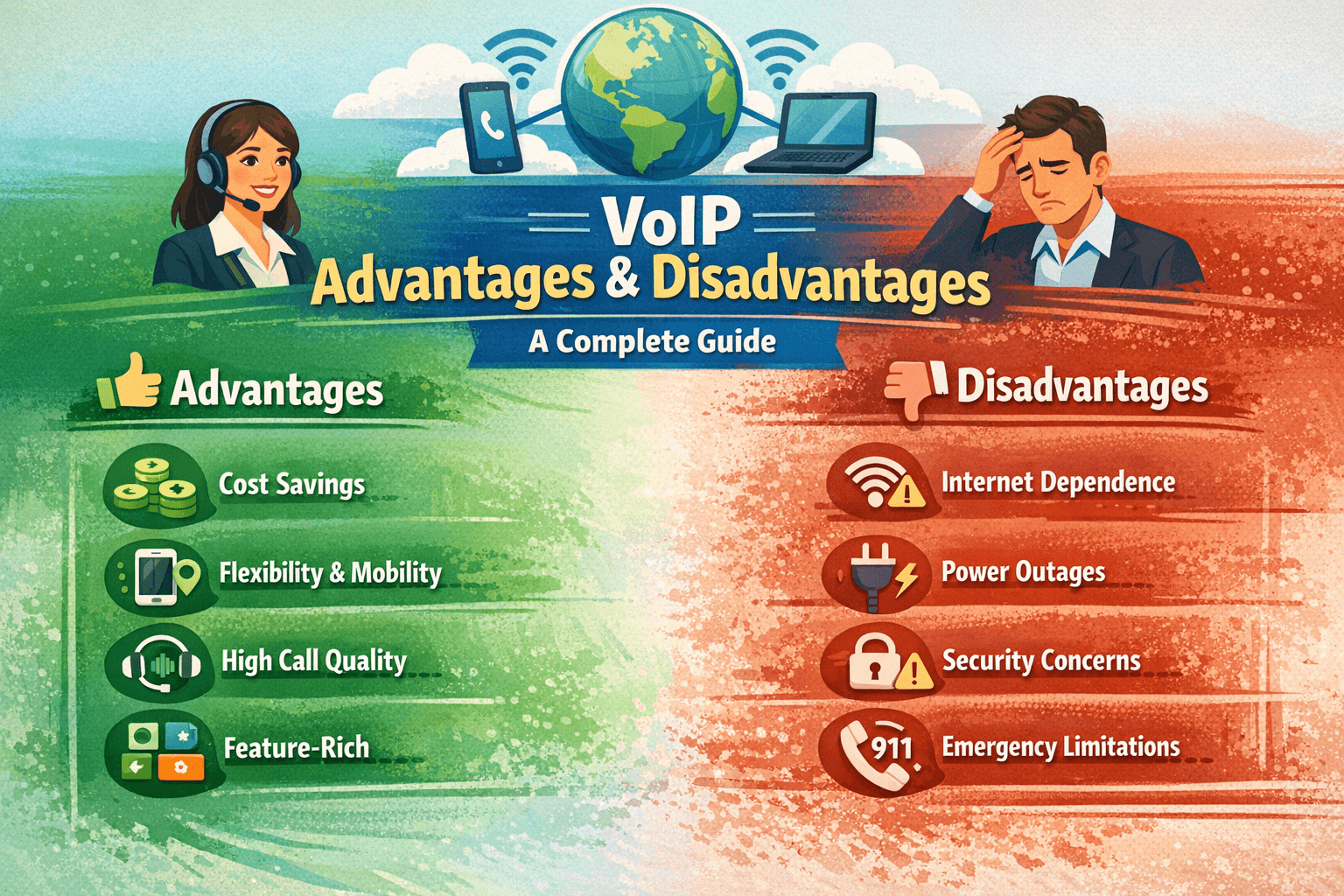
VoIP (Voice over Internet Protocol) offers significant advantages, including lower costs, mobility, and advanced calling features, but has disadvantages like internet dependency, potential call quality issues, and security concerns. Proper setup and planning help businesses and individuals maximize benefits while minimizing limitations.
Over the past decade, VoIP technology has transformed how businesses and individuals communicate. Unlike traditional landlines, VoIP (Voice over Internet Protocol) allows voice calls, video calls, and messaging over the internet.
But is VoIP right for you or your organization? While it offers significant cost savings, mobility, and advanced features, there are also limitations related to call quality, reliability, and internet dependency.
In this guide, I’ll share my personal experience implementing VoIP for my small business, compare VoIP to traditional telephony, and give a detailed look at the advantages and disadvantages, helping you make a well-informed decision.
What is VoIP?
VoIP converts analog voice signals into digital packets transmitted over the internet. This technology enables voice, video, and multimedia communication without relying on traditional telephone lines.
Key terms to know:
-
IP Phone – A device that connects directly to an IP network.
-
Softphone – Software-based VoIP phone on computers or smartphones.
-
SIP (Session Initiation Protocol) – Protocol used for signaling and managing VoIP calls.
Example: I switched my business from a traditional landline to VoIP, which allowed my team to make calls from anywhere in the world using just laptops and mobile phones.
VoIP Advantages
Cost Savings
One of the main reasons businesses switch to VoIP is reduced costs:
-
Lower monthly fees compared to traditional phone lines
-
Free internal calls within the same VoIP system
-
Reduced long-distance and international call charges
Real-world scenario:
My company had multiple international clients. Using VoIP, we reduced our monthly phone bill by nearly 60%, while improving communication quality.
Flexibility and Mobility
VoIP allows employees to make and receive calls from any device connected to the internet:
-
Desktops, laptops, smartphones, or tablets
-
Remote work becomes seamless
-
Business continuity during travel or emergencies
Advanced Features
Modern VoIP services include features not available with traditional phones:
-
Call forwarding and voicemail-to-email
-
Video conferencing and screen sharing
-
Call recording and analytics
-
Auto-attendants and IVR systems
Scalability
Adding new users or lines is easier with VoIP:
-
No physical wiring required
-
Pay-as-you-grow pricing models
-
Ideal for startups and growing businesses
Integration with Other Systems
VoIP can integrate with CRM systems, help desks, and collaboration tools:
-
Automated call logging
-
Unified communication across devices
-
Streamlined workflows
VoIP Disadvantages
While VoIP offers many benefits, it’s important to understand its limitations:
Internet Dependency
-
VoIP requires a stable, high-speed internet connection.
-
Poor connectivity can cause dropped calls or delays.
Call Quality Variations
-
Network congestion can affect voice quality.
-
Latency, jitter, and packet loss may occur.
Power Outages
Unlike traditional landlines, VoIP phones rely on power and internet:
-
Power or router failure can disrupt calls
-
Backup solutions may be needed
Security Concerns
VoIP can be vulnerable to cyberattacks:
-
SIP phishing (vishing)
-
Unauthorized call access
-
Encryption is essential for sensitive communication
Complexity of Setup
-
Initial configuration may require technical expertise
-
Businesses may need IT support for installation and maintenance
VoIP vs Traditional Telephony: Comparison Table
| Feature | VoIP | Traditional Landline |
|---|---|---|
| Cost | Low, flexible | High, fixed monthly fees |
| Mobility | High – remote work supported | Low – fixed line |
| Call Features | Advanced – voicemail-to-email, video calls, auto-attendant | Basic – voicemail and call forwarding |
| Setup | Requires internet and device configuration | Plug-and-play |
| Scalability | Easy – add users or lines instantly | Difficult, requires hardware installation |
| Reliability | Dependent on internet and power | Highly reliable, works during outages |
| Security | Needs encryption and network security | Inherent security, less cyber risk |
Personal Experience
When my team transitioned to VoIP last year, we noticed:
-
Immediate cost reduction on phone bills
-
Remote flexibility for employees working from home
-
Improved call analytics for tracking customer interactions
However, we also faced:
-
Minor call quality issues during peak internet usage
-
Initial setup challenges with SIP configuration
-
Need for a UPS backup to ensure calls during power outages
Overall, the benefits outweighed the disadvantages, especially considering our remote workforce and international clients.
Real-World Scenario
A mid-sized e-commerce company needed global communication with minimal costs. Traditional PBX lines were expensive, and employees traveled frequently.
Solution: Adopted VoIP with softphones and SIP devices.
Outcome:
-
Reduced phone expenses by 50%
-
Seamless video and voice calls for remote teams
-
Integrated with CRM to automatically log calls
This scenario highlights how VoIP is ideal for mobile and internationally distributed teams.
Tips for Maximizing VoIP Advantages
-
Invest in a high-speed, stable internet connection.
-
Use quality SIP phones or softphones for better audio.
-
Enable encryption and follow security best practices.
-
Train employees on VoIP features to improve adoption.
-
Regularly monitor call quality metrics and troubleshoot issues.
Conclusion
VoIP is a powerful communication tool, offering cost savings, mobility, scalability, and advanced features. While it comes with internet dependency, potential call quality variations, and security considerations, proper setup and planning can maximize benefits.
For businesses and individuals seeking modern telephony solutions, understanding VoIP advantages and disadvantages is essential for making an informed decision.
FAQ
Q1: What does VoIP stand for?
A: VoIP stands for Voice over Internet Protocol, allowing voice calls over the internet instead of traditional lines.
Q2: Can VoIP replace traditional phone systems?
A: Yes, for most businesses and individuals, VoIP provides full telephony functionality with added features.
Q3: Is VoIP cost-effective?
A: Absolutely. VoIP reduces long-distance and international call costs and often lowers monthly bills.
Q4: What equipment is needed for VoIP?
A: A stable internet connection, a SIP-compatible phone or softphone, and optional PBX integration for businesses.
Q5: Are VoIP calls secure?
A: They can be secure if encryption (TLS/SRTP) and proper network security measures are implemented.
Q6: Does VoIP work during power outages?
A: Only if there is a backup power source, as VoIP devices rely on electricity and internet connectivity.

