
Verdict: Mobile security for small business phones works best when a built-in protection layer and simple daily habits work together. A business phone holds email, customer contacts, job details, payment apps, and access to work systems, which makes it a far more valuable target than a personal handset used only for calls and messages. Yet many small businesses protect their office computers carefully while leaving phones to chance, with weak locks, delayed updates, and no plan for a lost handset. Closing that gap does not require a security department. It requires a consistent baseline that every phone and every employee follows.
AT&T Business Wireless plans include ActiveArmor mobile security, described generically as mobile security including spam-risk and fraud-call blocking features. That included layer is a helpful starting point, but it is not a substitute for good practice on the phone itself: strong locks, prompt updates, careful app choices, caution on public Wi-Fi, and a clear procedure when a phone is lost or an employee leaves. This guide explains what ActiveArmor covers in general terms, what it does not promise, and the practical habits that protect a small business team day to day. General good practice described here is guidance for your business, not an AT&T promise, and no threat-blocking statistics or breach figures are claimed.
Protect Your Team’s Phones With AT&T Business Wireless
Get Business Wireless plans that include ActiveArmor mobile security for your team.
Why Mobile Security Matters for Small Business Phones
Small businesses are attractive targets precisely because they are busy and often under-protected. An attacker does not need to break into an office network if a single phone, carried everywhere and connected to email, messaging, and work apps, can be tricked into giving up a password or opening a malicious link. Phones are also lost, dropped, stolen, and handed to family members far more often than laptops, which means the risk is not only remote hacking. It is also the everyday risk of a handset in the wrong hands with work data still signed in and accessible.
The cost of a phone security incident is rarely just the handset. It can mean locked accounts, reset passwords across several systems, customer messages that cannot be answered, and time spent checking whether business data was exposed. For a team of five or ten people, even a single compromised phone can disrupt a whole working day, because the person affected cannot take calls, approve payments, or reach job details while accounts are secured. Prevention, in the form of locks, updates, and a lost-device plan, is almost always cheaper and calmer than recovery after an incident.
Mobile security also protects trust. Customers share addresses, order details, and payment information with a business because they expect it to be handled carefully, and employees trust their employer to give them tools that are safe to use. A business that sets a clear, simple security baseline shows both groups that it takes that responsibility seriously. The baseline in this guide is deliberately practical: nothing here requires specialist knowledge, and every step can be applied to every phone on the team, regardless of role.
What ActiveArmor Mobile Security Includes for Business Teams
ActiveArmor is included with AT&T Business Wireless plans, and it is described generically as mobile security including spam-risk and fraud-call blocking features. In plain terms, that means the plan includes a security layer intended to help identify and block unwanted calls that may be spam or fraud attempts, reducing interruptions and helping staff avoid calls designed to trick them. It is a useful layer for a busy team, because a suspicious call caught before it is answered is one less social-engineering attempt reaching an employee during a working day.
It is important to be honest about the limits of any single layer. ActiveArmor does not replace a strong passcode, careful handling of links and attachments, or a plan for a lost phone, and this guide does not invent a detailed feature list, effectiveness statistics, or breach figures for it. Treat it as one part of a wider security routine: the network and plan layer helps with unwanted calls, while locks, updates, app choices, and employee habits protect the phone itself and the data on it. Businesses that rely on one tool alone, however good, leave the other doors open.
One further limit should be noted honestly, because it affects travelling staff. Some mobile security features are not available while roaming internationally, per AT&T plan terms, so a team member abroad should not assume every protection works exactly as it does at home. That is another reason the habits in this guide matter: passcodes, updates, and caution with unknown links and public networks travel with the phone, even when a particular network feature does not. For more background on this included layer, see our guide to AT&T ActiveArmor for business.
Set Strong Locks on Every Business Smartphone
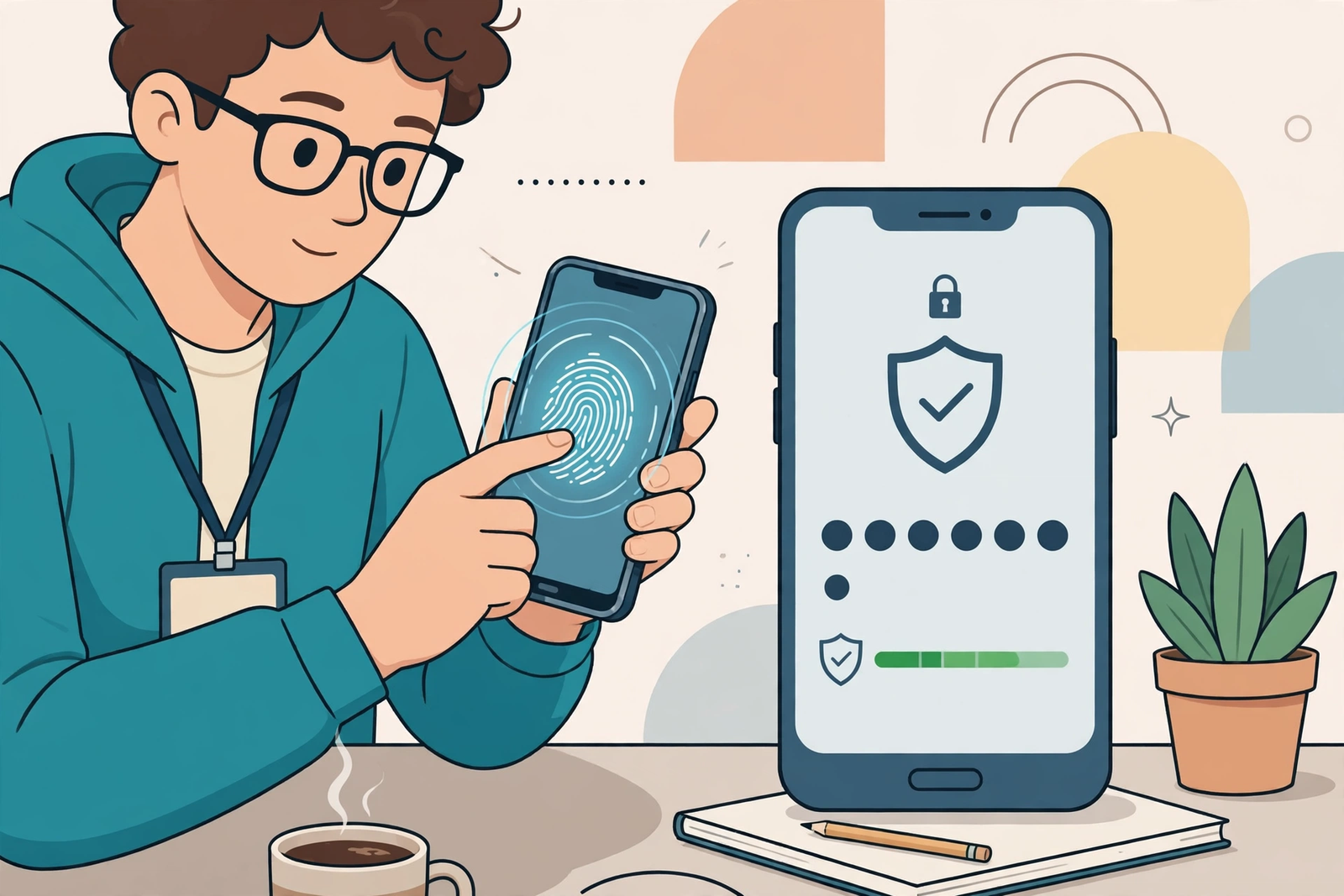
The lock screen is the first and most important defence for any business smartphone, because it decides what a finder or thief can reach without any password at all. Every work phone should require a strong passcode, PIN, or biometric unlock, such as fingerprint or face recognition, before it can be used, and it should lock automatically after a short period of inactivity. A four-digit code that matches a birth year, a repeated pattern, or a code shared across the whole team is not a strong lock, even if it feels convenient. Choose codes that are not guessable from public information about the employee or the business.
Biometrics are convenient, but they work best alongside a strong fallback passcode, not instead of one. If a biometric fails, if the phone restarts, or if the employee’s hands are wet or gloved on a job site, the passcode is what stands between the phone and whoever holds it. Teach staff to keep that passcode private, not to write it on the phone case or share it with colleagues, and to change it promptly if they believe it has been seen. For shared or pool phones, reset the passcode and sign out previous users between holders, so one person’s access does not quietly carry over to the next.
Lock-screen settings deserve a short check too. Notifications on a locked phone can reveal message previews, verification codes, or customer details to anyone who picks the handset up, so review which apps are allowed to show previews on the lock screen and turn off previews for sensitive apps. Keep the number of people who know an override or management code to a minimum, and record who holds it in a secure place, not in a shared document. A strong lock, set consistently across the team, turns a lost phone from a data incident into a replacement problem, which is a far smaller problem to solve.
Keep Business Phones Updated and Apps From Trusted Sources
Software updates are one of the least glamorous and most effective security habits a business can adopt. Updates frequently close security gaps that have been discovered since the previous version, so a phone that is months behind on updates is carrying known weaknesses that anyone can look up. Set phones to update automatically where possible, and make updating part of the routine, such as checking for updates at the start of the week or when a phone is charging overnight. If an update requires a restart, plan it for a quiet moment rather than postponing it indefinitely.
App choices matter just as much. Staff should install apps only from the official app store for their phone, and work apps should come from the business’s approved list rather than from a link in a message, an advertisement, or a search result. Before installing anything new for work, check the developer, read recent reviews, and ask whether the app genuinely needs access to contacts, location, photos, or messages to do its job. An app that asks for far more permission than its function requires should be questioned, and if a work task can be done with an app the business already trusts, there is no need to add another one.
Review installed apps periodically, especially on phones that have changed hands or changed roles. Remove apps that are no longer used, remove work apps from a phone when an employee leaves, and check that no personal app has been given access to work data by accident. A short quarterly review, even ten minutes per phone, keeps the app list honest and prevents a forgotten app from becoming a quiet route into business information. Updates and trusted app sources are not exciting, but together they remove a large share of the easiest attacks a business phone faces.
Small Business Mobile Security on Public Wi-Fi and While Travelling
Public Wi-Fi is convenient and risky in equal measure, because a network in a cafe, hotel, or airport may not be as carefully run as the network in your office. Staff should avoid signing into sensitive work systems, approving payments, or handling customer data over a public network they do not trust, and they should be wary of networks whose names imitate a well-known venue. When work must be done away from the office, mobile data is usually the safer choice for sensitive tasks, and any work system that offers an extra sign-in step should have that step turned on, so a stolen password alone is not enough to gain access.
Travelling staff need a short briefing before they go, not a long policy document. Remind them to keep phones in hand or in a secure pocket in busy places, to avoid leaving a phone unattended while charging, and to be extra cautious with messages and calls that arrive while they are away, because travel is a common moment for impersonation attempts. They should also know that, as noted earlier, some mobile security features are not available while roaming internationally, per AT&T plan terms, so they should rely even more on locks, updates, and caution with unknown links while abroad. A travelling employee who knows the plan for a lost phone before departure will act in minutes, not hours, if the worst happens.
For teams that work in the field every day, the same caution applies to hotspots and shared connections. A phone used as a hotspot for a laptop should be locked when not in use, and the hotspot password should be changed if it has been shared widely. Field staff who photograph job sites should know what may be photographed and where those photos go, because a photo can reveal a customer’s address, a security detail, or a colleague’s personal information without anyone intending harm. Good practice on public networks and in the field is mostly about pausing for a second before connecting, signing in, or sharing, and that pause is a habit worth training.
Disclaimer: This article contains affiliate links to AT&T Business services. We may earn a commission if you purchase through them, at no extra cost to you. Ortelcom.com is an independent publisher and is not affiliated with or endorsed by AT&T. Pricing, speeds, and availability are not guaranteed, were checked 30 October 2026, and vary by address and promotions — please confirm all details before ordering. AT&T and all related marks are trademarks of their respective owners.
Protect Business Data When a Phone Is Lost or an Employee Leaves

A lost-phone procedure should be written down before it is needed, because nobody thinks clearly in the first minutes after realising a phone is missing. The procedure can be short: report the loss to a named contact immediately, change passwords for email and key work systems from another device, and follow the steps to locate, lock, or remotely wipe the handset where that capability is available. Speed matters more than perfection here. A phone reported within minutes can often be locked before anyone tries to use it, while a phone reported the next day gives an intruder far more time.
Separating work and personal data makes a lost phone far easier to handle. Where possible, keep work email, work apps, and work files in their own accounts or work profile, separate from personal photos, messages, and accounts. That separation means a work wipe, if needed, does not destroy an employee’s personal photos, and it means the business can remove its own data without arguing over personal content. It also helps when an employee leaves: work accounts can be removed and passwords changed, while personal data stays personal. Agree these boundaries when a phone is issued, not when someone is already leaving.
Offboarding is the other half of this procedure and is just as important as the lost-phone plan. When an employee leaves, remove work apps and accounts from their handset on their last day, change any shared passwords they knew, and recover any business-owned handset promptly. Record what was removed and returned, and check that the former employee can no longer sign into work systems from the old phone. A tidy offboarding step, done every time without exception, prevents the slow accumulation of ex-employees with lingering access, which is a risk that grows quietly if it is never checked. Our guide to managing AT&T Business lines, bills, and users covers the account side of adding and removing team members.
Build a Simple Mobile Security Practice Your Team Will Follow
A security practice only works if people actually follow it, so keep it short, written in plain language, and focused on the handful of habits that matter most. A one-page practice for a small business team might cover: lock every phone, update promptly, install apps only from official sources, pause before clicking links in unexpected messages, avoid sensitive work on untrusted public Wi-Fi, and report a lost phone immediately. That list fits on a single page, can be explained in ten minutes, and can be handed to every new starter on their first day without overwhelming them.
Explain why each habit exists, in terms of the work people do, rather than presenting rules without reasons. A delivery driver understands why a strong lock matters when they picture a phone left on a vehicle seat. An office worker understands why an unexpected message link is risky when they picture a fake invoice message arriving during a busy afternoon. When people understand the reason, they are far more likely to follow the habit when nobody is watching, which is exactly when security habits matter most. Avoid a long list of prohibitions that nobody can remember, and revisit the practice when roles, apps, or working patterns change.
Make security part of normal team conversation, not a once-a-year lecture. A short reminder when a new scam message is circulating, a quick check after a phone is replaced, or a mention in a team meeting keeps the topic alive without making it a burden. Celebrate good behaviour, such as someone reporting a suspicious message instead of clicking it, because that reporting is exactly what you want the whole team to do. A team that talks about security openly will report problems early, and early reporting is what turns a potential incident into a minor event.
Review Business Mobile Security Regularly and Keep It Practical
Security is not a project that finishes when every phone has a passcode. Set a simple review rhythm, such as a quarterly check, that covers the basics: are all phones locked and updated, are work apps still the approved list, has anyone left without their access being removed, and has the lost-phone contact changed? A quarterly review does not need to take a day. For a small team, it can be a single hour with a checklist, and it catches the drift that naturally happens as people change roles, change phones, or simply forget a step.
Use incidents and near-misses as review material, without blame. If someone clicked a suspicious link but reported it quickly, that is a success story for reporting, and a chance to remind the team what the message looked like. If a phone was lost and the procedure worked, note what worked and what was slow. If a procedure step was skipped, ask whether the step was unclear, impractical, or simply forgotten, and fix the step rather than only reminding people to try harder. Practical reviews improve the system, while blame only teaches people to hide problems.
Keep the whole approach proportionate to the size of the business. A team of five does not need enterprise security software or a forty-page policy to be reasonably safe. It needs consistent locks, prompt updates, trusted apps, caution on public networks, a lost-phone plan, and a clean offboarding step, all reviewed regularly. That baseline, combined with the ActiveArmor mobile security included with AT&T Business Wireless plans, gives a small business a credible, honest level of protection without pretending that any single tool makes a phone invulnerable. For plan context, including how tiers are organised for teams, see our guide to AT&T Business Wireless plans.
When your team is ready to put this practice on a plan that includes ActiveArmor mobile security, confirm the details for your line count and roles first. Check AT&T Business Wireless plans and confirm your quote before ordering, so you know exactly which tier and terms apply to your business.
Mobile Security for Small Business Phones: Frequently Asked Questions
Is ActiveArmor included with AT&T Business Wireless mobile plans?
Yes, ActiveArmor mobile security is included with AT&T Business Wireless plans, and it is described generically as mobile security including spam-risk and fraud-call blocking features. It is one layer of protection for a business team, alongside strong locks, updates, trusted apps, and good daily habits. Note honestly that some mobile security features are not available while roaming internationally, per AT&T plan terms, so travelling staff should still follow the habits in this guide while abroad.
What is the best mobile security practice for a small business team?
The best practice is a short, consistent baseline that every team member follows: strong locks on every phone, prompt updates, apps only from official sources, caution with unexpected links and messages, care on public Wi-Fi, and immediate reporting of a lost phone. Write it on one page, explain it to every new starter, and review it quarterly. A simple practice that everyone follows beats a complex policy that nobody remembers.
How do I secure business smartphones used by new starters?
Issue each new starter’s phone with a strong lock already set, updates installed, and only approved work apps in place. Show them the one-page security practice on their first day, including how to report a lost phone and which contact to call. Check that work accounts are separate from personal accounts where possible, and record the handset and number against their name. Starting secure is far easier than fixing a phone that has been used without a baseline for months.
Does mobile security work the same while travelling abroad?
Not entirely. Some mobile security features are not available while roaming internationally, per AT&T plan terms, so a travelling employee should not assume every protection works abroad exactly as it does at home. Locks, updates, and caution with links and public networks still apply, and mobile data is usually safer than an untrusted public network for sensitive tasks. Brief travelling staff before departure and make sure they know the lost-phone procedure.
What should a small business do when a phone is lost?
Report the loss to the named contact immediately, change passwords for email and key work systems from another device, and follow the steps to locate, lock, or remotely wipe the handset where that capability is available. The faster the report, the smaller the risk. Afterwards, record what happened, check that work data is secured, and arrange a replacement handset so the employee can return to normal work without delay.
How often should a business review mobile phone security?
A quarterly review works well for most small businesses. Check that phones are locked and updated, that work apps match the approved list, that leavers have had their access removed, and that the lost-phone contact is still correct. Use any incidents or near-misses as learning material, without blame, and update the one-page practice if a step proves unclear or impractical. Regular, small reviews keep security practical and current.
Mobile security for a small business is not about fear or complex tools. It is about a consistent baseline, an included layer like ActiveArmor, and habits that the whole team can remember and follow, so business phones stay useful, trusted, and safe to work from every day.

