
An IP telephone system uses internet protocols to transmit voice over networks instead of traditional lines. It includes IP phones, PBX servers, and gateways, offering cost savings, scalability, and advanced features such as voicemail-to-email, conferencing, and integration with business software.
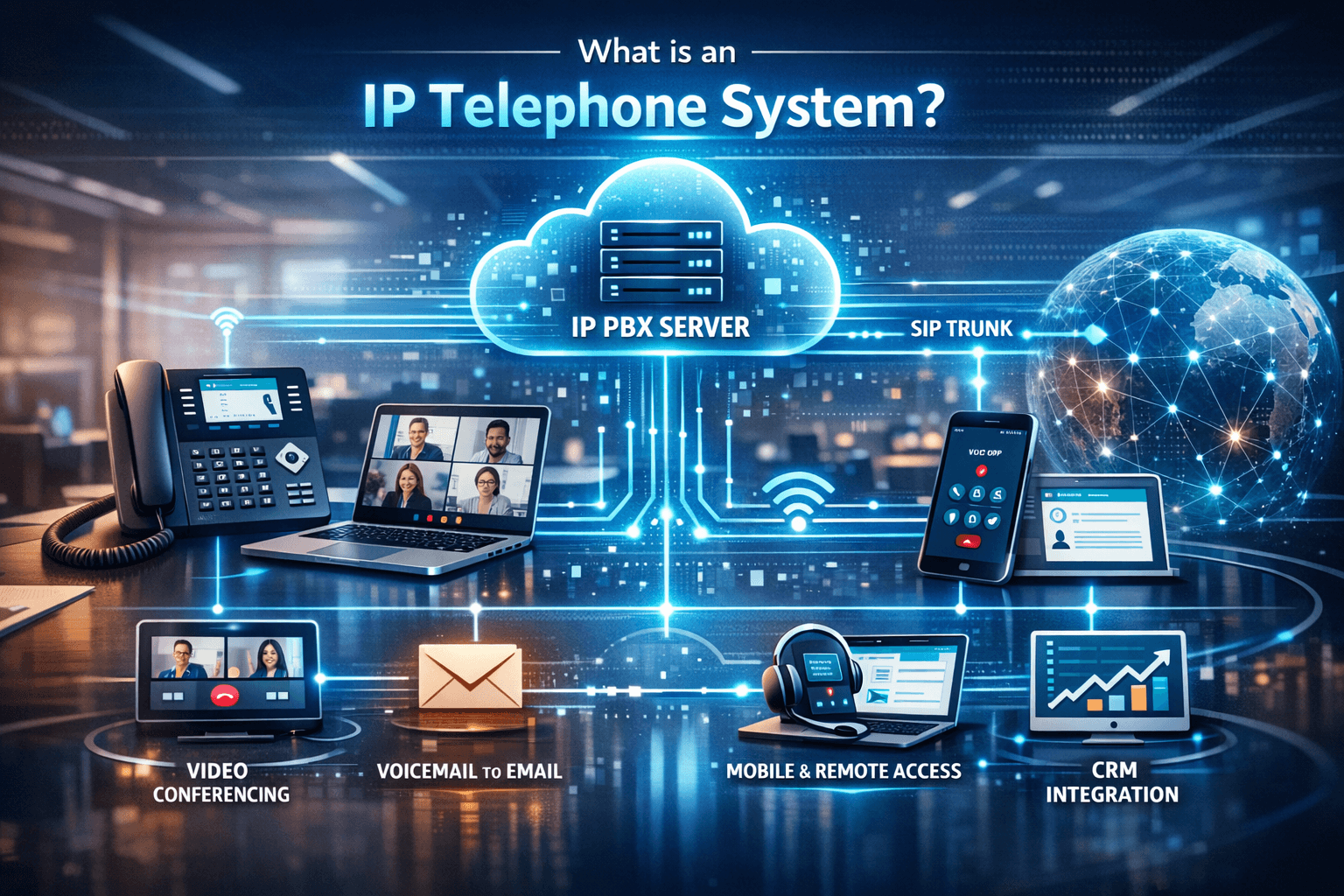
Modern businesses rely on efficient communication systems to stay competitive. IP telephony, or IP telephone systems, have transformed how companies connect internally and externally, leveraging internet protocols instead of traditional phone lines. If you’ve ever wondered what an IP telephone system is, this article breaks down everything you need to know—from the basics to practical applications—so you can make informed decisions for your organization’s communication setup.
Communication is the backbone of any successful business. Whether it’s connecting teams across locations or handling international client calls, organizations need systems that are flexible, reliable, and cost-effective. IP telephony, powered by internet protocols, has redefined business communication, offering features that traditional telephone lines simply cannot match.
But what is an IP telephone system exactly, and how can it help your business? This guide provides a clear, in-depth look at IP telephony, including how it works, system types, setup considerations, and advantages. By the end, you’ll understand why businesses worldwide are transitioning to IP-based communication solutions.
What is IP Telephony?
IP telephony, also known as internet telephony or VoIP, refers to voice communication transmitted over an internet connection instead of standard analog telephone lines. Unlike traditional Public Switched Telephone Network (PSTN) systems, IP telephony digitizes your voice into data packets and sends them across networks, enabling seamless, scalable communication.
IP telephony (Internet Protocol telephony) refers to transmitting voice communications over the internet instead of traditional telephone lines. IP telephony converts voice into digital packets and sends them over a network, enabling faster, cost-effective, and scalable communication.
Key Components of IP Telephony
-
-
-
IP Phones (Desk or Softphones) – Devices specifically designed to send and receive voice calls over IP networks. Softphones are apps installed on computers or mobile devices.
-
IP PBX Servers – Handle call routing, extensions, and system management. PBX stands for Private Branch Exchange.
-
VoIP Gateways – Convert IP calls to traditional phone lines when required.
-
-
Even if your business has existing analog phones, IP telephony can integrate with them using VoIP gateways, ensuring a smooth migration.
IP Telephone System Explained
An IP telephone system is essentially a business phone network running on an IP-based infrastructure. It allows employees to make calls from desk phones, softphones, or mobile devices using an internet connection.
Benefits Include:
-
-
-
Cost Savings: Avoid high PSTN costs for international and long-distance calls.
-
Mobility: Employees can make calls from laptops, softphones, or mobile apps.
-
Advanced Features: Voicemail-to-email, call forwarding, auto-attendant, conferencing.
-
Integration: Easily connect with CRM, helpdesk, and other business software.
-
Scalability: Add or remove users without expensive infrastructure changes.
-
-
How Does an IP Phone Work?
An IP telephone system is a business phone network that uses IP technology to manage internal and external calls. Unlike traditional PBX systems that rely on copper lines, IP telephone systems operate over data networks, allowing voice, video, and messaging integration. IP phones digitize voice signals and transmit them as data packets over an IP network. Here’s a simplified flow:
-
You speak into an IP phone.
-
Voice is converted into digital packets.
-
Packets travel through your LAN or WAN to the recipient.
-
The recipient’s IP phone converts packets back to sound.
This allows calls to occur over the internet, enabling international communication at reduced costs compared to PSTN lines.
IP Telephone vs. Traditional Phone System
| Feature | Traditional PSTN | IP Telephone System |
|---|---|---|
| Call Routing | Manual or limited automated | Automated, flexible |
| Cost | High for international calls | Low, internet-based |
| Mobility | Desk phones only | Softphones, mobile apps |
| Features | Limited | Unified messaging, conferencing, CRM integration |
| Scalability | Hardware-heavy | Software-driven, flexible |
Insight: Businesses transitioning to IP telephony often experience 30–50% reduction in phone expenses while gaining more advanced features.
Types of IP Telephony Systems
1. On-Premises IP Telephony
-
Hosted locally using IP PBX hardware.
-
Full control over data, security, and call routing.
-
Requires maintenance but ideal for companies with high call volumes.
2. Cloud/Hosted IP Telephony
-
Managed by a provider via the internet.
-
Quick deployment and minimal infrastructure.
-
Scales easily for remote teams or multiple locations.
3. Hybrid Systems
-
-
Combines on-premises hardware with cloud services.
-
Useful for businesses gradually migrating to cloud solutions.
-
Advantages of IP Telephone Systems for Businesses
-
Cost Efficiency: Lower long-distance and international calling charges.
-
Scalability: Easily add or remove users as your business grows.
-
Flexibility: Employees can use softphones on laptops or mobile apps.
-
Enhanced Features: Advanced call handling, reporting, and integrations.
-
Reliability: Redundant networks ensure business continuity.
How to Choose the Right IP Telephony Solution
-
Assess Your Needs: Call volume, remote access, integration requirements.
-
Evaluate Providers: Look for uptime guarantees, support, and security compliance.
-
Consider Features: Unified messaging, CRM integration, call analytics.
-
Plan for Scalability: Ensure the solution can grow with your business.
Implementing an IP Telephone System
Step 1 – Assess Needs
-
Number of users
-
Required features
-
Remote access
Step 2 – Choose Deployment Type
-
Cloud-based
-
On-premises
-
Hybrid
Step 3 – Hardware & Software Setup
-
Install IP PBX if on-premises
-
Connect IP phones or softphones
-
Configure call routing and voicemail
Step 4 – Test & Optimize
-
Test call quality
-
Adjust network QoS (Quality of Service)
-
Monitor for packet loss or latency
Pro Tip: High-speed, reliable internet is critical. IP telephony quality depends heavily on network stability.
Common Questions About IP Phones
-
What is an IP phone?
A device that uses internet protocols to make and receive calls digitally. -
How do IP phones work?
By converting voice into data packets sent over a network. -
What is the difference between IP telephony and VoIP?
VoIP is the underlying technology; IP telephony refers to the broader system of phones, PBX, and services using IP. -
Are IP telephone systems secure?
When using encrypted connections and secure networks, IP telephony can be highly secure.
Conclusion
IP telephony and IP telephone systems are revolutionizing business communication by combining flexibility, cost efficiency, and advanced features. Understanding how these systems work helps companies select solutions that improve connectivity, collaboration, and customer engagement. Whether you’re considering cloud-based IP telephony services or an on-premises system, the right setup can transform the way your organization communicates.
IP telephony and IP telephone systems provide businesses with scalable, cost-efficient, and feature-rich communication solutions. From small startups to multinational corporations, IP-based communication improves collaboration, productivity, and connectivity. Understanding how IP phones work, evaluating service options, and selecting the right system ensures your business stays competitive in today’s connected world.
FAQ:
Q1: What is an IP telephone system?
An IP telephone system is a network of IP phones and servers that route voice communication over the internet instead of traditional lines.
Q2: How does IP telephony differ from traditional phone service?
It uses data networks instead of analog circuits, offering lower costs, mobility, and richer features.
Q3: Can IP phones work with mobile devices?
Yes, through softphones or mobile apps, employees can make and receive calls anywhere.
Q4: What are the advantages of IP telephony for small businesses?
Cost savings, scalability, mobility, and advanced communication features make it ideal for growing businesses.
Q5: Is IP telephony reliable for international calls?
Yes, especially with high-speed internet and robust IP telephony providers, international communication is cost-effective and clear.
Q6. Is IP telephony secure?
Yes, IP telephony is generally secure if implemented correctly:
-
Use encrypted protocols (SIP TLS, SRTP)
-
Regularly update firmware and software
-
Monitor for unauthorized access
-
Employ firewalls and VPNs for remote connections

