
Verdict: A phone hotspot is enough for most business use when the work is email, browsing, video calls, and occasional laptop tethering, but it stops being enough when a whole team, a full working day, or heavy uploads depend on it every day. The question is not whether a phone can share its connection; it can. The question is how much data, for how many people, for how long, and what happens when the phone itself is needed for calls at the same time. Answer those four points honestly and the right choice usually becomes clear.
This guide explains mobile hotspot use for business, compares a phone hotspot with a dedicated hotspot, and sets out the data allowances that decide the answer on AT&T Business Wireless. It uses official AT&T Business Wireless 3.0 prices and hotspot allowances checked in October 2026: Standard $30 per line with 5GB of hotspot data, Advanced $40 with 100GB, and Premium $50 with 300GB, each for 5 or more lines with AutoPay and paperless billing. For 1 to 4 lines, always confirm the quote for your exact line count.
Check Your Business Hotspot Data Allowance
See which business wireless tier gives your team the hotspot data it actually needs.
How a Business Phone Hotspot Actually Works
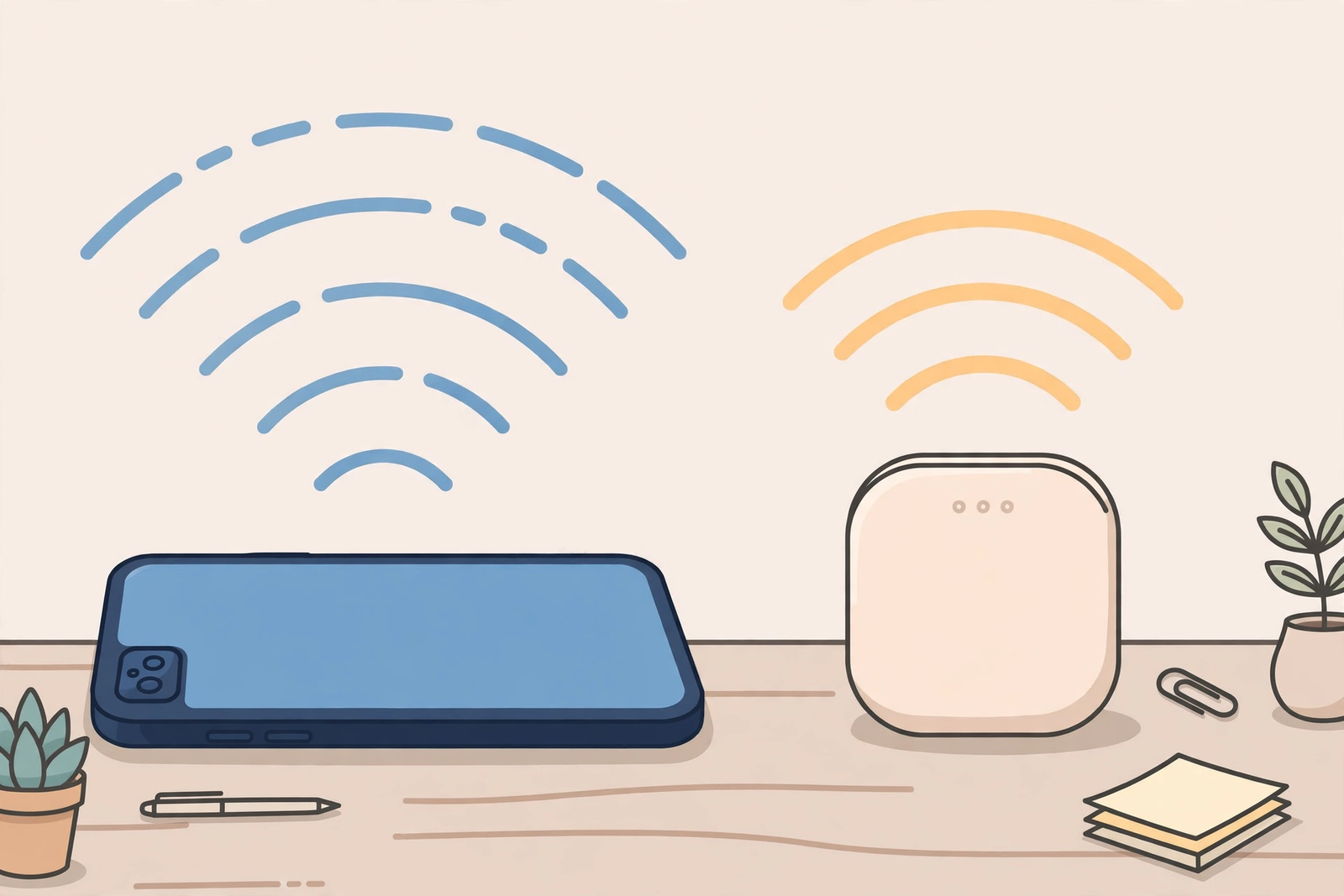
A phone hotspot turns a mobile phone into a small Wi-Fi router. The phone connects to the mobile network and shares that connection with nearby devices, typically a laptop or tablet, over Wi-Fi. The laptop then uses the phone’s mobile data, including its hotspot allowance, rather than a fixed broadband connection. For a single worker in a cafe, a customer site, or a vehicle, that is often all that is needed: open the hotspot, connect the laptop, and work as normal until the task is done.
The simplicity is the appeal, but it also defines the limits. The phone is doing two jobs at once: it is a phone and a router. Its battery drains faster, its own data use competes with the tethered device, and its signal is the only signal available. If the phone is in a weak-signal spot, the laptop inherits that weakness. If the phone receives a long call, the worker’s attention is split in a way that a separate hotspot device would avoid. None of this makes a phone hotspot unusable; it simply means the use case matters more than the feature itself.
For business planning, the most useful way to think about a phone hotspot is as a personal, occasional connection. It is excellent for one person, for a defined task, for a few hours. It becomes strained when it is asked to be a shared office connection, an all-day connection, or the only connection for several people at once. That distinction, personal and occasional versus shared and continuous, runs through every decision in this guide.
Mobile Hotspot for Business Use: What Counts as Enough
Enough depends on the work, not on a generic data figure. Email and messaging use very little data. Web browsing and cloud documents use a modest amount. Video calls use considerably more, and the amount rises with call length, participant video quality, and whether screen sharing is involved. Large file uploads, cloud backups, and video streaming use the most. A worker who mainly emails and browses can work for a long time on a small allowance; a worker who spends the day on video calls and uploads will exhaust the same allowance quickly.
Duration matters just as much as task type. A hotspot that is enough for a two-hour site visit may not be enough for an eight-hour working day away from Wi-Fi, repeated five days a week. The same is true of frequency: occasional tethering once a week is a different demand from daily tethering as the primary connection. When you assess whether a phone hotspot is enough, count the hours and the days, not just the tasks, and be honest about how often the worker will actually be away from a fixed connection.
Number of devices is the third factor. A phone hotspot serving one laptop is a straightforward load. The same hotspot serving a laptop, a tablet, and a colleague’s device at the same time is sharing its allowance and its connection speed across more demand. For a single user, that rarely matters. For a small team sharing one phone, it quickly becomes the bottleneck. As a planning rule, assume that a phone hotspot is a one-person tool unless you have a specific reason to treat it otherwise, and plan team connectivity separately.
Business Phone Hotspot Data Allowance by Wireless Tier
On AT&T Business Wireless, the hotspot allowance is tied to the tier on each line, which is why tier choice and hotspot planning belong together. Business Unlimited Standard includes 5GB of mobile hotspot data, Advanced includes 100GB, and Premium includes 300GB. The prices, for 5 or more lines with AutoPay and paperless billing, are $30, $40, and $50 per line per month respectively. All three tiers include unlimited talk, text, and data in and between the US, Canada, and Mexico, 5G and 5G+ access, and ActiveArmor, so the hotspot allowance is the key variable when you are choosing a tier for hotspot work.
Those three allowances describe three very different working patterns. The 5GB allowance on Standard suits occasional tethering: a few laptop sessions, some email and document work, and short bursts away from Wi-Fi. It is not designed to carry a full working week of laptop use. The 100GB allowance on Advanced suits regular tethering: several laptop sessions a week, video calls, and sustained document and cloud work. The 300GB allowance on Premium suits heavy, daily tethering: a laptop used as the main work device through a hotspot for much of the day. Matching the allowance to the pattern, rather than guessing, is the core of hotspot planning. For a deeper explanation, see business hotspot data explained.
| Business wireless tier | Price per line (5+ lines, AutoPay + paperless) | Phone hotspot data allowance | Typical business hotspot pattern |
|---|---|---|---|
| Business Unlimited Standard | $30 per month | 5GB | Occasional tethering, short sessions |
| Business Unlimited Advanced | $40 per month | 100GB | Regular tethering, several sessions a week |
| Business Unlimited Premium | $50 per month | 300GB | Daily, heavy laptop tethering |
When comparing tiers, remember that the step from Standard to Advanced is $10 per line and multiplies the hotspot allowance twentyfold, while the step to Premium is another $10 and triples it again. That pricing shape means that under-provisioning a regular hotspot user on Standard, to save $10, is often a false economy. The worker either runs out of hotspot data or avoids using the laptop properly, and either outcome costs more in lost time than the tier difference. If you are choosing tiers by employee, see our guide to AT&T Business Wireless plans and the tier comparison in AT&T Business Unlimited plans compared.
Mobile Hotspot vs Dedicated Hotspot for Business Teams
A dedicated hotspot is a separate device whose only job is to share a mobile connection. It does not take calls, run apps, or drain a worker’s phone battery, and it can usually stay on, charged, and positioned for the best signal while the worker uses a laptop freely. For a single worker doing occasional work, that separation is a convenience. For a team, a vehicle, or a site where several people need connectivity, it becomes a real operational advantage, because the connection is not tied to one person’s phone being present, charged, and free.
A phone hotspot, by contrast, wins on simplicity and cost. There is no extra device to buy, charge, carry, or manage, and no separate line to administer. For a worker who already carries a business phone, tethering is already available on their existing line and tier. That is why phone hotspots dominate for individual, occasional use: the marginal cost is zero beyond the tier already paid for, and the setup is a setting on a device the worker already knows. Adding a dedicated device for that pattern would add management overhead without solving a real problem.
The decision turns on sharing and continuity. If one person needs connectivity for part of the day, a phone hotspot is usually enough. If several people need connectivity at the same time, if the connection must stay live while the worker is on calls or away from the device, or if the work site needs a stable connection for a full day, a dedicated hotspot is worth considering. For field and remote staff specifically, see mobile hotspot for field and remote staff, which looks at how these trade-offs play out away from the office.
Disclaimer: This article contains affiliate links to AT&T Business services. We may earn a commission if you purchase through them, at no extra cost to you. Ortelcom.com is an independent publisher and is not affiliated with or endorsed by AT&T. Pricing, speeds, and availability are not guaranteed, were checked 30 October 2026, and vary by address and promotions — please confirm all details before ordering. AT&T and all related marks are trademarks of their respective owners.
Phone Hotspot for Remote Work: A Planning Example
The following example is planning guidance only, with assumptions stated, so you can test it against your own team. Suppose a remote worker tethers a laptop for email, cloud documents, and a few video calls each week, working away from Wi-Fi for roughly two days a week. On Standard, with 5GB of hotspot data, that pattern is tight: a few heavy video-call weeks could exhaust the allowance, leaving the worker without laptop connectivity until the cycle resets. On Advanced, with 100GB, the same pattern has comfortable headroom, and the worker can tether without rationing calls or uploads.
Now suppose a second worker is fully remote and uses a laptop through a phone hotspot every working day, including long video calls and regular file uploads. That pattern is materially heavier, and Premium, with 300GB, is the tier that matches it without forcing the worker to monitor every call. The $10 step from Advanced to Premium is small compared with the disruption of a remote worker losing connectivity mid-day. The example does not give a universal data figure for video calls or uploads, because those vary with quality and duration; the point is to compare patterns, not to pretend a single number covers every worker.
Use the example as a method. List each remote worker, estimate how many days a week they tether, what they do on the laptop, and whether they share the connection. Assign a tier from that pattern, then review after a month of real use. If a worker on Advanced never approaches their allowance, the tier is at worst slightly generous; if a worker on Standard regularly runs out, the fix is a single-line tier change, not a new device or a new provider. That review habit keeps hotspot planning grounded in observed work rather than in guesses made at setup.
When a Business Phone Hotspot Is Not Enough

A phone hotspot stops being enough in a few recognisable situations. The first is team sharing: when three or four people at a site, in a vehicle, or at an event all need laptop connectivity from one phone, the connection and the allowance are stretched across too many users. The second is all-day dependence: when the hotspot is the only connection for a full working day, every day, the phone’s battery, signal, and allowance are all under continuous strain, and any interruption becomes a work stoppage rather than an inconvenience.
The third situation is heavy, sustained data work: large uploads, cloud backups, video production, or long high-quality video sessions repeated daily. Those tasks consume hotspot data quickly and can exhaust even a generous allowance if they are the core of the job rather than an occasional task. In that case, the right question is not whether a phone hotspot can do the task once, but whether it can do it repeatedly, reliably, for weeks at a time. If the answer is no, a dedicated hotspot, a higher tier, or a fixed connection at the work location should be considered, depending on how permanent the site is.
The fourth situation is coverage and reliability. A phone hotspot inherits the phone’s signal exactly where the phone happens to be. If the worker must keep the phone in a pocket, a vehicle, or a poor-signal corner while working elsewhere, the laptop connection suffers. A dedicated device can be placed where the signal is strongest, left charging, and left running, which removes that constraint. If hotspot reliability is repeatedly the complaint, rather than data volume, placement and device separation may matter more than a larger allowance.
Business Hotspot Data: Practical Tips for Phone Hotspot Users
Several practical habits make a phone hotspot work better without changing the plan. Keep the phone charged or plugged in while tethering, because tethering drains battery quickly and a dead phone ends both calls and connectivity. Position the phone where signal is strongest, near a window or away from thick walls where possible, and avoid leaving it in a bag or vehicle compartment while working. Close unnecessary cloud syncs, large downloads, and background updates on the tethered laptop during hotspot sessions, since those consume allowance without helping the task at hand.
Separate work that needs a hotspot from work that does not. Download large files, sync cloud folders, and update software while on office or home Wi-Fi, and reserve hotspot data for live work: email, documents, calls, and uploads that genuinely need to happen away from Wi-Fi. That habit alone can extend a modest allowance significantly, and it is especially useful for workers on Standard, where 5GB must be spent carefully. It also helps workers on higher tiers avoid waste, even though their headroom is larger.
Monitor use in the first month. Check the hotspot usage for each line, note which workers approach their allowance, and adjust tiers before the pattern becomes a problem. That check is part of normal line management, covered in our guide to managing AT&T Business lines, bills and users. A single review after setup, and a brief check each quarter, will catch most mismatches early, whether the fix is a tier change, a habit change, or a dedicated device for a specific team.
Choosing a Business Hotspot Plan for Your Team
Choosing a hotspot plan starts with the team, not the device. List each employee who will tether, note whether they work alone or share connectivity, how many days a week they tether, and what they do on the laptop. From that list, assign a provisional tier: Standard for occasional tethering, Advanced for regular tethering, and Premium for daily, heavy tethering. Confirm the quote for your exact line count, since the $30, $40, and $50 prices in this guide apply to 5 or more lines with AutoPay and paperless billing, and prices for 1 to 4 lines are not stated here.
Consider fixed connectivity alongside hotspot planning. If a location has reliable fixed internet, a hotspot is a backup and a travel tool, not the primary connection, and a lower tier may be enough. As a contrast only, AT&T Business Internet Fiber list prices are $60 for 300, $100 for 500, $140 for 1 GIG, $185 for 2 GIG, and $285 for 5 GIG, or $40, $60, $90, $135, and $235 respectively with an eligible wireless plan. Internet Air, if mentioned as an alternative for a location, is Standard $65 list ($60 with AutoPay and paperless billing; $40 with an eligible wireless plan) and Premium $105 list ($100; $80 with an eligible wireless plan), with Premium including 250GB of Turbo priority data per cycle. Those figures are context, not a quote, and the hotspot decision should still be made on the team’s actual tethering pattern.
Finally, build in a review. Hotspot needs change when roles, sites, and travel patterns change, and a plan that was right at setup can drift within a few months. Note the tier, the reason, and a review date for each line, and revisit the list quarterly. A phone hotspot is enough for a large share of business use, and it remains enough as long as the tier matches the work and the review keeps it matched over time.
One more check is worth making before you finalise tiers: ask each employee where their hotspot sessions actually happen. A worker in a strong-signal office car park faces a different reality from a worker in a rural site or a basement meeting room, even if their tasks look identical on paper. Signal quality affects how usable a hotspot feels, how quickly tasks complete, and how much patience a worker needs. If signal is consistently weak in a key location, that location may need a different solution, such as a better-placed device or a fixed connection, rather than simply a larger data allowance.
Ready to check whether your team’s phone hotspot data is enough? Get a business wireless quote and confirm the hotspot allowance for each line before you order.
Frequently Asked Questions About Mobile Hotspot for Business Use
Is a business phone hotspot enough for remote work?
Often, yes, for a single remote worker doing email, documents, browsing, and video calls on a laptop for part of the week. It becomes less suitable when the worker tethers all day, every day, shares the connection with colleagues, or relies on heavy uploads as the core of the job, in which case a higher tier or a dedicated hotspot should be considered.
How much mobile hotspot data does a business plan include?
On AT&T Business Wireless 3.0, Standard includes 5GB, Advanced includes 100GB, and Premium includes 300GB of mobile hotspot data. Prices for 5 or more lines with AutoPay and paperless billing are $30, $40, and $50 per line per month respectively. For 1 to 4 lines, confirm the quote for your exact line count.
What is the difference between a business phone hotspot and a dedicated hotspot?
A phone hotspot shares the phone’s own connection and battery, which is simple and costs nothing beyond the existing line and tier. A dedicated hotspot is a separate device whose only job is sharing a connection, so it can stay on, stay charged, and serve several people without tying up a worker’s phone. Phone hotspots suit individual, occasional use; dedicated hotspots suit shared or continuous use.
Can a business phone hotspot support a whole team?
Not well as a shared solution. A phone hotspot is designed as a one-person tool: one phone, one laptop, for a defined session. When several people need connectivity at once, the allowance and connection are shared across all of them, and a dedicated hotspot or a fixed connection at the site is usually a better fit.
Which business hotspot plan suits daily laptop tethering?
Daily, heavy laptop tethering points to Premium, with its 300GB hotspot allowance, while regular tethering several times a week points to Advanced, with 100GB. Occasional tethering can work on Standard, with 5GB, provided large downloads and syncs are done on Wi-Fi rather than through the hotspot.
How can a business reduce mobile hotspot data use?
Do large downloads, cloud syncs, and software updates on office or home Wi-Fi, keep the phone charged and well-positioned while tethering, close unnecessary background syncs on the laptop during hotspot sessions, and review each line’s hotspot use after the first month so tiers can be adjusted to match real patterns.
A phone hotspot is enough when the work, the hours, and the number of users all fit what a single phone can reasonably carry. Size the tier to that reality, review it when the work changes, and the hotspot will stay a useful business tool rather than becoming the bottleneck.

