
Call disposition is the process of categorizing the outcome of a phone interaction using predefined labels or codes. It helps businesses record what happened during each call — such as sale made, no answer, follow‑up required — enabling performance tracking, analytics, workflow automation, and improved customer experience across contact centers, sales teams, and support environments.
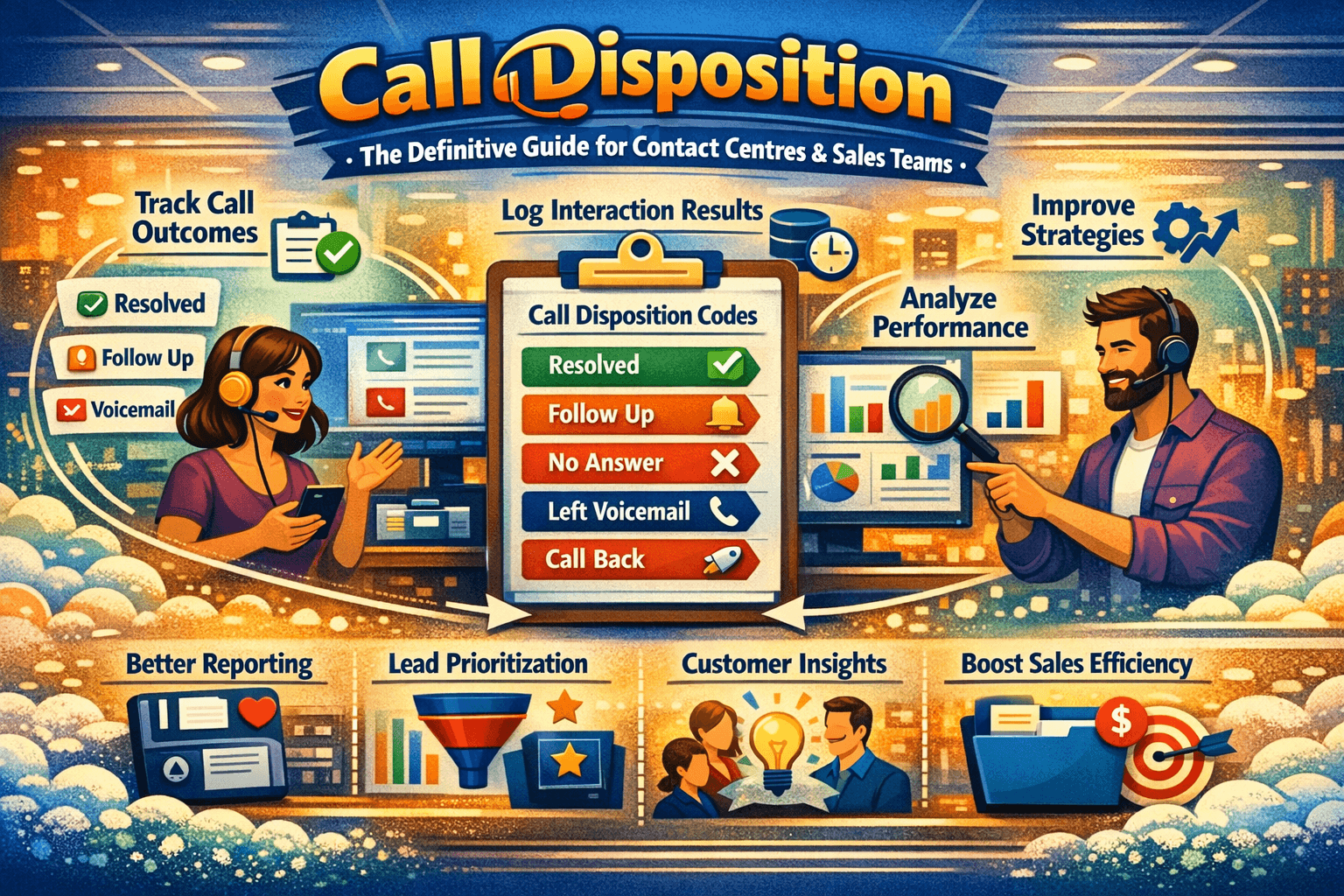
In every modern contact center, sales team, helpdesk, or customer engagement environment, a disciplined approach to categorizing interactions is essential for measurement, workflow automation, performance management, and continuous improvement. At the heart of this structured measurement is call disposition — a system for recording what happened on each call.
This guide will explore everything you need to know: what call disposition is, why teams use it, how to do it well, common codes, step‑by‑step processes, real team examples, comparison tables, integrations with CRM and analytics, and answers to every major search intent around the topic.
What Does Call Disposition Mean?
At its core, call disposition refers to the label or code assigned to a phone interaction that represents the outcome of that call. Companies use dispositions to record what happened — whether the customer bought something, requested a callback, was unavailable, declined offers, or needed further actions.
From a logging perspective, call disposition is central to call analytics, agent accountability, workflow automation, and reporting metrics. In dashboards, dispositions become filters that reveal patterns: call volumes that result in resolved issues, sales conversions, or callbacks required within 24 hours.
By capturing the outcome of each interaction, organizations gain insight into operational performance and can continuously optimize processes.
History of Call Disposition
Before CRM systems and modern cloud telephony, teams manually tracked call outcomes using paper logs and manual spreadsheets. Agents would write summaries of calls, and managers would later aggregate these to evaluate performance — a slow, error‑prone process.
With the emergence of the first computer telephony integration (CTI) systems in the 1990s, call centres began storing call records electronically. However, outcomes still required manual entry — often inconsistent — because businesses had no standardised framework.
Over time, as call centres matured and software providers introduced disposition codes, organisations could standardise how outcomes were logged. Today, a simple dropdown menu or button‑based interface captures call results instantly. Modern platforms automatically sync these dispositions to CRM systems, marketing clouds, and analytics dashboards.
This evolution transformed dispositions from simple labels into critical data assets driving strategic decisions.
Why Call Disposition Matters
At first glance, dispositions might seem like administrative overhead — but their impact is strategic and measurable.
1. Accurate Reporting & Analytics
When every call outcome is captured consistently, leaders can generate reports that answer questions like:
-
How many sales calls turned into closed deals?
-
What percentage of support calls resolved issues on first contact?
-
How many prospects required follow‑up?
Without dispositions, these analyses would be guesses.
Read More: is it illegal to record a conversation in jamaica
2. Workflow Automation
Dispositions can trigger actions automatically. For example:
-
A “Follow‑Up Required” disposition triggers a task in CRM.
-
An “Unresolved Issue” code puts the contact into a priority queue.
-
A “Sale Closed” code logs revenue and feeds into forecasting systems.
Automation reduces manual steps, improves agent efficiency, and ensures no task slips through the cracks.
3. Agent Feedback & Coaching
Call dispositions create objective data points to evaluate agent performance:
-
Are certain agents resolving issues faster?
-
Who has the highest conversion rates?
-
Which dispositions correlate with customer satisfaction?
They unlock coaching opportunities and fair performance evaluation.
4. Customer Experience & Service Quality
Dispositions enable better contextual follow‑ups. For example, if a customer was “Not Interested Today,” an automated sequence could schedule a follow‑up reminder for next quarter — rather than a generic call attempt with no context.
The result? More personalised engagement and reduced callback fatigue for customers.
Types of Call Disposition Codes
Dispositions vary by industry, team processes, and tools — but most codes fall into broad buckets. Organisations typically customise these for their specific workflow needs.
| Category | Common Codes | Description |
|---|---|---|
| Sales Outcome | Sold, No Sale, Need Follow‑Up | Tracks whether a sale happened or if further outreach is needed |
| Customer Support | Resolved, Escalated, Open Ticket | Records support case status after interaction |
| Contact Quality | Wrong Number, Voicemail Only, Disconnected | Marks call validity and contact accuracy |
| Interest Level | Interested, Not Interested, Deferred | Categorises prospect intent |
| Appointment Status | Confirmed, Rescheduled, Cancelled | Logs appointment outcomes |
| Callback Requests | Callback URGENT, Callback Later | Categorises callback urgency |
| Other | Spam Caller, Internal Call | Miscellaneous outcomes |
Step‑by‑Step Guide to Using Call Disposition
A common challenge teams face isn’t just having dispositions — it’s using them correctly and consistently. Here’s a workflow that many high‑performing teams follow:
🔹 Step 1: Define Purpose & Use Cases
Before creating codes, ask:
-
What decisions or actions will this data drive?
-
What questions do managers want to answer?
-
Which outcomes are meaningful for the business?
Too many codes dilute insight; too few miss nuance. Aim for a balanced list that maps to measurable outcomes.
Example Structure:
-
Sales Pipeline: Sold, Left Voicemail, Interested – Needs Callback
-
Support: Resolved, Escalate to L2, Customer Will Call Back
-
Data Quality: Wrong Number, No Answer, Number Disconnected
Step 2: Standardize Definitions
Every team member must understand what each code means.
For example:
-
“Left Voicemail” = call answered by voicemail system, message left
-
“No Answer” = call not answered, no message left
-
“Resolved” = issue fixed without escalation
Create a reference document that defines each disposition clearly.
Step 3: Integrate Dispositions with Systems
Dispositions should connect with key systems like:
-
CRM (e.g., Salesforce, HubSpot)
-
Helpdesk (e.g., Zendesk, Freshdesk)
-
Analytics and BI tools (e.g., Tableau, Looker)
-
Workforce management tools
When integrated, dispositions become high‑value data — not siloed labels.
Step 4: Train Agents & Managers
Agents must know when and which disposition to apply. Training should include:
-
Live examples and scenario walkthroughs
-
Role‑playing interactions
-
Practice categories for ambiguous cases
Managers should also know how to enforce consistency and audit data quality.
Step 5: Monitor & Refine
Disposition labels aren’t static — they evolve. Teams should review disposition usage monthly or quarterly to:
-
Remove redundant or under‑used codes
-
Add new categories for emerging workflows
-
Consolidate similar codes to avoid confusion
Example
Imagine a B2B SaaS company that manages both sales and support calls. Their original code list included 30+ dispositions — so many that agents often picked the wrong option.
After carefully mapping outcomes to actions, the company consolidated to 14 codes and aligned them to CRM tasks:
| Call Outcome | Disposition | Next Action |
|---|---|---|
| Product demo booked | DEMO_BOOKED | Auto task: reminder email, calendar invite |
| Prospect wants info | FOLLOW_UP_INFO | Auto task: send info pack |
| Issue fixed | SUPPORT_RESOLVED | Mark support ticket closed |
| Needs escalation | SUPPORT_ESCALATE | Create escalation ticket and notify team |
| Wrong number | INVALID_CONTACT | Flag contact record for cleanup |
Within weeks, reporting became clearer, forecasts more accurate, and follow‑up actions more consistent.
What Good Call Disposition Looks Like
A well‑implemented disposition system will:
✔ Produce clean datasets for reporting
✔ Drive accurate pipeline forecasts
✔ Trigger automated workflows
✔ Improve agent accountability
✔ Provide visibility into team performance
By contrast, poor use can create misleading metrics and operational confusion.
Disposition Reporting & Analytics
Once dispositions are captured reliably, organisations can analyse performance at scale.
Common Reports Driven by Dispositions:
-
Conversion Rate by Disposition What percentage of “Interested – Needs Follow‑Up” calls convert to revenue?
-
First Contact Resolution (FCR) How many calls marked “Resolved” are truly closed without escalation?
-
Agent Productivity Metrics Which agents resolve issues fastest or convert prospects?
-
Contact Quality Metrics How often are calls marked “Invalid Contact” — and what does that say about data hygiene?
Good reporting uncovers patterns that drive decisions — like timing follow‑ups more effectively or adjusting messaging for better outcomes.
Automating Next Actions Based on Disposition
One of the biggest advantages of disciplined dispositioning is automation.
Examples of Triggered Actions:
| Disposition | Automation Triggered |
|---|---|
| Follow‑Up Required | Auto‑create CRM task with due date |
| Support Escalated | Notify escalation manager via email/Slack |
| Sold | Update revenue pipeline and trigger onboarding workflow |
| Callback URGENT | Place contact in priority queue and notify agent |
Automations reduce manual work — and ensure faster, more consistent service.
Best Practices for Call Disposition
Keep Labels Simple & Actionable Avoid overly granular codes that no one uses.
Standardise Definitions Across Teams Everyone logs outcomes using the same language and meaning.
Integrate with CRM & Tools Make dispositions useful for sales, support, and analytics.
Review Regularly Continual adjustment keeps the system current and relevant.
Train Repeatedly New hires must adopt the same standards from day one.
Comparison: Manual Notes vs Structured Disposition
| Feature | Manual Notes Only | Structured Disposition |
|---|---|---|
| Data Consistency | Low | High |
| Automations Enabled | No | Yes |
| Reporting Quality | Poor | Strong |
| Ease of Collaboration | Low | High |
| Forecasting Accuracy | Weak | Strong |
Structured dispositions dramatically improve organisational intelligence compared to unstructured notes.
Call Disposition Tools & Integrations
Modern telephony platforms often provide disposition features out‑of‑the‑box:
-
Cloud contact centre software (built‑in disposition dropdowns)
-
CRM platforms (disposition fields linked to contact records)
-
Helpdesk platforms (support outcome codes sync with tickets)
-
CTI and browser‑based dialers (automatically prompt dispositions after calls)
For teams without native disposition features, third‑party workflow tools like Zapier or Make can sync dispositions between systems.
Frequently Asked Questions (FAQ)
Q: What is a call disposition code?
A call disposition code is a predefined label applied at the end of a call that indicates the result of that interaction, such as “Sale Made,” “Follow‑Up Required,” or “Voicemail Left.”
Q: How many disposition codes should a team use?
There’s no magic number, but most high‑performing teams use between 10 and 20 well‑defined codes that map to meaningful outcomes and actions.
Q: Do dispositions improve call outcomes?
Yes — they improve visibility, drive next‑action automation, support coaching, and provide accurate data for decision‑making.
Q: How do dispositions integrate with CRM?
Platforms typically sync disposition fields to CRM records so that pipelines update automatically, follow‑up tasks are created, and reporting reflects real outcomes.
Q: What happens if agents misuse dispositions?
Misuse undermines data quality and reports. Training, clear definitions, and audits help ensure consistent use.
Q: Are call dispositions only for contact centres?
No — sales teams, helpdesks, field service teams, and business units handling outbound or inbound calls benefit from dispositions.
Q: Can dispositions be automated?
Some systems auto‑suggest dispositions using AI (based on call sentiment or keywords), but final validation usually comes from agents.
Q: How often should teams review their disposition list?
Review quarterly or when workflow changes require adjustments.
Q: Do dispositions affect call routing?
They can — dispositions like “Callback Required” may place contacts into specific queues automatically.
Q: Can dispositions help with compliance or auditing?
Yes — dispositions create records of outcomes that can be referenced for compliance, quality assurance, and auditing purposes.
Q: How do I measure agent performance using dispositions?
Use disposition data in reports to calculate metrics like first contact resolution, conversion rates, and follow‑up timeliness.
Q: Are disposition outcomes visible to customers?
No — dispositions are internal metadata used for staff workflows and reporting, not visible externally.
Q: What’s the difference between disposition and call tagging?
Disposition codes are outcome‑focused, whereas tags may be descriptive labels that provide context without implying action.
Q: Can disposition codes be customised?
Yes — most systems let organisations customise the codes to match processes and terminology.
Q: Does AI make disposition more accurate?
AI can assist by suggesting dispositions based on speech analytics, but human validation ensures accuracy.
Conclusion
Call disposition is more than an administrative task — it is a core data discipline that drives performance, automation, analytics, and operational efficiency in modern organisations. By defining meaningful codes, training teams consistently, integrating with systems, and driving actions from outcomes, companies can turn everyday phone interactions into measurable and optimisable business value.

