
Verdict: For many churches, nonprofits, and community halls, AT&T Internet Air for Business is the best internet choice in 2026 when fiber is unavailable or when the organisation needs a working connection quickly, because it delivers a fixed business wireless connection without waiting for a wired build-out. Livestreamed services, online giving, office work, and guest Wi-Fi for visitors all depend on that connection, and a slow or unreliable home-style line will show its limits during the Sunday service, a fundraising event, or a hall rental. Internet Air is not a roaming mobile service: it is tied to a fixed, qualified business address, so it suits a church building, a nonprofit office, or a community hall that operates from one place. Where fiber is available and the budget allows, fiber remains the longer-term upgrade path, and this guide explains how to choose between the two honestly.
Churches and nonprofits use internet differently from both offices and businesses that sell to the public. The heaviest demand often arrives in a short window: a Sunday morning service with livestreaming, a midweek event with a full hall, or a community program with dozens of visitors on guest Wi-Fi at once. Between those peaks, the load is lighter: office email, donor records, scheduling, and a handful of staff devices. That pattern, peaks surrounded by quiet periods, is exactly why sizing for the busiest hour matters more than sizing for the average day. A connection that copes on a Tuesday morning but buffers the livestream on Sunday has failed at the moment the organisation most needs it. Pricing and features here were checked in October 2026 and vary by address, so confirm qualification and current offers before ordering.
AT&T Internet Air for Churches, Nonprofits, and Community Halls
Check whether your fixed business address qualifies for Internet Air and compare Standard and Premium plans for livestreaming and events.
What Good Internet for Churches and Nonprofits Looks Like
Good internet for a church or nonprofit is reliable at the moment it matters most. The livestream stays up through the whole service, online giving goes through without a donor retrying a gift, the office can send a newsletter and update a website, and visitors can connect to guest Wi-Fi without asking a volunteer for help every five minutes. Nobody in the congregation should need to understand the network to benefit from it. That simplicity is part of the appeal of a fixed wireless option: there is no trench to dig and no long construction schedule, so a small organisation with limited volunteers can get connected and focus on its mission rather than its infrastructure.
How Much Internet Speed Does a Church Internet Connection Need
Sizing for a church or nonprofit starts with the livestream, then adds everything else that runs at the same time. A single livestream, plus office devices, plus donation terminals, plus guest Wi-Fi for visitors, is a very different load than office work alone. The table below frames sizing as guidance with stated assumptions, not as a guarantee: assume the livestream runs throughout the peak event, assume visitors bring at least one device each, and assume staff devices and office systems are also active. If your peak includes a full hall plus a livestream plus children’s programs running at the same time, size for all of them together, not for the largest one alone.
| Organisation and peak | Typical peak picture | Planning guidance |
|---|---|---|
| Small congregation or hall, under 100 at peak | One livestream, light guest Wi-Fi, office and giving terminals | Internet Air Standard may suit, if the address qualifies and the livestream is tested at peak |
| Medium congregation, 100 to 300 at peak | Livestream plus full guest Wi-Fi, office, giving, and hall use | Internet Air Premium for its priority data allowance, or fiber where available |
| Large congregation or busy community hall | Multiple streams or cameras, events, classes, and heavy guest use | Fiber as the primary goal; Internet Air as a fast start or backup where it qualifies |
It is worth testing before committing a whole service to a new connection. Run a full-length test stream at the time and from the place the real stream will originate, with guest Wi-Fi on and office devices active, and watch for quality drops rather than trusting a single speed test. If the test struggles, the answer is usually to step up a tier, improve gateway placement, or pursue fiber, rather than hoping the real service will somehow perform better. For general background on sizing a business connection, see our guide on how much internet speed a business needs, then adjust for the livestream-first pattern that makes churches different.
Why Internet Air Works as Primary Internet for Churches and Nonprofits
Internet Air suits many churches and nonprofits for practical reasons that have little to do with headline speed. Many church buildings are older, in areas where fiber has not yet been built, or on sites where a wired installation would be disruptive or slow. A fixed wireless gateway that connects over the mobile network to a qualified business address can be set up far more quickly, which matters when a congregation wants to start livestreaming this month, not after a construction season. That speed of setup is a genuine advantage, provided the organisation understands the limits that come with it, especially that the service is fixed to one address and is not designed to be carried to another location or used as a roaming mobile connection.
Fixed wireless also fits the budget reality of many nonprofits. There is no large installation project to fund, and the monthly plan structure is simple to explain to a board or a finance committee. The trade-off is that wireless performance depends on signal and network conditions at that address, so qualification and testing matter more than with fiber. A strong signal in one part of the building does not guarantee a strong signal where the gateway will actually sit, and a service that works well on a quiet weekday may behave differently when the local network is busy. That is why placement and a real peak-time test are not optional extras for a church: they are how the organisation confirms, before the congregation depends on it, that the connection will hold up on Sunday.
Livestreaming on Church Internet: Cameras, Audio, and Reliability
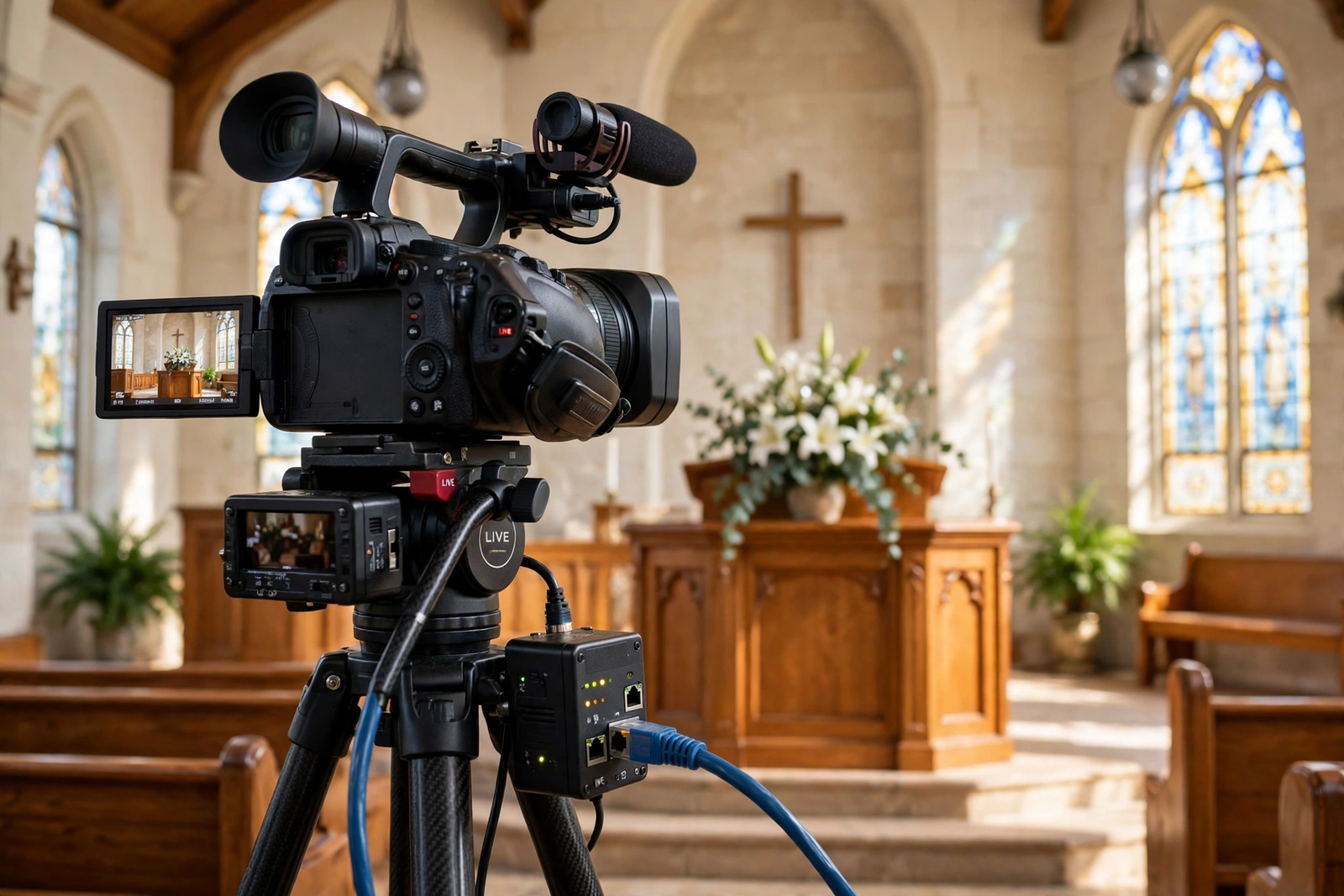
Livestreaming is the most demanding regular task most churches ask of their internet, and it rewards preparation more than equipment spending. A stable upload path matters more than a high download number, because the stream leaves the building for the entire service. Camera placement, lighting, and especially audio quality affect how professional the stream feels, but none of them matter if the connection drops. Before the first public stream on a new connection, rehearse the full setup: camera, audio, streaming software, and the network, running together for the full length of a service, with someone watching the remote viewer experience rather than only the in-room experience.
Small reliability habits make a large difference. Keep the streaming device on a wired connection to the gateway or on a dedicated, well-placed wireless link rather than on the general guest network, so a visitor’s large download cannot starve the stream. Close unnecessary uploads and cloud backups on the streaming computer during the service, and keep a simple fallback plan: what the team does if the stream drops, who restarts it, and what is posted for remote viewers while it recovers. Record the service locally as well as streaming it, so a network problem does not also mean losing the recording. These habits cost nothing and turn a fragile stream into a dependable one, on any connection type.
Donations, Payment Terminals, and Office Internet for Nonprofits
Online giving and payment terminals are where internet reliability touches a nonprofit’s income directly. A donor who meets a failed gift form during a service or an appeal is less likely to try again later, and a card terminal that times out at a fundraising dinner creates a queue and a lost moment. Donation and payment traffic is small in volume but time-sensitive, so it benefits from the same separation principle used in other businesses: keep office, finance, and payment devices on the organisation’s private network, separate from guest Wi-Fi. That separation protects sensitive work and keeps a surge of guest traffic from competing with a gift transaction at the critical moment.
Office work for a nonprofit is broader than email. Staff and volunteers manage donor records, membership lists, volunteer rotas, newsletters, websites, and safeguarding or pastoral records, depending on the organisation. Those records deserve careful handling, and this article offers guidance only: confirm how your systems store and protect personal information, who can access it, and what your platform providers require, with your organisation’s IT or compliance advisor. Do not treat a general article, or a network change, as a compliance decision. Practical steps that support good practice include strong, unique passwords for office systems, keeping software updated, limiting administrative access to people who need it, and never sharing the office network password with visitors as a shortcut.
Guest Internet Wi-Fi for Congregants, Visitors, and Hall Users

Guest Wi-Fi in a church or community hall serves a warm purpose: visitors can follow a service sheet on a phone, parents can stay in touch, community groups can work during a hall booking, and newcomers do not feel cut off. The setup should be as simple as the welcome: a clearly posted network name and an easy sign-in, with no long form at the door. A separate guest network, isolated from office and payment systems, is the right structure, and it also means a visitor’s device cannot wander into staff systems by accident. For a practical walkthrough, see our guide to setting up guest Wi-Fi for a business and adapt its steps to a hall, sanctuary, and meeting rooms.
Coverage planning for a church building needs a walk-through, not a guess. Sanctuaries, halls, classrooms, kitchens, and offices often sit in different wings, behind thick walls, or across a courtyard, and a single gateway in the office will not reliably reach all of them. Walk each space with a phone, note where signal fades, and plan additional access points or extenders for the spaces that matter, with wired connections where possible. Our guide to setting up a Wi-Fi extender for Internet Air covers the extender option for smaller gaps. If a hall is rented out regularly, include guest Wi-Fi in the rental information: the network name, the sign-in step, and a contact for problems, so hirers are not calling a volunteer mid-event.
Disclaimer: This article contains affiliate links to AT&T Business services. We may earn a commission if you purchase through them, at no extra cost to you. Ortelcom.com is an independent publisher and is not affiliated with or endorsed by AT&T. Pricing, speeds, and availability are not guaranteed, were checked in October 2026, and vary by address and promotions — please confirm all details before ordering. AT&T and all related marks are trademarks of their respective owners.
AT&T Internet Air Pricing for Churches and Nonprofits Internet
AT&T Internet Air pricing, checked in October 2026, comes in two tiers. Standard is $65 per month list, $60 per month with AutoPay and paperless billing, and $40 per month with an eligible wireless plan. Premium is $105 per month list, $100 per month with AutoPay and paperless billing, and $80 per month with an eligible wireless plan. Premium includes 250GB of AT&T Turbo priority data per bill cycle, after which speeds may slow when the network is busy. For a church or nonprofit, that priority allowance is the main reason to consider Premium: a livestream that runs every week, plus events, can use priority data steadily, and the Premium tier gives that traffic a stronger position during busy periods.
| AT&T Internet Air plan | List price per month | AutoPay and paperless per month | With eligible wireless per month | Church and nonprofit fit |
|---|---|---|---|---|
| Standard | $65 | $60 | $40 | Smaller organisations, lighter livestreaming, modest guest use |
| Premium | $105 | $100 | $80 | Regular livestreaming, larger congregations, busy halls and events |
When comparing the tiers, look at the total picture for your organisation: whether the address qualifies, what the AutoPay and wireless-bundle conditions require, and whether the organisation already uses an eligible wireless plan for staff phones. Do not quote a bundle price as the list price, and do not add wireless lines the organisation does not need solely to reach a lower internet price. For a fuller breakdown, see our page on AT&T Internet Air pricing for business and our comparison of Internet Air Standard versus Premium for business. Confirm qualification, pricing, and current terms for your exact address before ordering, because fixed wireless availability and promotions vary by location.
Hall Rentals, Events, and Community Internet Use
Community halls earn their keep through rentals: classes, clubs, weddings, funerals, fundraisers, and local meetings, each bringing a different crowd with different internet needs. A wedding party wants photos uploaded and music streamed, a class wants a presentation shown and handouts downloaded, and a fundraiser wants card payments processed smoothly. A connection that handles a quiet weekday office will not automatically handle a full hall on a Saturday evening, so event sizing should assume the hall is full, guests are connected, and the organisation’s own systems are running at the same time. If events are a major income line, that Saturday peak, not the Tuesday average, is the sizing test.
Backup Internet and Fiber Upgrade Path for Churches and Nonprofits Internet
Fiber remains the upgrade path worth keeping in view. Where fiber becomes available at the church or hall address, it offers symmetrical speeds, no data caps, and a more predictable peak-time performance for livestreaming and large events, and it can become the primary connection with Internet Air kept as a backup, or replace Internet Air entirely. The decision is not urgent for an organisation that is well served today, but it is worth revisiting when the building is renovated, when the congregation grows, or when fiber construction reaches the street. You can check Internet Air qualification for your church or hall now, and revisit fiber availability as circumstances change, rather than treating either choice as permanent.
Installing Internet Air for Churches and Nonprofits Internet
Installation for Internet Air centres on one decision that matters more than any other: where the gateway sits. The gateway needs the best available signal, which is often near a window, on an upper floor, or on the side of the building facing the serving site, rather than tucked in a back office cupboard where signal is weakest. Test a few candidate spots with the actual gateway before fixing its position, and run the livestream test from the final spot, not from a temporary one. Small moves, a few feet or a different window, can change signal quality noticeably, so do not rush this step. Our guide to setting up AT&T Internet Air for business walks through the setup steps in detail.
Once the gateway is placed, plan the rest of the network around the building’s real layout: where the sanctuary, hall, offices, and classrooms sit, and where access points or extenders are needed to reach them reliably. Label the equipment, keep passwords and support details in a secure place that more than one trusted person can access, and write a one-page guide for volunteers covering the basics: how to restart the gateway, how to check the livestream, and who to call if the connection fails. A church network that only one volunteer understands is a fragile network, however good the connection itself is. A short handover note, updated when equipment moves, prevents that fragility.
Limitations of Church Internet and Fixed Wireless Internet
Fixed wireless has honest limits, and a church or nonprofit should weigh them before committing. Performance depends on signal strength and local network congestion at the address, so results vary more by location than fiber results do. The Premium tier’s priority allowance helps during busy periods, but after that allowance is used, speeds may slow when the network is busy, which could affect a late-month event. The service is fixed to a qualified business address, so it cannot be taken to a camp, a mission trip, or a second site and expected to work as a mobile connection. Those are not flaws in the product; they are the boundaries of what fixed wireless is designed to do.
Building layout is a second limit that applies to any connection, but shows up sooner on wireless. Thick stone walls, basements, and separate buildings can block Wi-Fi, and a single gateway will not cover a large church campus on its own. Budget for access points, extenders, or cabling for the spaces that matter, and test coverage in each space rather than assuming it. Finally, no connection is immune to outages, and a livestream-dependent organisation should have a communication plan for that day: a notice for remote viewers, a recording plan, and a way to take donations offline if needed. Planning for the bad day is what makes the good days dependable.
FAQ: Internet for Churches and Nonprofits
What is the best internet for churches and nonprofits in 2026?
Where fiber is available, fiber is usually the strongest long-term choice for a church or nonprofit, because of its symmetrical speeds and stable peak performance. Where fiber is unavailable, or where the organisation needs a connection quickly, AT&T Internet Air for Business is a strong primary option, provided the fixed business address qualifies and the livestream is tested at peak. The best choice depends on the building, the congregation size, and how heavily livestreaming and events use the connection.
Can Internet Air internet be used as a mobile connection for a church?
No. Internet Air is a fixed wireless service for a qualified business address, not a roaming or mobile service. It is designed to stay at the church, nonprofit office, or community hall address it was qualified for. Organisations that need connectivity at a second site, a camp, or on the move should plan a separate solution for that location rather than expecting Internet Air to travel with them.
Which Internet Air internet plan suits church livestreaming best?
For regular livestreaming, Premium is usually the better fit, because it includes 250GB of AT&T Turbo priority data per bill cycle, which helps the stream hold up when the network is busy. Standard may suit a smaller organisation with lighter, less frequent streaming, but the choice should be tested: run a full-length stream on the chosen plan at peak time and watch for quality drops before relying on it for a public service.
How should a nonprofit internet network handle donor and visitor data?
Keep office, finance, and payment systems on a private network separate from guest Wi-Fi, use strong unique passwords, keep software updated, and limit administrative access to people who need it. This article offers guidance only and does not determine compliance for any organisation: confirm how your systems store and protect personal information, and what your platform providers require, with your organisation’s IT or compliance advisor before making changes.
Should a church internet connection upgrade to fiber later?
Yes, if fiber becomes available and the congregation, livestreaming, or hall use has grown beyond what fixed wireless handles comfortably. Fiber can become the primary connection, with Internet Air kept as a backup, or replace it entirely. Revisit the decision when the building is renovated, when attendance grows, or when fiber construction reaches the area, and test any new connection at peak before relying on it.
Final Internet Checklist for Churches and Nonprofits
Before ordering, confirm that your fixed address qualifies, test the livestream at peak from the gateway’s final position, and size the plan for a full service or a full hall, not a quiet weekday. Plan separate guest and office networks, coverage for every space the organisation actually uses, and a simple fallback for a failed stream or a failed payment. Then confirm pricing and terms for your exact address, and write the one-page volunteer guide that keeps the network running when the person who set it up is away. Done that way, church internet becomes a quiet support for worship, community, and giving, rather than a worry on the morning it matters most.

