
Every office depends on its internet connection for far more than email. Cloud software, card payments, video calls, customer records, security cameras, and phone systems all travel over the same link, which means a single outage can bring the whole working day to a standstill. A business internet backup connection solves that problem by giving your office a second way online, so work continues even when the primary connection fails. Our verdict is simple: if your business cannot afford to stop when the internet stops, a second connection is not a luxury, it is part of running a professional office.
In this guide, we explain what a business internet backup connection is, how failover works, which backup options suit different offices, and how to build an office internet backup plan that fits your budget. You will learn how a second connection is set up, what to test before you rely on it, and which mistakes cause backup plans to fail when they are needed most. Whether you run a small team or a busy multi-desk office, the steps below will help you choose a backup setup you can trust.
Add a Reliable Second Connection for Your Office
Check AT&T Business Fiber plans and availability for your office — a fast primary connection makes any backup plan stronger.
Why a Business Internet Backup Connection Matters for Every Office
An office without internet today is an office that cannot serve customers, take payments, or reach its own tools. Staff may still be at their desks, but cloud-based point-of-sale systems will not process cards, shared drives will not open, video meetings will not connect, and customer support lines that run over the internet will go quiet. Even a short outage creates a backlog of missed calls, delayed orders, and frustrated customers, and a longer outage can mean a full day of lost productivity. A business internet backup connection exists to keep that from happening by providing an alternate route online the moment the main route fails.
The case for a backup connection is strongest for offices that rely on always-on systems. If you run a clinic booking system, a retail checkout, a dispatch desk, or a customer service team, every minute offline has a direct effect on revenue and reputation. But even offices with lighter needs benefit, because remote work, cloud backups, and security systems all assume connectivity. The question is rarely whether an outage will happen at some point, but when, and whether your office has a plan for that day. A second connection turns an outage from a crisis into a minor inconvenience.
What a Second Internet Connection for the Office Actually Looks Like
A second internet connection for the office is simply an additional internet service that your office can use when the primary service is unavailable. In many offices, the primary connection is a wired fiber line, and the backup is a wireless connection delivered over a cellular network. The two connections run side by side, and a router or gateway decides which one carries traffic at any given moment. When the primary line is healthy, traffic uses it; when it drops, traffic moves to the backup automatically or after a quick manual switch, depending on how the setup is configured.
There are several practical ways to arrange a second connection. Some offices order a second wired line from a different provider so that a fault on one network does not affect the other. Others use a wireless backup service that connects over a mobile network, which is independent of the cables coming into the building. AT&T Business Fiber is a common choice for the primary connection in this kind of setup, because a fast, reliable main line means the backup is rarely needed, and when it is, the office still has a strong service to return to once the fault is fixed.
How a Business Internet Failover Backup Keeps Work Moving
Failover is the process that moves your office traffic from a failed connection to a working one. In an automatic failover setup, the router or gateway constantly checks whether the primary connection is responding. If the checks fail, it routes traffic through the backup connection without anyone in the office needing to unplug cables or change settings. Staff may notice a brief pause or a drop in speed, but their applications stay connected and work continues. In a manual setup, someone has to switch the office over to the backup, which works but takes longer and depends on someone being present and knowing what to do.
The quality of a business internet failover backup depends on how it is configured, not just on the connections themselves. Automatic failover is usually the better choice for offices that cannot afford delays, because it reacts even when no one is watching the network. It is also worth thinking about failback, which is the return to the primary connection once it is repaired. A good setup switches back smoothly and lets you confirm the primary line is stable before moving all traffic back. Testing both directions matters, because a backup that only works in one direction can leave an office stranded on a slower connection after the main line is restored.
Office Internet Backup Plan Options Compared
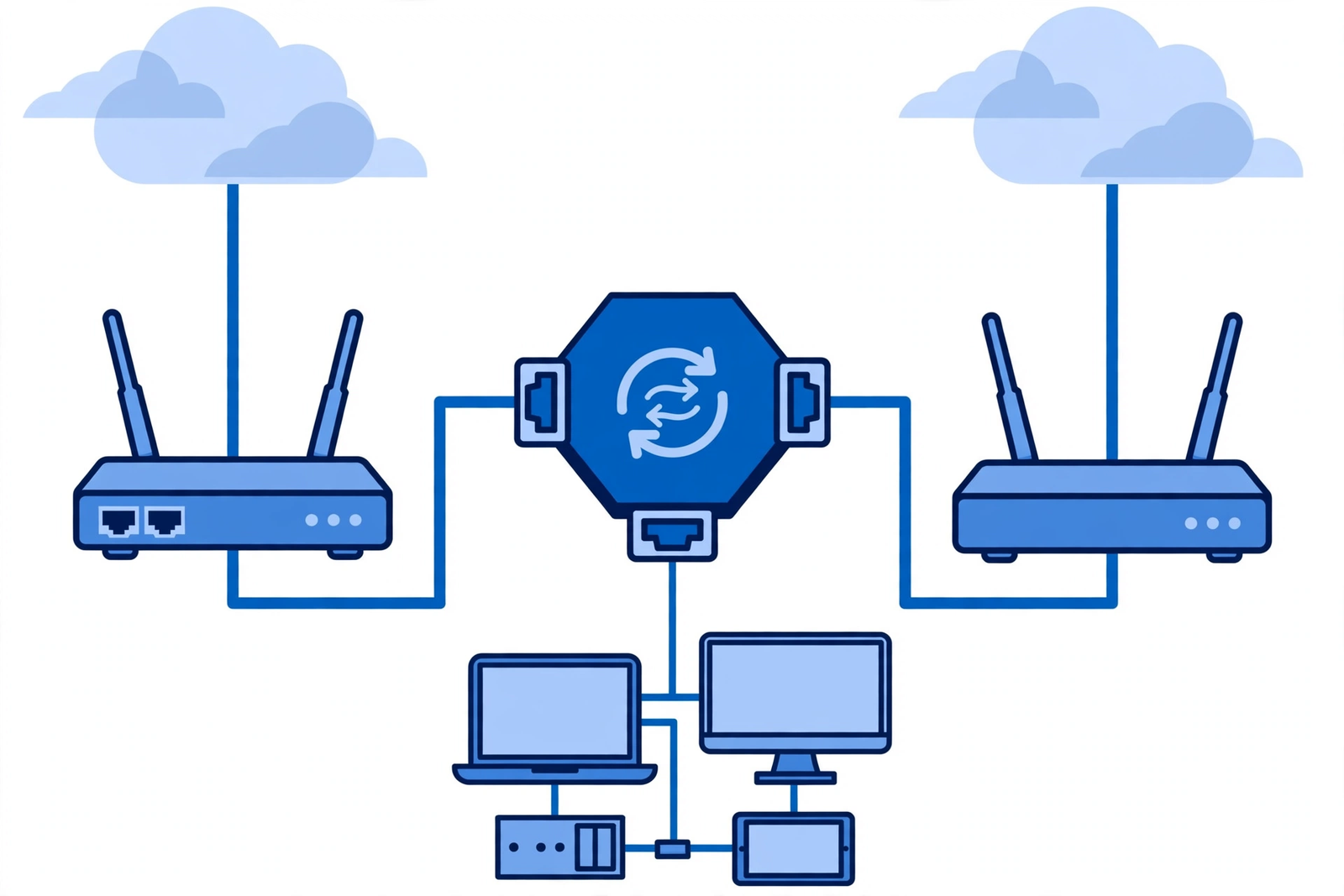
There is no single backup setup that suits every office, so it helps to compare the main options side by side. A second wired line gives you the most consistent performance and is a strong choice for larger offices, but it costs more and may share the same physical route into the building. A wireless backup is usually quicker to install and independent of local cables, which makes it attractive for small and mid-sized offices. Some offices combine both approaches, using a wireless backup for day-to-day resilience and a second wired line for their most critical systems.
| Backup option | How it connects | Best suited for | Things to consider |
|---|---|---|---|
| Second wired line | A separate wired service into the office | Larger offices and critical systems | Higher monthly cost; check whether it shares the same street cables |
| Wireless backup | A cellular connection through a gateway | Small and mid-sized offices | Performance depends on local signal and plan details |
| Wireless as primary backup for Fiber | Automatic wireless backup paired with a Fiber plan | Offices on qualifying Fiber plans | Availability varies by plan and address; confirm details on your quote |
| Manual hotspot fallback | Staff share a mobile connection in an emergency | Very small teams as a stopgap | Not a real plan; slow, limited, and hard to manage |
The right choice depends on how your office works. An office that processes payments all day needs a backup that switches over automatically and handles steady traffic. An office that mainly uses email and documents can manage with a simpler wireless backup. The common thread is that the backup should be in place and tested before an outage, not ordered in a panic during one. A backup plan that exists only on paper is no plan at all.
AT&T Business Internet Backup Options for Offices
When you are weighing AT&T business internet backup options, it helps to separate the primary connection from the backup itself. AT&T Business Fiber is a strong primary connection for offices that need fast, consistent speeds, with plans ranging from Fiber 300 at $60 per month to Fiber 5 GIG at $285 per month on the list price, and lower prices with an eligible wireless plan, starting at $40 per month for Fiber 300. Pricing, speeds, and availability vary by address and promotion, so confirm all details on your quote before ordering. A strong primary line reduces how often the backup is needed, which is the first goal of any backup plan.
For the backup side, many offices pair their Fiber line with a wireless service that can take over if the wired line fails. Internet Air for Business is one such option, with Standard at $65 per month on the list price ($60 with AutoPay and paperless billing, or $40 with an eligible wireless plan) and Premium at $105 per month ($100 with AutoPay and paperless billing, or $80 with an eligible wireless plan). Premium includes 250GB of Turbo priority data per bill cycle. Our guide to setting up Internet Air as a backup with failover walks through how that kind of pairing works in practice, including placement of the gateway and what to check after installation.
Disclaimer: This article contains affiliate links to AT&T Business services. We may earn a commission if you purchase through them, at no extra cost to you. Ortelcom.com is an independent publisher and is not affiliated with or endorsed by AT&T. Pricing, speeds, and availability are not guaranteed, were checked 31 October 2026, and vary by address and promotions — please confirm all details before ordering. AT&T and all related marks are trademarks of their respective owners.
Building Your Office Internet Backup Plan Step by Step
A good office internet backup plan starts with understanding what must stay online. List the systems your office cannot work without: card payments, booking software, phone service, email, shared files, and security cameras are common examples. Then rank them, because in a backup situation you may be running on a slower connection and need to know what gets priority. This list also decides how much backup capacity you need and whether automatic failover is worth the extra setup effort. Offices that skip this step often discover during an outage that the backup covers the wrong things.
Once you know what must stay online, choose the backup connection and the equipment that will manage the switchover. In many setups, a dual-WAN router or a gateway with a built-in wireless connection handles failover automatically. Install the backup connection, connect it to the failover equipment, and then test it deliberately: disconnect the primary line and confirm that payments, calls, and key applications keep working on the backup. Write down the steps for switching over manually as well, and make sure more than one person on the team knows them. A plan that only one employee understands is fragile.
Testing Backup Internet for a Business Office Before You Rely on It
Testing is where most backup plans succeed or fail. A backup connection that has never been tested is an assumption, not a safeguard. Schedule a test during a quiet period, switch the office to the backup connection, and run through the tasks that matter most: process a test payment, join a video call, open shared files, and place a phone call. Note anything that is slow or fails, and fix it while the primary line is still available. Repeat the test every few months, because networks, equipment settings, and office layouts change over time.
It is also worth testing the return to the primary connection. After a real outage, staff sometimes stay on the backup for days without realizing it, which can mean slower speeds and unexpected data use. A good test covers the full cycle: primary to backup, work on the backup, then back to primary, with a check that everything is normal afterward. Keep a short written record of each test, including the date and anything that needed fixing. That record is useful for troubleshooting and for showing that the office takes continuity seriously.
Common Mistakes in a Second Internet Connection Office Setup
One of the most common mistakes is choosing a backup that depends on the same infrastructure as the primary connection. If both services enter the building through the same conduit or rely on the same local equipment, a single fault can take both down at once. Ask how each connection reaches your building and, where possible, choose paths that are genuinely independent. A wireless backup is popular partly for this reason: it does not depend on the cables in the street at all.
Another frequent mistake is leaving the backup unmonitored. Equipment can lose its settings after a power cut, a backup SIM or gateway can be moved, and a plan can change without anyone noticing. Build a simple routine: check the backup status monthly, confirm the gateway or router shows the backup as ready, and re-test after any change to the office network. A related mistake is forgetting the basics, such as keeping the backup gateway powered during an outage and knowing where its controls are. Small oversights like these are what turn a good plan into a failed one on the day it matters.
Wired Versus Wireless Backup Internet for a Business Office
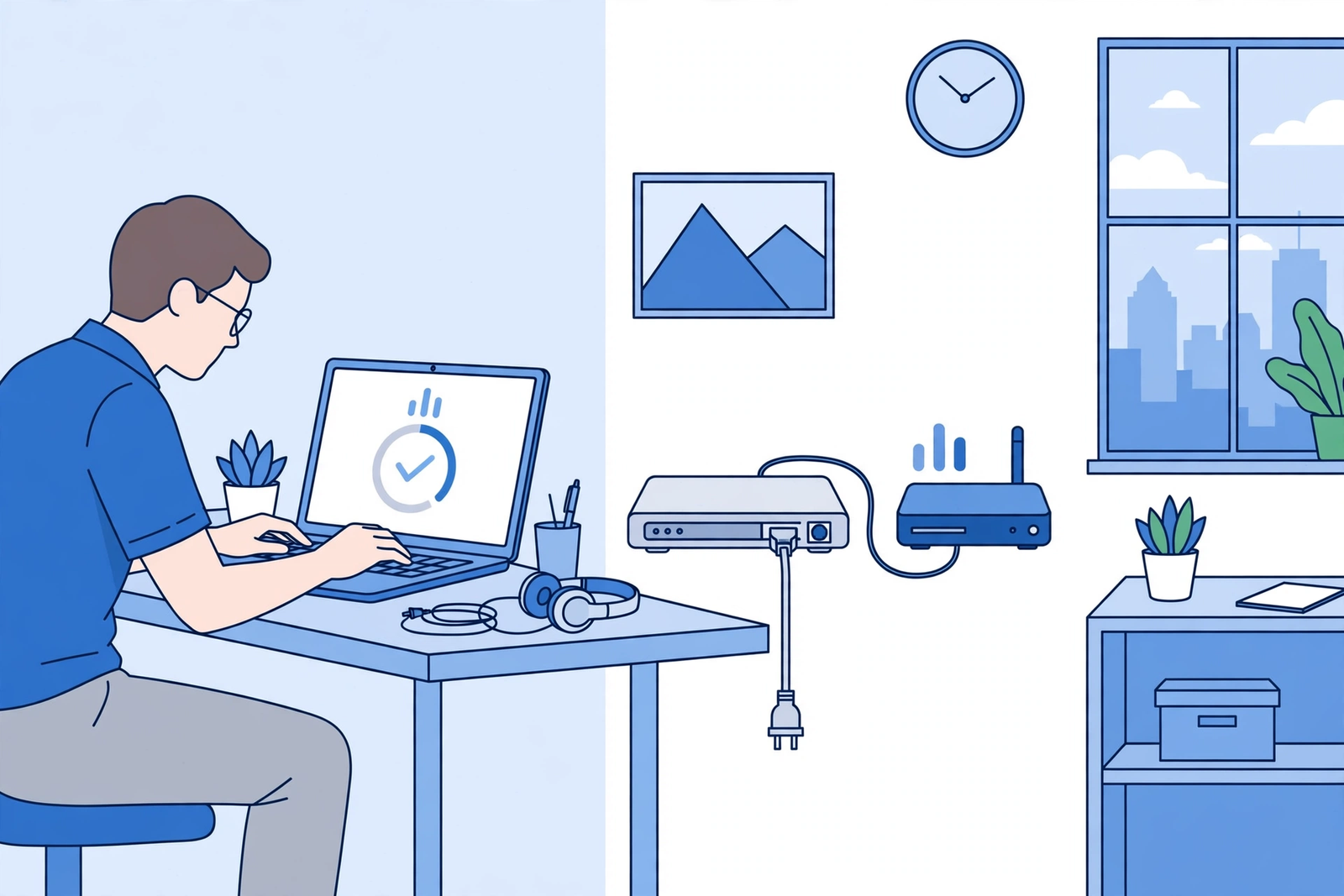
Offices often ask whether a wired or wireless backup is the better choice, and the honest answer is that each has strengths. A wired backup usually delivers steadier speeds and lower latency, which matters for video calls and large file transfers. A wireless backup is faster to deploy, does not depend on street cables, and can be installed in locations where a second wired line is impractical. Many offices choose wireless for the backup role precisely because its independence from the wired network is the point: the backup should survive the same events that break the primary line.
Our comparison of wired versus wireless backup for business internet goes deeper into the trade-offs, including how each option behaves under heavy load and what to check about signal strength before committing. The practical takeaway is to match the backup type to your risk: if your main worry is a cable cut or a street-level fault, wireless independence is valuable; if your main worry is sustained high traffic during an outage, a wired second line may serve you better. Either way, test the backup under realistic office load, not just with a single laptop.
Budgeting a Second Internet Connection Office Setup
Budgeting for a second internet connection office setup means looking at the full cost, not just the monthly price of the backup service. Add in any equipment, such as a dual-WAN router or gateway, installation charges, and the time needed for setup and testing. Then weigh that total against the cost of being offline. Our look at the cost of internet downtime for a small business explains how to think about that trade-off without exaggeration: even a few hours of lost sales, missed bookings, and staff time add up quickly, and a backup plan usually pays for itself the first time it is used.
There are ways to keep the cost reasonable. A wireless backup is often cheaper than a second wired line and needs no construction work. Some offices start with a modest backup and upgrade later as the business grows. Others share the cost logic across locations by standardizing one backup setup for every office. Whatever you choose, confirm the full monthly price on your quote, including any equipment fees, and check whether bundling the backup with an eligible wireless plan changes the price. Pricing and promotions vary by address, so the quote for your office is the number that matters.
It is also worth reviewing the backup cost once a year, at the same time you review your primary connection. Business needs change: an office that grows from five desks to twenty may need a stronger backup, while an office that moves some systems off-site may need less. Check whether your plan terms have changed, whether a newer plan offers a better backup arrangement, and whether the equipment still supports automatic failover correctly. A yearly review takes little time and keeps the backup matched to the office it protects, rather than letting it quietly become outdated while the business moves on.
Business Internet Backup Connection: Frequently Asked Questions
How much does a second internet connection for the office cost?
The cost depends on the type of backup and your location. A wireless backup service is generally the lower-cost option, while a second wired line costs more because it involves separate infrastructure and installation. Equipment such as a dual-WAN router adds a one-time cost. The only reliable way to price your setup is to get a quote for your address, since pricing, speeds, and availability vary by location and promotion. Compare the monthly cost against the revenue and productivity your office would lose during an outage to judge whether the backup is good value.
Can Internet Air work as backup internet for a business office?
Yes, a wireless service such as Internet Air for Business can serve as backup internet for a business office. It connects over a wireless network rather than the cables coming into your building, which makes it independent of the faults that typically break a wired line. The office gateway or router handles the switchover, either automatically or manually depending on the setup. Performance on the backup will depend on local signal strength and the plan you choose, so test it with your real office workload before relying on it, and confirm availability and plan details on your quote.
What should an office internet backup plan include?
A complete office internet backup plan includes four things: a backup connection that is independent of the primary line, equipment that can switch traffic between them, a written procedure that more than one person knows, and a regular testing schedule. It should also list which systems get priority when running on the backup, and who to contact if the primary line fails. Without the written procedure and the testing routine, the plan exists only in theory. Review the plan whenever the office network changes, a new system is added, or staff who knew the procedure leave.
How does a business internet failover backup switch connections?
A business internet failover backup switches connections through a router or gateway that monitors the primary line. When the monitor detects that the primary connection has stopped responding, the device routes traffic through the backup connection. In automatic setups this happens without staff intervention, and the office keeps working with only a brief interruption. In manual setups, someone must switch the office over by changing settings or cables. Automatic failover is usually preferred for offices that cannot afford delays, but it still needs testing to confirm it triggers correctly and that key applications work on the backup.
What are the AT&T business internet backup options for a small office?
For a small office, the practical AT&T business internet backup options start with a strong primary connection such as AT&T Business Fiber, paired with a wireless backup service that can take over if the wired line fails. Qualifying Fiber plans may also include a built-in wireless backup feature, depending on the plan and address, so it is worth asking about that when you get a quote. The right combination depends on your office size, your systems, and your budget. Confirm pricing, speeds, and availability for your address before ordering, and test the backup setup once it is installed.
Final Word: A Business Internet Backup Connection Protects Your Office
A business internet backup connection is one of the simplest resilience investments an office can make. It does not require a large project or a major change to how your team works. It requires a second connection, equipment that can switch to it, a written plan, and a testing habit. With those four pieces in place, an outage becomes a footnote in the day rather than a lost day of business, and your customers never need to know anything went wrong.
If your office still runs on a single connection, now is the time to fix that. Start by listing the systems that must stay online, then get a quote for a primary and backup combination that fits your office. You can check AT&T Business Fiber plans and availability for your office and ask about backup options for your address. Confirm all pricing, speeds, and availability details on your quote before ordering, and test the backup as soon as it is installed so you know it works before you need it.

