
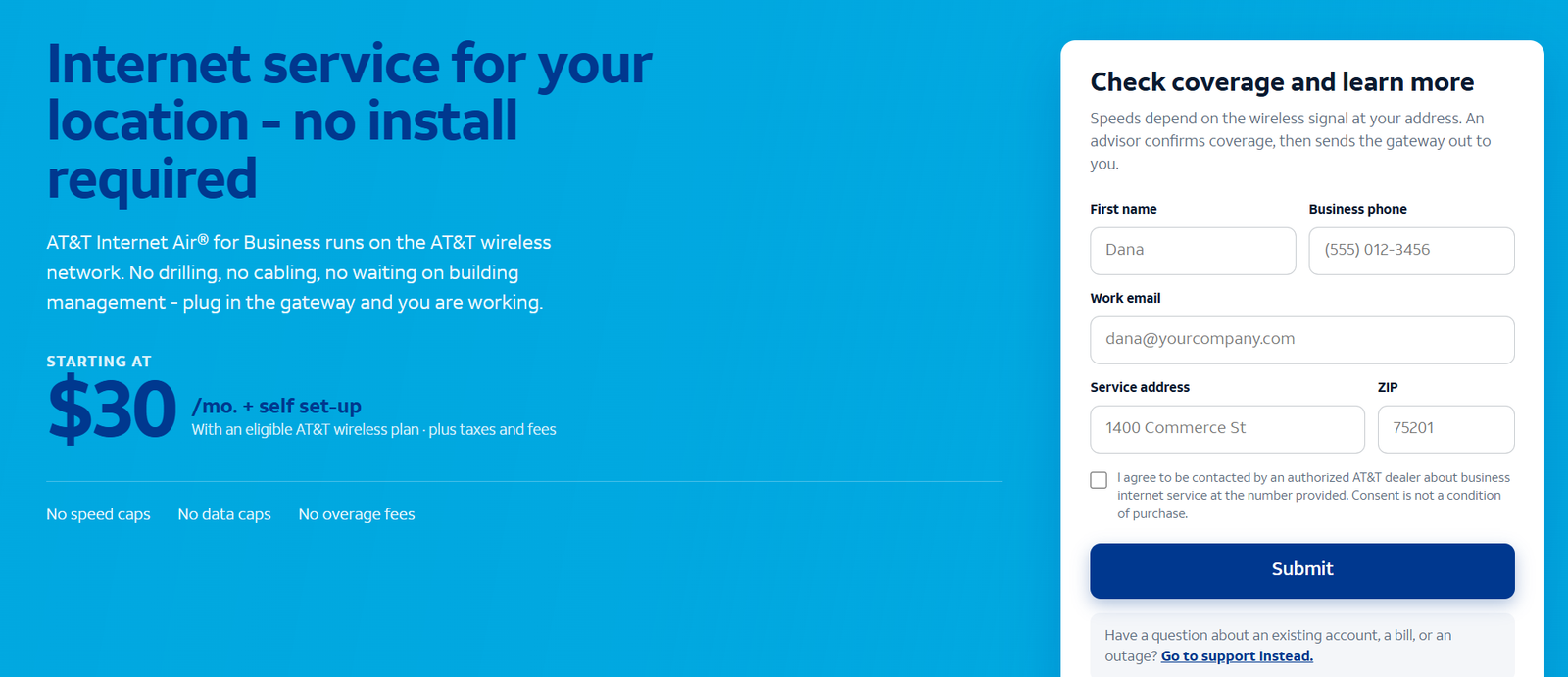
The short answer: 5G business internet — also called 5G fixed wireless — delivers your office connection over the 5G cellular network instead of wires. A gateway device at your location receives the signal and creates your office Wi-Fi and Ethernet network. AT&T’s version, Internet Air for Business, comes in Standard and Premium tiers (about $65 and $105/month list, or about $40 and $80/month bundled with wireless service). Speeds vary with signal strength and network load at your address, which is both the technology’s superpower (installs in days, no construction) and its honest limitation (performance is never as guaranteed as fiber). This guide explains how 5G business internet works, what Internet Air costs, what speeds to expect, how setup works, how it compares to fiber, who it suits, its limitations, and twelve real questions answered.
See if 5G Internet Air reaches your business address
Check 5G business internet availability at your location, compare Standard vs Premium, and see bundled pricing.
What Is 5G Business Internet?
5G business internet is an internet service for commercial locations that arrives over the air instead of through cables. The provider’s 5G cellular network — the same network that serves smartphones — carries your data to a gateway device installed at your business, which then distributes the connection through your office over Wi-Fi and wired Ethernet. Because there are no wires to run, there is no trenching, no construction, no technician appointment for inside wiring, and no waiting on permits.
The category has several names: fixed wireless access (FWA), 5G fixed wireless, and 5G home/business internet. “Fixed” distinguishes it from the mobile hotspot in your pocket — the gateway is meant to sit in one location and serve the whole office. AT&T’s business offering in this category is Internet Air for Business, available in Standard and Premium tiers, detailed in our Internet Air for Business explainer.
Three things define the technology for buyers. First, speed depends on signal: your throughput is set by the 5G signal quality at your specific location — distance to the tower, building materials, floor level and network congestion all matter. Second, deployment is fast: self-install kits typically arrive in days and plug in within minutes. Third, it is the practical alternative where fiber is not built: businesses in fiber-gap addresses, temporary sites and quick-move situations get usable business internet without waiting for construction.
How 5G Fixed Wireless Internet Works
The mechanics are straightforward. Your provider’s nearby 5G tower broadcasts the signal. At your location, a gateway — a small device roughly the size of a router — contains a cellular modem with a SIM tied to your business account. You place the gateway where the signal is strongest (often near a window, on an upper floor, away from thick walls), plug it in, and it connects to the 5G network exactly like a phone does. The gateway then broadcasts your office Wi-Fi and offers Ethernet ports for wired devices.
Why placement matters so much: radio signals attenuate through building materials. A gateway buried behind a metal rack in a basement will underperform the same device on a second-floor windowsill. The setup guidance — try a few positions, check the signal indicator — is not fussy optional advice; it is the single biggest determinant of the speeds you will actually get. Some businesses mount the gateway high on a wall or in a window with a clear view toward the tower for the best results.
One more architectural note: your 5G connection shares the tower’s capacity with other users, including phones. Providers manage this with network prioritization, and business tiers typically get better standing than consumer plans. Still, the shared nature of wireless is why speeds are described as ranges and why peak-hour variation is normal — the honest expectation to set before buying.
AT&T Internet Air for Business: Standard vs Premium Plans
AT&T’s 5G business internet offering, Internet Air for Business, comes in two tiers. Both are self-installed, both have no annual contract and no data caps on the standard terms, and both include the gateway:
| Tier | Approx. list price/mo | Approx. bundled price/mo | Positioning |
|---|---|---|---|
| Standard | ~$65 | ~$40 | Everyday office work for smaller teams |
| Premium | ~$105 | ~$80 | Heavier use, more devices, higher priority |
Prices are approximate US figures observed October 2026, before taxes and fees; bundled prices assume AT&T wireless service on the same account with AutoPay and paperless billing. See our Internet Air for Business pricing guide for the Standard vs Premium breakdown and what each tier buys.
Which tier fits whom: Standard suits offices with modest simultaneous demands — email, cloud apps, a few video calls at a time. Premium adds headroom and priority for busier offices and heavier device counts. The honest advice: the tier matters less than the signal at your address. A strong-signal Standard connection outperforms a weak-signal Premium one, so check coverage and test placement before agonizing over the tier.
Disclaimer: Ortelcom.com is an independent publisher, not AT&T and not an official AT&T website, and is not endorsed by AT&T. Links in this article are affiliate links to ortelcom.com/recommends/ — we may earn a commission at no extra cost to you. Product names, prices, speeds and offers were checked on the date shown in this article, can change without notice, and availability depends on your business address. AT&T trademarks belong to their owner. This information is for general guidance only — please confirm final pricing, terms and availability on the provider’s page before you order.
5G Business Internet Speeds: What Your Office Can Expect
Expectations are where 5G buyers get disappointed or delighted — set them correctly. Unlike fiber’s rated symmetrical tiers, 5G speeds are described in ranges because they genuinely vary. What drives the number at your address:
- Signal strength at the gateway’s location. The dominant factor. Strong signal (near the tower, good placement) delivers the top of the range; weak signal delivers the bottom.
- Tower distance and obstacles. Hills, buildings and dense walls attenuate the signal. Upper floors near windows usually win.
- Network congestion. Evening and midday peaks slow shared capacity; business-priority tiers mitigate this.
- Plan tier. Premium tiers get more capacity and priority than Standard.
- Your internal network. A great 5G signal behind an old Wi-Fi router still feels slow — the gateway placement and your Wi-Fi both matter.
Practical speed guidance: 5G business internet comfortably handles email, cloud apps, VoIP and video calls for small-to-mid offices at the top of its range. It is not the choice for sustained gigabit-class uploads or dozens of concurrent heavy users — that is fiber’s territory. Test during a free-trial or return window if one is offered, at your busiest hours, from the gateway location you will actually use.
5G Business Internet Latency and Real-Time Apps: What to Know
Speed gets the headlines, but latency — the round-trip delay — decides how responsive everything feels. On 5G fixed wireless, typical latency runs higher than fiber: roughly 20–50 milliseconds to nearby servers in good conditions, versus fiber’s single-digit to low-teens. For context, that is still far better than satellite (often 600ms+) and competitive with good cable.
What 20–50ms means in practice: VoIP calls and video meetings work fine — humans do not perceive delays under about 100–150ms as disruptive. Cloud apps, POS transactions and remote desktop feel snappy. Where the extra latency shows up is in specialized work: high-frequency trading, competitive online gaming, and real-time control systems that assume single-digit latency. Jitter (variation in latency) matters more than the average — a steady 40ms beats a connection swinging between 20 and 120ms, and congestion is what causes the swings. Business-priority tiers help keep jitter down at busy hours.
The practical test is the same as for speed: run real calls and real apps during your busiest hours from the gateway location you will use. If your team lives on video and VoIP — the common case — 5G’s latency profile is a non-issue.
Setting Up the Internet Air Gateway: What to Expect
Self-installation is one of 5G’s genuine advantages. The typical process:
- 1. The kit arrives. The gateway and a quick-start guide ship to your business, usually within days of ordering.
- 2. Find the signal. Plug the gateway in at a candidate spot and check its signal indicator. Try two or three locations — near windows, upper floors — and keep the best.
- 3. Connect your network. Name your Wi-Fi, set a password, and plug critical devices (POS, front-desk PC) into the Ethernet ports for stability.
- 4. Test at peak hours. Run speed tests and real tasks (video calls, file uploads) during your busiest period before committing your operations to it.
Two setup tips that matter: wire what you can — Ethernet beats Wi-Fi for devices that do not move, and it frees wireless capacity for laptops and phones. And resist the urge to hide the gateway in a cabinet; it is a radio, and radios need air, not furniture.
5G Business Internet vs Business Fiber Internet: The Key Differences
| Dimension | 5G business internet | Business fiber |
|---|---|---|
| Delivery | Wireless, from a 5G tower | Wired, fiber-optic line to the building |
| Speed profile | Varies with signal and load | Symmetrical, consistent 300 Mbps–5 GIG |
| Installation | Self-install in days | Technician visit; construction possible |
| Availability | Wherever 5G coverage reaches | Street-by-street where built |
| Upload capacity | Moderate; varies | Equal to download (symmetrical) |
| Best role | Primary where fiber is absent; backup anywhere | Primary connection wherever available |
The decision rule is simple: where business fiber reaches your building, take it. Where it does not, 5G fixed wireless is the strongest practical answer — and it also makes an excellent different-technology backup for fiber-connected offices. Our fiber vs cable comparison and our speed sizing guide help you match the connection to the workload.
Internet Air for Remote Workers, Branch Offices and Multi-Site Businesses
5G business internet earns a special mention for distributed work. Remote and hybrid employees in fiber-gap addresses can run a full workday — video meetings, VPN, cloud apps — on a gateway placed well in the home office. For IT, that is a standardized, manageable connection instead of whatever consumer plan the employee happened to buy.
Branch offices and pop-up locations get the same benefit at scale: a retailer opening a seasonal store, a clinic adding a satellite office, or a contractor’s site trailer can be online in days with identical kit everywhere. The uniformity matters — one gateway type, one setup process, one support number across every site. And when a location closes or moves, the gateway moves with it; there is no stranded construction investment and no decommissioning appointment.
The sizing caveat for multi-site: treat each location as its own signal evaluation. Good 5G at headquarters says nothing about the branch across town. Check each address, place each gateway, and keep one spare kit for rapid deployment when a new site opens.
Who 5G Business Internet Suits Best
- Businesses where fiber is not built. The core use case — good 5G beats mediocre alternatives.
- Temporary and fast-move situations. Pop-ups, construction offices, short leases: plug in within days, move it when you move.
- Backup and failover. A different technology from your wired primary, so one failure mode cannot take both. See our fiber and wireless bundling guide.
- Light-to-moderate offices with good signal. Email, cloud apps, video calls — the everyday stack runs fine.
Who Should Skip 5G Business Internet
- Upload-heavy operations. Creative studios, engineering, continuous cloud backup — fiber’s symmetrical uploads are the right tool.
- Weak-signal addresses. If the gateway cannot find a strong signal, do not buy on hope.
- Latency-critical trading or gaming-style workloads. Wireless adds latency fiber does not.
- Campuses needing wired-building coverage. Large multi-building sites want wired backbones.
AT&T Internet Air for Business Limitations: Speed, Coverage and Data
- Speeds vary — that is the deal. Anyone promising fiber-like consistency from 5G is overselling. Expect a range, not a rating.
- Coverage is per address. 5G maps are optimistic; the only test that matters is the gateway at your building.
- Congestion is real. Shared tower capacity slows at peaks; business priority helps but does not repeal physics.
- Placement sensitivity. A badly placed gateway underperforms for reasons that look like “the internet is slow” but are really “the radio is in a cabinet.”
- Not a fiber replacement for heavy uploads. Asymmetrical and variable by nature — know your workload.
Internet Air for Business Setup Examples: 3 Scenarios (With Stated Assumptions)
Assumptions: gateway placed for strong signal; Standard tier; 10–15 connected devices; tests run at business hours. Illustrative, not guaranteed.
- Retail shop (strong signal): POS, two staff laptops, customer Wi-Fi, music streaming. Comfortable — light simultaneous load, strong signal, no heavy uploads.
- 10-person office (moderate signal): email, cloud apps, 3–4 concurrent video calls. Works with wired Ethernet for the heaviest users and the gateway optimally placed; peak-hour dips possible.
- Construction site office (strong signal, temporary): plans review, email, video calls to HQ, time-tracking tablets. Ideal 5G case — up in days, moves when the site moves, no construction to abandon.
The bottom line on 5G business internet: it is the fastest way to get a business online and the best answer where fiber is not built — with speeds that vary honestly with your signal. Check your address, place the gateway well, and size the tier to your load. Check Internet Air for Business availability and pricing for your address here, and read our Internet Air for Business explainer for the full plan details.
5G Business Internet FAQs
What is 5G business internet?
Internet for your business delivered over the 5G cellular network to a gateway at your location — no wires to your building. AT&T’s offering is called Internet Air for Business.
How fast is 5G business internet?
Speeds vary with signal strength, tower distance, congestion and plan tier. Strong-signal locations handle everyday office work comfortably; it does not match fiber’s consistent symmetrical speeds for heavy uploads.
How does AT&T Internet Air for Business work?
A gateway with a cellular modem receives AT&T’s 5G signal at your business and creates your office Wi-Fi and Ethernet network. You place it where the signal is strongest and self-install in minutes.
What does Internet Air for Business cost?
About $65/month list for Standard and about $105/month for Premium — or about $40 and $80/month bundled with AT&T wireless service (AutoPay and paperless billing). Approximate figures; confirm for your address.
Is 5G business internet good for video calls?
Yes, with a good signal — video calls need steady, moderate bandwidth, which 5G handles well. Wire the heaviest users over Ethernet and test at your busiest hours.
Can 5G business internet replace fiber?
Where fiber is not available, it is the strongest alternative. Where fiber reaches your building, fiber remains the better primary connection — 5G then works best as a different-technology backup.
Do I need a technician to install Internet Air for Business?
No — it is a self-install. The kit ships to you; you plug the gateway in at the best-signal location and set up Wi-Fi. No construction, no appointment.
What affects 5G business internet speed at my address?
Distance to the tower, building materials, gateway placement, network congestion, and your plan tier. Placement is the factor you control most — try several spots and keep the best.
Is there a data cap on Internet Air for Business?
Standard terms carry no annual contract and no data caps, but terms can change — confirm the current plan terms before ordering.
Can I move my Internet Air gateway to another location?
The gateway is portable by design, and businesses do move them between sites. Service is tied to your account and address records, so update your service address with the provider when a move is permanent — performance depends on the new location’s signal, and terms may differ by area.
How does 5G business internet hold up during power or wired outages?
As a different-technology backup, 5G keeps working when a fiber or cable cut takes the wired line down — the classic failover use case. But the gateway needs power, so a battery backup (UPS) keeps it alive through short outages. Note that widespread power failures can also take cell towers down, so plan for your most critical systems accordingly.
Should I get Internet Air Standard or Premium?
Standard fits smaller, lighter offices; Premium adds headroom and priority for busier ones. But signal quality at your address matters more than the tier — verify coverage first.

