
The short answer: Business fiber internet is a business-grade internet connection delivered over fiber-optic cables — thin strands of glass that carry data as light. Its defining feature is symmetrical speeds: uploads as fast as downloads, from 300 Mbps to 5 GIG on services like AT&T Business Fiber. That symmetry is why fiber suits businesses so well — companies upload constantly (video calls, cloud backups, file sharing, VoIP), and only fiber gives the upload lane the same capacity as the download lane. This explainer covers how fiber-optic internet works, what symmetrical speeds mean in daily work, how fiber compares to cable, DSL, 5G and satellite, what business fiber costs, how it gets installed, who needs it, its limitations, and ten real questions answered.
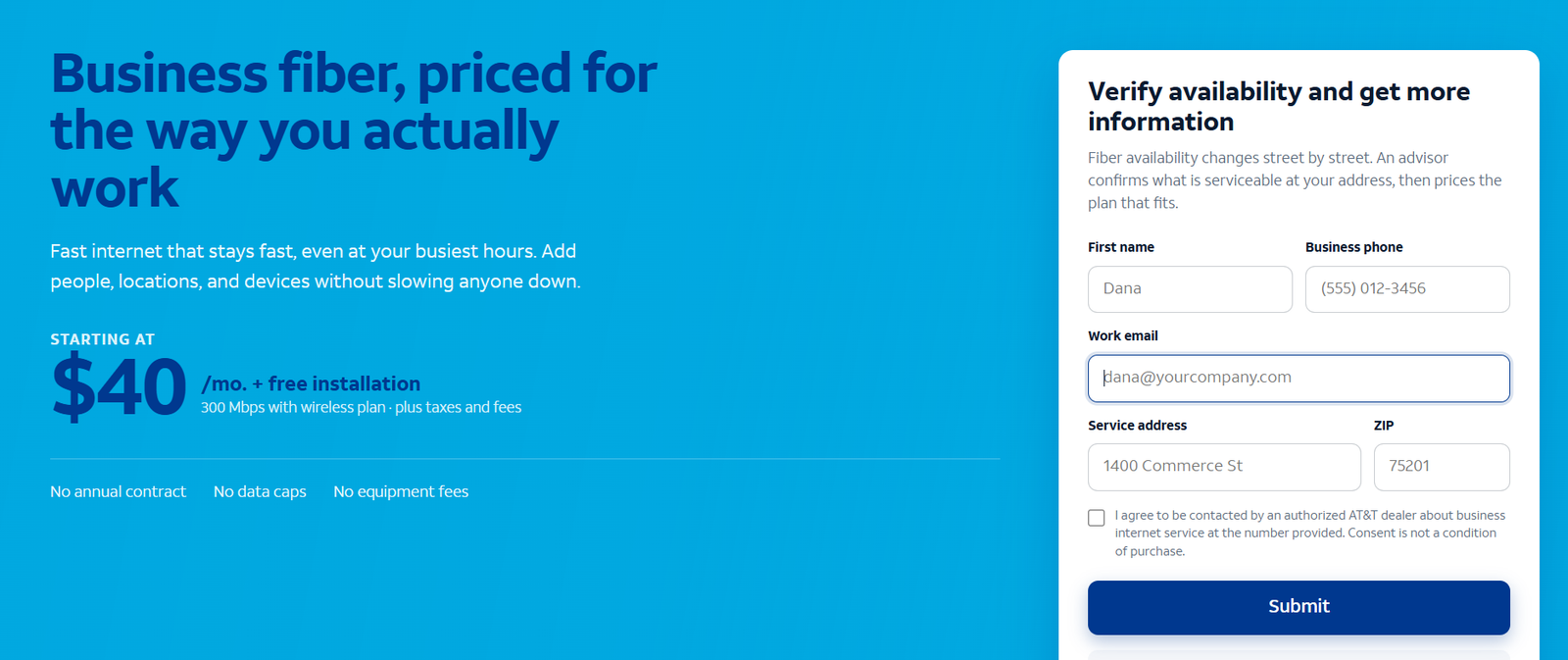
See fiber plans and symmetrical speed tiers for your address
Check which business fiber speed tiers reach your building — 300 Mbps to 5 GIG, all symmetrical — and what each costs there.
What Is Business Fiber Internet?
Business fiber internet is an internet service for commercial locations that runs over fiber-optic infrastructure rather than copper phone lines or coaxial cable. The “fiber” is literally hair-thin strands of glass (or plastic) bundled into cables; data travels through them as pulses of light. Because light moves through glass with almost no resistance and enormous capacity, a single fiber connection can carry far more data, far faster, and far more reliably than the copper technologies it replaces.
The “business” part matters as much as the “fiber” part. Business fiber is sold with commercial terms: business-grade support with real repair commitments, the option of static IP addresses, no data caps on standard plans, and service expectations written for companies that lose money when the internet drops. The underlying wire may resemble residential fiber, but the product around it — support, priority, terms — is built for business. Our business vs residential internet guide details exactly where the two diverge.
The technical headline is symmetry. Where cable gives you fast downloads and slow uploads, fiber gives you the same speed in both directions. A 500 Mbps business fiber plan delivers 500 Mbps down and 500 Mbps up. For households that mostly stream video, asymmetry is fine. For businesses that produce, share, back up and broadcast, symmetry changes what the connection can do — which is the subject of the next two sections.
How Fiber-Optic Internet Works
Understanding the technology takes about two minutes and explains nearly every advantage fiber has. It starts at the provider’s network, where your data is converted into light pulses by a laser. Those pulses travel through fiber-optic strands — each thinner than a human hair — inside cables that run underground or on poles to your building. At your building, a device called an optical network terminal (ONT) converts the light back into electrical signals your network equipment understands, and a gateway router distributes the connection to your office over Wi-Fi and Ethernet.
Three properties of this design matter for businesses. First, capacity: a single fiber strand can carry vastly more data than a copper pair, which is why fiber plans scale from 300 Mbps to 5 GIG and beyond on the same infrastructure — the provider provisions your speed tier in software, not by rebuilding anything. Second, symmetry: light travels equally well in both directions through glass, so uploads and downloads share the medium fairly. Copper cable, built for one-way television, was engineered with most capacity pointed downstream; fiber has no such legacy. Third, immunity: glass does not conduct electricity, so fiber is unaffected by electromagnetic interference, does not corrode, and degrades less with weather and age than copper. The result is a connection that delivers its rated speed steadily, year after year.
One more architectural point: business fiber is typically a dedicated line to your building, not a shared neighborhood segment. Cable nodes split capacity among every home and business on the block, which is why cable slows at peak hours. Your fiber line’s capacity is yours. That dedicated design is a large part of why fiber feels faster than its numbers suggest — the speed you buy is the speed you get at 10am on a Monday, not just at midnight.
Symmetrical Speeds Explained for Business
“Symmetrical” means the upload speed equals the download speed. On a 300 Mbps symmetrical plan, you get 300 Mbps down and 300 Mbps up. On cable’s typical 300 Mbps plan, you get 300 Mbps down and perhaps 10-20 Mbps up — the upload is a small fraction. That single difference reshapes what a business can do online.
Why does the upload lane matter so much? Because businesses are producers, not just consumers. Consider what uploads in a normal workday: every video call you host sends your camera feed upward; every file saved to OneDrive, Google Drive or Dropbox uploads; nightly cloud backups push gigabytes; VoIP phone calls send audio both ways; security cameras stream footage to the cloud continuously; remote workers VPN into the office over its upload. Our guide to why upload speed matters more than download for business works through the math activity by activity.
The practical consequence: on asymmetrical connections, the upload lane is the bottleneck for nearly everything a business does, and it saturates first. Slow uploads are why video freezes even when a speed test shows fast downloads, why cloud backups never finish, and why VoIP calls break up. Symmetrical fiber removes the bottleneck structurally — not by making downloads faster, but by giving uploads equal footing. If you are sizing a plan, start with our guide to how much internet speed a business needs, which builds the per-person math from upload requirements upward.
Disclaimer: Ortelcom.com is an independent publisher, not AT&T and not an official AT&T website, and is not endorsed by AT&T. Links in this article are affiliate links to ortelcom.com/recommends/ — we may earn a commission at no extra cost to you. Product names, prices, speeds and offers were checked on the date shown in this article, can change without notice, and availability depends on your business address. AT&T trademarks belong to their owner. This information is for general guidance only — please confirm final pricing, terms and availability on the provider’s page before you order.
Business Fiber vs Other Internet Types: Cable, DSL, 5G and Satellite
Fiber is one of five practical ways a business gets online. Here is how they compare on the dimensions that matter:
| Type | How it works | Speed profile | Business strengths | Business weaknesses |
|---|---|---|---|---|
| Business fiber | Light through glass strands; dedicated line | Symmetrical, 300 Mbps–5 GIG | Fast uploads, consistent peaks, low latency | Availability is street-by-street |
| Cable | Electrical signals over coaxial copper; shared node | Fast downloads, slow uploads | Wide availability, competitive download pricing | Upload bottleneck; peak-hour slowdowns |
| DSL | Signals over copper phone lines | Slow; degrades with distance | Available where phone lines exist | Too slow for modern cloud work |
| 5G fixed wireless | Cellular signal to a gateway at your site | Varies by signal at the address | Installs in days; works where wires do not | Speeds vary with signal and network load |
| Satellite | Signal to orbiting satellites | Usable downloads; high latency | Reaches truly remote sites | High latency breaks VoIP/video; weather-sensitive |
The pattern: fiber wins on quality wherever it is built, cable wins on reach, 5G wins on deployment speed, and DSL and satellite are last resorts. For most offices, the real decision is fiber vs cable — our fiber vs cable comparison puts those two side by side in full detail.
What Symmetrical Speeds Mean for Daily Business Work
Abstract numbers become concrete in daily work. Here is what symmetry changes, activity by activity:
- Video meetings. Hosting a call uploads your video to every participant. On symmetrical fiber, a 10-person video conference is unremarkable; on a 20 Mbps cable upload, it is where freezing starts. Businesses that live on video calls feel this daily.
- Cloud backups. A 100 GB nightly backup needs about 45 minutes at 300 Mbps upload; at 20 Mbps it needs over 11 hours — it never finishes before the workday starts. Symmetry turns backup from a hope into a schedule.
- File sharing and collaboration. Sending a 2 GB video file to a client takes about a minute at 300 Mbps symmetrical; the same file on a slow upload can take the better part of an hour. Creative teams, architects and engineers feel this as recovered billable time.
- VoIP phone systems. Every concurrent call needs upload bandwidth. A 20-extension office needs only a few Mbps — but it needs them steadily, which is exactly what fiber’s stable upload delivers and what congested cable uploads do not.
- Security cameras and remote access. Ten cloud-stored cameras upload 20-50 Mbps around the clock. On cable that can saturate the entire upload lane; on fiber it is background noise.
- Cloud applications. Every save, sync and database write goes up. Slow uploads make cloud apps feel sluggish even with fast downloads — the classic “the internet is slow but the speed test is fine” complaint.
Business Fiber vs Residential Fiber Internet
The wire into the building may be similar, but business fiber and residential fiber are different products. Five differences matter:
- Support and repair priority. Business plans come with business support teams and repair commitments measured in hours; residential support is best-effort. When the internet is down, the difference between a 4-hour business repair window and a 3-day residential one is the entire value proposition.
- Static IP options. Businesses that host servers, run VPNs, or need cameras reachable from outside need static IPs — available on business plans, generally not on residential.
- Service terms. Business fiber is sold with terms written for companies: no data caps on standard plans, no annual contract on offers like AT&T’s, and usage policies that permit servers and business applications residential terms often forbid.
- Uptime expectations. Business service level expectations assume the connection is revenue-critical; residential service assumes it is not. That shows up in how outages are prioritized and communicated.
- Price. Business fiber costs more than residential fiber at the same speed — you are paying for the support, priority and terms, not just the megabits.
A home-based business can sometimes start on residential fiber, but once the business depends on the connection — card payments, client calls, remote staff — the business plan pays for itself the first time something breaks. Our business vs residential guide walks through when to make the switch.
How Business Fiber Internet Gets Installed
Installation has three phases, and the timeline depends almost entirely on the first:
- 1. Availability check. Fiber is built street by street, so the only question that matters is whether it reaches your building. Check per address — never assume, even if the building next door has it. Our guide to checking business fiber availability shows the process.
- 2. Site survey and build (if needed). If fiber already reaches your building, this step is skipped. If it needs extending — trenching, conduit, permits — this is where weeks enter the timeline. Get the construction timeline in writing before planning a move around it.
- 3. Technician install. A technician installs the optical network terminal (ONT) where the fiber enters, connects the gateway, and verifies speeds. Typically a visit of a few hours, scheduled within days of ordering for already-wired buildings.
Practical advice: order before your move-in date, not after; confirm whether install fees are waived on your offer; decide where the ONT will live (it needs power, near your network gear); and in multi-tenant buildings, make sure property management has arranged technician access. Business installs get priority scheduling, but construction timelines are what they are — plan around them.
What Business Fiber Internet Costs in 2026
Business fiber pricing is tiered by speed, and every tier is symmetrical. Using AT&T Business Fiber’s current structure as the worked example:
| Speed tier (symmetrical) | Approx. list price/mo | Approx. bundled price/mo | Typical fit |
|---|---|---|---|
| 300 Mbps | ~$70 | ~$40 | Small offices, up to ~10 people |
| 500 Mbps | ~$100 | ~$60 | Growing teams, 10–25 people |
| 1 GIG | ~$140 | ~$90 | Busy offices, upload-heavy work |
| 2 GIG | Higher, varies | ~$135 | Large teams, media-heavy operations |
| 5 GIG | Up to ~$285 | ~$235 | Multi-site hubs, data-heavy operations |
Figures are approximate US prices observed October 2026, before taxes and fees. Bundled prices assume wireless service on the same account with AutoPay and paperless billing. See our business fiber pricing guide for the tier-by-tier breakdown.
Three cost notes: first, most small businesses land on 300 or 500 Mbps — the entry tiers are the value picks, not compromises. Second, bundled pricing (with business wireless on the same account) cuts the monthly cost substantially; the bundle discount is real money. Third, compare total cost, not just the monthly rate — fiber’s standard terms (no annual contract, no data caps, no equipment fees on current offers) mean fewer surprise line items than cable’s modem rentals and teaser rates.
Who Needs Business Fiber Internet
Business fiber earns its keep for:
- Offices that live on video calls and VoIP — symmetrical uploads and low, stable latency are exactly what real-time communication needs.
- Teams that upload for a living — creative studios, architects, engineers, real estate media, clinics sending imaging. If uploads are your work product, fiber is infrastructure, not a luxury.
- Cloud-dependent businesses — Microsoft 365, Google Workspace, CRM and accounting all day, with backups that must complete overnight.
- Multi-system locations — POS, guest Wi-Fi, cameras and back-office systems on one connection, all needing to work at once.
- Growing businesses — moving up a fiber tier is a plan change, not a rebuild, so the connection grows with headcount.
Who Can Skip Business Fiber Internet
Fiber is not mandatory for everyone:
- Very light users — a 2-person office on email and browsing will not feel fiber’s advantages over decent cable.
- Addresses fiber does not reach — the most common reason, and a legitimate one. Cable or 5G fixed wireless are the practical answers.
- Temporary locations — for a months-long site, 5G fixed wireless installs in days with no construction.
- Tight budgets with modest needs — cable’s cheapest tier is fine for download-light work; spend the savings elsewhere.
Business Fiber Internet Limitations Worth Knowing
- Availability is the big one. Fiber’s advantages are irrelevant where it is not built — always verify per address.
- Construction timelines. Where the building is not wired, installation can take weeks. Plan around leases and moves.
- Speeds are “up to.” Real-world throughput depends on your internal network, Wi-Fi and the sites you visit — the fiber itself is rarely the constraint.
- Internal gear must keep up. A gigabit plan behind an old router or Wi-Fi 5 access points will not deliver gigabit to your devices; budget for modern internal networking.
- It still needs a backup. Construction crews cut fiber. A different-technology backup (5G fixed wireless) is the professional answer to outage risk.
Business Fiber Upload-Time Examples (With Stated Assumptions)
Assumptions: sustained throughput at 80% of rated speed; single large file; no other traffic. Times are illustrative, rounded.
- Uploading a 2 GB video file: about 1 minute on 300 Mbps symmetrical; about 14 minutes on a 20 Mbps cable upload; about 27 seconds on 1 GIG symmetrical.
- Nightly 100 GB cloud backup: about 45 minutes on 300 Mbps symmetrical (finishes before morning); over 11 hours on a 20 Mbps cable upload (never finishes before the workday).
- Ten security cameras at 3 Mbps each (30 Mbps continuous): 10% of a 300 Mbps fiber upload — background noise; 150% of a 20 Mbps cable upload — the connection is saturated before anyone opens a laptop.
The pattern in all three: downloads were never the problem. The upload lane decides whether the work gets done, and only symmetrical fiber gives that lane real capacity.
The bottom line on business fiber internet: it is the connection type that matches how businesses actually use the internet — uploading as much as they download, needing consistency at peak hours, and depending on the connection for revenue. If fiber reaches your address, it is the default choice; if it does not, cable or 5G fixed wireless are the practical alternatives. Check business fiber availability and pricing for your address here, and read our AT&T Business Fiber guide for the full plan breakdown.
Business Fiber Internet FAQs
What is business fiber internet in simple terms?
Internet for your business delivered over fiber-optic cables (glass strands carrying data as light), sold with business-grade support and terms. Its signature trait is symmetrical speeds — uploads as fast as downloads.
What does symmetrical speed mean for a business?
Your upload speed equals your download speed. A 500 Mbps symmetrical plan gives 500 Mbps both ways, so video calls, cloud backups, file uploads and VoIP all get full-speed capacity instead of fighting over a small upload lane.
How fast is business fiber internet?
Business fiber tiers typically run 300 Mbps to 5 GIG symmetrical. Most small businesses use 300–500 Mbps; gigabit and above serve large teams, creative work and data-heavy operations.
Is business fiber internet better than cable?
For most offices, yes: symmetrical uploads, more consistent peak-hour speeds on a dedicated line, and lower latency. Cable’s advantages are wider availability and sometimes lower entry pricing. See our fiber vs cable comparison for the full side-by-side.
How much does business fiber internet cost?
Using AT&T’s structure as the example: roughly $70–$285/month list across 300 Mbps to 5 GIG, or from about $40/month bundled with wireless, before taxes and fees. Confirm pricing for your address before ordering.
How is business fiber installed?
A technician installs an optical network terminal (ONT) where the fiber enters your building and connects the gateway — typically a visit of a few hours. If the building is not already wired for fiber, construction to extend it can add weeks.
Can I get business fiber internet at my address?
Availability is street-by-street, so check per address. Our business fiber availability guide walks through the check and what to do if your building is not served yet.
Do I need business fiber or is residential fiber enough?
Once the business depends on the connection, business fiber’s support priority, repair commitments, static IP options and business terms justify the upgrade. Our business vs residential guide details the trade-offs.
What upload speed does my business need?
Enough to cover your concurrent video calls, cloud backups, file uploads and cameras with headroom — which is why symmetrical tiers are sized by the total, not just downloads. Our speed sizing guide has the per-person math.
Is business fiber internet worth it for a small business?
If fiber reaches your address and your team uses video calls, cloud apps or uploads regularly — yes. The 300 Mbps tier (about $70 list, about $40 bundled) undercuts many cable business plans once you compare upload speeds honestly, with better consistency included.

