
The short answer: for most modern offices, upload speed affects day-to-day performance more than download speed. Video calls, cloud file sync, offsite backups, VPN tunnels, voice calls and security cameras all push data upstream — and most cable and DSL business plans give you only a small fraction of the advertised download rate going up. A 500 Mbps cable plan with 20 Mbps of upload will stutter through group video calls that a 300 Mbps symmetrical fiber plan handles without breaking a sweat. If your team works on camera, in the cloud or across a VPN, buy for upload first — and AT&T Business Fiber’s symmetrical 300 Mbps to 5 GIG plans are the straightforward way to get it.
Tired of frozen video calls and uploads that crawl?
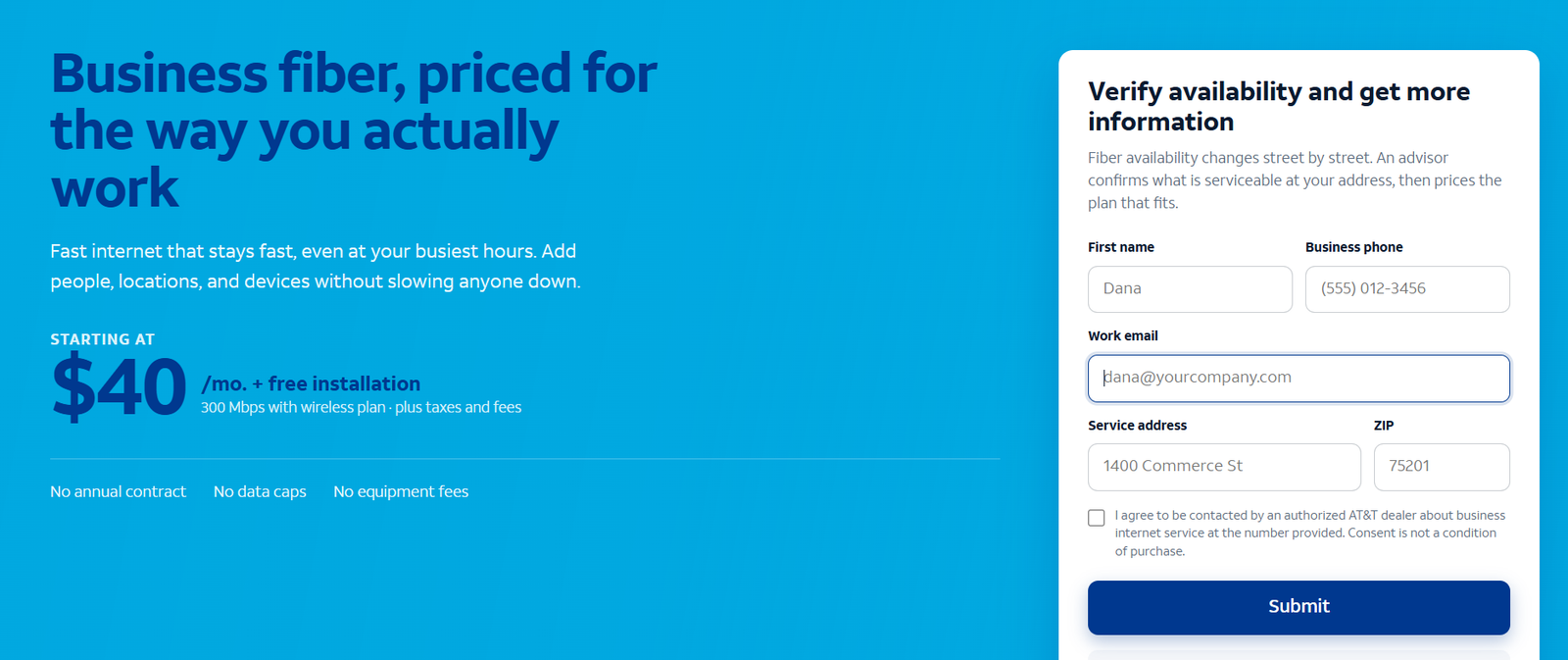
Check AT&T Business Fiber availability at your address and compare symmetrical speed tiers with uploads to match your downloads.
Why Upload Speed for Business Matters More Than Download
Business internet has been sold on one number for decades: the download speed, printed big on every advertisement. It made sense in an era when offices mostly received data — browsing the web, downloading email attachments, pulling files from a server. The internet of 2026 does not work that way anymore. The average office now sends nearly as much as it receives, and during working hours it often sends more.
Think about a normal workday. Every video call streams each participant’s camera feed outward. Every file saved to OneDrive, Google Drive or Dropbox uploads to the cloud. Every backup job copies the day’s work to an offsite server. Every remote employee’s VPN session encrypts and transmits their activity back to headquarters. Voice calls, screen shares, live webinars, security cameras streaming to cloud storage — all of it is upload traffic.
Yet the plans most businesses buy are profoundly lopsided. A typical cable business plan advertises 300 or 500 Mbps down and delivers 10 to 35 Mbps up — an asymmetry ratio of 10-to-1 or worse. That means the plan’s headline number describes capacity you rarely saturate, while the direction your team actually leans on is a narrow straw. The result is a familiar pattern of complaints: downloads feel fast, but video freezes, file uploads take forever, VPN sessions lag, and cloud backups never finish during the day.
The rule of thumb is simple: buy for your upload needs first, then check that the download side is adequate. For nearly every business plan on the market, if the upload side is right, the download side takes care of itself.
What Business Upload Speed Is and How It Is Measured
Upload speed is the rate at which your connection sends data from your office to the internet, measured in megabits per second (Mbps) — the same unit as download speed. When a speed test reports “300 down / 20 up,” it means you can pull data in at 300 Mbps and push it out at 20 Mbps. A symmetrical plan reports the same number both ways: 300/300.
Two distinctions matter for buyers. First, bandwidth vs latency: bandwidth (Mbps) is how much data moves per second; latency (milliseconds) is how long each packet takes to make the trip. Upload bandwidth determines whether ten video calls fit; latency determines whether those calls feel natural or have an awkward delay. Both matter, but no amount of low latency fixes an upload pipe that is simply too small — packets queue up and calls degrade regardless.
Second, advertised vs sustained speed. Cable upload speeds are particularly prone to collapsing at peak hours because upload capacity is shared among every customer on the local node, and there is far less of it to share. A plan rated 500/20 may deliver 12 Mbps up at 2 p.m. Fiber’s symmetrical capacity does not have this structural weakness: the upload side is provisioned, not an afterthought. Our business internet speed sizing guide walks through the full math of matching capacity to headcount.
What Uses Upload Bandwidth in a Modern Office
Here is what the common business activities actually consume going upstream. These are per-person or per-device figures; multiply by the number of simultaneous users to size your office connection.
| Activity | Upload per person/device | Notes |
|---|---|---|
| HD video call (one-on-one) | 3–5 Mbps | Your camera feed going out |
| Group video call with screen share | 8–10 Mbps | The standard remote-work load |
| Cloud file sync (large files) | 10–50 Mbps | Designers, video editors, engineers |
| Offsite/cloud backup | 10–100 Mbps | Saturates whatever you give it |
| VPN session per remote user | 5–10 Mbps | Encrypted tunnel back to the office |
| VoIP voice call | ~0.1 Mbps | Tiny, but latency-sensitive |
| HD security camera (cloud-stored) | 2–4 Mbps per camera | Always on, 24/7 |
| Hosting a webinar or livestream | 10–20 Mbps | One stream out to many viewers |
| Remote desktop session | 2–5 Mbps | Screen updates going out |
Notice how quickly it adds up. Five people on group video calls need 40–50 Mbps of upload before anyone syncs a file. Add cloud backups and a few cameras, and a 20 Mbps cable upload is exhausted by mid-morning.
Video Call and Conferencing Upload Requirements
Video is the single biggest upload consumer in most offices, and it is also the least forgiving. A one-on-one HD call needs 3–5 Mbps up; add screen sharing and a few participants and it climbs to 8–10 Mbps per person. Unlike a file download, a video call cannot buffer its way through a shortage — when upload runs short, frames drop, audio goes robotic and people start talking over each other. If your team’s calendar is wall-to-wall video, upload capacity is the first number to get right, and it is the reason symmetrical fiber internet feels so different from cable in daily use.
Cloud File Sync and Offsite Backup Upload Loads
Cloud storage turned every save into an upload. A designer saving a 2 GB video project to shared cloud storage needs real upstream throughput or the sync queue grows all day. Offsite backups are worse: backup software will happily saturate every megabit of upload you give it, which is fine at 2 a.m. and a disaster at 2 p.m. if the pipe is shared with video calls. Businesses with serious backup needs either schedule transfers for off-hours or buy enough symmetrical upload that backups and humans coexist — fiber’s 300 Mbps-and-up upload side makes the second option practical.
Security Cameras and Always-On Upload Devices
Cameras are the forgotten upload tax. A single HD camera streaming to cloud storage uses 2–4 Mbps continuously — eight cameras consume 16–32 Mbps around the clock, before any employee does anything. On a 20 Mbps cable upload, a camera system alone can starve the office. Count your always-on devices (cameras, sensors, point-of-sale terminals syncing to the cloud) as permanent residents of your upload budget, not occasional guests.
Cable vs Fiber Upload Speeds: Why Downloads Are Not Enough
The asymmetry of cable is not an accident — it is baked into the technology. Cable networks were designed for television: a fat downstream channel carrying hundreds of TV channels into the home, with a thin upstream channel for the occasional remote-control signal. Decades of internet-over-cable evolution widened the upstream somewhat, but the architecture still devotes the overwhelming majority of capacity to downloads. Typical business cable plans deliver upload at roughly one-tenth to one-twentieth of the download rate.
| Plan type | Advertised download | Typical upload | Ratio |
|---|---|---|---|
| Cable business 300 | 300 Mbps | 10–20 Mbps | ~15–30:1 |
| Cable business 500 | 500 Mbps | 20–35 Mbps | ~15–25:1 |
| Cable business 1 Gig | 1,000 Mbps | 35–50 Mbps | ~20–30:1 |
| Fiber 300 | 300 Mbps | 300 Mbps | 1:1 |
| Fiber 1 GIG | 1,000 Mbps | 1,000 Mbps | 1:1 |
Fiber has no such legacy: light travels both directions through the same glass, so providers provision symmetrical speeds as standard. Our fiber vs cable comparison covers the full technical and cost picture, but for upload specifically the takeaway is stark — a mid-tier fiber plan can offer ten times the upload of a top-tier cable plan at a similar price.
There is one more wrinkle: cable upload degrades first under congestion. Because the upstream channel is narrow and shared across the neighborhood node, evening and midday slowdowns hit uploads hardest. Fiber connections carry dedicated capacity that does not collapse when the neighbors get home.
How Much Upload Speed Does Your Business Need?
Sizing upload is straightforward: add up the concurrent upload load, then add 30–50% headroom so bursts and growth do not push you into the red. A practical shortcut — multiply your headcount by 10 Mbps of upload for a general office, 20 Mbps per person for a video-heavy team, and 30+ Mbps per person for creative or engineering teams that move large files.
| Team type | Recommended upload | Matching fiber tier |
|---|---|---|
| General office, light video | 50–100 Mbps | Fiber 300 (300 up) |
| Video-heavy sales/support team | 100–300 Mbps | Fiber 300–500 |
| Creative/engineering, large files | 300–1,000 Mbps | Fiber 1 GIG |
| Multi-site with cameras and backups | 500+ Mbps | Fiber 1–2 GIG |
Upload Speed for a 5-Person Office
Five people on a normal mix of video calls, cloud apps and email need roughly 40–60 Mbps of upload at peak. Fiber 300’s 300 Mbps upstream covers this with room to spare, while a 300/20 cable plan is already at its limit before backups or cameras enter the picture. For the smallest offices, the entry fiber tier is usually the upload sweet spot — and at bundled pricing from around $40/mo, it often costs less than the cable plan it replaces.
Upload Speed for Video-Heavy Teams
Sales floors, support centers and agencies live on camera: assume 8–10 Mbps up per concurrent call. Fifteen people on calls simultaneously need 120–150 Mbps of clean upload — a figure no cable business plan delivers. Fiber 500’s symmetrical 500 Mbps handles it comfortably, with headroom for screen shares and cloud sync running alongside.
Upload Speed for Creative and Engineering Teams
Teams that move large files — video production, architecture, software with big repositories — should think in hundreds of megabits. A single 4K video project syncing to shared storage can absorb 100+ Mbps; multiply by several editors and only gigabit-class symmetrical upload keeps the workflow moving. This is the use case where Fiber 1 GIG or 2 GIG earns its keep, and the productivity math (billable hours not spent watching progress bars) usually dwarfs the monthly price difference.
Disclaimer: Ortelcom.com is an independent publisher, not AT&T and not an official AT&T website, and is not endorsed by AT&T. Links in this article are affiliate links to ortelcom.com/recommends/ — we may earn a commission at no extra cost to you. Product names, prices, speeds and offers were checked on the date shown in this article, can change without notice, and availability depends on your business address. AT&T trademarks belong to their owner. This information is for general guidance only — please confirm final pricing, terms and availability on the provider’s page before you order.
How to Test Your Current Business Upload Speed
Before you buy anything, measure what you have — at the right time, in the right way. Run a speed test from a computer wired directly to the router (Wi-Fi adds its own variables), during your busiest hour, with the office working normally. That number — not the 6 a.m. best case — is your real upload capacity. Run it three days in a row; if the upload number swings wildly or collapses at peak times, you are seeing congestion on a shared upstream, which is the classic cable pattern.
Also check what your plan actually promises. Many businesses pay for a tier whose upload ceiling they have never looked at — the contract or the provider’s plan page lists it. If your measured upload is far below the plan’s rated upload, the problem may be wiring, an old modem or Wi-Fi rather than the plan itself, and those are cheaper fixes. If the measured number matches a low rated number, the plan is the bottleneck and no equipment upgrade will fix it.
How to Improve Business Upload Speed Without Overpaying
The most effective fix is structural: move to a symmetrical plan. No traffic-shaping trick manufactures upload capacity that does not exist. That said, several cheaper moves help while you plan the switch. Enable Quality of Service (QoS) on your router to prioritize video and voice traffic over bulk uploads. Schedule cloud backups and large syncs for overnight hours. Put security cameras on a separate network segment or a dedicated connection so they cannot starve the office. And keep a business wireless line or mobile hotspot as a failover path — it will not fix a thin upload, but it keeps the office online when the primary connection has problems.
When you do shop for a replacement, compare plans on upload first and price second. A cheaper plan with 20 Mbps up is not a bargain if it recreates the exact problem you are trying to solve. Run through our business internet buying checklist before you sign anything — upload capacity is one of its twelve questions for good reason.
Upload Speed for Business: Cost Examples of Symmetrical vs Asymmetrical Plans (With Stated Assumptions)
Assumptions for all three: prices are approximate, observed October 20, 2026; bundled rates assume AutoPay, paperless billing and an eligible wireless line; cable figures are approximate industry-typical ranges for business cable plans; all examples are illustrative, not quotes — confirm current pricing before ordering.
Upload Speed Cost Example: 8-Person Office, Cable 500/20 vs Fiber 300
The office: eight people, frequent video calls, cloud file storage, six security cameras streaming to the cloud. On business cable 500/20 (around $150–$200/mo is typical for this class of plan), the 20 Mbps upload is consumed by cameras (~20 Mbps) before the workday starts — video calls compete with the camera system all day. On Fiber 300 at around $40/mo bundled, the 300 Mbps symmetrical upload absorbs cameras, calls, sync and backups simultaneously. The fiber plan costs less per month and delivers roughly fifteen times the upload. This is the most common upgrade pattern we see, and it is the clearest illustration of why headline download numbers mislead.
Upload Speed Cost Example: 20-Person Video-Heavy Team on Fiber 1 GIG
The team: twenty sales and support staff, most on video most of the day, plus cloud CRM and call recording uploads. Peak upload demand: 15 concurrent calls × 10 Mbps = 150 Mbps, plus 30 Mbps of background sync = ~180 Mbps. No cable business plan delivers that upstream. Fiber 1 GIG at around $90/mo bundled provides 1,000 Mbps symmetrical — the upload need is met with 80% headroom left for growth, and the download side is more than any twenty-person team will use.
Upload Speed Cost Example: 35-Person Creative Studio on Fiber 2 GIG
The studio: video editors and motion designers syncing multi-gigabyte projects to shared cloud storage all day, plus client review streams. Sustained upload demand runs 400–600 Mbps at peak. Fiber 2 GIG at around $135/mo bundled delivers 2,000 Mbps symmetrical. The alternative — dedicated enterprise fiber with an SLA — would cost several times more per month; for a studio that can tolerate best-effort business fiber, the standard symmetrical tiers are the value play.
The bottom line on upload speed for business: stop shopping by the big download number and start with your upstream reality — count concurrent video calls, cloud sync, backups and cameras, add headroom, and buy the symmetrical tier that covers it. For most offices that lands on AT&T Business Fiber 300 or 500, where the upload side finally matches the work your team actually does.
Upload Speed for Business FAQs: Real Questions From Business Owners
What is a good upload speed for a small business?
For a general small office, 50–100 Mbps of upload covers video calls, cloud apps and file sync with headroom. Video-heavy teams should target 100–300 Mbps, and creative teams moving large files need 300 Mbps to 1 Gbps. The key is that the upload figure is sustained at peak hours, not a best-case test result.
Is 20 Mbps upload enough for business video calls?
For one or two simultaneous calls, barely. A group call with screen sharing needs 8–10 Mbps up per participant, so 20 Mbps supports about two concurrent calls before quality degrades — and that assumes nothing else is uploading. Most offices outgrow 20 Mbps quickly, which is why it is the most common pain point on cable business plans.
Why is my business upload speed so much slower than download?
Because most non-fiber technologies provision asymmetrically: cable networks devote the vast majority of capacity to downloads, a legacy of their TV-broadcast origins. Only fiber-to-the-premises plans are routinely symmetrical. If your plan is cable or DSL, a 10:1 or 20:1 download-to-upload ratio is normal — and only a technology change fixes it.
Does AT&T Business Fiber have symmetrical upload speeds?
Yes — AT&T Business Fiber plans are symmetrical from 300 Mbps to 5 GIG, meaning the upload speed matches the download speed on every tier. That is the core of this article’s argument: a Fiber 300 plan gives you 300 Mbps up, versus roughly 10–20 Mbps up on a comparably priced cable plan.
How much upload speed do I need for Zoom or Teams calls?
Plan on 3–5 Mbps up per person for one-on-one HD calls and 8–10 Mbps up per person for group calls with screen sharing. Multiply by your maximum concurrent calls and add 50% headroom. Ten simultaneous group calls need roughly 100–150 Mbps of upload.
Will faster upload speed improve my VPN performance?
Usually, yes — VPN tunnels add 10–15% overhead on top of the underlying traffic, and a thin upload chokes tunneled sessions first. Remote workers on VPN feel upload shortages as laggy file access and stuttering tunneled video. Symmetrical upload at the office end is the single biggest VPN quality improvement most businesses can make.
Do security cameras use a lot of upload bandwidth?
More than most businesses expect: 2–4 Mbps per HD camera, streaming continuously. Eight cameras use 16–32 Mbps around the clock — enough to saturate a 20 Mbps cable upload by themselves. Count cameras as permanent upload residents when sizing your plan.
Can I get more upload speed without switching providers?
Sometimes. Check whether your current provider offers a higher tier with more upload, or a symmetrical option — some cable providers now sell symmetrical tiers in fiber-competitive areas. QoS settings, off-hours backup scheduling and segmenting camera traffic can also relieve pressure. But if your technology is asymmetrical by design, only a technology change delivers a real fix.
What upload speed do I need to host a webinar?
Budget 10–20 Mbps of clean, stable upload for hosting a professional webinar or livestream, on top of whatever the rest of the office is using. Stability matters as much as the number — a fluctuating 15 Mbps produces a worse stream than a steady 10 Mbps, which is another argument for fiber’s consistent upstream.
Is upload speed or download speed more important for cloud apps?
Both matter, but upload is the usual bottleneck. Cloud apps are interactive: every keystroke, save and sync goes up first. On asymmetrical plans the download side is rarely the constraint — it is the thin upload that makes cloud apps feel sluggish. If your business runs on cloud software, prioritize upload.
How do I test my office upload speed correctly?
Test from a wired computer (not Wi-Fi) during your busiest hour, with the office working normally, three days running. Compare the sustained peak-hour result — not the off-hours best case — against your plan’s rated upload. If the rated upload itself is the problem, no equipment fix will help.
Should I choose fiber just for the upload speed?
For many businesses, yes — upload alone justifies it. If video calls, cloud work, VPN or cameras are central to your day, symmetrical upload transforms daily performance in a way no download upgrade on an asymmetrical plan can match. And since entry fiber tiers are often priced at or below comparable cable plans, the upgrade frequently costs nothing extra.
Upload speed spent years as the forgotten half of the internet connection. In a workday built on video, cloud sync and VPNs, it is the half that determines whether your team flows or stutters. Size it honestly, buy it symmetrically, and the download number will take care of itself — our business vs residential internet comparison is a good next read if you are weighing which class of plan to buy.

