
The short answer: Before you sign any business internet contract, ask 12 questions covering speed, upload symmetry, the true monthly price, contract length, data caps, installation, security, backup options, availability at your address, support, and how the plan compares to alternatives. If a provider cannot answer these clearly, keep shopping — the answers protect you from price jumps, slow installs, and contracts that outlast your business needs. This business internet buying checklist walks you through every question, what a good answer sounds like, and how to score your options.
Comparing business internet plans right now?
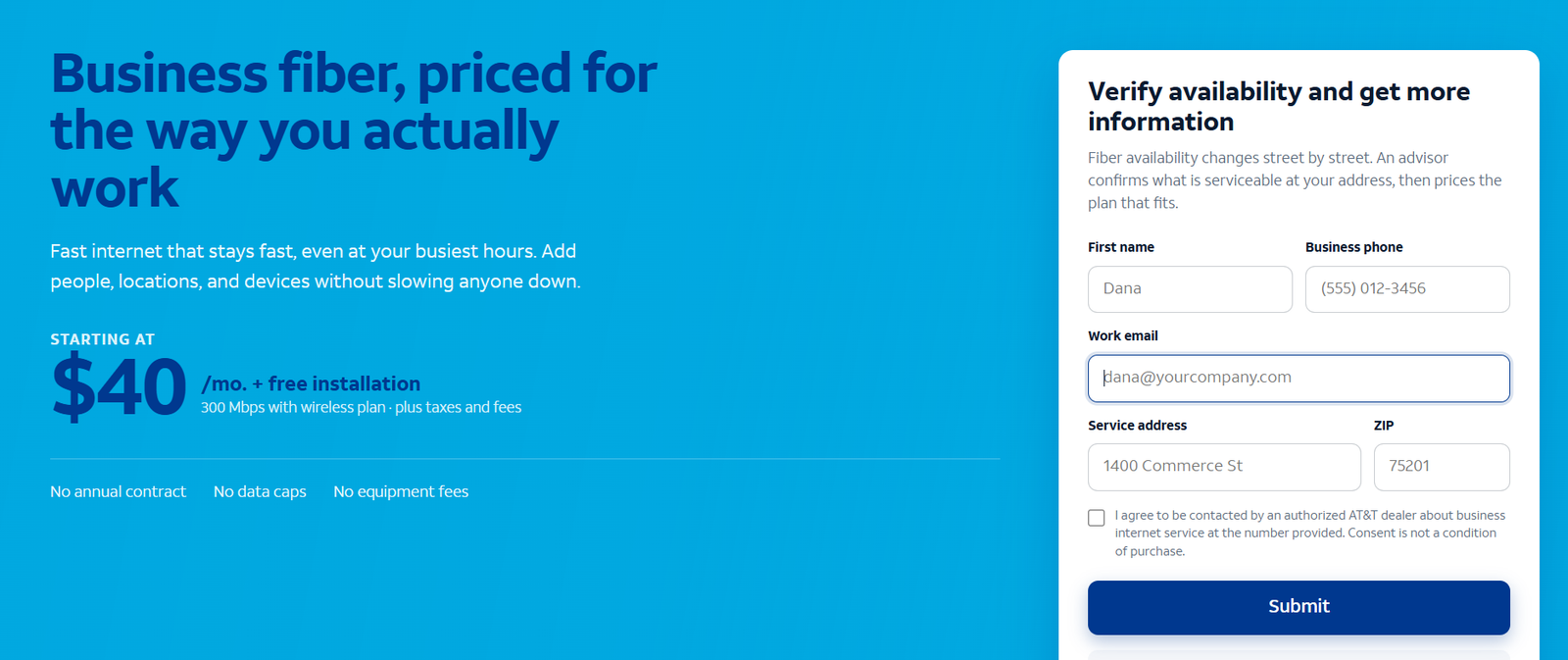
Check current AT&T Business Fiber availability, speeds and bundled pricing for your address before you sign.
Why a Business Internet Buying Checklist Saves You Money
Business internet is usually the third or fourth largest recurring technology expense for a small business, after payroll systems, software subscriptions and phone service — yet it is often bought in fifteen minutes on a sales call. That asymmetry is where businesses lose money: introductory pricing that doubles in month thirteen, installation quotes that ignored the build-out cost, or a 36-month contract on a location the business leaves in month twenty.
A business internet buying checklist fixes this by forcing every plan onto the same scorecard. It turns vague sales promises into verifiable claims: the price on page three of the quote, the installation date in writing, the data cap buried in the terms. Our AT&T Business Fiber pricing breakdown shows why this matters — list rates and bundled rates differ by hundreds of dollars a year, and only one of them appears in the headline.
The checklist also surfaces questions salespeople do not volunteer. Providers compete on download speed and price; they rarely compete on upload symmetry, mean time to repair, or what happens when you move. Those unglamorous details are exactly what determines whether your internet is an asset or an ongoing frustration for the next two to three years.
Business Internet Buying Checklist: The 12 Questions
Work through these twelve questions for every plan you are considering. Each one includes what to ask, what a good answer sounds like, and the red flags that should make you pause.
Question 1: What Internet Speed Does Your Business Need for Daily Work?
Before comparing plans, size your own demand. Count your people, multiply their simultaneous activities, and size for the busiest hour — not the average. A rough method: video calls need 3–5 Mbps up and down each, cloud apps 2–5 Mbps per active user, file sync and backups 10–50 Mbps of upload depending on data volume. Our guide on how much internet speed a business needs walks through this math with worked examples for 5-, 15- and 40-person offices.
A good answer from a provider: they ask about your headcount and use cases before recommending a tier, and they can explain why a specific tier fits. A red flag: they quote the fastest tier available without asking a single question about your business — that is upselling, not sizing.
Question 2: Is the Upload Speed Symmetrical?
Download speed is what every ad shouts. Upload speed is what your business actually feels: video call quality, cloud backup times, file sharing, VoIP clarity. Fiber plans are symmetrical (300 Mbps down means 300 Mbps up); cable plans are typically asymmetrical (300 Mbps down might mean only 10–20 Mbps up). If your team lives on video calls and cloud apps, an asymmetrical plan can feel slow even with a big download number.
Ask the provider for the upload figure in writing for the tier you are buying. A good answer: a clear up/down pair for every tier. A red flag: the quote only mentions download speed, or the salesperson cannot tell you the upload figure. Read our deep dive on why upload speed matters for business to see how much upstream capacity different work types consume.
Question 3: What Is the True Monthly Price After Promotions End?
Most business internet pricing has two numbers: the promotional rate and the standard rate. The promotion might last 12 months; the contract might last 36. Always ask: what does month thirteen cost? Get the post-promotion price in writing, because verbal assurances are worth nothing when the bill arrives. Bundle discounts — such as AT&T’s wireless-plus-fiber bundling that can cut Fiber 300 to around $40/month — are real savings, but confirm what the price becomes if you later drop the qualifying service.
A good answer: a written quote showing both the promotional and standard monthly rate, plus any bundle conditions. A red flag: the provider will only discuss the first-year price, or the “standard rate” is described as “subject to change” with no figure attached.
Question 4: What Does the Business Internet Contract Actually Require?
Contract length, early termination fees, auto-renewal clauses, and price-lock terms determine your exit cost. A 36-month contract with a steep termination fee is a three-year bet on your current location and headcount. For growing or relocating businesses, no-annual-contract options — like the current AT&T Business Fiber offers — are worth real money in option value.
Ask for the early termination fee schedule and whether the contract auto-renews. A good answer: clear term options (including month-to-month or 12-month), a written termination fee, and a defined renewal notice period. A red flag: the salesperson pushes the longest term hardest without explaining the termination math, or claims “everyone signs three years” as if it were the only option.
Question 5: Are There Data Caps or Throttling on the Plan?
Data caps turn a flat monthly fee into a variable one: overage charges or throttled speeds when you exceed them. Many business fiber plans currently advertise no data caps; many cable and some fixed-wireless plans do have them. With cloud backups, video conferencing and security cameras all consuming data around the clock, a 1 TB cap can be hit by a 15-person office without anyone noticing until the bill or the slowdown.
A good answer: an explicit “no data caps” statement in the terms, or a clearly stated cap with the overage charge. A red flag: the plan documents never mention data usage at all — assume the worst and ask directly. For the record, current AT&T Business Fiber plans advertise no data caps, but always confirm the current terms for the exact plan you are quoted.
Question 6: What Will Installation Cost and How Long Will It Take?
Installation has two costs: money and time. Money covers the install fee, any construction charges for bringing service to your suite, and inside wiring. Time covers the interval from order to working service — which can range from days to months depending on whether fiber already reaches your building. A business opening a new office in six weeks needs this answer before it needs the price.
A good answer: a site survey or address check that confirms serviceability, a written installation timeline, and itemized install costs. A red flag: “installation is usually quick” with no date commitment, or construction charges described as “to be determined after you sign.” Check AT&T Business Fiber availability at your address early — it is the fastest way to learn whether your building is already serviceable.
Question 7: What Equipment Is Included and What Do You Maintain?
The gateway, router and Wi-Fi equipment determine your day-to-day experience — and who fixes it when it breaks. Some providers include equipment at no extra charge (current AT&T Business Fiber offers advertise no equipment fees); others charge monthly rental that quietly adds $10–$15 to every bill. Also clarify: if the gateway fails, who replaces it, how fast, and at what cost?
A good answer: a list of included equipment, any rental fees stated as monthly line items, and a clear replacement policy. A red flag: equipment fees appear only as a footnote, or the provider requires you to buy specific hardware from them with no alternative.
Question 8: Does the Plan Include Business-Grade Security?
Your internet connection is your largest attack surface. Some business plans include network-level security — AT&T includes its ActiveArmor security platform with Business Fiber at no extra cost — while others leave security entirely to you. Ask what is included: threat blocking, suspicious-site warnings, alerts. Then budget separately for what is not: endpoint protection on every device and, for regulated industries, a dedicated firewall.
A good answer: a plain-English description of included security features and their limits. A red flag: the plan includes no security and the salesperson dismisses the question. Our AT&T ActiveArmor explained guide details what built-in security covers and where it stops.
Question 9: What Happens When the Primary Connection Fails?
Every connection fails eventually — construction crews cut lines, hardware dies, storms happen. The question is how long you are down and what the fallback is. Ask about the provider’s mean time to repair, whether they offer automatic 4G/5G failover, and what backup options exist. For businesses that cannot tolerate a day offline, a wireless backup (such as AT&T Internet Air for Business, with Standard around $65/month list) can be cheaper than a single outage.
A good answer: a stated repair target, a failover option with clear pricing, and honest guidance on which businesses need backup. A red flag: no repair commitment and no backup offering — your business’s uptime is then entirely your problem.
Question 10: Is the Exact Speed Available at Your Exact Address?
Business internet availability is address-specific down to the building — sometimes the suite. “Available in your area” means nothing; the plan you want must be provisioned at your street address. Providers’ online checkers give a first answer, but for fiber, confirm whether the building is already lit or needs construction, because that determines both timeline and cost.
A good answer: an address-level qualification result naming the exact tiers available at your location. A red flag: the salesperson quotes speeds for “your neighborhood” rather than your address. Run the address check before you invest time in any other question.
Question 11: What Support and Uptime Commitments Come With the Plan?
Business internet should come with business support: priority phone lines, faster repair targets, and ideally a service-level agreement with credits if uptime targets are missed. Residential-style “we’ll get to it when we get to it” support is the hidden cost of buying the wrong product class. Ask who you call, when they answer, and what happens — financially — if the service misses its targets.
A good answer: defined support hours, a priority support number, and an SLA with service credits. A red flag: support is the same queue as residential customers with no uptime commitment. Our comparison of business vs residential internet explains why this distinction alone can justify the price difference.
Question 12: How Does This Plan Compare to the Alternatives?
Never buy the first quote. Compare at least two technologies — fiber, cable, fixed wireless — on total cost over the contract term, not the first-year price. A $40/month plan on a 36-month contract costs $1,440; a $70/month plan with no contract and no install fee costs less in year one but more over three years if you stay. Build the comparison on identical assumptions: same speed tier, same term, all fees included.
A good answer from any provider: they can explain, in their own words, why their plan beats the specific alternative you name. A red flag: they cannot name a single competitor’s offering accurately, or they refuse to put the total-term cost in writing. See our fiber vs cable comparison for a worked side-by-side example.
Business Internet Buying Checklist Scorecard: Scoring Your Answers
Turn the twelve questions into a scorecard. For each plan, award 2 points for a clear written answer, 1 point for a verbal-only answer, and 0 for an evasion or “we’ll get back to you” that never comes. A plan scoring 20+ out of 24 is a confident buy; 14–19 means one or two weak spots to negotiate or verify in writing; below 14, walk away regardless of price.
Weight the questions by your situation. A retail store with card readers should double-weight backup (Question 9) and installation timeline (Question 6). A design studio pushing large files should double-weight upload symmetry (Question 2). A startup in a coworking space on a six-month lease should double-weight the contract terms (Question 4) — a three-year contract is a non-starter.
Keep the completed scorecards. When the provider’s implementation team or a future renewal negotiation references “what was agreed,” your contemporaneous notes beat anyone’s memory — including your own.
Disclaimer: Ortelcom.com is an independent publisher, not AT&T and not an official AT&T website, and is not endorsed by AT&T. Links in this article are affiliate links to ortelcom.com/recommends/ — we may earn a commission at no extra cost to you. Product names, prices, speeds and offers were checked on the date shown in this article, can change without notice, and availability depends on your business address. AT&T trademarks belong to their owner. This information is for general guidance only — please confirm final pricing, terms and availability on the provider’s page before you order.
Business Internet Cost Examples: What Three Businesses Actually Pay (With Stated Assumptions)
Assumptions: prices are approximate, observed October 20, 2026; AT&T Business Fiber bundled rates assume AutoPay/paperless billing and a qualifying wireless bundle where noted; taxes and fees add roughly $5–$15/month depending on location; installation fees vary by site. Cable figures are approximate industry-typical ranges, not quotes.
Checklist Cost Example: 6-Person Marketing Agency on Fiber 300
The agency: six staff, heavy video calls and cloud design tools, moderate file uploads. Their checklist answers: Fiber 300 symmetrical at around $40/month bundled, no data caps, no equipment fees, no annual contract, installation in two weeks with a $0 promotional install. Total first-year cost: roughly $480 plus taxes — against a cable alternative quoted at $90/month for 300/20 with a $99 install fee and a 24-month term (roughly $1,179 first year). The checklist’s total-term math made fiber the clear winner despite the cable plan’s bigger advertised download number.
Checklist Cost Example: 18-Person Logistics Firm on Fiber 1 GIG
The firm: eighteen staff across dispatch and admin, constant VoIP, cloud TMS, and nightly data syncs. Their deal-breaker questions were upload symmetry (Question 2) and backup (Question 9). Fiber 1 GIG at around $90/month bundled answered both — symmetrical uploads for the syncs — plus an Internet Air backup at around $40/month bundled for failover. Combined first-year connectivity cost: roughly $1,560 plus taxes. A single eight-hour outage the previous year had cost them an estimated $4,000 in delayed shipments, so the backup line paid for itself in avoided risk alone.
Checklist Cost Example: 45-Person Multi-Site Retailer Comparing Cable and Fiber
The retailer: three stores, each needing POS, cameras, and guest Wi-Fi. Their checklist flagged contract length (Question 4) because one lease renews in eighteen months. They chose no-contract fiber at two owned locations (Fiber 500, around $60/month bundled each) and a 12-month cable plan at the uncertain location. Total monthly: roughly $210 plus taxes across three sites, with no termination exposure at the location they might leave. The checklist did not just pick the cheapest plan — it matched contract terms to lease terms.
Business Internet Contract Red Flags: When to Walk Away
Some answers are not just weak — they are disqualifying. Walk away if the provider cannot put the post-promotion price in writing, if the early termination fee is not disclosed before signing, if installation charges are “to be determined” after you commit, or if the contract auto-renews into a new full term without your explicit consent. These are not aggressive negotiation tactics; they are how businesses end up paying double for two years.
Also walk away from pressure tactics: “this price expires today” (it does not — promotions cycle), “we need a decision to hold the install slot” (slots are not that scarce), or refusal to let you take the contract home to read. A provider confident in its offering welcomes scrutiny. One that rushes you past the fine print is telling you exactly where the traps are.
Who Should Use This Business Internet Checklist — and Who Needs More Questions
This business internet buying checklist fits any small or mid-sized business buying connectivity for one to ten locations: offices, retail, restaurants, clinics, agencies, and professional services. If you can answer the twelve questions for two competing plans, you will make a better decision than the vast majority of business internet buyers.
Add more questions if you are buying for a headquarters with 100+ people (ask about dedicated internet access and managed routers), a regulated business (ask about compliance documentation and audit support), or multiple states (ask about consolidated billing and a single account team). The twelve questions are the foundation; complex buyers build on them rather than replacing them.
The bottom line on this business internet buying checklist: the cheapest plan is rarely the best value, and the fastest plan is rarely the best fit. Value lives in the answers to these twelve questions — and the provider that answers them clearly, in writing, has already told you something important about how they will treat you after the sale. Compare current AT&T Business Fiber plans against your scorecard and see how many questions get a clean 2-point answer.
Business Internet Buying Checklist FAQs: Real Questions From Business Owners
What is a business internet buying checklist?
It is a structured set of questions — speed needs, true pricing, contract terms, data caps, installation, security, backup, availability, support, and alternatives — that you work through for every plan before signing. It forces competing plans onto the same scorecard so you compare total value instead of headline prices.
How much business internet speed do I need before I start shopping?
Size for your busiest hour: roughly 3–5 Mbps up and down per video call, 2–5 Mbps per active cloud-app user, plus headroom for backups and growth. Most 5–15 person offices land comfortably on 300–500 Mbps; video-heavy or file-heavy teams should look at 1 GIG. Our business internet speed guide has the full math.
Should I choose business fiber or cable internet?
Fiber wins on symmetrical uploads, consistency and usually no data caps; cable can be cheaper or the only wired option at some addresses. Run both through this checklist’s twelve questions — especially upload symmetry, total-term cost and contract terms — and the better fit usually becomes obvious. See our fiber vs cable comparison for a detailed side-by-side.
What is the most commonly overlooked business internet cost?
The post-promotion price increase. A plan advertised at $40/month that jumps to $90 in month thirteen costs $600 more in year two than buyers expect. Always get the standard rate in writing — it is Question 3 on this checklist for a reason.
Do I need a contract for business internet?
Not necessarily. Some business fiber offers currently come with no annual contract, which suits growing businesses, short leases and anyone who wants leverage at renewal. Longer contracts can secure lower rates, but only sign one if the early termination fee and your location plans make the math work.
How long does business internet installation take?
Anywhere from a few days (existing serviceable building, standard install) to several months (new fiber construction to the building). This is why Question 6 and the address availability check come before price comparisons — a cheap plan you cannot get installed before opening day is not a plan.
Is business internet tax-deductible?
In the US, business internet service is generally an ordinary and necessary business expense, which usually makes it deductible — but tax treatment depends on your business structure and situation. This article is general guidance, not tax advice; confirm with your accountant.
Can I use residential internet for my business instead?
Technically sometimes, but it is usually a false economy: no uptime commitments, residential-grade support, potential terms-of-service issues, and often no static IP options. Our business vs residential internet comparison breaks down the real differences.
What backup internet options should a small business consider?
Automatic 4G/5G failover from your primary provider, or a separate fixed-wireless line such as 5G business internet that takes over when the wired connection drops. Size the backup to cover card payments, email and critical cloud apps — not full operations — to keep its cost proportionate.
How do I check business internet availability at my address?
Use the provider’s online address checker, then confirm by phone for fiber — ask specifically whether your building is already serviceable or needs construction. Address-level qualification beats any coverage map. Start with our fiber availability walkthrough.
What should I ask about business internet security?
Ask what network-level security is included (threat blocking, suspicious-site warnings, alerts), what it does not cover, and what you must add yourself — endpoint protection on every device at minimum. See our ActiveArmor security guide for what built-in protection looks like on AT&T Business Fiber.
When should I re-shop my business internet plan?
Sixty to ninety days before your contract or promotion expires, when you add a location, when headcount changes by ~25%, or when you notice peak-hour slowdowns. Keep your original checklist scorecard — re-running it against renewal quotes takes an hour and routinely saves hundreds per year.
Run this business internet buying checklist before every signing and every renewal. Twelve questions, one scorecard, and no surprises on the bill — that is what buying business internet like a professional looks like.

