
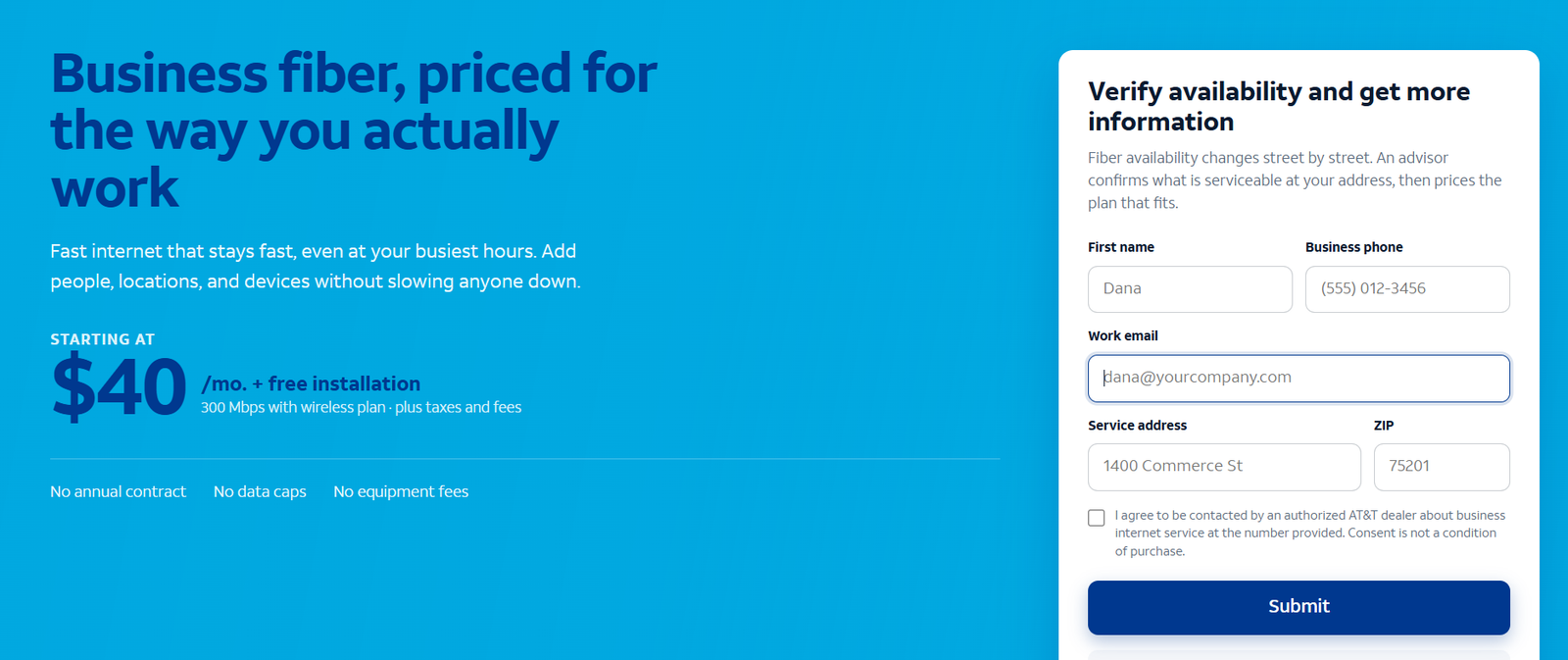
The short answer: AT&T Business Fiber is the business internet service most US offices should choose first when it is available at their address. It delivers symmetrical speeds from 300 Mbps to 5 GIG — uploads as fast as downloads — with list pricing from about $70 to $285 per month, or from about $40 per month when bundled with AT&T wireless. Standard offers include no annual contract, no data caps and no equipment fees, and AT&T ActiveArmor security comes built in. This pillar guide explains every AT&T Business Fiber plan tier, what symmetrical speeds mean in daily work, who should buy it, who should not, how installation and equipment work, security, backup and failover options, honest limitations, worked cost examples with stated assumptions, how fiber compares to cable, 5G and residential alternatives, and answers ten real-world questions.
Check AT&T Business Fiber availability and pricing
Fiber availability is address-specific, down to the street. Enter your business address to see which speed tiers reach your building and what each costs there.
AT&T Business Fiber Plans and Pricing at a Glance
AT&T Business Fiber comes in five speed tiers. Every tier is symmetrical, so the number you see is both your download and your upload speed — a 300 Mbps plan gives you 300 Mbps down and 300 Mbps up. That symmetry is the single biggest practical difference between business fiber and the cable or DSL connections most offices are replacing.
| Plan | Speed (download / upload) | Approx. list price/mo | Approx. price with wireless bundle/mo | Typical fit |
|---|---|---|---|---|
| AT&T Business Fiber 300 | 300 Mbps / 300 Mbps | ~$70 | ~$40 | Small offices, roughly 1-10 people |
| AT&T Business Fiber 500 | 500 Mbps / 500 Mbps | ~$100 | ~$60 | Growing teams, roughly 5-15 people |
| AT&T Business Fiber 1 GIG | 1,000 Mbps / 1,000 Mbps | ~$140 | ~$90 | Busy offices, roughly 10-25 people |
| AT&T Business Fiber 2 GIG | 2,000 Mbps / 2,000 Mbps | Higher, varies | ~$135 | Large teams, heavy cloud and media work |
| AT&T Business Fiber 5 GIG | 5,000 Mbps / 5,000 Mbps | Up to ~$285 | ~$235 | Multi-site hubs, data-heavy operations |
Pricing note: figures are approximate US list and bundled prices observed for AT&T Business Fiber, before taxes and fees. Bundled pricing assumes AT&T wireless service on the same account with AutoPay and paperless billing. Actual pricing is confirmed for your exact address before you order. Our AT&T Business Fiber pricing guide walks through each tier in more detail, including what drives the price up or down.
Disclaimer: Ortelcom.com is an independent publisher, not AT&T and not an official AT&T website, and is not endorsed by AT&T. Links in this article are affiliate links to ortelcom.com/recommends/ — we may earn a commission at no extra cost to you. Product names, prices, speeds and offers were checked on the date shown in this article, can change without notice, and availability depends on your business address. AT&T trademarks belong to their owner. This information is for general guidance only — please confirm final pricing, terms and availability on the provider’s page before you order.
What Symmetrical Speeds Actually Mean for Your Business
Most cable and residential internet is asymmetrical: fast downloads, slow uploads. A 600 Mbps cable plan might give you only 20-35 Mbps of upload. That asymmetry was designed for households that stream video (download-heavy). Businesses work the other way — they produce, share, back up and broadcast, all of which upload.
Symmetrical fiber removes the upload bottleneck entirely. On a 300 Mbps symmetrical plan, a 2 GB video file uploads in about a minute; on a 600/20 cable plan, the same upload takes over 13 minutes. Multiply that by every large file, every cloud backup, every video call, every day, and the productivity difference is enormous.
In daily work, uploads are everywhere:
- Video meetings. Your outgoing camera feed is an upload. Slow uploads are why people freeze on calls even when downloads test fine. Ten simultaneous video calls need roughly 30 Mbps of sustained upload — trivial for fiber, a strain for cable.
- Cloud backups and file sharing. Backing up 50 GB to cloud storage is an upload job. At 20 Mbps it runs all night; at 300 Mbps it finishes before lunch. Our guide to why upload speed matters more than download for business works through the math.
- VoIP phone systems. Every concurrent call sends audio both ways. A cloud business phone system on a weak upload gets choppy fast — and call quality problems are almost always upload problems.
- Security cameras and remote access. Viewing camera feeds from home and connecting to office systems both depend on office upload speed.
If you are not sure how much speed your team needs in the first place, start with our guide to how much internet speed a business needs, then come back and pick a tier. The short version: most offices land on 300 or 500 Mbps symmetrical.
What Your Business Fiber Internet Plan Includes
Beyond raw speed, the standard AT&T Business Fiber package includes:
- AT&T ActiveArmor internet security included on the gateway, which helps block known malicious sites and threats before they reach your network. See our ActiveArmor explainer for what it covers and what it does not.
- No data caps on standard business fiber plans, so a heavy month — big backups, big uploads — does not trigger overage charges or throttling.
- No annual service contract on standard pricing, which keeps switching costs low if your needs change. This is unusual for business-grade service and worth appreciating.
- Business-grade support and service priority compared with residential service, including a static IP option on many plans for businesses that host servers or run VPNs.
- Wi-Fi gateway equipment provided for the office connection; AT&T has promoted no separate equipment fee on recent fiber offers, but confirm the current terms for your address.
Who Should Buy AT&T Business Fiber
AT&T Business Fiber is a strong fit if your business:
- Runs cloud apps all day (Microsoft 365, Google Workspace, CRM, accounting) and cannot afford midday slowdowns. Fiber’s consistency at peak hours is its quiet superpower — the speed you buy is the speed you get at 10am on Monday.
- Has staff on video calls with clients, or runs a VoIP phone system. Symmetrical uploads keep calls clean even when the whole office is online.
- Uploads large files regularly: creative agencies, architects, real estate media teams, clinics sending imaging, contractors sharing plans. If uploads are your work product, fiber is not a luxury.
- Operates point-of-sale systems, guest Wi-Fi and back-office systems on one connection and needs them all to work at once. Segment the networks, but feed them from one fat, reliable pipe.
- Plans to grow headcount at the same address, because moving up a tier is a plan change, not a rebuild. Start at 300, grow to 500 or a gig without new construction.
Which Business Fiber Speed Tier Should a Small Office Start With?
For most offices under 10 people, the 300 Mbps tier is genuinely enough, and it is the value pick at roughly $70 list or $40 bundled. Step to 500 Mbps when you pass ~10-15 people, run nightly cloud backups that must finish before morning, or have a creative team moving large files daily. The 1 GIG tier suits 20+ person offices and upload-heavy specialists; 2 and 5 GIG are for large operations, multi-floor buildings and businesses hosting significant on-site infrastructure. When in doubt, start lower — upgrading a fiber tier is a phone call, not a project.
Who Should Choose a Different Business Internet Service Instead
Honesty matters here, because fiber is not the answer for everyone:
- Fiber is not at your address. AT&T fiber coverage is wide but street-by-street, and some buildings will never be wired. If your building is not served, AT&T Internet Air for Business, a 5G fixed wireless service, can be live in days with no install wait — and our guide to checking AT&T Business Fiber availability shows exactly how to verify.
- You are a solo home-based business with light use. A residential plan may cost less, though you give up business support, static IP options and service expectations written for businesses. Our business vs residential internet guide lays out the trade-offs.
- You need service at multiple rural sites. Where no wired option exists, fixed wireless or satellite may be the only realistic choices, and fiber’s advantages do not matter if you cannot get it.
- Your building’s internal wiring is the real problem. Fiber to a building with ancient internal wiring and a consumer router from 2016 will still feel slow. Budget for the internal network, not just the connection.
Business Fiber Ordering and Installation: How It Works
The process is straightforward, but the timeline varies. First, check availability for your exact address — a building across the street can have different options, so never assume. If fiber is available, you choose a speed tier and schedule installation.
If fiber already reaches your building (a previous tenant had it, or the building is wired), installation is typically a technician visit of a few hours: they install the optical network terminal (ONT) where the fiber enters, connect the gateway, and verify speeds. This can happen within days of ordering.
If fiber needs to be extended to your building, construction may be required — trenching, conduit, permits — and the timeline stretches to weeks. AT&T will survey the site and give you a timeline; get it in writing before you sign a lease or plan a move around it.
Practical tips: schedule installation before your move-in date, not after; confirm whether the install fee is waived on your offer; ask where the ONT will be placed (it needs power and should be near your network gear); and if you are in a multi-tenant building, confirm with property management that the technician has access arranged. Business installations get priority scheduling over residential, but the construction timeline is what it is — plan around it.
Business Fiber Equipment: The AT&T Gateway and Your Office Network
AT&T provides the fiber gateway — the box that terminates the fiber connection and broadcasts Wi-Fi. On recent business fiber offers there is no separate equipment fee, which removes the monthly modem rental that cable business plans often charge.
But the gateway is only the front door. Your internal network determines what your team actually experiences:
- Wi-Fi: the included gateway’s Wi-Fi covers a small office. Larger spaces need a business-grade mesh system or access points wired back with Ethernet. Wi-Fi complaints are almost never the fiber’s fault.
- Wired drops: anything that stays put — desktops, printers, POS terminals, cameras — should be on Ethernet, not Wi-Fi. It is faster, more reliable and frees wireless capacity.
- Router quality: if you run your own router behind the gateway (common for VPNs, VLANs or advanced firewall rules), make sure it can actually route at your plan speed. A router that tops out at 300 Mbps will bottleneck a gigabit plan.
Budget a few hundred dollars for internal networking gear on top of the connection itself. It is the highest-ROI money in the whole project.
Security: ActiveArmor and What It Covers
AT&T ActiveArmor is included with business fiber at the gateway level. It provides network-level protections: blocking known malicious websites, filtering some categories of harmful traffic, and alerting on suspicious activity patterns. Think of it as a first line of defense that requires no configuration.
What it does not replace: endpoint protection (antivirus on every machine), a proper firewall with rules matched to your business, employee training against phishing (the #1 breach vector, which no gateway can block), and backups. Our ActiveArmor explainer details the feature set honestly — it is a genuine included value, not a reason to skip the rest of your security stack. For a small business, the right posture is: ActiveArmor on, decent firewall configured, endpoint protection everywhere, phishing training yearly, backups tested quarterly.
Business Internet Backup and Failover Options
Even the best primary connection can go down — construction crews cut fiber lines, and it happens more often than providers admit. If an outage stops your business (card payments, phones, bookings), a backup connection is not optional.
The standard small-business pattern is primary plus backup on different technology: fiber primary with 5G fixed wireless backup. AT&T Internet Air for Business is the natural fit — it installs in days with no technician, so you can have it as a standby without a construction project. Connect it through a dual-WAN router for automatic failover, or keep it as a manual fallback you plug in when needed.
Size the backup for essentials: POS, VoIP phones, email. Nobody needs to stream training videos during failover. And test the failover twice a year — an untested backup is a hope, not a plan.
Business Fiber Limitations: Availability, Installation Timelines and Speed Caveats
- Availability is the big one. Fiber’s advantages are irrelevant where it is not built. Always verify per address.
- Installation can take weeks where construction is needed. Time it around leases and moves.
- Speeds are “up to” — real-world throughput depends on your internal network, the sites you visit and Wi-Fi conditions. The fiber itself is rarely the constraint.
- Uploads beyond 1 GIG need internal gear to match. A 2 or 5 GIG plan demands multi-gig Ethernet and a router that can handle it; otherwise you are paying for speed you cannot use.
- Promotional pricing expires. Confirm the post-promotion rate in writing and model year-two costs before signing anything.
Business Fiber Cost Examples: 8-Person, 18-Person and 35-Person Offices
Assumptions for all examples: approximate US pricing observed October 2026, before taxes and fees; bundled prices assume AT&T wireless service on the account with AutoPay and paperless billing; no install fees (often waived on current offers — confirm); 36-month view for planning.
Fiber 300 Cost Example: 8-Person Office
Bundled at ~$40/mo for the full period (assumes wireless stays on the account): about $1,440 over three years. At list ~$70/mo without bundling: about $2,520. The bundle saves roughly $1,080 over three years — more than the cost of decent internal Wi-Fi gear.
Fiber 500 Cost Example: 18-Person Team
Bundled at ~$60/mo: about $2,160 over three years. At list ~$100/mo: about $3,600. This is the sweet spot tier for growing teams — the step up from 300 costs roughly $20/mo bundled and buys meaningful upload headroom.
Fiber 1 GIG Cost Example: 35-Person Creative Studio
Bundled at ~$90/mo: about $3,240 over three years. At list ~$140/mo: about $5,040. For a team moving large files daily, the gigabit tier’s upload capacity replaces hours of waiting per week — the ROI case writes itself.
AT&T Business Fiber vs the Alternatives
Vs cable business internet: cable is widely available and often cheaper at headline download speeds, but uploads are a fraction of fiber’s and peak-hour slowdowns are common on shared neighborhood segments. Our full AT&T Business Fiber vs cable internet comparison has the side-by-side table. Choose fiber where available unless budget absolutely dictates otherwise.
Vs 5G fixed wireless (Internet Air): wireless installs in days with no construction and works where fiber is not built — but speeds vary with signal and network load at your specific address. It is the best backup connection and a fine primary for light offices; fiber is the better primary for everyone else.
Vs residential fiber: the wire may be similar, but business plans buy you business support, repair priority, static IP options and service terms written for companies. Our business vs residential internet guide details when the upgrade pays for itself.
The bottom line on AT&T Business Fiber: it earns its place as the default recommendation for US businesses that can get it — symmetrical speeds that match how businesses actually work, pricing that starts lower than expected, no contract, no caps, security included. Check AT&T Business Fiber availability and pricing for your address here. If it does not reach you, read our guide to checking AT&T Business Fiber availability for what to do next, including the 5G alternative.
Business Fiber FAQs: Real Questions From Business Internet Buyers
How much does AT&T Business Fiber cost per month?
List pricing runs roughly from $70 per month for 300 Mbps up to about $285 per month for 5 GIG, before taxes and fees. Bundled with AT&T wireless, pricing starts from about $40 per month. See our fiber pricing guide for the tier-by-tier breakdown.
Is AT&T Business Fiber available at my business address?
Availability is address-specific and can differ between neighboring buildings — fiber is built street by street. The only reliable way to know is an address check. Our availability guide walks through the process and what to do if your address is not served yet.
Does AT&T Business Fiber have data caps or contracts?
Standard AT&T Business Fiber plans are advertised with no data caps and no annual service contract. Confirm the current terms for your address before ordering, as offers change.
What business fiber speed tier do most small businesses need?
Most offices with up to about 10 people do well on 300 Mbps symmetrical; growing teams fit 500 Mbps. Our speed sizing guide has the per-person math and worked examples.
What if AT&T fiber is not available at my address?
AT&T Internet Air for Business delivers internet over AT&T’s 5G network with no wired install, and is the standard fallback — either as your primary connection or as backup to another provider’s wired service.
How long does business fiber installation take?
If fiber already reaches your building, days; if construction is needed to extend it, weeks. Get the timeline in writing before planning a move around it.
Can I use my own router with AT&T Business Fiber?
Generally yes — many businesses run their own router behind the AT&T gateway for VPNs, VLANs or advanced firewall rules. Make sure your router can handle your plan’s speed, or it becomes the bottleneck.
Is business fiber better than cable for VoIP phones?
Yes, in most cases — symmetrical uploads and low, stable latency are exactly what VoIP needs. See our business phone system guide for how call quality connects to connection quality.
Does AT&T Business Fiber include Wi-Fi?
The provided gateway includes Wi-Fi, which suits small offices. Larger spaces should add business-grade access points wired back with Ethernet — Wi-Fi coverage is a property of your internal network, not the fiber itself.
Can I bundle AT&T Business Fiber with wireless?
Yes — bundling fiber with AT&T business wireless on the same account unlocks the lower bundled pricing (from about $40/mo for 300 Mbps) and a single bill. Confirm current bundle terms for your account.

