
The short answer: the best business internet for remote teams is a fast, symmetrical fiber connection at the office paired with clear standards for employees’ home connections. Remote work is upload-heavy — video calls, cloud file sync and VPN tunnels all push data upstream — so symmetrical speeds like AT&T Business Fiber’s 300 Mbps to 5 GIG plans solve the exact bottleneck that makes cable and DSL feel slow on workdays. Internet Air for Business and business wireless lines fill the gaps: temporary sites, homes where fiber is unavailable, and backup for outages. This guide breaks down what remote and hybrid teams actually need, how to size it, what it costs, and the mistakes to avoid.
Want fiber pricing for your office and remote setup?
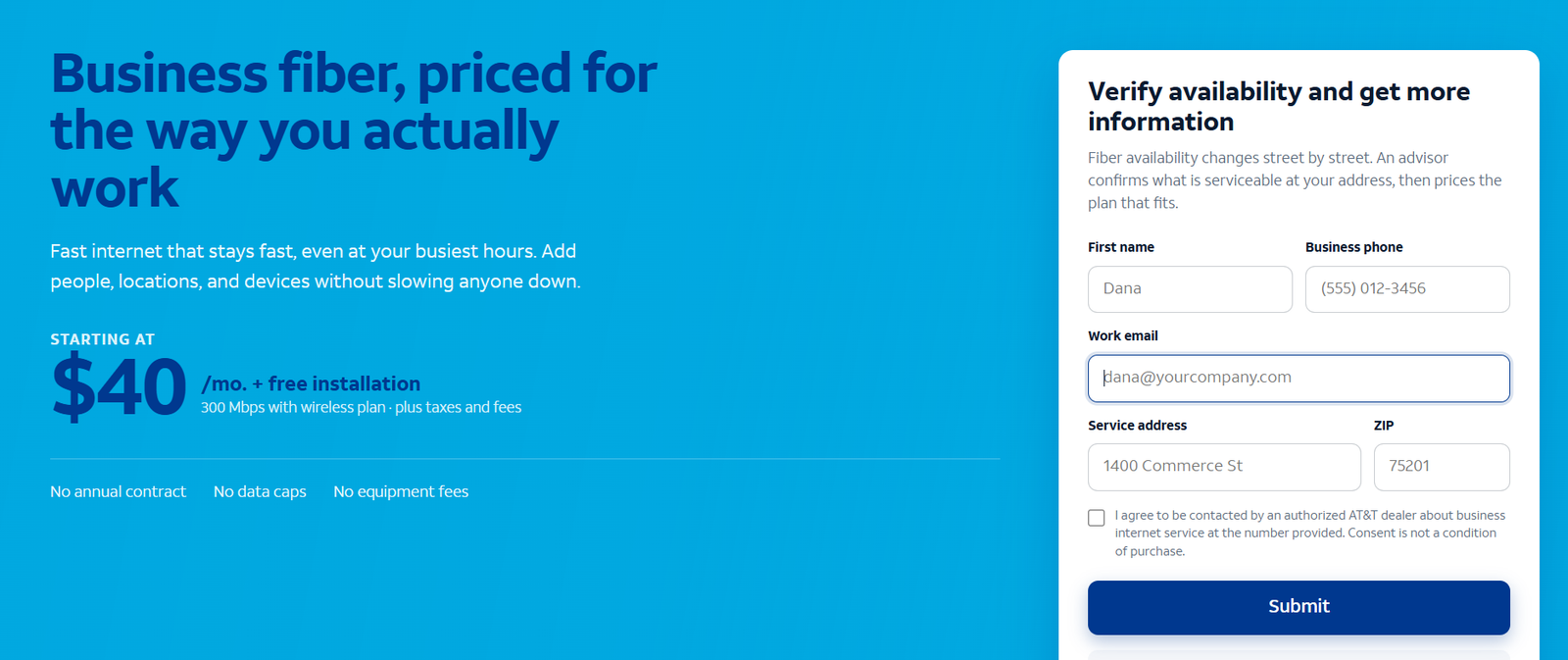
Check AT&T Business Fiber availability at your address and see the bundled vs list pricing for each speed tier.
What Business Internet for Remote Teams Needs to Do
A hybrid or remote team does not have one network — it has many. There is the office connection, and then every employee’s home connection, each with its own router, Wi-Fi coverage and weak spots. The business internet strategy has to handle both ends, because a flawless office connection cannot fix an employee whose video freezes every standup.
Four things matter most. First, upstream capacity: remote work pushes far more data up than typical home use — video calls stream your camera outward, cloud drives sync files upward, and VPN tunnels add overhead in both directions. Second, consistency: a connection that delivers 200 Mbps at 7 a.m. but 25 Mbps at 2 p.m. will ruin video calls even if the average looks fine. Third, latency: the delay on the line affects voice quality and how responsive remote desktops and cloud apps feel. Fourth, support and security posture: when the connection is the office, business-grade support and built-in security features like AT&T ActiveArmor matter more than they did for a single site.
This is why fiber is such a natural fit for distributed teams. Symmetrical speeds mean the upload side is as strong as the download side, and fiber’s consistency means the speeds you buy are the speeds you get at 9 a.m. on a Monday. Our AT&T Business Fiber guide covers the plans in full.
Remote Team Internet Speed: How Much Bandwidth Hybrid Workers Need
Size for the peak hour, not the average. A remote team uses almost nothing at midnight and everything at 10 a.m. The table below shows typical per-person needs for common remote-work activities.
| Activity | Download per person | Upload per person | Notes |
|---|---|---|---|
| Email, chat, web apps | 1–2 Mbps | 0.5–1 Mbps | Trivial on any broadband |
| HD video call (one-on-one) | 3–5 Mbps | 3–5 Mbps | Upload matters as much as download |
| Group video call with screen share | 8–10 Mbps | 8–10 Mbps | The standard remote-work load |
| Cloud file sync (large files) | 10–50 Mbps | 10–50 Mbps | Designers, video editors, engineers |
| VPN tunnel overhead | Adds roughly 10–15% on top of the above | Encrypt/decrypt cost | |
Sizing the headquarters office connection for hybrid teams
The office connection serves whoever is on-site plus remote workers tunneling in through VPN. A practical method: count peak concurrent on-site users, multiply by 10 Mbps each for general office work, then add 25 Mbps for every remote worker who VPNs into office resources. A 15-person hybrid office with 8 on-site and 7 on VPN at peak needs roughly 8 × 10 + 7 × 25 = 255 Mbps — Fiber 300 covers it, and Fiber 500 gives comfortable headroom. Our speed sizing guide walks through the full math.
Sizing each remote worker’s home internet connection
For an individual remote worker, the bar is lower than most people think but higher than basic home plans deliver on the upload side. A worker on video calls 4+ hours a day needs at least 25 Mbps down and 10–15 Mbps up with stable latency — and that upload requirement rules out many legacy DSL and some cable plans that advertise 100+ Mbps down but only 5–10 Mbps up. Set a company minimum: 50/10 Mbps for general roles, 100/20 for video-heavy or file-heavy roles. Employees who fall below the minimum are the ones whose calls drop — fix their connection before blaming the software.
Why upload speed is the remote-work bottleneck
Almost every remote-work complaint — frozen video, robotic audio, slow file uploads, laggy remote desktop — is an upload problem. Home internet marketing trains people to look at download speed, but a 300 Mbps-down / 10 Mbps-up cable line will lose to a 100/100 fiber line for remote work every time. Symmetrical fiber removes the bottleneck structurally rather than asking employees to work around it. This is the single most important technical reason distributed teams standardize on fiber where it is available.
AT&T Business Fiber for Remote and Hybrid Teams
AT&T Business Fiber is the strongest default for the office leg of a hybrid setup: symmetrical speeds from 300 Mbps to 5 GIG, no annual contract, no data caps and no equipment fees on current offers, with bundled pricing from around $40 per month. Here is how it maps to remote-team needs specifically.
Symmetrical fiber speeds for video-first teams
Video-first teams — sales, support, consulting, agencies — live on camera. Fiber 300’s symmetrical 300/300 Mbps handles a 10-person office full of simultaneous video calls with room to spare; Fiber 500 to 1 GIG covers 20–40 person offices. Because uploads match downloads, the “everyone presents at once” meeting that crushes cable upload capacity is a non-event on fiber.
Consistent low-latency connections for VPN and cloud apps
Fiber latency typically sits in the single-digit to low double-digit milliseconds, and — just as important — it stays there. Cable latency spikes during neighborhood peak hours; fiber does not share bandwidth the same way, so VPN tunnels stay stable and cloud apps stay snappy through the whole workday. For remote workers connecting into office servers or cloud desktops, consistent latency is the difference between “feels local” and “feels broken.”
ActiveArmor security and business support for distributed teams
When the network is the office, security moves up the priority list. AT&T ActiveArmor is included with Business Fiber and adds network-level threat blocking on top of whatever endpoint protection the company runs. Business-grade support also matters more for distributed teams: an outage that idles one office now idles the hub that every remote worker connects through. Check fiber availability at the office address first — everything else in this guide assumes the office leg is serviceable.
Installation timelines for the office and home offices
Office fiber installation typically takes 1–3 weeks from order to live service where fiber already passes the building, longer if construction is needed. Plan remote-team transitions around that window: keep the old connection live until fiber is tested, and use Internet Air for Business as a bridge if the timeline slips. For employees’ homes, the company does not install anything — the practical move is a home-internet stipend with a minimum speed standard, covered in the cost examples below.
Internet Air for Business as a Remote Work Connection
AT&T Internet Air for Business — 5G fixed wireless internet with Standard (around $65 list, ~$40 bundled) and Premium (around $105 list, ~$80 bundled) plans — has two legitimate roles in a remote-team strategy.
When Internet Air for Business works for remote teams
First, as the office connection where fiber is unavailable: a small hybrid office in a fiber gap can run on Internet Air Premium while waiting for fiber buildout. Second, as a rapid-deploy connection: new offices, pop-up locations and temporary project sites can be online in days with a self-installed gateway instead of weeks. Third, for individual remote workers whose home address has strong 5G but poor wired options, an Internet Air line can beat a bad DSL or satellite connection. Speeds vary with signal and tower congestion, so treat it as a situational tool rather than the default.
Internet Air limitations remote teams should know
Three honest limitations. Speed varies — 5G throughput changes with tower load, weather and building materials, so the video-call experience is less predictable than fiber. Uploads are weaker — fixed wireless is typically asymmetrical, which reintroduces the exact remote-work bottleneck fiber removes. Availability is address-specific — a gateway that flies at the office may crawl at an employee’s home two miles away. For the office leg, Internet Air is a bridge or a backup, not a fiber replacement; for individual homes, test before committing. Our Internet Air pricing guide has the plan details.
Business Wireless for Remote Teams: Hotspots and Mobile Backup
AT&T Business Wireless (Unlimited Your Way, from around $30 per line with multi-line and AutoPay/paperless conditions) is the third leg of the remote-team stool: connectivity that follows the person, not the address.
Phone hotspots for travel days and outages
Every remote worker’s phone is already a backup internet connection. A mobile hotspot keeps one person working through a home-internet outage and covers travel days, client sites and coffee-shop work. The practical policy: make sure field and travel-heavy roles are on wireless tiers with generous hotspot allowances, and document the hotspot failover steps so employees actually use them instead of losing a workday to an outage. Our business wireless plans guide explains the tiers.
When a business wireless line beats a second home connection
For fully remote employees in areas with weak wired options, a dedicated wireless line with a hotspot device can serve as the primary home connection — no second bill, no installation appointment, and it moves with the employee. It is also the cleanest backup for the office: an Internet Air gateway or a wireless failover router keeps the office’s critical systems (phones, VPN endpoint, security cameras) online during a fiber outage. Compare the per-line cost against a second wired connection before deciding; for many roles the wireless line wins on flexibility alone.
Setting Up Home Offices: Equipment and Network Basics for Remote Workers
The company’s responsibility for home networks usually stops at the stipend and the standards — but publishing a short setup guide for employees prevents most of the common problems.
Wi-Fi coverage: router placement and mesh systems
Most home Wi-Fi complaints are placement problems, not speed problems. The router belongs centrally and elevated, away from metal appliances and thick walls — not in the closet where the cable enters. For homes over ~1,500 sq ft or with dead zones, a two- or three-node mesh system (typically $150–$300 one-time) fixes coverage far more reliably than repeaters. Recommend — or subsidize — mesh for roles that depend on video.
Wired connections for desk-based remote workers
One Ethernet cable beats any Wi-Fi upgrade. Any remote worker with a fixed desk should plug in: it eliminates Wi-Fi variability, drops latency, and frees wireless airtime for the rest of the household. A $15 cable and a $20 USB adapter is the highest-ROI networking purchase a remote worker can make. Make it part of the standard home-office checklist alongside the monitor and headset.
VPN and security basics for home networks
Require VPN for access to internal systems, keep the VPN client auto-updating, and set two router rules every employee can follow: change the default admin password, and use WPA3 (or WPA2) with a strong Wi-Fi password. Separate the work laptop onto the main network and put smart-home gadgets on the guest network if the router supports it. These five minutes of setup prevent the overwhelming majority of home-network security incidents.
Disclaimer: Ortelcom.com is an independent publisher, not AT&T and not an official AT&T website, and is not endorsed by AT&T. Links in this article are affiliate links to ortelcom.com/recommends/ — we may earn a commission at no extra cost to you. Product names, prices, speeds and offers were checked on the date shown in this article, can change without notice, and availability depends on your business address. AT&T trademarks belong to their owner. This information is for general guidance only — please confirm final pricing, terms and availability on the provider’s page before you order.
Business Internet for Remote Teams: Cost Examples for 3 Team Sizes (With Stated Assumptions)
Assumptions for all three: prices approximate, observed October 20, 2026; bundled rates assume AutoPay, paperless billing and eligible wireless service; home-internet stipends are employer policy choices shown as illustrative figures, not AT&T prices; wireless per-line figures are illustrative estimates from the ~$30/line floor.
Remote team cost example: 6-person hybrid office
Four in the office two days a week, two mostly remote. Office: Fiber 300 at ~$40/mo bundled. Remote stipends: 6 × $50/mo = $300/mo toward employees’ home internet. Two travel-heavy roles get business wireless lines (~$35/line illustrative) = $70/mo. Total connectivity: roughly $410/mo, or about $68 per employee — and the stipend policy is the lever: drop it to $30/mo and the total falls to ~$290/mo. The office fiber is the fixed foundation; everything else scales with headcount.
Remote team cost example: 20-person hybrid company
Twelve on-site at peak, eight remote, with a client-facing sales team on video all day. Office: Fiber 1 GIG at ~$90/mo bundled for video headroom. Backup: Internet Air Standard at ~$40/mo bundled as automatic failover for the office. Stipends: 20 × $50/mo = $1,000/mo. Wireless: 8 lines for field and travel staff (~$35/line illustrative) = $280/mo. Total: roughly $1,410/mo, about $70 per employee. The backup line looks like a luxury until the first fiber outage — one saved workday pays for a year of it.
Remote team cost example: 30-person fully remote team
No headquarters; everyone works from home. There is no office connection to buy — the entire budget is stipends and wireless. Stipends: 30 × $60/mo = $1,800/mo with a 100/20 Mbps minimum standard. Wireless: 10 hotspot-capable lines for travel-heavy and outage-prone roles (~$40/line illustrative) = $400/mo. Total: roughly $2,200/mo, about $73 per employee. The management challenge here is not the bill — it is standards enforcement: audit speeds quarterly, because a stipend without a minimum buys nothing.
Common Remote Team Internet Mistakes to Avoid
Buying download speed and ignoring upload. The classic error. A 500/20 cable line looks faster than 300/300 fiber on the advertisement and performs worse for remote work. Always compare the upload figure first.
Setting no home-internet standard. A stipend without a minimum speed is a gift card, not a policy. Set 50/10 Mbps minimums (100/20 for video-heavy roles) and re-check when employees move.
Skipping the backup connection. The office connection is now a single point of failure for every remote worker who VPNs through it. Internet Air or a wireless failover line costs a fraction of one outage day.
Letting every employee’s setup be a snowflake. Publish the three-step home setup (plug in Ethernet, fix router placement, enable VPN) and a short approved-equipment list. Support tickets drop immediately.
Forgetting the human side of outages. Document the failover plan — hotspot steps, the backup conference dial-in, who declares an outage — before it is needed. The best backup connection in the world does not help if nobody knows it exists.
The bottom line on business internet for remote teams: put symmetrical fiber at the office, set and enforce a home-internet minimum with stipends, and give mobile roles a wireless backup. Check current AT&T Business Fiber availability and pricing for your office address to anchor the plan, then build the remote standards around it using our business internet buying checklist before you sign anything.
Business Internet for Remote Teams FAQs: Real Questions From Employers
What internet speed do remote employees need for video calls?
Plan on 10 Mbps down and 10 Mbps up per employee for comfortable HD video with screen sharing, plus headroom. A practical company minimum is 50/10 Mbps for general roles and 100/20 Mbps for video-heavy roles — and the upload figure is the one that actually determines call quality.
Is AT&T Business Fiber good for remote and hybrid teams?
Yes — it is one of the strongest options for the office leg. Symmetrical speeds from 300 Mbps to 5 GIG eliminate the upload bottleneck that hurts video calls and VPN performance, latency is low and consistent, and there is no annual contract or data cap on current offers. Availability depends on the office address.
Can remote workers use Internet Air for Business at home?
Sometimes. Internet Air for Business can work well for a remote worker whose home has strong 5G signal but poor wired options. Speeds vary with signal and tower congestion though, so test the actual location before making it anyone’s primary connection — and expect weaker uploads than fiber.
How much does business internet for remote teams cost?
As a rule of thumb, budget roughly $60–$75 per employee per month all-in: the office fiber connection (from ~$40/mo bundled for 300 Mbps), home-internet stipends ($30–$60 per employee), and wireless lines for mobile roles (from ~$30/line). The worked examples above show three team sizes in detail.
Should I pay for my employees’ home internet?
Most hybrid and remote companies do, usually as a monthly stipend of $30–$60. It is cheaper than the productivity lost to bad connections, and — critically — paying gives you the standing to set a minimum speed standard. A stipend without a standard buys nothing; pair them.
Is a business internet plan better than residential for remote work?
For the office connection, yes: business plans typically offer better support, no data-cap surprises, and features like ActiveArmor. For an individual employee’s home, a good residential fiber plan that meets the company minimum is usually fine — the standard matters more than the plan label. Our business vs residential comparison covers the differences.
What upload speed do remote workers need?
At least 10 Mbps for regular video calling, 20 Mbps or more for roles that present, share screens, or upload large files. This is the spec that rules out many legacy home connections — check uploads, not just the advertised download number.
How do I secure remote workers’ home internet connections?
Require VPN for internal systems, keep devices and the VPN client updated, have employees change default router passwords and use WPA2/WPA3 Wi-Fi encryption, and consider putting IoT gadgets on a guest network. AT&T ActiveArmor on the office fiber leg adds network-level threat blocking for traffic that passes through the office.
Can business wireless hotspots replace home internet for remote employees?
As a backup, absolutely — every travel-heavy employee should know their hotspot failover steps. As a primary connection, it works for light users in strong-signal areas but struggles with all-day video compared to wired broadband. Use wireless as the safety net, not the foundation, unless the home has no good wired option.
What equipment do remote employees need for reliable internet?
The short list: an Ethernet cable and USB adapter for the desk ($35 total, highest ROI), a sensibly placed router or a mesh system for larger homes, and a company VPN client. Publish an approved-equipment list so setups stay consistent and supportable.
Does AT&T Business Fiber support VPN for remote workers?
Yes. Business Fiber works with standard business VPN solutions — the symmetrical speeds and low, consistent latency actually make VPN performance noticeably better than on asymmetrical cable, since VPN tunnels are sensitive to both upload capacity and latency stability. Your IT team or VPN provider handles the configuration; the connection itself is VPN-friendly.
How do I check business internet availability for employees’ home addresses?
Each address has to be checked individually — fiber availability is street-by-street. For the office, use the fiber availability check; for employee homes, have each worker check their own address and report the options during onboarding. Where fiber is unavailable, Internet Air for Business is worth checking as the fallback.
Remote and hybrid work made the internet connection business infrastructure, not a utility bill to minimize. Size uploads first, standardize home setups, keep a backup path, and revisit the plan as the team grows — the companies that treat connectivity as strategy stop losing days to it.

