
Verdict: For a pop-up shop, food truck, or event stall at one fixed temporary location, AT&T Internet Air for Business is the best internet for pop-up shops events when you need card payments, guest Wi-Fi, and cameras without a fixed-line install — provided that pitch is a qualified business address. It is not a roaming solution, and it should not be presented as one: the service must be used at the qualified business address, so a season-long pitch fits the model far better than a truck that changes location every day.
That distinction is the whole story for this use case. A pop-up at a market hall, a food truck on a season-long pitch, or an event stall that returns to the same site each weekend can build a reliable setup around a gateway placed well at that address. A trader who moves daily needs a different answer — typically a mobile hotspot line on a business wireless plan — and this guide explains where that line fits instead, in prose, without confusing the two products.
Pricing and availability below use official figures checked in October 2026; confirm before ordering, because both vary by address and promotions. No dealer promo price is quoted here as a list price.
Internet for Pop-Up Shops, Food Trucks and Events: POS, Guest Wi-Fi and Cameras
Choose fixed-address wireless for a season-long pitch that needs payments, guest Wi-Fi, and cameras without a fixed-line install.
Why Internet for Pop-Up Shops Events Is Different From a Permanent Shop
A permanent shop has a lease, a fixed counter, and time to arrange a wired install. A pop-up shop, a food truck, or an event stall has a pitch, a trading window, and a setup that may be packed away each night. Internet for pop-up shops events therefore has to be judged on how quickly it works at the pitch, how it handles a crowd, and how it survives a busy service window — not on the same criteria as a shop that never moves.
The second difference is what failure costs. In a permanent shop, a brief outage is an inconvenience. At a market stall or a food truck, a failed card payment during the lunch rush is lost revenue in front of a queue, and a guest Wi-Fi outage can turn a social, shareable visit into a frustrated one. Reliability at peak, and a payment setup that does not depend on a single fragile link, matter more here than a headline speed figure.
What a Pop-Up Shop and Food Truck Need From Event Wifi
Start with the jobs the connection must do during a trading window, not with a speed claim. A pop-up shop needs card payments, a stock or booking app, and often a camera watching the stall. A food truck needs the same payments, plus an order display or kitchen screen and a way to handle online orders. An event stall may add guest Wi-Fi as a draw, and a camera for the stock area. Each job matters, and a slow connection shows up in all of them during a rush.
- Pop-up shop work: card payments, stock and booking apps, and stall cameras.
- Food truck work: card payments, order screens, and online-order handling.
- Event stall work: guest Wi-Fi, payments, and cameras for stock and cash areas.
- Visitors: guest Wi-Fi access, kept separate from payments and office systems.
Pop-Up Shop POS and Card Readers: Keeping Payments Moving
Payments are the load that cannot fail, so they deserve first attention in any pop-up setup. A card reader or a point-of-sale terminal that cannot reach its payment service during a rush is not a minor fault; it is the difference between a sale and a walk-away. Test the reader at the pitch, at peak times, and in the exact position where it will be used — at the counter, at the truck window, or at the stall front — not just beside the gateway.
Keep the payment devices on the main network, separate from guest Wi-Fi, and avoid letting guest traffic crowd the payment link during a service window. That separation is a practical discipline, and it also makes faults easier to trace: if payments fail while guests are browsing, you know where to look first. The companion guide to connecting POS, printers, and card readers to business Wi-Fi covers the same placement and separation ideas for a shop, and they apply equally at a pitch.

Internet Air for Pop-Up Shops Events and the Fixed-Address Rule
AT&T Internet Air for Business is a wireless business internet service delivered through a gateway at a business address. For a pop-up or a food truck pitch, the appeal is clear: no drilling, no cabling through a market hall or a landlord’s building, and no coordination with building management for a fixed-line install. The gateway is placed at the pitch, connected to power, and positioned for the best signal, as described below.
The fixed-address rule is the condition that shapes everything else. The service must be used at the qualified business address, and it is not designed as a mobile or roaming service. A season-long pitch at one address fits that model. A food truck that trades at a different market each day, or a pop-up that tours several towns in a week, does not. If your trading pattern involves regular moves, confirm the qualified address rule with an AT&T Business rep before ordering, and ask what applies when the pitch changes.
For background on the service itself, see the overview of AT&T Internet Air for Business. That overview explains the service in general terms; it does not settle whether your particular pitch qualifies, which is the step that decides whether this service fits your trading pattern at all.
Pop-Up Shop and Food Truck Internet Pricing: Standard and Premium
Official list pricing for AT&T Internet Air for Business, checked in October 2026, is Standard at $65 per month and Premium at $105 per month. With AutoPay and paperless billing, those figures fall to $60 and $100 per month. With an eligible business wireless plan, they fall to $40 and $80 per month. Confirm before ordering, because pricing and promotions vary by address, and the figures here are list prices, not dealer promo prices.
The difference between the two plans is priority, not just price. Both plans have no speed caps, no data caps, and no overage fees on the stated terms, and the typical speed quoted for the service is around 225 Mbps. Premium adds 250GB of AT&T Turbo for Business priority per bill cycle; once that priority allowance is used, the connection may slow when the network is busy. For a pitch, that priority can matter during a crowded event, but it does not turn a weak signal into a strong one.
| Internet Air plan | List price | With AutoPay and paperless | With eligible business wireless |
|---|---|---|---|
| Standard | $65 per month | $60 per month | $40 per month |
| Premium | $105 per month | $100 per month | $80 per month |
Full pricing detail is set out in the AT&T Internet Air for Business pricing guide. The service also carries a 30-day money-back term on the stated terms; check the plan details for exactly what that covers at your address, rather than treating it as a trial of the signal at a different pitch. Equipment, taxes, and fees should also be confirmed before ordering, since the monthly plan price is not the whole bill, and a short seasonal pitch should check the minimum term and any end-of-season steps before committing.
Event Wifi Signal Placement for a Pop-Up Shop Pitch
Signal placement is the single most controllable factor at a pitch, and it costs nothing to get right. Start with the gateway elevated, not on the ground or on the floor of a truck, and near an opening — a window, a serving hatch, or the open side of a tent — on the side that faces the best outdoor signal. Keep it away from thick metal walls, large metal containers, and neighbouring vehicles where you can, and avoid tucking it inside a metal cabinet or behind stacked stock.
Use the gateway’s LED lights as your check. The lights indicate the state of the connection, and a steady, healthy indication after placement is worth more than a guess about which corner “should” work. If the lights show a problem, move the gateway, check the power, and re-check the lights before assuming the service itself is at fault. The companion guide to gateway placement for the strongest signal covers the same placement principles in more detail, including the LED check.
Remember that the pitch itself is part of the signal path. A metal market hall, a truck parked tight against steel structures, and a crowd of phones at a busy event can all affect what the gateway receives. If the best spot at the pitch is still poor, try a different opening, a higher shelf, or a different side of the stall, and record which position gave the best LED result so the next trading day does not undo it. Do not promise a result for a specific address from this guidance; signal varies by location, surroundings, and network conditions.
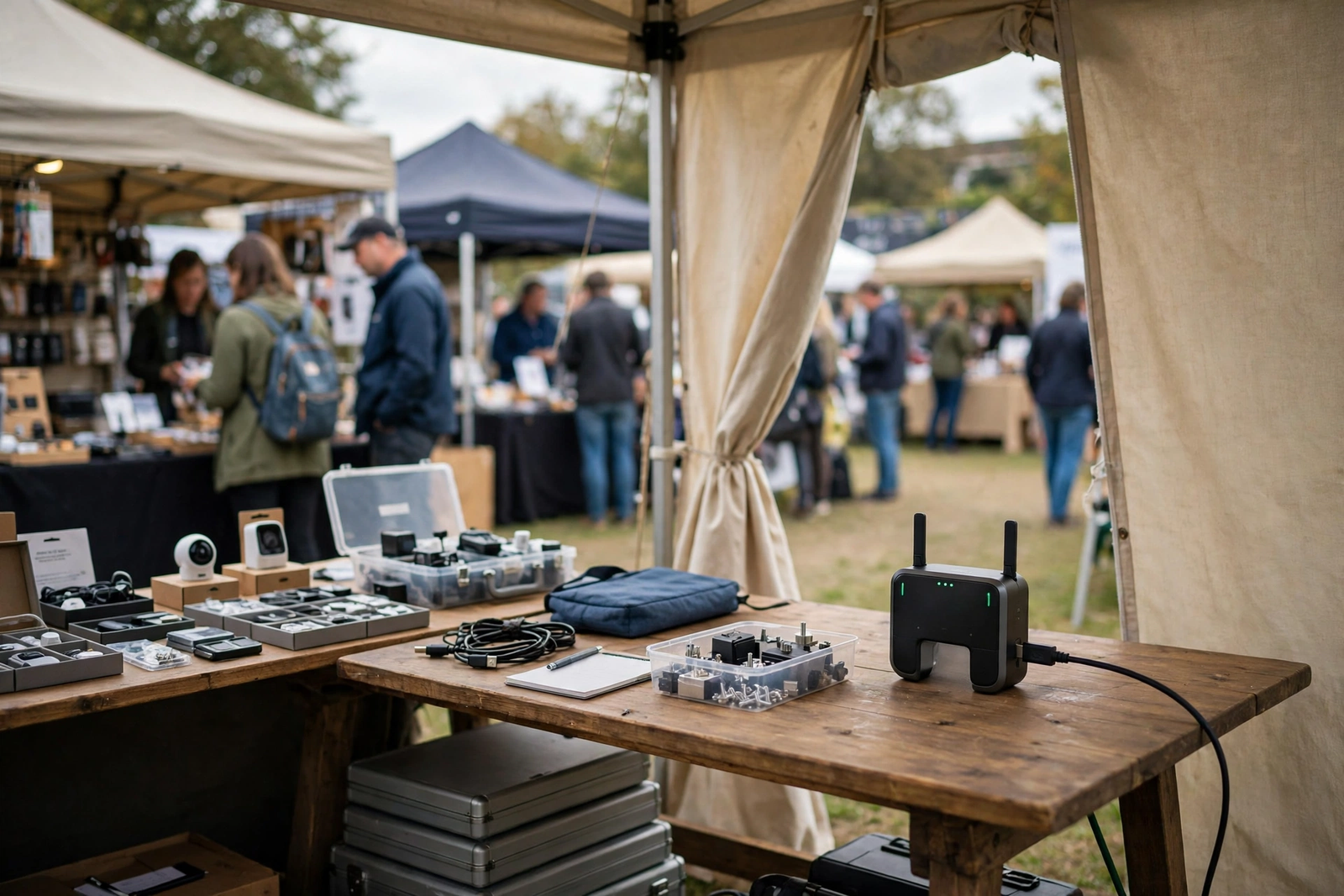
Setting Up Internet at a Temporary Location for a Season-Long Pitch
The practical advantage of Internet Air at a temporary location is what you do not have to do. There is no drilling for a line entry, no cabling run through a market hall, and no coordination with a venue manager for access to utility rooms. For a season-long pitch, that removes a whole category of delay and dispute, especially where the pitch itself is temporary and the venue owner is not the trader.
Setup still needs a short, disciplined routine. Confirm the qualified address first, choose the gateway position using the placement guidance above, connect power, and check the LED lights. Then test the card reader in its trading position, test guest Wi-Fi from where customers will stand, and check the cameras. If a reader works beside the gateway but not at the serving window, that is a coverage question to solve with placement, not a reason to move the gateway to a worse signal position.
Plan the end of the season at the start. Ask, before ordering, what happens when the pitch closes: whether the service can be moved to a new qualified address, what notice is needed, and what equipment must be returned. Getting those answers from an AT&T Business rep avoids a surprise at pack-down, when the stall is being cleared and nobody wants to chase a service question. Treat that question as part of setup, not as an afterthought.
Disclaimer: This article contains affiliate links to AT&T Business services. We may earn a commission if you purchase through them, at no extra cost to you. Ortelcom.com is an independent publisher and is not affiliated with or endorsed by AT&T. Pricing, speeds, and availability are not guaranteed, were checked in October 2026, and vary by address and promotions — please confirm all details before ordering. AT&T and all related marks are trademarks of their respective owners.
Pop-Up Shop Cameras and Guest Wifi for Events
Cameras and guest Wi-Fi share the same connection, but they do not share the same tolerance for interruption. A guest whose browsing pauses for a few seconds is an annoyance; a camera feed that drops during a busy event is a gap in the record for the stock area or the cash point. When you plan the load, therefore, give cameras a stable position in your thinking: a gateway placed well, a network that is not crowded with guest traffic, and a check that the cameras actually stay connected during a busy period.
Guest Wi-Fi needs a different kind of attention: coverage where customers stand. Test guest access at the queue, at the seating area, and at the far end of the pitch, not just beside the gateway. If coverage fades with distance or through metal structures, consider whether additional Wi-Fi equipment at the pitch helps, and confirm compatibility and placement with the gateway’s guidance rather than buying equipment blind. The aim is a trading area, not just a working counter.
Food Truck Internet Speed: Sizing for a Busy Service Window
Typical speed for Internet Air for Business is quoted at around 225 Mbps, with no speed caps, no data caps, and no overage fees on the stated terms. That figure is a useful starting point, but it is not a guarantee for your pitch, and it is not a per-device promise. What you actually get depends on signal, surroundings, network conditions, and how many devices are active at once — which is why placement and a busy-period test matter more than quoting the headline figure to a market organiser.
Size by the service window, not by the quiet hour. A stall with one card reader and a few guests is a lighter load than a food truck at lunch with two readers, an order screen, cameras, and a queue full of guests on Wi-Fi. The table below is a rough planning frame, built on assumptions you should adjust to your own pitch, not a specification. If your peaks regularly exceed the frame, consider the Premium plan’s priority allowance or a different setup for the busiest events.
| Pitch size (assumption) | Typical load | Planning note |
|---|---|---|
| Small stall, 1 reader | Payments, a camera, light guest use | Standard often enough; test at peak |
| Food truck, busy window | Readers, order screen, cameras, guest Wi-Fi | Consider Premium for busy events |
| Large event pitch | Heavy peaks, many guests and devices | Check capacity carefully; test before the event |
When a Mobile Hotspot Line Fits Instead of Fixed Event Wifi
Here is where honesty about the fixed-address rule changes the recommendation. If your food truck trades at a different market each day, or your pop-up tours several towns in a week, a fixed-address gateway is the wrong tool, however good it is at a single pitch. What fits that pattern instead is a mobile hotspot line: a business wireless line whose hotspot allowance travels with the phone or device, used for payments and basic connectivity on the move.
That hotspot line is a different product from Internet Air, and it should be judged on different terms — the wireless plan, its hotspot allowance, and its cost per line — rather than on the gateway’s typical speed. This post does not link to a wireless plan, because its product-matched link is Internet Air, but the distinction matters for the reader: fixed pitch, gateway; moving trader, mobile hotspot line. Confirm the hotspot allowance and the plan terms with an AT&T Business rep before relying on a hotspot line for a full trading day, since a hotspot allowance is finite in a way a fixed gateway plan is not.
Limitations of Internet for Temporary Locations at Events
The fixed-address rule is the first limitation, and it is worth repeating because it is the one most likely to be misunderstood. Internet Air is not a roaming service, and it should not be sold to a trader as one. A gateway that moves between pitches without a qualified address check risks a service that does not work as expected at the new location, and a trader who discovers that on the first morning of a market has lost the very trading window the service was meant to support.
Signal is the second limitation. A pitch’s position, its construction, and the surrounding structures all affect what the gateway receives, and no placement guide can guarantee a result at a specific address. That is why the placement routine and the LED check matter, and why a pitch should test the connection at peak times before relying on it for payments or for a major event. If the signal at the only available pitch position is poor, that is a finding, not a failure of effort — and it may point to a different pitch position or a different service.
Pop-Up Shop Internet Checklist Before an Event
Use this checklist as the last step before ordering or before a major event, not the first. It gathers the decisions this guide has raised into a short sequence that a trader can work through with an AT&T Business rep, and it leaves a record of what was confirmed for the pitch file.
- Confirm the qualified business address for the pitch, and ask what happens on a pitch change.
- Confirm the plan, the AutoPay and wireless discount basis, and the full monthly cost including any equipment or fees.
- Choose the gateway position: elevated, near an opening, away from thick metal, with an LED check.
- Test the card reader, guest Wi-Fi, and cameras at peak times, in the places they will be used.
- Separate payments and business systems from guest access, and limit camera access to those who need it.
- Ask about the end of the season: notice, equipment return, and any move to a new qualified address.
For a fixed temporary location that passes those checks, Internet Air is a strong, practical choice: no drilling, no venue cabling negotiation, and a gateway that can be placed and tested at the pitch itself. Check AT&T Internet Air for Business for your pop-up shop or food truck pitch and confirm the qualified address, the plan, and the pricing before you commit.
Frequently Asked Questions About Internet for Pop-Up Shops Events
These questions cover the points traders ask most often. Where an answer depends on your address or your equipment, it says so directly, because a general guide cannot settle a pitch-specific question.
Can Internet Air Move Between Pop-Up Shop Events?
No, not as a matter of course. The service must be used at the qualified business address, and it is not a mobile or roaming service. Confirm the qualified address rule with an AT&T Business rep before a pitch change, and ask what process applies at the new address.
What Event Wifi Signal Placement Should I Try at a Market Pitch?
Start elevated and near an opening, away from thick metal walls and large metal containers, and check the gateway LED lights after each move. Record the position that gives the best LED result so it is not lost when the stall is rearranged.
How Does Pop-Up Shop Internet Pricing Change With AutoPay?
On official pricing checked in October 2026, Standard falls from $65 to $60 with AutoPay and paperless billing, and to $40 with eligible business wireless; Premium falls from $105 to $100 and to $80 on the same bases. Confirm before ordering, since pricing varies by address and promotions.
Can Food Truck POS Run on Event Wifi?
Yes, when the reader is tested in its trading position at peak times and kept on the main network, separate from guest Wi-Fi. Check the reader’s fallback behaviour with your payment provider, and know what you will do if the main connection drops during a service window.
Can Pop-Up Shop Cameras Run on a Temporary Location Connection?
Cameras can run on the connection, but the total load depends on your cameras’ settings and on how many run at once, so check camera specs and test at peak times. Keep camera access limited, keep guest traffic separate, and test the feed during a busy period before relying on it.
Is Internet for a Season-Long Food Truck Pitch a Fixed Temporary Location?
Yes, in the sense this guide uses the term: a pitch at one qualified address for a season fits the fixed-address model, even though the pitch itself is temporary. Confirm the address with an AT&T Business rep, since only that check settles whether your particular pitch qualifies.

