
Verdict: for most coffee shops that offer customer Wi-Fi, AT&T Business Fiber is the best internet choice, because its symmetrical speeds keep the tills, the guest network, and order-ahead apps running at the same time without one crowding out the others. A coffee shop is not a quiet office. At the morning peak, the point-of-sale system is taking card payments, customers are joining the guest network before they have even ordered, the loyalty app is syncing orders, and a laptop or two may be streaming video at a corner table. A connection that is fast only on downloads, or that slows down when the street gets busy, will show up exactly where it hurts: a card reader that hesitates, an order-ahead ticket that arrives late, or a guest who cannot get online and leaves a review about it.
Fiber changes that balance because uploads matter as much as downloads in a coffee shop. Card transactions, order-ahead confirmations, loyalty-app syncing, and back-office uploads all travel upstream. AT&T Business Fiber offers symmetrical speeds, which means upload speed matches download speed on the plan you choose, and there are no data caps on the service. That combination is what makes it possible to run a guest network as a genuine draw for customers rather than as a risk to the till. The rest of this guide works through how to size a plan for a real coffee shop, what the official pricing looks like, how to set up guest Wi-Fi so it never touches the payment network, and where fiber still has limits you should plan around. Prices and availability below were checked in October 2026; confirm before ordering, because both vary by address and by current promotions.
Internet for Coffee Shops: POS, Customer Wi-Fi and Order-Ahead
Choose symmetrical fiber sized to your tills, customers and order-ahead apps, with guest traffic kept off the till network.
Before sizing anything, name the three separate jobs your coffee shop internet is doing. The first job is payments and operations: the point-of-sale terminals, card readers, receipt printers, the kitchen or bar display, and the back-office computer that runs payroll, inventory, and supplier orders. This traffic is small in volume but unforgiving about delays, because a payment that stalls at the counter stalls the whole queue behind it. The second job is the customer-facing draw: guest Wi-Fi, the loyalty app, and order-ahead pickup. Guests choose a coffee shop partly because they can sit, work, and stay connected, and order-ahead customers expect their drink to be ready when the app says it will be. The third job is everything else that quietly uses the connection: security cameras, music streaming, menu-board displays, software updates, and staff devices. None of these is dramatic on its own, but together they form the background load that a thin connection cannot absorb at peak times.
How Much Internet Speed Coffee Shops Need for Wi-Fi and POS
There is no single speed that fits every coffee shop, because a six-table espresso bar and a large cafe with a coworking crowd are running very different networks. Size by load instead: count the tills, estimate the peak number of guest devices, and add room for order-ahead traffic and cameras. The table below gives a practical starting point based on the shape of the shop rather than on a single headline number. Use it as a planning guide, not as a promise for a specific address, and confirm plan details with an AT&T Business representative before ordering.
| Coffee shop size | Typical peak load | Suggested starting point |
|---|---|---|
| Small espresso bar, under 20 seats | 1–2 tills, a handful of guests on Wi-Fi, one order-ahead tablet | 300 Mbps symmetrical fiber |
| Neighbourhood cafe, 20–50 seats | 2–3 tills, 20–40 guest devices, loyalty and order-ahead apps | 500 Mbps symmetrical fiber |
| Large cafe or laptop-friendly coffee shop, 50+ seats | 3+ tills, 50 or more guest devices, cameras and displays | 1 GIG symmetrical fiber |
| Multi-room cafe, roastery cafe, or cafe with events | Multiple tills, heavy guest use, streaming and event traffic | 1 GIG or 2 GIG symmetrical fiber |
POS and Order-Ahead Speed on Coffee Shop Wi-Fi
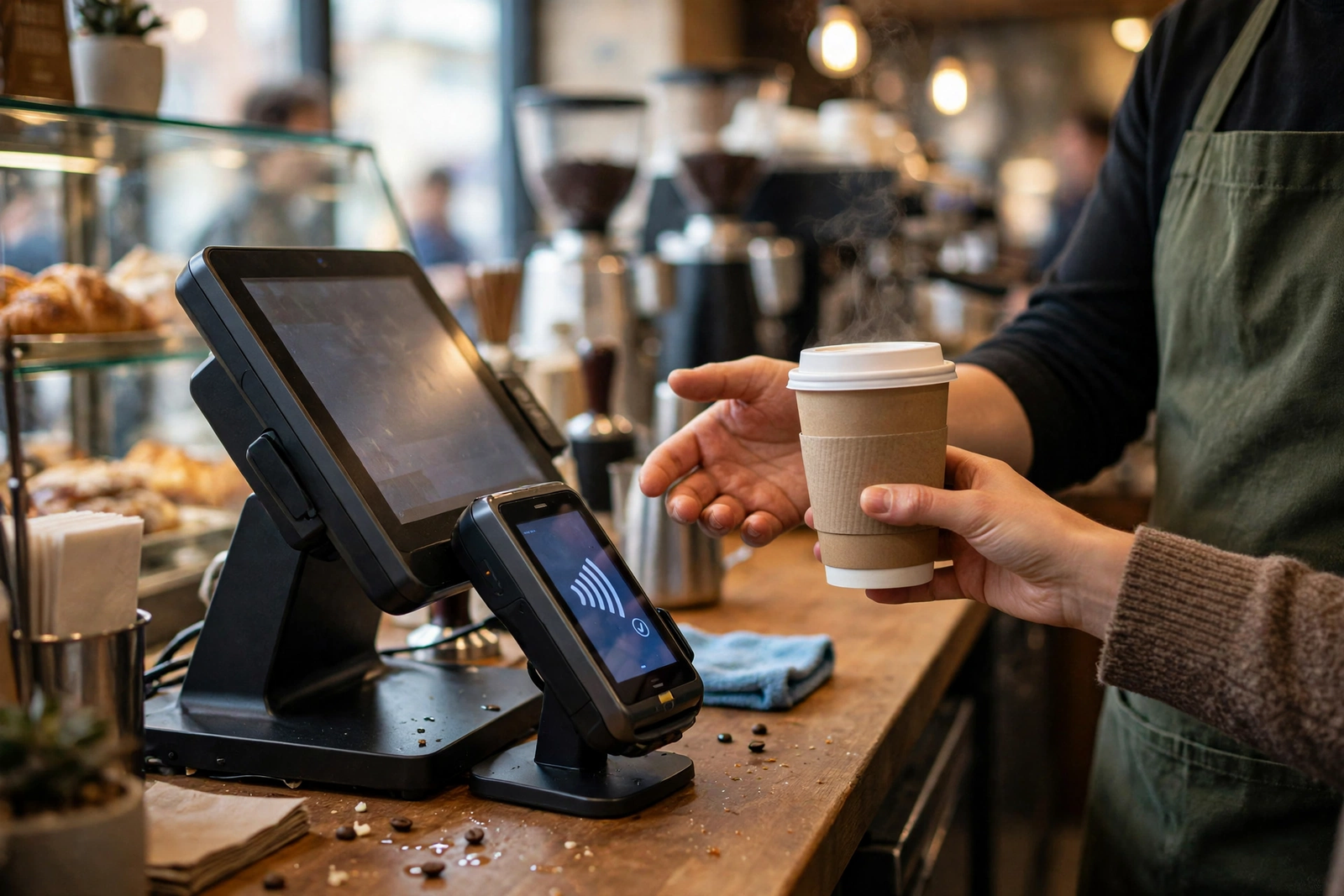
Your point-of-sale system deserves first claim on reliability, even though it is not the biggest user of speed. Card payments, order routing to the bar, and loyalty-app lookups need a connection that responds quickly and consistently, not one that is fast on average but stalls for a few seconds at the worst moment. In practice, that means two things. First, the POS terminals and card readers should run on the business network, never on the guest network, so a surge of guest traffic cannot crowd them out. Second, the plan should leave headroom above the shop’s ordinary peak, so a software update, a camera upload, or a busy Saturday does not push the connection to its limit at the same time as the lunch queue.
Order-ahead adds a different kind of pressure. An order-ahead system is only as good as its timing: the customer orders from the app, the ticket reaches the bar promptly, and the drink is ready at the promised time. If the connection is congested, tickets can arrive late or out of order, and staff end up fielding complaints about an app that was supposed to make things easier. Keep order-ahead tablets and the POS on the same protected business network, with the guest network isolated from them, and size the plan so that a full house of guests cannot delay a ticket. If you are choosing between two adjacent tiers and the shop regularly fills up, the larger tier is usually the safer buy. For help thinking through the choice in general terms, see our guide on how to choose business internet for a small business.
Guest Wi-Fi Load During the Morning Coffee Rush
The morning rush is the hardest test a coffee shop network faces, and it is worth planning for it explicitly. Doors open, commuters order ahead on their way in, the first tables fill with laptops, and new guests join the guest network every few minutes while others are still connected from earlier. Unlike an office, where the device count is stable all day, a coffee shop’s guest load rises and falls sharply, and the peak may last only an hour or two. A plan sized for the quiet afternoon will feel fine at 2 p.m. and struggle at 8 a.m., which is exactly when first impressions and reviews are formed.
Coffee Shop Internet Pricing: AT&T Business Fiber Plans
AT&T Business Fiber pricing for coffee shops follows a straightforward tier structure, and it is worth quoting the official list figures plainly so you can compare tiers without guessing. The table below shows the official list prices checked in October 2026, along with the lower monthly figure available with an eligible wireless plan. These are list figures, not dealer promotions, and your actual price depends on your address, eligibility, and any promotion running when you order. Always confirm before ordering.
| AT&T Business Fiber plan | List price per month | With eligible wireless |
|---|---|---|
| 300 Mbps | $60 | $40 |
| 500 Mbps | $100 | $60 |
| 1 GIG | $140 | $90 |
| 2 GIG | $185 | $135 |
| 5 GIG | $285 | $235 |
For most coffee shops, the realistic shortlist is 300 Mbps, 500 Mbps, or 1 GIG. A small espresso bar with one till and light guest use can often start at 300 Mbps and grow later. A neighbourhood cafe with a real laptop crowd and order-ahead volume is usually better served at 500 Mbps, where the extra headroom protects the till during peaks. A large or laptop-heavy cafe should look seriously at 1 GIG, which also brings an extra benefit explained below: built-in 5G backup at no extra cost. The 2 GIG and 5 GIG tiers exist for very large or multi-use premises, such as a roastery cafe with a production floor or several businesses sharing one address, and most single coffee shops will not need them.
Fiber Pricing for Small Coffee Shops
Small coffee shops feel every monthly cost, so it is fair to ask whether fiber is worth it compared with a cheaper connection. The honest answer is that the comparison should include the cost of downtime and slow service, not just the monthly bill. A single morning in which card payments stall, order-ahead tickets lag, and guests cannot get online can cost more in lost sales and lost repeat visits than the monthly difference between a budget connection and a fiber tier. Fiber’s symmetrical speeds, lack of data caps, and lack of an annual contract requirement also change the risk calculation: you are not locked into a long term if the shop’s needs change, and you are not metered on the data your guests use. Our detailed breakdown of AT&T Business Fiber pricing walks through the tiers in more depth.
What Fiber Pricing Includes for Coffee Shops
Beyond speed, three inclusions matter for a coffee shop. First, symmetrical speeds mean uploads match downloads, which protects payments, order-ahead syncing, camera uploads, and back-office work at the same time. Second, there are no data caps, so a busy month of guest use does not trigger overage worries. Third, there is no annual contract requirement, which gives a seasonal or growing cafe flexibility if it moves, expands, or changes its layout. AT&T Business Fiber also includes ActiveArmor security features, which add a layer of protection for the business network, though they are not a substitute for the network separation and password practices described later in this guide.
Plans at 1 GIG and above include built-in 5G backup at no extra cost, which automatically takes over if the fiber connection drops. For a coffee shop, that backup can be the difference between a brief hiccup and a morning of cash-only sales and apologetic signs. There is one important caveat to plan for: the backup needs power, so it will not help during a power outage unless the equipment is on an uninterruptible power supply (UPS). A small UPS for the gateway and network equipment is a cheap insurance policy for a shop that depends on card payments, and it belongs on the same checklist as the backup itself. Check plan details for the exact backup terms at your address, since availability and equipment can vary.
Guest Wi-Fi Setup for Coffee Shops: Separate Networks and Security
Guest Wi-Fi is a draw only if it is set up properly. A guest network that shares the same network as the tills is a liability: a guest’s infected laptop, a misconfigured device, or even an ordinary guest browsing the network could in principle reach equipment that should never be visible to customers. The fix is network separation, and it is simpler than it sounds. Most business routers and access points can broadcast a separate guest network that is isolated from the business network, so guests can reach the internet but cannot see the POS terminals, printers, cameras, or back-office computers. That isolation is the single most important setting in a coffee shop network, and it should be verified, not assumed, after setup.
When guest traffic is on its own network, you can manage it as a group — for example, by giving the business network priority for payments and order-ahead traffic — without interfering with what individual guests are doing. Guests still get a good experience, because the guest network has its own share of a fast symmetrical connection, but a guest streaming a long video cannot crowd out a card payment. Think of it as separate lanes on the same road: everyone moves, but the till lane is never blocked by the guest lane. For a step-by-step approach to the guest side, see our guide on setting up guest Wi-Fi for a business, and for the till side, our guide on connecting POS and printers to business Wi-Fi.
Keep POS Off Guest Wi-Fi in Your Coffee Shop Network
The rule is short and absolute: no point-of-sale terminal, card reader, receipt printer, or bar display should ever connect to the guest network. It does not matter that the guest password is convenient, or that the till is near a guest access point, or that it worked once during setup. POS equipment belongs on the business network, protected by its own password, and ideally on a wired connection where the layout allows it. Wired tills are not affected by Wi-Fi congestion at all, which removes one more variable from the morning rush, and they keep payment traffic off the airwaves entirely.
If a till must use Wi-Fi — for example, a handheld terminal used at tables or on an outdoor patio — it should join the business network only, with a strong password that staff do not share with guests and that is not written on a card near the register. Staff devices used for work, such as the manager’s tablet or the back-office laptop, belong on the business network too, while staff personal phones can use the guest network like any other guest device. That distinction keeps work traffic protected and personal traffic isolated, and it makes troubleshooting easier: if the guest network has a problem, the tills keep working.
Guest Wi-Fi Password Rotation for Coffee Shops
A guest Wi-Fi password that never changes slowly becomes a public password. Former guests, neighbours, and anyone who photographed the password card can keep using the network from outside the shop, consuming capacity that paying customers need. Regular rotation solves most of that problem with very little effort. Change the guest password on a schedule that fits the shop — monthly is a sensible default for most cafes, weekly for very busy city shops — and update the password card, the menu board, or the table tents at the same time.
Rotation works best when it is a routine, not a reaction. Put it on the same checklist as other monthly tasks, and make one person responsible for it so it does not drift. When you rotate, also check that the old password genuinely stops working, that the new password is not a guessable word like the shop’s name, and that the guest network is still isolated from the business network after any router changes. Guests rarely mind a new password — they expect to ask or to read a card — and the small friction is worth the capacity and security it protects. For the wider set of habits around this one, including strong admin passwords and keeping router firmware updated, see our guide on securing a business Wi-Fi network.

Disclaimer: This article contains affiliate links to AT&T Business services. We may earn a commission if you purchase through them, at no extra cost to you. Ortelcom.com is an independent publisher and is not affiliated with or endorsed by AT&T. Pricing, speeds, and availability are not guaranteed, were checked in October 2026, and vary by address and promotions — please confirm all details before ordering. AT&T and all related marks are trademarks of their respective owners.
Backup Internet for Coffee Shops When Fiber Goes Down
Even the best fiber connection can go down, and a coffee shop feels an outage immediately: card readers fail over to slow or offline modes, order-ahead stops syncing, and guests lose the Wi-Fi they came for. A backup plan is therefore part of the internet decision, not an afterthought. As noted above, AT&T Business Fiber plans at 1 GIG and above include built-in 5G backup at no extra cost, which keeps the shop online over a cellular connection if fiber drops. For shops on smaller tiers, a separate backup — such as a cellular-based business internet service kept as a failover — is worth discussing with a representative, and our guide to using Internet Air as backup internet explains how a failover setup works in general terms.
Coffee Shop Internet Installation and Network Setup
Installation day for a coffee shop deserves the same planning as a menu change, because the shop cannot simply close for a day while the network is rebuilt. Before the appointment, decide where the main equipment will live — ideally a secure, ventilated spot near the centre of the premises, not in a damp storeroom or behind the espresso machine — and where access points will cover the seating areas. Clear access to those spots, make sure someone who knows the shop’s layout and passwords is on site, and plan the visit for the quietest part of the day so any brief interruption affects the fewest customers. Confirm the appointment scope with an AT&T Business representative in advance, including what equipment is provided and what the shop needs to supply.
Limitations of Coffee Shop Wi-Fi and Fiber Internet
Fiber is the strongest general choice for a coffee shop, but it is not magic, and an honest guide should say where it stops. First, availability varies by address: fiber may not yet reach every street or every building, and older buildings can need extra work to bring the connection inside. If fiber is not available at your address, confirm what alternatives exist and what their upload speeds and caps look like before settling, rather than assuming a slower connection will behave the same way at peak times. Second, the speeds quoted for a plan are the plan’s rated speeds, not a guarantee for any single device at any single moment; a guest’s old phone, a crowded radio channel, or a distant access point will all limit what that guest experiences, whatever the plan.
FAQ: Internet for Coffee Shops Wi-Fi Questions
What Internet Speed Do Coffee Shops Need for Guest Wi-Fi?
Most small cafes start well at 300 Mbps symmetrical fiber, neighbourhood cafes with a laptop crowd usually want 500 Mbps, and large or laptop-heavy cafes should consider 1 GIG. The deciding factors are the number of simultaneous guest devices at peak, the number of tills, and whether order-ahead and cameras share the connection. If the shop regularly fills up, choose the larger tier: the cost of a stalled queue at peak is higher than the monthly step between tiers, and prices were checked in October 2026, so confirm before ordering.
Should Coffee Shop Guest Wi-Fi Be Separate From POS Internet?
Yes, always. Guest devices should be on an isolated guest network that cannot see the POS terminals, printers, cameras, or back-office computers, and no till or card reader should ever join the guest network. Separation protects payments, keeps guest surges from crowding out transactions, and makes troubleshooting far simpler, because a guest-network problem does not become a till problem.
How Often Should a Coffee Shop Change Its Guest Wi-Fi Password?
Monthly rotation is a sensible default for most coffee shops, and weekly rotation suits very busy city locations where the password spreads quickly. Rotate on a fixed schedule, update every password card and table tent at the same time, and verify that the old password stops working. Pair rotation with a strong, non-guessable password and with the guest network kept isolated from the business network.
Does AT&T Business Fiber Include Backup Internet for Coffee Shops?
Plans at 1 GIG and above include built-in 5G backup at no extra cost, which can keep the shop online if the fiber connection drops. Remember the power caveat: the backup needs electricity, so it will not help during a power outage unless the gateway and network equipment are on a UPS. Smaller tiers do not include that built-in backup, so ask a representative about a separate failover option and test any backup before you rely on it.
Is Fiber Internet Worth It for a Small Coffee Shop?
For a shop that takes card payments, runs order-ahead, and offers guest Wi-Fi as a draw, fiber is usually worth it, because the comparison is not just the monthly bill but the cost of slow payments, late tickets, and guests who leave. Symmetrical speeds, no data caps, and no annual contract make the value clearer, and the 300 Mbps tier keeps the entry cost modest for a small espresso bar. If fiber is not available at your address, compare alternatives on upload speed, caps, and contract terms rather than on download speed alone, and confirm all details before ordering.
If your coffee shop is ready to stop treating customer Wi-Fi as a risk and start treating it as a draw, size the plan to your peak — not your quiet afternoon — keep the till network separate from guests, rotate the guest password on schedule, and put a backup and a UPS in place before the busy season tests them. That combination is what turns a fast connection into a reliable one, and it is why AT&T Business Fiber, sized honestly and set up properly, is our pick for most coffee shops with customer Wi-Fi. To check availability and pricing for your address, use the link below, and confirm all details before ordering, since prices and availability were checked in October 2026 and vary by address and promotions.
Check AT&T Business Fiber availability and pricing for your coffee shop

