
Verdict: for most auto repair shops and dealerships, AT&T Business Fiber is the best internet choice, because its symmetrical speeds keep shop-management and diagnostic systems, customer Wi-Fi in the waiting area, security cameras, and parts ordering running at the same time without one slowing down the others. A repair shop’s connection works harder than it looks. Service writers are updating repair orders, technicians are pulling diagnostic data and repair information, the parts desk is ordering components, customers in the waiting area are streaming video and checking messages, and cameras are uploading footage all day. When that shared connection is thin or asymmetrical, the symptom is rarely a dramatic outage — it is a diagnostic lookup that takes too long, a parts order that stalls, or a waiting-area guest who cannot get online and judges the whole shop by it.
Fiber fits this mix because uploads matter as much as downloads in a shop. Diagnostic uploads, camera footage, repair-order syncing, and cloud-based shop-management data all travel upstream, and a connection that only prioritizes downloads will bottleneck exactly that traffic. AT&T Business Fiber offers symmetrical speeds, which means upload speed matches download speed on the plan you choose, and there are no data caps on the service. This guide works through how to size a plan for a real shop, what the official pricing looks like, how to separate staff, guest, and device networks, and what to do about older shop equipment that only speaks 2.4GHz Wi-Fi. Prices and availability below were checked in October 2026; confirm before ordering, because both vary by address and by current promotions.
Internet for Auto Repair Shops: Diagnostics, Waiting-Area Wi-Fi and Parts Ordering
Choose symmetrical fiber sized to your bays, waiting area and cameras, with staff, guest and shop-device traffic on separate networks.
Start by naming the four loads a shop’s internet carries. The first is shop management and diagnostics: repair orders, estimates, service histories, diagnostic software, and manufacturer repair information, used by service writers and technicians all day. The second is parts ordering and back-office work: parts catalogs, supplier portals, invoicing, payroll, and warranty claims. The third is customer Wi-Fi in the waiting area, where guests wait for an hour or more and expect to work, stream, and message while their car is in the bay. The fourth is the always-on background load: security cameras, shop displays, software updates, and connected shop devices. Each load is modest on its own, but a busy shop runs all four at once, and that is when a weak connection shows.
How Much Internet Speed Auto Repair Shops Need for Diagnostics and Wi-Fi
Size by load, not by a single headline number: count the service writers and technicians working at once, estimate the peak number of waiting-area devices, and add room for cameras and parts ordering. The table below gives a practical starting point based on the shape of the shop. Use it as a planning guide, not as a promise for a specific address, and confirm plan details with an AT&T Business representative before ordering.
| Shop size | Typical peak load | Suggested starting point |
|---|---|---|
| Small independent shop, 2–4 bays | 1–2 service writers, a few technicians, a small waiting area | 300 Mbps symmetrical fiber |
| Mid-size shop, 5–10 bays | Several writers and technicians, diagnostic systems, busy waiting area | 500 Mbps symmetrical fiber |
| Large shop or dealership service centre | Many bays, large waiting area, cameras and displays throughout | 1 GIG symmetrical fiber |
| Multi-building dealership or shop campus | Showroom, service, parts, and offices sharing one connection | 1 GIG or 2 GIG symmetrical fiber |
Shop Management and Diagnostic System Speed for Auto Repair Shops
Shop-management and diagnostic systems deserve first claim on reliability, because they sit directly on the revenue path. A service writer who cannot open a repair order, a technician waiting on diagnostic data, or a parts lookup that stalls will slow every bay behind them. These systems do not necessarily need enormous speed, but they need consistent speed and responsive uploads, since repair orders, photos, inspection results, and diagnostic reports are constantly syncing to the cloud. That is where symmetrical fiber earns its keep: the upload side is not a narrow lane that fills up the moment a technician uploads inspection photos while cameras are uploading footage.
Customer Wi-Fi Load in the Auto Repair Waiting Area
The waiting area is where a shop’s internet becomes part of the customer experience. Guests may wait an hour or longer for a service, and many will work on a laptop, stream video, join a call, or keep children entertained on a tablet while they wait. That is a real load, and it is also a real opportunity: a waiting area with fast, simple Wi-Fi feels professional and makes the wait feel shorter, while a waiting area where guests cannot get online feels dated and generates complaints that have nothing to do with the repair itself.
Auto Repair Shop Internet Pricing: AT&T Business Fiber Plans
AT&T Business Fiber pricing for auto repair shops follows a straightforward tier structure, and it is worth quoting the official list figures plainly so you can compare tiers without guessing. The table below shows the official list prices checked in October 2026, along with the lower monthly figure available with an eligible wireless plan. These are list figures, not dealer promotions, and your actual price depends on your address, eligibility, and any promotion running when you order. Always confirm before ordering.
| AT&T Business Fiber plan | List price per month | With eligible wireless |
|---|---|---|
| 300 Mbps | $60 | $40 |
| 500 Mbps | $100 | $60 |
| 1 GIG | $140 | $90 |
| 2 GIG | $185 | $135 |
| 5 GIG | $285 | $235 |
For most shops, the realistic shortlist is 300 Mbps, 500 Mbps, or 1 GIG. A small independent shop with a few bays and a small waiting area can often start at 300 Mbps and grow later. A mid-size shop running several bays, diagnostic systems, and a busy waiting area is usually better served at 500 Mbps, where the extra headroom protects repair orders during peaks. A large shop or dealership service centre should look seriously at 1 GIG, which also brings built-in 5G backup at no extra cost, explained below. The 2 GIG and 5 GIG tiers fit multi-building dealerships or campuses where showroom, service, parts, and offices share one connection, and most single shops will not need them.
Fiber Pricing for Small Auto Repair Shops
Small shops feel every monthly cost, so it is fair to ask whether fiber is worth it compared with a cheaper connection. Judge the comparison on the cost of slow work, not just the monthly bill: a morning in which diagnostic lookups lag, parts orders stall, and waiting-area guests cannot get online costs bay time, and bay time is the shop’s revenue. Fiber’s symmetrical speeds, lack of data caps, and lack of an annual contract requirement also change the risk calculation: you are not locked into a long term if the shop’s needs change, and you are not metered on camera uploads or guest use. Our detailed breakdown of AT&T Business Fiber pricing walks through the tiers in more depth.
What Fiber Pricing Includes for Auto Repair Shops
Beyond speed, three inclusions matter for a shop. First, symmetrical speeds mean uploads match downloads, which protects diagnostic syncing, camera uploads, parts ordering, and repair-order updates at the same time. Second, there are no data caps, so a month of heavy camera and guest use does not trigger overage worries. Third, there is no annual contract requirement, which gives a growing or relocating shop flexibility. AT&T Business Fiber also includes ActiveArmor security features, which add a layer of protection for the business network, though they are not a substitute for the network separation described in the next section.
Plans at 1 GIG and above include built-in 5G backup at no extra cost, which automatically takes over if the fiber connection drops. For a shop, that backup can be the difference between a brief hiccup and a day of handwritten repair orders and delayed parts. There is one important caveat to plan for: the backup needs power, so it will not help during a power outage unless the equipment is on an uninterruptible power supply (UPS). A small UPS for the gateway and network equipment is cheap insurance for a shop that depends on its management system, and it belongs on the same checklist as the backup itself. Check plan details for the exact backup terms at your address, since availability and equipment can vary.
Auto Repair Shop Network Setup: Separate Staff, Guest and Device Networks
A repair shop is one of the few small businesses that genuinely needs three networks, not two. The staff network carries shop-management systems, diagnostic tools, service-writer computers, and parts ordering. The guest network serves the waiting area only. The device network carries cameras, displays, printers, and connected shop equipment. Keeping those three separate means a problem in one never becomes a problem in the others: a guest streaming video cannot slow a diagnostic lookup, a camera uploading footage cannot stall a parts order, and a misconfigured shop device cannot expose the till or the customer database.
Most business routers and access points can broadcast multiple isolated networks, so this separation is a configuration choice, not a major construction project. Give each network its own name and password, document which equipment belongs on which network, and verify the isolation after setup by confirming that a device on the guest network cannot see staff computers or cameras. Label the networks clearly for staff — “Shop-Staff”, “Shop-Guest”, and “Shop-Devices” is clearer than three similar names — and keep the passwords out of customer view. For the wider habits that sit around this setup, including strong admin passwords and firmware updates, see our guide on securing a business Wi-Fi network.
Keep Shop Devices on a Separate Auto Repair Network
Cameras deserve special attention in a shop network. They upload constantly, they are often installed in bays, lots, and entrances where physical access is easy, and they should never share a network with guest devices. Put cameras, shop displays, and printers on the device network, with that network isolated from both staff and guest traffic. That way, camera uploads cannot crowd out diagnostic traffic, and a compromised or misbehaving camera cannot reach shop-management data. If the shop uses a cloud camera system, confirm with the provider what upload behaviour to expect and whether any settings can schedule heavy uploads away from peak diagnostic hours.
The same logic applies to diagnostic tablets and scan tools that move between bays. They belong on the staff network, with a password that is never shared with guests and never written on a board in the waiting area. If a tool must work in a far bay or an outdoor lot, check coverage there specifically during setup rather than discovering a dead zone when a technician is mid-diagnosis. A quick walk-through with a staff device, testing the staff network at every bay, the lot, and the waiting area, will catch coverage gaps while they are still easy to fix with placement or an additional access point.
2.4GHz Wi-Fi for Older Auto Repair Shop Devices
Shops often keep older equipment in service long after a typical office would have replaced it: an older diagnostic tablet, a legacy printer, a tire-pressure or inspection tool, or a camera system that only supports 2.4GHz Wi-Fi. These devices are not broken, but they cannot see a 5GHz-only network, and they will simply fail to connect if the shop broadcasts only the faster band. The guidance is straightforward: keep a 2.4GHz network available for older shop devices, on the device or staff network as appropriate, and do not force those devices onto a band they cannot use.
There is a trade-off to understand. The 2.4GHz band reaches farther through walls and metal, which suits a large shop floor, but it is also more crowded and slower than 5GHz, so it should not carry the shop’s main load. Let modern staff laptops, service-writer computers, and guest phones use 5GHz where they can, and reserve 2.4GHz for the older devices that need it. If an older device repeatedly drops off the network, check first whether it is on the right band, whether it is too far from the nearest access point, and whether its firmware or driver is current, before assuming the internet plan is at fault. When a device can no longer be updated or secured, plan its replacement rather than weakening the whole network to accommodate it, and confirm compatibility details with the device maker or an AT&T Business representative.

Disclaimer: This article contains affiliate links to AT&T Business services. We may earn a commission if you purchase through them, at no extra cost to you. Ortelcom.com is an independent publisher and is not affiliated with or endorsed by AT&T. Pricing, speeds, and availability are not guaranteed, were checked in October 2026, and vary by address and promotions — please confirm all details before ordering. AT&T and all related marks are trademarks of their respective owners.
Backup Internet for Auto Repair Shops When Fiber Goes Down
Even the best fiber connection can go down, and a shop feels an outage in its bays: repair orders cannot sync, parts cannot be ordered, and customers cannot be checked in properly. A backup plan is therefore part of the internet decision, not an afterthought. As noted above, AT&T Business Fiber plans at 1 GIG and above include built-in 5G backup at no extra cost, which keeps the shop online over a cellular connection if fiber drops. For shops on smaller tiers, a separate backup — such as a cellular-based business internet service kept as a failover — is worth discussing with a representative, and our guide to using Internet Air as backup internet explains how a failover setup works in general terms.
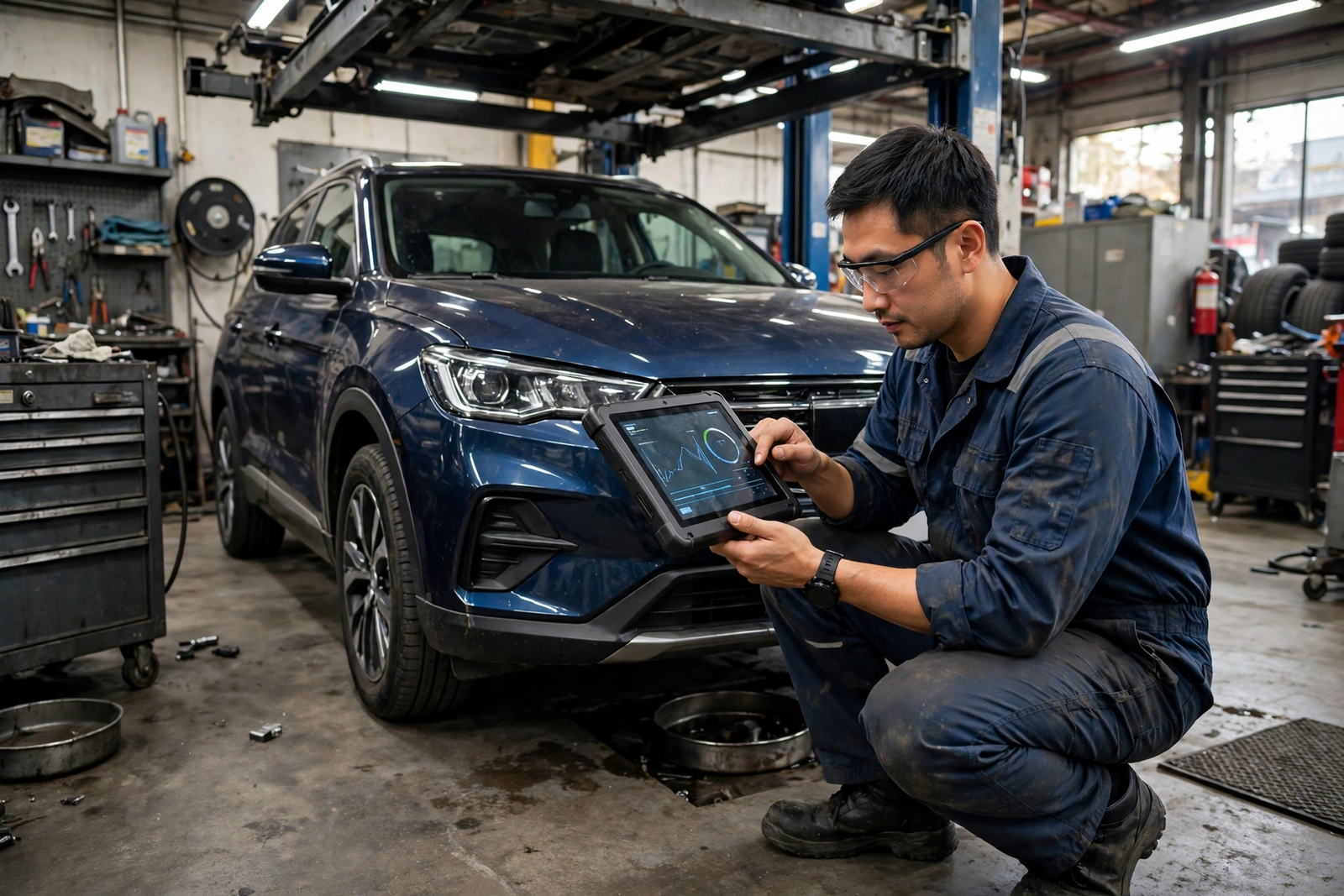
Auto Repair Shop Internet Installation and Camera Network Setup
Installation day for a shop deserves planning, because bays cannot simply stop for a day while the network is rebuilt. Before the appointment, decide where the main equipment will live — ideally a secure, ventilated spot near the office, not in a dusty bay or beside a compressor — and where access points will cover the bays, the waiting area, and the lot. Clear access to those spots, make sure someone who knows the shop’s layout and passwords is on site, and plan the visit for the quietest part of the day. Confirm the appointment scope with an AT&T Business representative in advance, including what equipment is provided and what the shop needs to supply, and see our checklist for preparing for fiber installation day, which adapts well to a shop.
Camera placement belongs in the same plan. Decide which areas need coverage — entrances, bays, the lot, and the parts room are the usual priorities — and confirm that each camera location has both power and a reliable network signal, on the device network, before the installer leaves. After installation, test the three networks separately: a repair order syncing on the staff network, a guest device browsing in the waiting area, and a camera uploading on the device network. A careful first week of watching for peak-time complaints and dead zones will catch most setup problems while they are still easy to fix.
Limitations of Auto Repair Shop Internet and Fiber Wi-Fi
Fiber is the strongest general choice for a shop, but it is not magic, and an honest guide should say where it stops. First, availability varies by address: fiber may not yet reach every industrial park or older building, and some premises need extra work to bring the connection inside. If fiber is not available at your address, confirm what alternatives exist and what their upload speeds and caps look like before settling, rather than assuming a slower connection will behave the same way at peak times. Second, the speeds quoted for a plan are the plan’s rated speeds, not a guarantee for any single device at any single moment; an older 2.4GHz tool, a crowded radio channel, or a distant access point will all limit what that device experiences, whatever the plan.
Finally, the shop floor itself is a hard radio environment. Metal bays, lifts, toolboxes, and concrete walls weaken Wi-Fi signals, so coverage planning matters more in a shop than in an office: access points must be placed where technicians and cameras actually work, not just where it was convenient to mount them. Budget for proper business-grade access points as part of the internet investment, and never promise waiting-area guests a speed or service level the shop cannot control. With those limits understood, fiber gives a shop the headroom and symmetrical performance that keep diagnostics, parts ordering, cameras, and customer Wi-Fi working together instead of competing.
FAQ: Best Internet for Auto Repair Shops Questions
What Internet Speed Do Auto Repair Shops Need for Diagnostics and Wi-Fi?
Most small shops start well at 300 Mbps symmetrical fiber, mid-size shops with several bays and a busy waiting area usually want 500 Mbps, and large shops or dealership service centres should consider 1 GIG. The deciding factors are the number of technicians and service writers working at once, the peak number of waiting-area devices, and whether cameras and parts ordering share the connection. If the shop regularly runs all bays at once, choose the larger tier, and confirm prices before ordering, since they were checked in October 2026.
Should Auto Repair Shop Customer Wi-Fi Be Separate From Shop Systems?
Yes, always. Waiting-area guests should be on an isolated guest network that cannot see shop-management systems, diagnostic equipment, or cameras, and no diagnostic tool or service-writer computer should ever join the guest network. Separation protects repair data, keeps guest surges from slowing diagnostics, and makes troubleshooting far simpler, because a guest-network problem does not become a shop problem.
Do Older Auto Repair Shop Devices Need 2.4GHz Wi-Fi?
Many older shop devices only support 2.4GHz Wi-Fi, so keep a 2.4GHz network available for them on the device or staff network as appropriate. The 2.4GHz band reaches farther through a shop floor but is slower and more crowded than 5GHz, so reserve it for the older devices that need it and let modern staff and guest devices use 5GHz where they can. If an older device keeps dropping, check its band, its distance from the access point, and its firmware before blaming the internet plan.
Does AT&T Business Fiber Include Backup Internet for Auto Repair Shops?
Plans at 1 GIG and above include built-in 5G backup at no extra cost, which can keep the shop online if the fiber connection drops. Remember the power caveat: the backup needs electricity, so it will not help during a power outage unless the gateway and network equipment are on a UPS. Smaller tiers do not include that built-in backup, so ask a representative about a separate failover option and test any backup before you rely on it.
Is Fiber Internet Worth It for a Small Auto Repair Shop?
For a shop that runs cloud shop-management software, diagnostic systems, parts ordering, cameras, and waiting-area Wi-Fi, fiber is usually worth it, because the comparison is not just the monthly bill but the cost of slow bays and delayed repairs. Symmetrical speeds, no data caps, and no annual contract make the value clearer, and the 300 Mbps tier keeps the entry cost modest for a small shop. If fiber is not available at your address, compare alternatives on upload speed, caps, and contract terms rather than on download speed alone, and confirm all details before ordering.
If your shop is ready to stop letting diagnostics, cameras, parts ordering, and waiting-area guests compete for one thin connection, size the plan to your peak — not your quiet afternoon — separate staff, guest, and device networks, keep 2.4GHz available for older tools, and put a backup and a UPS in place before a busy week tests them. That combination is what turns a fast connection into a reliable one, and it is why AT&T Business Fiber, sized honestly and set up properly, is our pick for most auto repair shops and dealerships. To check availability and pricing for your address, use the link below, and confirm all details before ordering, since prices and availability were checked in October 2026 and vary by address and promotions.
Check AT&T Business Fiber availability and pricing for your auto repair shop

