
Verdict: For a call centre or sales team running on VoIP, AT&T Business Fiber is the strongest fit because it pairs symmetrical upload and download speeds with a stable, low-variation connection, so two-way voice stays clear even when many agents are on calls at once. Download speed alone does not decide call quality. Voice traffic is two-way, constant, and sensitive to delay, variation in delay, and lost packets, so a connection that uploads as fast as it downloads, keeps latency steady under load, and has a credible backup plan will serve a phone-heavy team far better than a faster-on-paper download-only plan that struggles upstream at peak times.
If your team makes its living on the phone, treat internet choice as a call-quality decision first and a browsing-speed decision second. This guide explains, in plain language, how latency, jitter, and packet loss affect VoIP, how to size bandwidth by agent count, what headsets, phones, CRM tools, and call recording add to the load, and how to plan backup so a single outage does not silence the whole floor. Pricing in this article reflects official AT&T Business Fiber list prices checked in October 2026, and availability always varies by address, so confirm the exact options at your business address before ordering.
Call Centres and Sales Teams: Check AT&T Business Fiber Availability
Symmetrical fiber speeds built for two-way VoIP, CRM, and call recording, with no data caps.
Why internet for call centres voip quality depends on more than download speed
Most business internet advertising leads with download speed, because that is the number most buyers recognise. A call centre, however, lives on the upload side just as much as the download side. When an agent speaks, that voice must travel upstream to the VoIP platform and on to the customer, in real time, without gaps. When the customer replies, the voice travels downstream. If either direction is congested, delayed, or lossy, the conversation suffers, even if a speed test taken when nobody is on the phone looks excellent.
That two-way reality is why symmetrical fiber matters for voice teams. On a symmetrical connection, the upload capacity matches the download capacity, so a floor full of simultaneous outbound and inbound calls does not hit an upstream bottleneck long before the advertised download speed is reached. It also matters why a connection that is technically fast can still sound poor: voice is far less forgiving than email, file downloads, or web browsing. A web page can wait a fraction of a second and nobody notices. A voice packet that arrives late or not at all is heard immediately as clipping, robotic audio, echo, or a dropped word, and the customer notices even faster than the agent does.
Three concepts explain most VoIP quality problems, and none of them is download speed alone. Latency is the time voice data takes to travel from one end to the other. Jitter is variation in that travel time from packet to packet. Packet loss is the share of voice data that never arrives. A good call needs latency that is low and, just as importantly, steady; jitter that stays within a range the phone system can smooth out; and packet loss close to zero. When any of those three deteriorates under load, agents repeat themselves, customers talk over agents because of delay, and calls feel unprofessional even when the underlying phone system is sound.
How latency affects internet for call centres and voice conversations
Latency in a voice call is felt as delay. A small amount is normal and unnoticeable. As delay grows, natural conversation breaks down: people start talking over each other, pause awkwardly because they are unsure whether the other person has finished, and misread silence as a dropped call. For a sales team, that friction is costly. A prospect who has to repeat a question twice, or who hears their own words echoed back, is less likely to stay engaged, and an agent who is fighting the connection cannot focus on the pitch, the objection, or the close.
How jitter and packet loss damage VoIP call quality on business internet
Jitter is best understood as uneven delivery. Imagine voice arriving as a steady stream of small packets. If some packets arrive quickly and others arrive late, the phone system must buffer and reorder them to reconstruct smooth speech. A small buffer handles small variation well. Large or unpredictable variation forces the system to choose between adding delay to smooth things out or letting audio break up, and neither choice sounds good. Jitter often worsens on congested or variable connections, on overloaded Wi-Fi, and when voice traffic competes with large uploads or downloads on the same network.
Packet loss is simpler and harsher: voice data that does not arrive cannot be replayed. The phone system may try to conceal a tiny gap, but repeated loss produces clipped words, missing syllables, and robotic sound. Even a small percentage of loss, sustained across a call, is noticeable, and loss that comes in bursts is worse than loss spread thinly, because whole words disappear at once. Both jitter and loss are reasons to prefer a wired connection for agent phones and headsets where possible, to keep voice traffic sensibly prioritised on the office network, and to avoid running a voice floor over a connection that is already saturated by other work.
How many agents your internet for call centres plan must support at peak

Sizing a call centre connection starts with a simple question: how many agents will be on a live call at the same moment during your busiest hour? That peak concurrent call count, not total headcount, drives voice bandwidth. A team of fifty agents where only twenty are ever on calls at once has a very different profile from a team of thirty where all thirty are on calls during a campaign push, plus supervisors listening in, plus call recording uploading, plus CRM pages refreshing. Count the peak, then add the other work that shares the connection at that same peak.
Headsets and desk phones themselves do not change the fundamental picture, but the way they connect does. A wired IP desk phone or a computer softphone on a wired Ethernet connection gives voice traffic the most stable path. A wireless headset connected to a computer still relies on that computer’s network connection, and a phone running over office Wi-Fi shares airtime with laptops, tablets, and guests. For a voice floor, wired agent positions, sensibly placed access points for the rest of the office, and a separate guest network are practical choices that protect call quality without requiring exotic equipment.
CRM use adds a steady, if modest, load that matters because it happens during the call. Agents pull up customer records, log outcomes, update tickets, and search knowledge bases while talking. None of that is huge on its own, but across twenty or forty agents refreshing records at once, plus supervisors viewing live dashboards, it becomes a meaningful background load. The mistake is to size only for voice and then be surprised when CRM pages lag during the same peak hour. Size for voice plus CRM plus the other tools that are genuinely in use during calls, not for voice in isolation.
Sizing internet bandwidth for call centres by agent count
The table below is planning guidance, not a guarantee. It uses stated assumptions so you can adjust it to your own setup: it assumes standard VoIP calls with a sensible allowance per concurrent call, CRM and general office use running alongside calls, and headroom so a single large upload or backup does not consume the whole connection during peak calling. If your team uses video calls alongside voice, records every call in high quality, runs wallboards and screen-sharing, or has a large non-voice staff sharing the same connection, size upward. If your team is voice-only with light CRM use and calls are staggered rather than simultaneous, you may sit at the lower end of a band.
| Team profile at peak | Peak concurrent calls | Planning guidance | Fiber tier to consider |
|---|---|---|---|
| Small sales team, light CRM | Up to 10 | Voice plus CRM and email, with headroom | 300 Mbps |
| Growing call centre, steady campaigns | 11 to 25 | Voice plus CRM, dashboards, and recording uploads | 500 Mbps |
| Busy call centre, campaign peaks | 26 to 50 | Voice plus CRM, recording, supervisors, and office use | 1 GIG |
| Large floor, heavy peaks and video | 51 or more | Voice plus video, recording, and large shared office load | 2 GIG or 5 GIG |
What headsets, phones, and CRM tools add to call centre internet load
Agent equipment choices affect reliability more than raw bandwidth. A good wired headset with a clear microphone reduces background noise and repeated questions, which is a call-quality gain no internet tier can replace. A softphone running on an agent’s computer shares that computer’s processor and network connection with the CRM, the browser, and any other applications open during the call, so an overloaded laptop can make a call sound poor even on excellent internet. Desk phones that sit on their own wired connection avoid that shared-computer problem and are often simpler to manage at scale.
Why symmetrical fiber internet helps call centres handle two-way voice
Symmetrical speeds are the single most relevant fiber feature for a voice team, because voice is inherently symmetrical work. Agents talk and listen in roughly equal measure over a shift, and recording, CRM saves, and screen-sharing all push data upstream. An asymmetrical connection that downloads quickly but uploads slowly creates a mismatch: the floor can receive plenty of data but cannot send voice, recordings, and CRM updates at the same pace during peak hours. That mismatch shows up first as upstream congestion, which is exactly the congestion that hurts live calls.
Disclaimer: This article contains affiliate links to AT&T Business services. We may earn a commission if you purchase through them, at no extra cost to you. Ortelcom.com is an independent publisher and is not affiliated with or endorsed by AT&T. Pricing, speeds, and availability are not guaranteed, were checked in October 2026, and vary by address and promotions — please confirm all details before ordering. AT&T and all related marks are trademarks of their respective owners.
How call recording uploads affect VoIP internet performance
Call recording is both a quality tool and a network load. Supervisors use recordings for coaching, quality assurance, and dispute resolution, and many regulated or high-value sales environments need recordings to be complete and retrievable. That means recording cannot be treated as best-effort traffic that is allowed to fail when the network is busy. If recordings are stored in the cloud, they must upload reliably, and if they are stored locally, they still need to be accessible to supervisors and quality systems without choking the live network.
The practical approach is to plan recording uploads as part of peak load, keep live voice prioritised over bulk uploads where your network equipment allows it, and schedule any large bulk transfers, such as moving an archive, outside peak calling hours. On a symmetrical fiber connection, live calls and recording uploads share a much larger upstream pipe, so the conflict is smaller. On a narrow upstream connection, the conflict is constant, and teams often discover it only when recordings go missing or calls degrade during the busiest hour of the day.
Planning internet backup for call centres to keep calls running
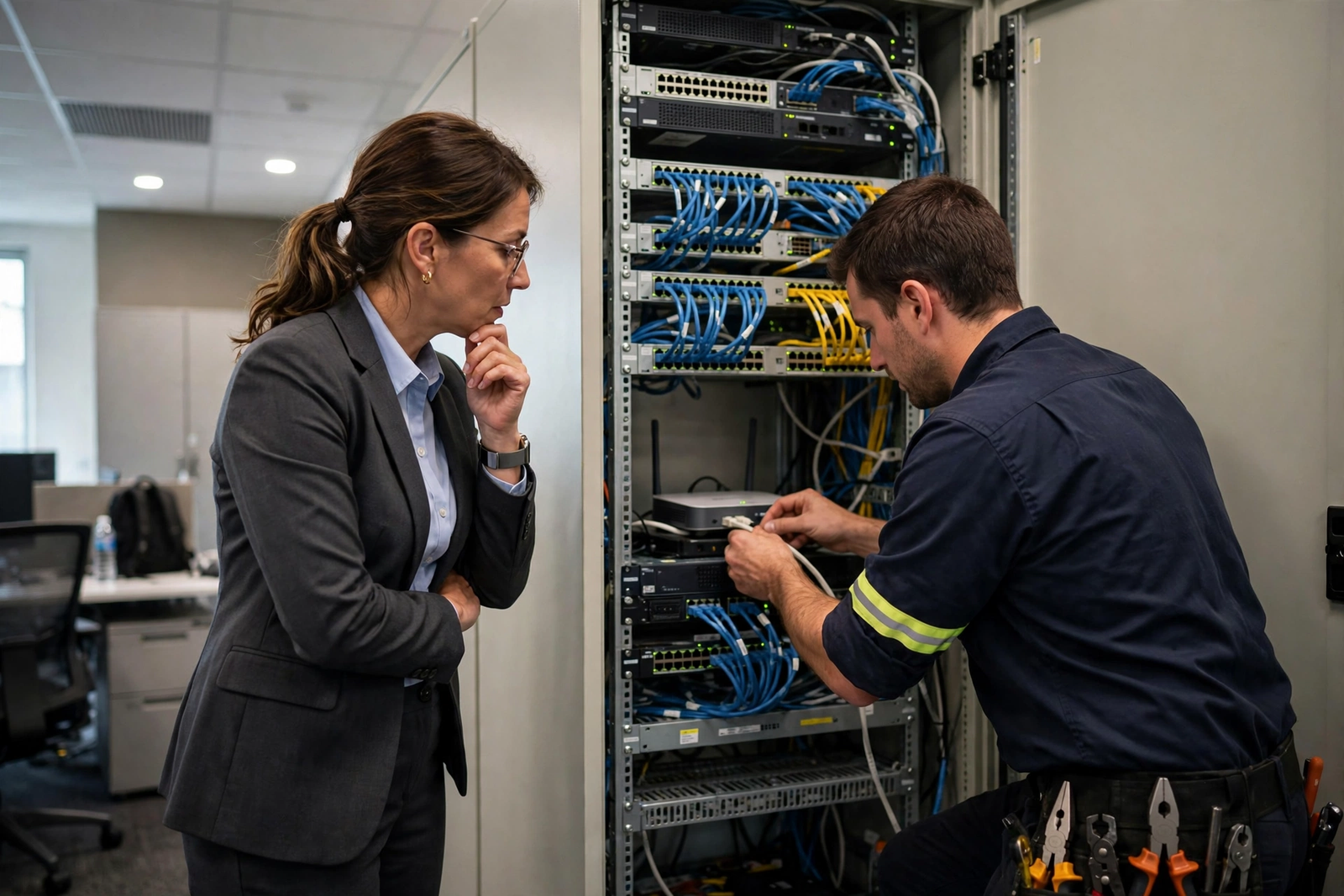
Backup is not optional for a call centre. A single outage that silences every agent for an hour can cost more than months of a higher internet tier, especially if the team is handling inbound sales, support, or appointment booking. A sensible backup plan has three parts: a second path to the internet that does not share the same failure point as the primary connection, a way for agents to keep working on that backup path, and a tested procedure so staff know what to do when the primary connection fails rather than discovering the plan during a real outage.
AT&T Business Fiber at 1 GIG and above includes built-in 5G backup, which is a useful starting point for call continuity, because the connection can fall back to a wireless path if the fiber path is interrupted. That backup is not a replacement for planning: 5G performance varies by location and signal, and a backup path should be tested under realistic load, not assumed to carry the full floor at full quality. For larger floors, discuss a dedicated backup arrangement with your provider, keep a printed failover procedure at supervisor desks, and test the failover outside peak hours so the first real test is not during a campaign. For more on backup choices, see wired versus wireless backup for business internet.
AT&T Business Fiber pricing for call centres in October 2026
Pricing below is official AT&T Business Fiber list pricing checked in October 2026. Prices vary by address and promotion, and the with-eligible-wireless figures apply only when the business also has a qualifying AT&T wireless plan. Use the list price for budgeting unless you have confirmed a bundle discount in writing for your address, and confirm all details before ordering. Fiber plans include symmetrical speeds, no data caps, and no annual contract, with AT&T ActiveArmor internet security included.
| AT&T Business Fiber tier | List price per month | With eligible wireless per month | Best call centre fit |
|---|---|---|---|
| 300 Mbps | $60 | $40 | Small team, up to about 10 concurrent calls |
| 500 Mbps | $100 | $60 | Growing team, 11 to 25 concurrent calls |
| 1 GIG | $140 | $90 | Busy floor, 26 to 50 concurrent calls, includes 5G backup |
| 2 GIG | $185 | $135 | Large floor, heavy peaks, video and recording |
| 5 GIG | $285 | $235 | Very large floor or multi-team site |
For a detailed tier-by-tier comparison, see AT&T Business Fiber pricing and the head-to-head tier guides for 300 versus 500 versus 1 GIG. If you already have AT&T wireless lines, check the AT&T fiber and wireless bundle for how the eligible-wireless pricing in the table above is structured, but confirm the bundle terms for your own account before relying on them. You can also explore the product-matched fiber option through AT&T Business Fiber to check availability at your address.
Setting up a call centre internet network that protects VoIP quality
Internet tier is only half the story. The office network between the fiber connection and the agent’s headset determines whether that tier’s quality actually reaches the call. Start with wired agent positions wherever the layout allows it. Ethernet to desk phones and to computers running softphones removes Wi-Fi variability from the voice path, reduces contention on wireless airtime, and makes troubleshooting far simpler: when a single agent reports poor audio, you can check a cable and a port rather than guessing about wireless interference from a neighbouring office.
Internet security for call centres handling customer conversations
Call centres handle customer names, phone numbers, order details, payment conversations, and sometimes sensitive personal information, so security is part of call quality, not a separate concern. AT&T ActiveArmor is included with Business Fiber and provides a layer of internet security for the connection, but it does not replace good practice inside the office: unique logins for agents, sensible password and access policies for CRM and phone systems, keeping phone and computer software updated, and restricting who can export recordings or customer lists. Security incidents disrupt calls just as surely as outages do, and a team that cannot trust its systems cannot serve customers well.
Common VoIP internet problems in call centres and how to diagnose them
When call quality drops, diagnose in order rather than changing everything at once. First, check whether the problem affects one agent, a group of agents, or the whole floor. A single-agent problem usually points to that agent’s headset, computer, cable, or Wi-Fi position. A floor-wide problem points to the shared connection, the office network, or the VoIP platform itself. That single distinction saves hours of wasted troubleshooting and stops a team from replacing a perfectly good internet tier when the real cause is a faulty headset or an overloaded laptop.
When fiber internet is not the right call centre choice
Fiber is the strongest fit for most established call centres, but it is not the right answer in every situation, and an honest guide should say so. If fiber is not available at your address, a fixed-wireless option such as AT&T Internet Air for Business may be the practical alternative, with the understanding that wireless performance varies by location and signal and should be tested with your actual VoIP platform before committing a whole floor to it. If your team is fully mobile, working from vehicles or temporary sites, a mobile-first wireless setup may fit better than any fixed office connection, though that is a different operating model from a fixed call floor.
Call centre VoIP internet questions answered
Does call centre VoIP internet need symmetrical speeds?
Yes, symmetrical speeds help a great deal, because voice is two-way work and recording and CRM saves also travel upstream. A connection with a narrow upload path can sound poor even when downloads are fast, especially at peak calling times when many agents are speaking at once. That is why fiber, with matching upload and download speeds, is such a natural fit for a voice floor, and why upload capacity should be checked explicitly rather than assumed from a download number.
How much internet speed does a small call centre need?
It depends on peak concurrent calls, not headcount alone. As planning guidance, a small team with up to ten concurrent calls, plus CRM and email, can often start with 300 Mbps, while a growing team with eleven to twenty-five concurrent calls should consider 500 Mbps. Add headroom for recording uploads, dashboards, and growth, and move up a tier if campaign peaks regularly push concurrent calls higher than the average suggests. The sizing table earlier in this guide gives a fuller set of bands to work from.
Can VoIP call quality suffer even on fast business internet?
Yes. Fast headline speed does not guarantee steady latency, low jitter, or zero packet loss, and the office network matters just as much as the incoming connection. A single agent on weak Wi-Fi, an overloaded laptop running a softphone alongside many other applications, or a large backup running during peak calling can all degrade calls on an otherwise fast connection. Diagnose by checking whether the problem affects one agent or the whole floor, what else is running at the same time, and whether the problem follows a pattern across days.
What internet backup should a call centre have for voice continuity?
At minimum, have a second path that does not share the same failure point as the primary connection, and a tested procedure staff can follow when failover happens. AT&T Business Fiber at 1 GIG and above includes built-in 5G backup, which is a strong starting point, but it should be tested under realistic load before you rely on it for a full floor. Larger floors should discuss a dedicated backup arrangement, keep the failover steps written down for supervisors, and test outside peak hours so the first real outage is not the first test.
Is fiber internet worth it for a sales team that also uses video calls?
For a team that mixes voice with video meetings, screen-sharing, and cloud CRM, fiber is usually worth it, because video adds substantially to both download and upload load, and a symmetrical connection handles that two-way load better. Size for the combined peak, meaning voice calls plus any video calls happening at the same time, plus recording and CRM, rather than sizing for voice alone and hoping video fits into the leftover capacity. If video is a regular part of the working day, that combined peak is the number to plan around.
For a call centre or sales team, the right internet choice is the one that keeps conversations clear at your busiest hour, keeps recordings complete, and keeps the floor working when something goes wrong. Start from peak concurrent calls, add CRM and recording, leave headroom, plan backup, and confirm pricing and availability at your own address before ordering. Done that way, fiber is not just a faster connection, it is a quieter, more reliable working day for every agent on the floor.

