
Verdict: For a creative studio uploading large video files, AT&T Business Fiber is the best fit because its symmetrical upload speeds remove the usual bottleneck, so client deliveries, cloud uploads, and review rounds finish in a fraction of the time they take on an asymmetrical connection. Creative work is judged by delivery, not by download speed. A studio can download reference footage, stock, and assets quickly on many connections, but the moment it must send a finished edit, a set of high-resolution files, or a project archive back to a client or to the cloud, upload speed becomes the deciding factor, and a slow upload can turn a same-day delivery into an overnight wait.
This guide explains why symmetrical upload matters for video studios, how to plan uploads around client deadlines without making promises about exact transfer times, how review and approval workflows add to the load, and how cloud collaboration and render work change what a studio needs from its connection. Pricing reflects official AT&T Business Fiber list prices checked in October 2026, and availability varies by address, so confirm the exact options at your studio address before ordering.
Creative Studios: Check AT&T Business Fiber Availability
Symmetrical fiber uploads built for large video files, client delivery, and cloud collaboration, with no data caps.
Why internet for creative studios video work depends on upload speed
Most internet plans are built for households that download far more than they upload. Streaming, browsing, and downloading fit that pattern well. A creative studio reverses it for much of the working day. Editors, motion designers, photographers, and videographers create large files locally and then must move them outward: to clients for review, to cloud storage for backup and collaboration, to delivery platforms, and to printers or post houses. When the outward path is narrow, every other part of the workflow waits, no matter how fast the studio’s computers are or how good the edit is.
That outward bottleneck shows up in practical, frustrating ways. An editor finishes a cut at four in the afternoon and starts the client upload, only to find it will still be running when the client has gone home. A photographer delivers a gallery that stalls halfway because a cloud backup started at the same time. A team working on a shared cloud project finds that saving and syncing large project files slows everyone down, because each save must travel upstream before collaborators see it. None of these problems is caused by slow computers or poor software. They are caused by an upload path that was never sized for professional creative output.
Symmetrical fiber changes that calculation because upload capacity matches download capacity. A studio that can download at 1 GIG can also upload at 1 GIG, so the return journey for finished work is as fast as the journey that brought assets in. That symmetry does not guarantee any particular upload will finish by a particular minute, because file sizes, compression, destination servers, and other network traffic all affect real-world times, but it removes the most common structural bottleneck and gives the studio a far larger margin for deadlines, revisions, and simultaneous work.
How video upload speed shapes creative studio delivery deadlines
Deadlines in creative work are rarely generous, and they are often set by someone else: a client launch, a broadcast slot, a campaign go-live, or an event date. When upload speed is the constraint, studios start padding schedules, delivering early versions in lower quality for review, or splitting deliveries into pieces to get something to the client sooner. Those workarounds cost time and can undermine the quality of the review itself, because a client reviewing a compressed preview is not seeing the work as it will actually appear.
Planning uploads as part of the project schedule, rather than as an afterthought at the end of the day, helps even before any internet change. Build upload time into the delivery plan, confirm the delivery method and file format with the client in advance, and avoid starting a large backup, a software update, or another large upload at the same moment as a deadline delivery. With a symmetrical fiber connection, that planning still matters, but the margin for error is far larger, and a last-minute revision does not automatically mean a missed deadline.
What large video files mean for studio internet bandwidth planning
Video files vary enormously, and that variation is why this guide avoids promising exact upload durations. A short social clip, a long-form documentary edit, a set of raw camera files, and a colour-graded master are different orders of magnitude, and the same studio may produce all of them in a single week. The planning question is therefore not how long one file takes, but what the studio’s typical week looks like: how many large deliveries, how many collaborators syncing cloud projects, how many machines uploading at once, and how often deadlines cluster on the same day.
A useful way to think about it is in terms of simultaneous upload work. One editor uploading a finished project while a photographer syncs a gallery and a producer uploads review links is three upload streams competing for the same upstream capacity. On a narrow upstream connection, each stream slows the others. On a wide symmetrical connection, they can proceed together without forcing the team to queue work or stagger deliveries artificially. That ability to work in parallel is often worth more to a busy studio than any single headline speed number.
How creative studios use internet for video review and approval

Review and approval is where creative work either moves forward quickly or stalls for days, and internet quality plays a larger role in that process than many studios expect. A typical review cycle involves uploading a version, sending a link, waiting for client comments, revising, and uploading again. If each upload is slow, each cycle stretches, and a project that should need two rounds can feel like it needs a week. Clients also judge professionalism by how smoothly review works: a link that plays cleanly, loads quickly, and shows the work at proper quality builds confidence, while a stuttering preview or a download that fails halfway undermines it.
The review workflow also creates a hidden load that is easy to miss. While the main delivery uploads, team members may be uploading preview renders, reference files, and feedback assets, and clients may be downloading the work at the same time. A studio connection must handle both directions during review, not just the initial upload. Symmetrical capacity helps here too, because the studio is simultaneously sending new versions outward and receiving client assets, feedback files, and revised briefs inward, often on the same afternoon.
Planning video review workflows on studio fiber internet
Good review practice starts before the upload. Agree the delivery format, resolution, and platform with the client, and test that platform with a sample file early in the project rather than discovering a format or playback problem on delivery day. Use consistent naming and versioning so clients and collaborators are never unsure which version is current, and keep a single source of truth for feedback, whether that is a review platform, a shared document, or a structured email thread, so comments do not scatter across messages and get lost.
Internet planning supports that practice by making each round faster and more reliable. When uploads complete promptly, clients can review while the work is fresh, feedback arrives sooner, and revisions start earlier. That compression of the review cycle is often the most valuable return on a better connection, because it shortens the whole project timeline, not just the upload itself. A studio that saves hours on every review round across dozens of projects in a year recovers far more time than the cost difference between internet tiers.
Disclaimer: This article contains affiliate links to AT&T Business services. We may earn a commission if you purchase through them, at no extra cost to you. Ortelcom.com is an independent publisher and is not affiliated with or endorsed by AT&T. Pricing, speeds, and availability are not guaranteed, were checked in October 2026, and vary by address and promotions — please confirm all details before ordering. AT&T and all related marks are trademarks of their respective owners.
Cloud collaboration and render work on creative studio internet
Cloud collaboration has changed how many studios work, and it has made upload speed a daily requirement rather than an occasional delivery concern. Shared project files, cloud asset libraries, and collaborative editing tools all depend on syncing changes upstream so collaborators see them. When sync is slow, collaborators work on outdated versions, conflicts multiply, and the team spends time reconciling files instead of creating. When sync is fast and reliable, remote collaborators, freelancers, and clients can genuinely work as part of the same project, even from different locations.
Render work adds a related but distinct load. Some studios render locally and then upload finished files, while others use cloud render services and must upload project files and assets before rendering can even begin, then download the rendered output. Either way, large files move in both directions, and the upload leg is often the one that determines whether a render job starts on time. A studio that regularly uses cloud rendering should therefore treat upload capacity as part of its render pipeline, not as a separate office utility, and should test the full pipeline with a real project before committing to a tight client deadline on a new connection.
How remote collaborators share large video projects over the internet
Remote collaboration works best when the studio connection does not become the bottleneck for everyone else. A freelancer uploading revised footage, a colourist downloading a project, and a client reviewing a cut all depend on the studio’s ability to send and receive large files promptly. If the studio connection is slow, remote collaborators experience that slowness as delays, failed syncs, and version confusion, even if their own connections are excellent. That is why studios with distributed teams often benefit most from symmetrical fiber: the studio is the hub, and the hub’s upload speed sets the pace for the whole project.
Why symmetrical fiber internet is the deciding factor for studios
When studios compare internet options, download speed often dominates the conversation because it is the most advertised number. For video work, that comparison is misleading. Two plans with the same download speed can differ dramatically in upload speed, and that difference determines delivery times, cloud sync performance, and review speed. A studio should therefore compare upload speeds first, then download speeds, then consistency, backup, and price, in that order, because the first comparison is the one that most directly affects daily creative work.
Sizing studio internet by team size and video upload volume
Sizing for a studio starts with the same peak question as any business: what is happening at the busiest moment? Count how many people will be uploading, syncing, or delivering at once during a peak afternoon, what kind of files they handle, and whether deadlines cluster. A solo videographer delivering one project at a time has a different profile from a ten-person studio where three editors deliver on the same Friday, a photographer syncs a gallery, and a producer runs a video review meeting, all at once.
| Studio profile at peak | Typical peak work | Planning guidance | Fiber tier to consider |
|---|---|---|---|
| Solo creator or small studio | One large delivery at a time, light cloud sync | Upload plus general office use, with headroom | 300 Mbps |
| Growing studio, regular clients | Two simultaneous uploads, review and cloud sync | Upload plus review, sync, and meetings | 500 Mbps |
| Busy studio, deadline clusters | Several simultaneous uploads and cloud collaboration | Upload plus collaboration, rendering, and office use | 1 GIG |
| Large studio or post house | Many simultaneous uploads, render and archive work | Upload plus render pipelines and large shared load | 2 GIG or 5 GIG |
Use that table as planning guidance with stated assumptions, not as a guarantee of transfer times. Actual upload performance depends on file size and format, destination platform, other traffic on the network, and the wider internet path, all of which vary by project. What the table does is give a defensible starting point: if your peak regularly involves several people uploading at once, a higher tier with a larger upload margin is the safer choice, and if your work is genuinely solo and staggered, a lower tier may serve you well without overpaying. For a broader speed framework, see how much internet speed a business needs, and for upload specifically, upload speed for business explains why the upstream direction deserves its own check.
AT&T Business Fiber pricing for creative studios in October 2026
Pricing below is official AT&T Business Fiber list pricing checked in October 2026. Prices vary by address and promotion, and the with-eligible-wireless figures apply only when the business also has a qualifying AT&T wireless plan. Use the list price for budgeting unless you have confirmed a bundle discount in writing for your address, and confirm all details before ordering. Fiber plans include symmetrical speeds, no data caps, and no annual contract, with AT&T ActiveArmor internet security included.
| AT&T Business Fiber tier | List price per month | With eligible wireless per month | Best studio fit |
|---|---|---|---|
| 300 Mbps | $60 | $40 | Solo creator, one delivery at a time |
| 500 Mbps | $100 | $60 | Growing studio, regular simultaneous uploads |
| 1 GIG | $140 | $90 | Busy studio, deadline clusters, includes 5G backup |
| 2 GIG | $185 | $135 | Large studio, render and heavy collaboration |
| 5 GIG | $285 | $235 | Very large studio or post house |
The step from 500 Mbps to 1 GIG is often the most valuable jump for a growing studio, because it doubles both upload and download capacity, adds built-in 5G backup at 1 GIG and above, and gives the team room for simultaneous deliveries without queuing work. That backup matters for deadline work: a connection outage on delivery day can be more costly than months of a higher tier, and a backup path that keeps uploads and client communication running, even at reduced speed, protects the deadline. For detailed tier comparisons, see AT&T Business Fiber pricing, and for bundle terms, the AT&T fiber and wireless bundle. You can also check the product-matched fiber option through AT&T Business Fiber to confirm availability at your studio address.
Setting up a creative studio internet network for large uploads
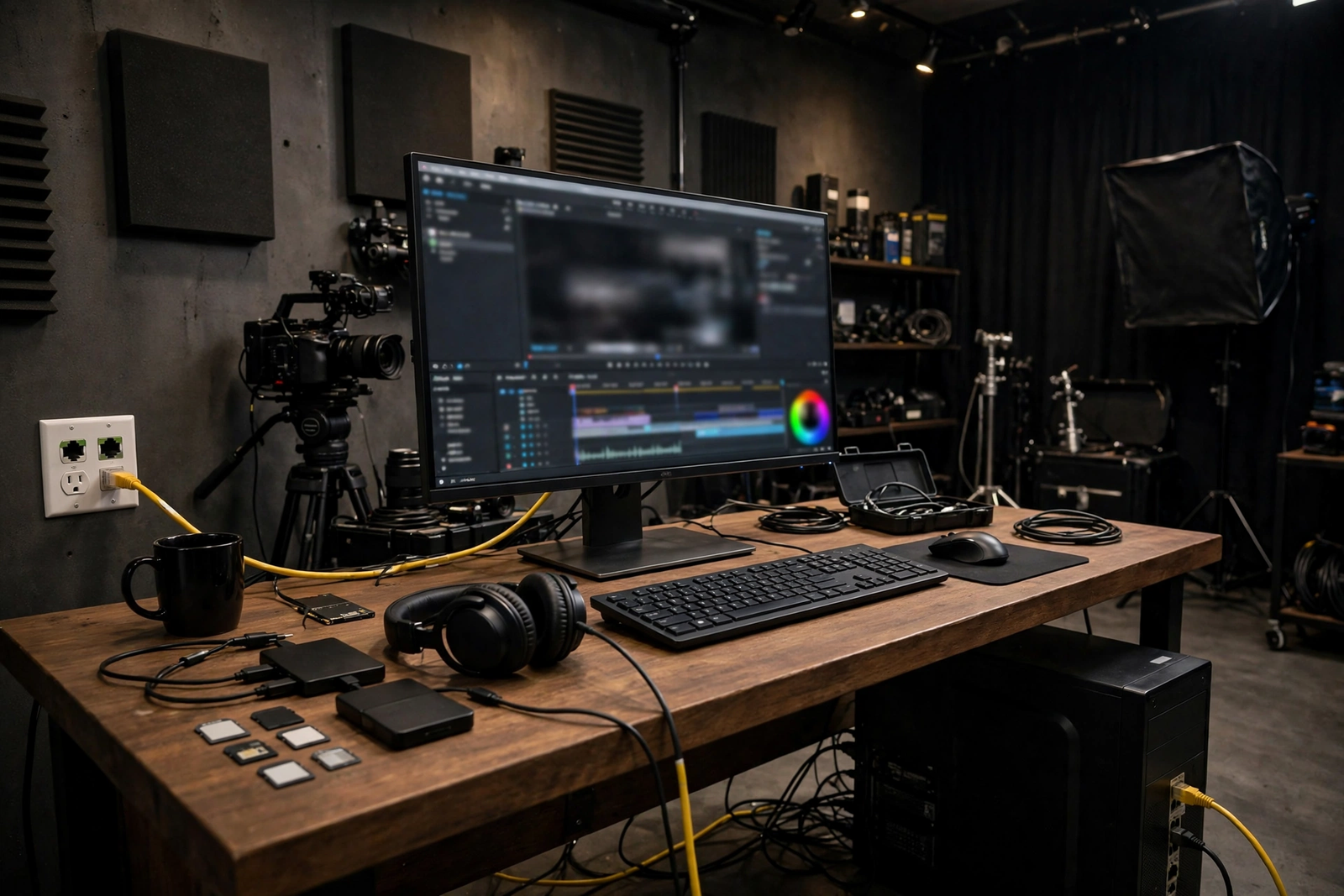
The studio network between the fiber connection and the editing workstation determines whether the tier’s upload capacity actually reaches the work. Wired Ethernet to editing workstations and to the main storage or server is the most reliable choice for large file transfers, because it avoids Wi-Fi variability, contention, and interference that can slow or interrupt a long upload. Wi-Fi still has a role for laptops, tablets, client areas, and meetings, but the machines that move the largest files should be wired where the layout allows it.
Storage and network layout matter as much as the internet tier. A fast internet connection cannot compensate for a slow local network, an overloaded shared drive, or a workstation that is still rendering while it tries to upload. Plan the local network alongside the internet tier: sensibly placed switches, a storage setup that can read and write large files at the pace the internet can carry them, and a habit of scheduling large backups and software updates outside deadline upload windows. That coordination is what turns a fast connection into reliably fast deliveries.
Internet security for creative studios protecting client video files
Creative studios hold unreleased work, client campaigns, and sometimes sensitive footage, so security is part of delivery, not an afterthought. AT&T ActiveArmor is included with Business Fiber and provides a layer of internet security, and studios can learn more about it in AT&T ActiveArmor for business. Beyond the connection itself, use unique logins, keep editing and storage software updated, control who can download masters and client files, and back up finished work in a second location so a single drive failure or security incident does not lose a project. A clear file-access policy also helps when freelancers join a project temporarily and then leave it.
Internet backup for creative studios facing client deadlines
Backup planning for a studio is deadline planning. If the primary connection fails on the day a campaign must go live, the question is not whether the studio can eventually reconnect, but whether it can still send the delivery, communicate with the client, and keep collaborators working. AT&T Business Fiber at 1 GIG and above includes built-in 5G backup, which gives a wireless fallback path, though its performance varies by location and signal and should be tested with a real upload before it is relied on for a deadline. Larger studios should discuss a dedicated backup arrangement, keep client contact details accessible offline, and test failover outside a deadline week.
When fiber internet is not the right creative studio choice
Fiber is the strongest fit for most established studios, but it is not right in every situation. If fiber is not available at the studio address, a fixed-wireless option may be the practical alternative, with the understanding that wireless performance varies by location and should be tested with real project uploads before a whole studio commits to it. A solo creator who rarely uploads large files, works mostly on small social content, and has no deadline clustering may also find a lower tier or a different product sufficient, and there is no virtue in overbuying for work that does not need it.
The test remains the same in every case: peak simultaneous uploads, plus cloud sync and collaboration, plus headroom for deadline clusters, plus backup. If a smaller option passes that test with real margin, it is a reasonable choice. If it passes only on quiet days with no margin, a single busy delivery week will expose the gap, and the cost of that exposure, in missed deadlines and stressed client relationships, will usually exceed the saving.
Creative studio video internet questions answered
Does creative studio video internet need symmetrical upload speeds?
Yes, for most video studios it does, because finished work, cloud sync, and review uploads all travel upstream. A plan with fast downloads but a narrow upload path will delay deliveries and collaboration, even if downloads feel instant. Symmetrical fiber removes that structural bottleneck and gives deadline work a much larger margin.
How much internet speed does a small creative studio need?
It depends on peak simultaneous uploads, not headcount alone. As planning guidance, a solo creator delivering one project at a time can often start with 300 Mbps, a growing studio with regular simultaneous uploads should consider 500 Mbps, and a busy studio with deadline clusters should consider 1 GIG. Use the sizing table earlier in this guide to match your peak.
Can a studio upload large video files faster without changing internet?
Good habits help on any connection: use proxy files for early review, avoid syncing unnecessary raw material, schedule backups outside delivery windows, and wire editing workstations rather than relying on Wi-Fi. Those habits reduce wasted upload work, but they cannot replace upload capacity when several large deliveries must move at once.
What internet backup should a creative studio have for deadlines?
Have a second path that does not share the primary connection’s failure point, and test it with a real upload before a deadline depends on it. AT&T Business Fiber at 1 GIG and above includes built-in 5G backup, which is a strong starting point, though wireless performance varies by location. Larger studios should discuss a dedicated backup arrangement and keep client contacts accessible offline.
Is fiber internet worth it if a studio mostly works with photos?
Photo studios still benefit when galleries, raw files, and cloud syncs are large and frequent, especially when several photographers deliver at once. If work is genuinely small, infrequent, and never deadline-clustered, a lower tier may suffice. Judge by peak simultaneous uploads and deadline pressure, not by whether the files are photos or video alone.
For a creative studio, the right internet choice is the one that lets finished work leave the studio as quickly as it was made, keeps review cycles short, and protects the next deadline when something goes wrong. Start from peak uploads, add cloud collaboration, leave headroom, plan backup, and confirm pricing and availability at your own address before ordering.

