
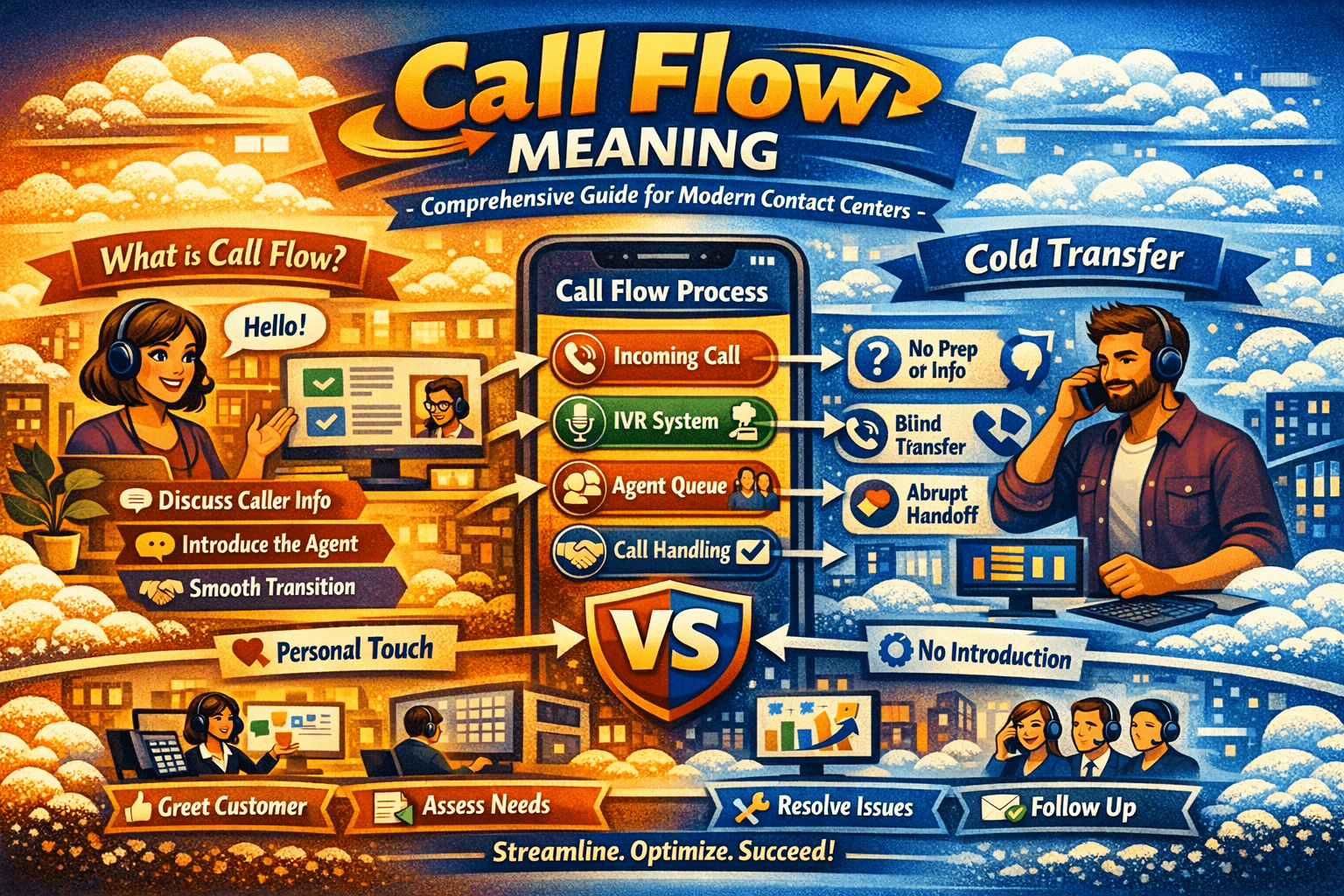
A call flow is the structured sequence a phone call follows within a business or contact center, including how it is received, routed, handled, transferred, and resolved. Effective call flows improve efficiency, reduce wait times, increase first-call resolution, and enhance overall customer satisfaction by providing a consistent and professional experience.
Introduction: Why Call Flow Matters
In today’s customer-centric business environment, effective communication is critical. Whether a customer contacts your business for support, sales, or inquiries, how the call is managed directly impacts satisfaction, loyalty, and business outcomes.
A call flow is the backbone of effective call management. It defines the step-by-step sequence a call takes, including automated menus, routing rules, transfers, escalations, and resolutions. Historically, telephone switchboards relied on human operators to manage calls manually, ensuring they reached the right person. As call volumes increased, automated systems and structured call flows emerged, allowing businesses to maintain efficiency while delivering high-quality service.
Why businesses need to understand call flows:
- Ensures calls reach the correct agent or department
- Reduces customer wait times and frustration
- Improves first-call resolution rates
- Provides valuable insights through call metrics and analytics
- Enhances agent efficiency and performance
A well-designed call flow is not only about routing — it’s about creating a smooth, professional, and efficient experience for both customers and agents.
What Is Call Flow?
A call flow is a predefined path that a phone call follows within a business or contact center. It specifies how calls are received, routed, transferred, and ultimately resolved. Call flows combine automation, agent actions, and escalation paths to provide a consistent experience for every caller.
Key Components of a Call Flow
- Interactive Voice Response (IVR) – Automated menus that guide callers to the appropriate options.
- Agent Queues – Lists of available agents organized by skill or department.
- Transfers – Calls moved to another agent, either as warm transfers (with briefing) or cold transfers (direct).
- Escalations – Calls routed to supervisors or specialized teams when necessary.
- Resolution and Follow-up – Steps to close the call, document interactions, and schedule follow-ups if required.
Why Call Flows Are Important
1. Efficiency and Speed
Structured call flows reduce the time customers spend navigating menus or being transferred multiple times.
2. Consistency
Every customer receives the same quality of service regardless of which agent they reach first.
3. First-Call Resolution
When calls follow a clear sequence, agents are better prepared to resolve issues on the first attempt.
4. Data and Insights
Call flows enable tracking of metrics like average handling time, abandonment rates, and common issues, helping managers optimize service.
5. Customer Satisfaction
Efficient, professional, and well-routed calls leave customers feeling valued and respected.
Step-by-Step Guide: Designing an Effective Call Flow
Step 1: Define Objectives
Before designing a call flow, determine your goals:
- Reduce hold times
- Improve first-call resolution
- Streamline transfers
- Gather metrics for insights
Step 2: Identify Call Entry Points
Determine all ways customers contact your business:
- Main line
- Support hotline
- Product-specific or department-specific numbers
Step 3: Design IVR Menus
Use IVR to guide callers:
- Option 1: Sales
- Option 2: Technical support
- Option 3: Billing
- Option 4: General inquiries
Keep menus concise to avoid frustration.
Step 4: Define Queues and Routing
Assign calls to agents based on:
- Skill or department
- Priority customers (VIP or high-value)
- Overflow rules for peak times
Step 5: Plan Escalation Paths
Escalation ensures unresolved issues reach appropriate supervisors:
- Define triggers (e.g., wait time > 5 minutes, unresolved after one agent)
- Ensure clear guidelines for escalation handling
Step 6: Include Transfer Protocols
Transfers are critical in call flows:
- Warm transfers: Agent stays on line to brief next agent
- Cold transfers: Agent directs call without context
Step 7: Define Resolution Steps
Document what happens once the call is resolved:
- Logging notes
- Follow-up scheduling
- Sending emails or SMS confirmations
Step 8: Test and Refine
Run the call flow in live conditions:
- Track metrics like handling time, hold time, and resolution
- Gather customer feedback
- Refine steps for efficiency
Examples of Call Flows in Practice
Example 1: Telecom Customer Support
- IVR guides customer to technical or billing department
- Call routed to agent queue
- If unresolved, escalated to specialist
- Follow-up scheduled automatically
Example 2: Healthcare Appointment Desk
- Patient selects department via IVR
- First-level agent confirms details
- Warm transfer to nurse or specialist
- Appointment logged and SMS confirmation sent
Example 3: E-commerce Returns
- Customer calls returns hotline
- Cold transfer to returns department
- IVR provides tracking information
- Issue escalated if product is damaged
Benefits of Using Call Flows
- Improved Customer Experience – Calls reach the right agent quickly
- Higher First-Call Resolution – Clear paths reduce repeat calls
- Agent Efficiency – Agents know exactly how to handle transfers and escalations
- Consistency – Every customer gets the same quality service
- Data-Driven Insights – Metrics enable service optimization
- Reduced Costs – Fewer repeat calls and better resource allocation
Call Flow vs Call Routing
| Feature | Call Flow | Call Routing |
|---|---|---|
| Definition | Full sequence of call handling | Direction of call to an agent or department |
| Scope | Includes IVR, queues, transfers, escalations | Focused on call destination only |
| Goal | Smooth, efficient call handling | Correctly connecting caller |
| Outcome | Optimized customer experience | Faster connection to agent |
| Benefits | Consistency, satisfaction, resolution | Speed, accuracy |
Real-World Scenario
A national bank receives thousands of calls daily. Their call flow includes:
- IVR directing calls to account inquiries, loan support, or card issues
- Queues organized by agent expertise
- Warm transfers for complex cases like disputes
- Escalation to supervisors for unresolved issues
Outcome: Customers experience reduced wait times, fewer repeated explanations, and higher satisfaction, while agents operate more efficiently.
Tips for Optimizing Call Flows
- Keep IVR menus concise
- Train agents on warm/cold transfers
- Monitor performance metrics continuously
- Update call flows for seasonal peaks or product changes
- Integrate with CRM for personalized service
Comparison Table: Warm vs Cold Transfers in Call Flows
| Feature | Warm Transfer | Cold Transfer |
|---|---|---|
| Context Provided | Yes | No |
| Customer Experience | High | Moderate |
| Training Required | Higher | Lower |
| First-Call Resolution | Higher | Lower |
| Handling Time | Slightly longer | Shorter |
| Ideal Use | Complex, sensitive issues | Routine, high-volume |
Frequently Asked Questions (FAQs)
Q1: What is the main purpose of a call flow?
A call flow ensures every call follows a structured path, improving efficiency, resolution, and customer experience.
Q2: How does call flow improve first-call resolution?
By routing callers to the right agents and providing context, issues are resolved faster without multiple transfers.
Q3: Is IVR the same as a call flow?
No. IVR is a component of a call flow, providing menu options; the full call flow includes transfers, escalations, and resolution steps.
Q4: Can call flows be automated?
Yes, modern contact centers use CRM-integrated ACD systems to automate routing, escalation, and follow-ups.
Q5: How do warm and cold transfers fit into call flows?
Call flows define transfer points and specify whether a warm or cold transfer is appropriate for each scenario.
Q6: Why monitor call flow metrics?
To optimize efficiency, track agent performance, reduce wait times, and improve customer satisfaction.
Q7: Can call flows handle large volumes of calls?
Yes, well-designed call flows manage high volumes while maintaining quality service and proper routing.
Conclusion
A call flow is more than just routing — it is a strategic roadmap for managing customer interactions. From IVR menus to agent queues, transfers, escalations, and resolution, a properly designed call flow improves efficiency, satisfaction, and operational performance.
By understanding call flow meaning, designing structured paths, and continuously optimizing, businesses can enhance customer experiences, reduce costs, and improve agent performance — all while supporting scalable, high-volume operations.

