
Verdict: AT&T Internet Air for Business is a strong bridging connection for a branch opening or an office move, provided you use it honestly for what it is — a fixed wireless connection at a qualified business address — while a permanent Fiber install is pending or while you settle into a new address. It can get a new branch trading, keep staff connected during a move, and cover temporary or overflow space without waiting for a fixed-line install to complete. It is not a roaming mobile solution you carry from site to site, and it should not be planned as one. Used at the qualified address it was set up for, with sensible gateway placement and a clear handover plan, it turns the awkward gap between signing a lease and getting Fiber installed into a manageable, working period.
The key to using Internet Air well in these situations is timing. A branch opening fails commercially if staff cannot process payments, access cloud systems, or join video calls on day one, even if the shopfitting looks finished. An office move fails operationally if the old connection ends before the new one is ready, leaving a gap with no connectivity at all. Internet Air addresses both risks by providing a working connection at the new address sooner than a fixed-line install may allow, and by giving you a bridge you can plan around. The rest of this guide covers pricing, the qualified-address rule, gateway placement, a branch-opening timeline, a no-downtime move plan, and where a mobile hotspot line fits instead.
Branch Openings and Office Moves: Get Connected with Internet Air for Business
Bridge a new branch or office move with Internet Air at your qualified business address while your permanent connection is arranged.
Why Internet Air Works for a Branch Opening or Office Move
Openings and moves share the same connectivity problem: the business needs to work at a new address before the permanent infrastructure is fully ready. Leases are signed, staff are hired, stock arrives, and customers expect service, yet a Fiber install may still be scheduled, awaiting a survey, a wayleave, or an engineer slot. That gap is where a branch loses its first-week momentum or a move creates avoidable downtime. Internet Air, as a 5G fixed wireless service, can be installed at the qualified address more quickly than a new fixed line in many cases, because it does not depend on the same physical cabling work. That speed is its main value in an opening or move, not raw speed alone.
Internet Air also suits the uncertainty of a new site. In the first weeks, you may not yet know the site’s true peak usage, how many staff will be on site at once, or whether the layout will change after opening. A connection that gets you trading now, while you learn those patterns, lets you size the permanent Fiber tier on evidence rather than guesswork. For background on the service itself, see AT&T Internet Air for Business, and for the setup steps once you have it, the guide on how to set up AT&T Internet Air for Business walks through the practical process.
Internet Air Branch Opening: The Fixed Qualified Address Rule Explained
This is the honesty rule that shapes every plan in this guide, so it deserves to be stated plainly. Internet Air is fixed at the qualified business address. That means the service is set up for, and used at, a specific business address that has been qualified for the service. It is not a mobile or roaming solution to carry between branches, take home, or move around as staff travel. If you open a branch at a new address, that address needs its own qualification and setup. If you move offices, the new address needs to be qualified, and you should confirm the qualified-address rule and any address-change process with an AT&T Business representative before you assume the service simply moves with you.
Framing the plan this way actually makes it stronger. A branch opening plan becomes: qualify the branch address, set up Internet Air at that branch address while the permanent Fiber install is pending, trade from opening day, then migrate to Fiber when it is installed and tested. An office move plan becomes: qualify the new address, set up Internet Air at the new address before moving day, overlap the old and new connections, move staff and equipment, and then complete the permanent install at the new address. In both cases the address is the anchor of the plan, not an afterthought. Never promise staff or customers that a single gateway can float between sites, because that is not how the service is designed to be used.
Internet Air Pricing for Branch Openings and Office Moves
Pricing checked in October 2026 for AT&T Internet Air for Business gives you two clear tiers to plan around. Standard is $65 per month list, $60 per month with AutoPay and paperless billing, and $40 per month with an eligible wireless plan. Premium is $105 per month list, $100 per month with AutoPay and paperless billing, and $80 per month with an eligible wireless plan. Premium includes 250GB of AT&T Turbo priority data per bill cycle, after which speeds may slow when the network is busy. Those figures should be confirmed for your specific address before ordering, because availability and promotions vary by address.
| Internet Air plan | List price per month | AutoPay and paperless per month | With eligible wireless per month | Best fit for openings and moves |
|---|---|---|---|---|
| Standard | $65 | $60 | $40 | Small branch, light cloud use, payment and email focus |
| Premium | $105 | $100 | $80 | Busier branch, regular video, priority data during busy periods |
Choosing between the tiers for a short bridging period comes down to peak usage and the cost of slowness. A small branch with a till, a few staff devices, and occasional video calls will usually manage on Standard. A branch that will host training, run many concurrent video calls, or rely heavily on cloud applications from day one is a better candidate for Premium, because the Turbo priority allowance helps during busy periods. Budget the bridging period honestly: if the Fiber install may take several weeks, the monthly cost of the bridge is small compared with the cost of a delayed opening or a week without card payments. Keep the pricing comparison for the longer term separate, since Fiber tiers and Internet Air tiers serve different roles once the permanent connection is live.
Internet Air Timeline for a New Branch Opening Before Fiber Is Installed
A workable branch-opening timeline starts with address qualification, not with ordering equipment. First, confirm that the branch address qualifies for Internet Air and, separately, check Fiber availability and the likely Fiber install path at the same address. Second, set up Internet Air at the branch address and test it thoroughly before opening day: run card payments, join a video call, open your cloud systems, and test the guest network if you will offer one. Third, open with Internet Air as the live connection, while the Fiber install proceeds in the background. Fourth, when Fiber is installed, test it at peak times before switching staff over, then keep Internet Air in mind as a possible backup discussion for the future rather than cancelling in haste.
Testing before opening day is the step most often skipped, and it is the step that prevents embarrassing first-day failures. Test with the actual devices the branch will use, not just a single laptop. Test the point-of-sale terminal, the printer, the staff tablets, and the guest network at the same time, because real branches run all of those concurrently. If the test shows weak signal in part of the premises, adjust gateway placement before opening, using the guidance later in this guide, rather than discovering the dead spot with customers in the room. Keep a short opening-day checklist at the branch: gateway location, network names and passwords, who to call for support, and what to do if the connection drops.
Office Move Without Downtime Using Internet Air at the New Address

An office move without downtime is mostly a problem of overlap. The worst plan is a hard cutover: old connection ends on Friday, new connection hopefully starts on Monday, and any delay leaves staff with nothing. The better plan overlaps connections. Qualify and set up Internet Air at the new address before moving day, so the new office is already connected when furniture and equipment arrive. Move in stages if you can: set up the essential systems first, such as payments, email, and cloud access, test them at the new address, and only then wind down the old site. Keep the old connection running until the new site has been tested under real working conditions.
Communication matters as much as technology during a move. Tell staff exactly what changes: new Wi-Fi names if any, where equipment lives, and who to contact on moving day. Tell customers only what affects them, such as a temporary phone or collection arrangement, and avoid promising a reopening time you cannot guarantee. For the provider-switching side of a move, the guide on switching business internet provider without downtime covers the same overlap principle in detail. When the permanent Fiber connection is installed and tested at the new address, switch over in a planned window, confirm every critical system again, and then close out the old site in an orderly way.
Internet Air for Temporary Space and Overflow Offices During a Move
Temporary and overflow space is a common but under-planned use case. A business may need a short-term showroom, a pop-up area, a training room, or overflow desks while the main site is refitted or while a new branch is prepared. Internet Air can suit such space well, provided the temporary address itself qualifies and the service is set up for that address. Do not assume that a gateway from the main office can simply be carried to the temporary space; qualify the temporary address first, confirm the arrangement with a representative if there is any doubt, and set the service up properly for that location.
For temporary space, keep the network design simple and consistent with your main sites: the same staff and guest separation, the same password discipline, and the same device setup for point-of-sale and printers. A temporary site that uses a completely different setup creates extra work when staff rotate back to the main site. Also plan the end of the temporary period in advance: what happens to the connection, the equipment, and the account when the temporary space closes or the permanent site opens. A clean exit plan prevents a forgotten temporary connection from lingering on the bill for months after the space is vacated.
Disclaimer: This article contains affiliate links to AT&T Business services. We may earn a commission if you purchase through them, at no extra cost to you. Ortelcom.com is an independent publisher and is not affiliated with or endorsed by AT&T. Pricing, speeds, and availability are not guaranteed, were checked in October 2026, and vary by address and promotions — please confirm all details before ordering. AT&T and all related marks are trademarks of their respective owners.
Internet Air Gateway Placement Guidance for Branch Openings and Office Moves
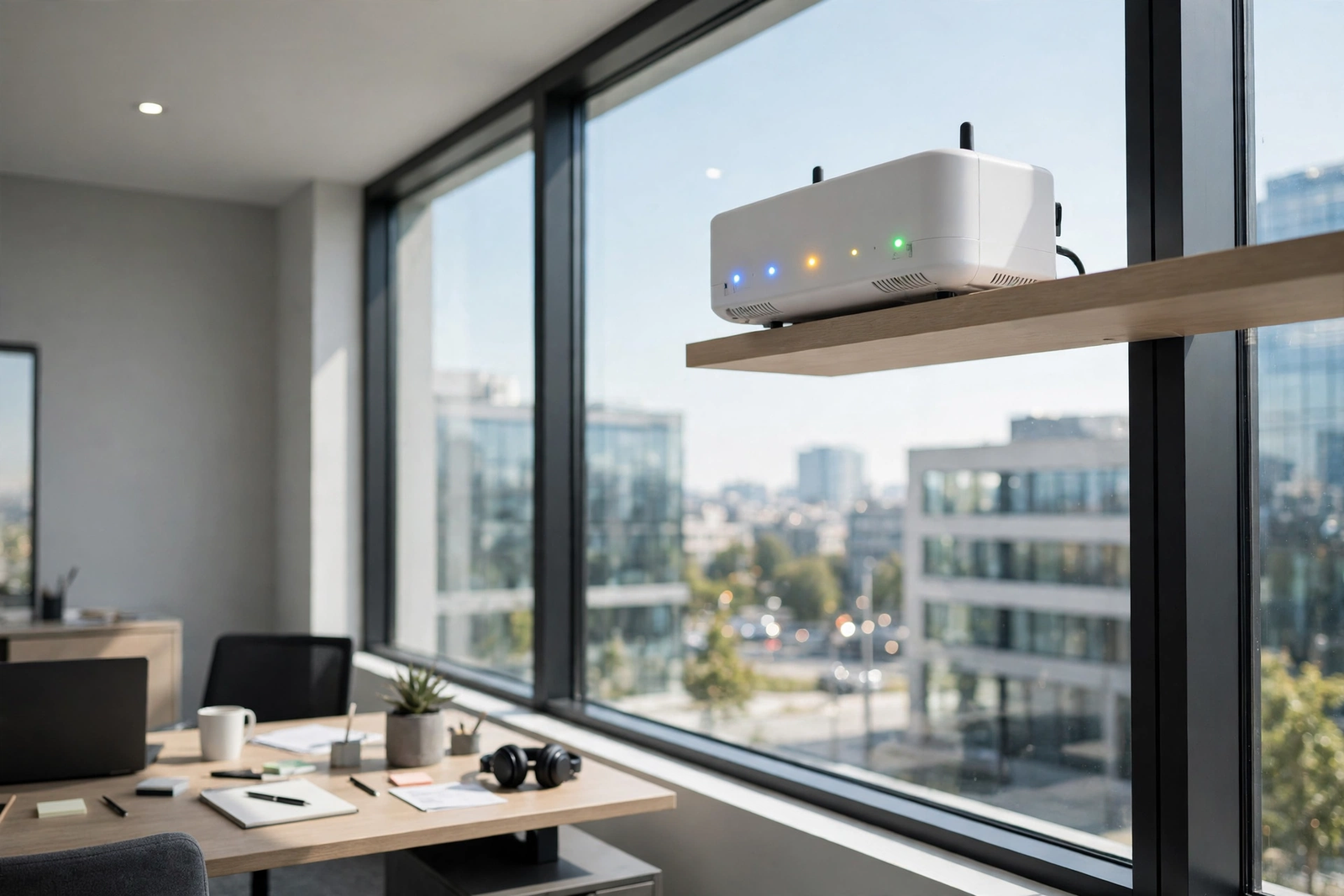
Gateway placement has a real effect on Internet Air performance, and it is guidance you can apply on day one at any new address. As a general rule, place the gateway elevated rather than on the floor, near a window, and away from thick walls, metal cabinets, and large equipment that can block signal. An elevated position near a window usually gives the gateway a clearer path to the mobile network, while a gateway hidden in a back room, inside a cabinet, or behind stock may struggle even in an area with otherwise good coverage. Try the most promising spot first, then test, then adjust if needed, rather than fixing the gateway in place before any testing.
After placement, check the gateway LED indicators and run a real-world test. The LED lights give a quick indication of connection status, and the detailed guide to AT&T 5G gateway placement for the strongest signal and the guide to gateway LED meanings explain what to look for. If the signal is weak, try a different window or a higher position, and retest with the actual branch devices. Keep the gateway accessible for future checks and troubleshooting, and note its final location in the branch handover document so a future manager does not have to hunt for it. Placement is guidance, not a guarantee: signal varies by address, building materials, and network conditions, so testing at the specific address is essential.
Where a Mobile Hotspot Line Fits Instead of Internet Air for Branch Moves
Honesty about the fixed-address rule also means saying clearly where Internet Air is not the right tool. For truly mobile needs, such as staff working from vehicles, field teams moving between customer sites, or a manager who needs connectivity while travelling between branches, a mobile hotspot line fits better than a fixed gateway. A hotspot line is designed for use on the move, whereas Internet Air is designed for a fixed qualified business address. Mixing those roles up leads to disappointment: a fixed gateway carried around will not perform as a mobile solution, and a hotspot line will not comfortably carry a whole branch’s traffic all day.
A sensible division is therefore: Internet Air at the branch or new office address for the site itself, and hotspot lines for people who genuinely move. For a branch opening, that might mean Internet Air for the branch, plus a hotspot line for the opening manager who is travelling between the old and new sites during the transition. For an office move, it might mean hotspot cover for the moving-day team while the new office connection is being tested. Wireless plan hotspot allowances vary by plan, so check the current plan details for the line count and hotspot allowance your team needs, and plan hotspot use for essential traffic during the transition rather than as a permanent branch replacement.
Internet Air Limitations for Branch Openings and Office Moves to Know
Internet Air has limitations that should be weighed before you rely on it for an opening or a move. First, performance depends on 5G signal at the specific address, building materials, and network congestion, so a strong result at one branch does not guarantee the same result at another. Second, Premium’s Turbo priority allowance is 250GB per bill cycle, after which speeds may slow when the network is busy, which matters for a busy branch near the end of a billing cycle. Third, the fixed-address rule means any address change needs qualification and confirmation, not an assumption that the service follows you. Fourth, Internet Air is a bridge or a primary connection for suitable sites, not a substitute for a full Fiber design at a large headquarters with very heavy, sustained two-way traffic.
These limitations do not make Internet Air a poor choice for openings and moves; they make honest planning essential. Test at the address, choose the tier for peak use, confirm the address rules with a representative, and keep the Fiber migration plan in view. If testing at a new address shows consistently weak signal, that is useful information, not a failure of the plan: it tells you to adjust placement, reconsider the tier, or accelerate the Fiber work. A bridge that is tested and understood is far safer than a bridge that is assumed to work. When you are ready, check Internet Air for your branch or new office address and confirm availability and pricing for that specific address before ordering.
What to Check Before Ordering Internet Air for an Office Move or Branch Opening
Use a short checklist before ordering, and keep it with the branch or move file. Confirm that the new address qualifies for Internet Air. Confirm Fiber availability and the install path at the same address, so the bridge has a clear end point. Confirm the tier you need for peak opening-week usage, not just average use. Confirm the price for that address, including any AutoPay, paperless, or eligible-wireless discount you expect. Confirm the address-change and qualification process with an AT&T Business representative if the plan involves a move from one address to another. And confirm the practical details: gateway placement options at the new premises, who will be on site for setup, and who owns testing before opening day.
Also confirm the human side of the checklist. Name the person responsible for the connection at the new site, the person who can grant access for any visit, and the person staff should call if the connection drops during opening week. Keep network names, passwords, and gateway location documented, and keep the old connection running until the new one is proven. A checklist like this takes minutes to complete and prevents the most common opening and move problems, which are rarely technical mysteries and usually missing steps: an unqualified address, an untested gateway, or a hard cutover with no overlap.
Frequently Asked Questions About Internet Air for Branch Openings and Office Moves
Can Internet Air be used for a branch opening before Fiber is installed?
Yes, that is one of its best uses, provided the branch address qualifies for Internet Air. Set it up at the branch address, test it with your actual point-of-sale, staff, and guest devices before opening day, trade from opening, and then migrate to Fiber when the permanent install is complete and tested. Keep the Fiber plan in view from the start so the bridge has a clear end point.
Does Internet Air move with my business during an office move?
No, not automatically. Internet Air is fixed at the qualified business address, not a roaming solution. For an office move, the new address needs to be qualified, and you should confirm the qualified-address rule and any address-change process with an AT&T Business representative before moving. Plan the move with overlap: set up the new address before moving day and keep the old connection running until the new site is tested.
Where should I place the Internet Air gateway in a new branch or office?
As guidance, place the gateway elevated, near a window, and away from thick walls, metal cabinets, and large equipment. Check the LED indicators, then test with real branch devices, and try a different window or higher position if the signal is weak. Record the final gateway location in the branch handover document so future managers can find it easily.
Should I choose Internet Air Standard or Premium for a branch opening?
Choose Standard for a small branch with light cloud use and a payment and email focus. Choose Premium for a busier branch with regular video calls and heavy cloud use, because Premium includes 250GB of Turbo priority data per bill cycle. Premium speeds may still slow when the network is busy after that allowance is used, so test at peak times and confirm pricing for your address.
What should I use instead of Internet Air for truly mobile staff during a move?
Use a mobile hotspot line for staff who genuinely move between sites, work from vehicles, or travel during the transition. Internet Air suits the fixed branch or office address, while a hotspot line suits the person on the move. Use hotspot cover for essential traffic during the move, and check current plan hotspot allowances for the lines your team will use.
Handled this way, Internet Air turns two of the riskiest moments in a business’s life — opening a branch and moving offices — into planned, tested transitions. Qualify the address, place the gateway well, test before anyone depends on it, overlap the old and new connections, and keep the permanent Fiber plan in sight. The opening or move will still be busy, but connectivity will not be the reason it stalls.

