
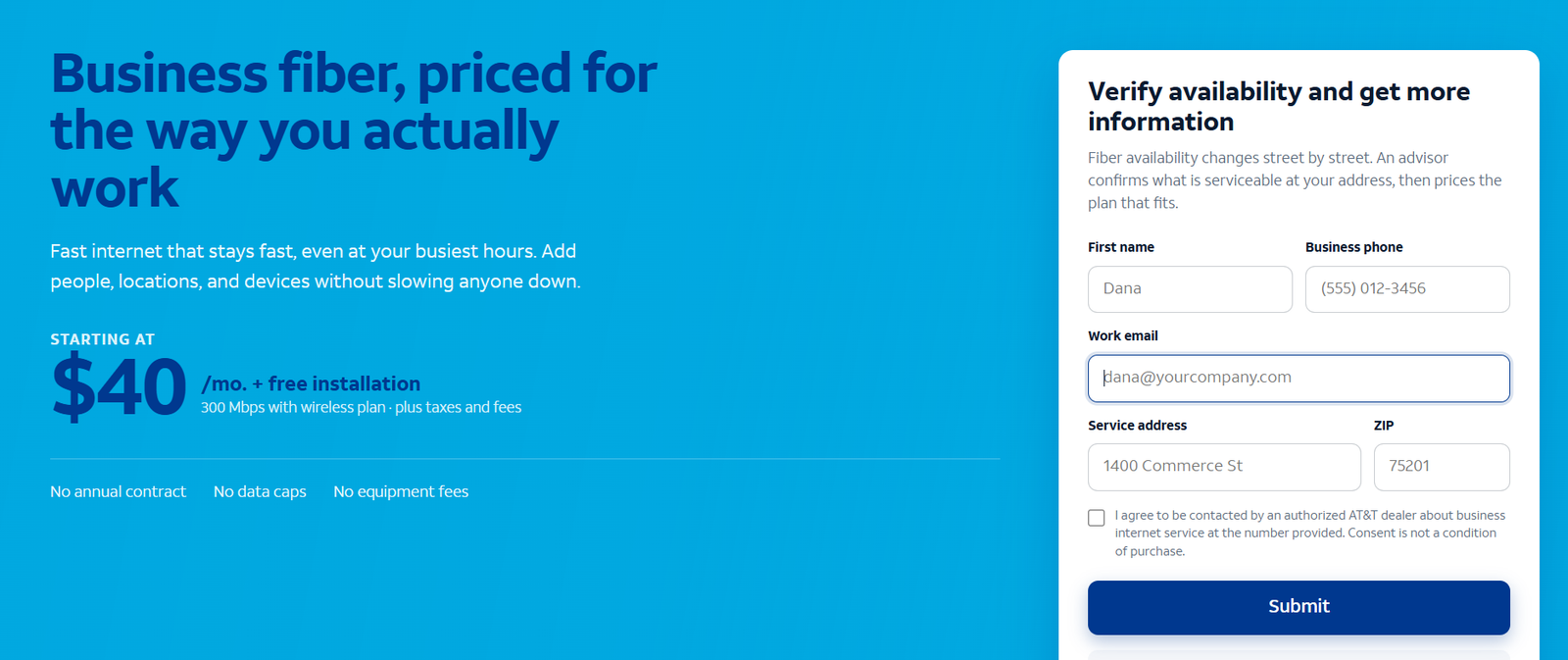
The short answer: you check AT&T Business Fiber availability by entering your exact business street address — suite, floor and unit included — into the AT&T business availability checker, or by having a business sales representative run an address qualification for you. The answer is specific to your building: fiber can be lit at one address and unavailable at the building next door, so never assume coverage from a ZIP code map, a neighbor’s service, or the fact that AT&T serves your area for wireless. If your address qualifies, you can pick a symmetrical speed tier from 300 Mbps to 5 GIG and schedule installation; if it does not, you still have good options, which this guide covers step by step.
Check AT&T Business Fiber availability for your address
Enter your business address to see which fiber speed tiers are available at your location, with no annual contract on current plans.
Why AT&T Business Fiber Availability Varies by Address
It surprises many business owners that fiber availability is not a neighborhood-level fact. Unlike wireless coverage, which blankets whole areas from a tower, fiber has to be physically constructed to your building — a strand of glass running from the network to your suite. That last stretch of construction is what decides availability, and it varies literally building by building.
Several factors create this patchwork. Last-mile construction is the big one: if fiber distribution runs past your building but was never extended into it, your address will not qualify until a build is done. Building type matters too — a single-tenant office building with its own telecom room is simpler to wire than a 40-story tower where the owner, the riser pathways and existing wiring all have to cooperate. Business versus residential footprints can differ: a street may have residential fiber while the business fiber product is not yet provisioned there, or vice versa, because the two products are managed as separate offerings. And new construction is often fiber-ready on day one, while older commercial corridors get built out gradually, block by block.
This is why every serious answer to “is AT&T Business Fiber available at my address” starts with an address qualification, not a coverage map. A ZIP code lookup can tell you that AT&T operates in your city; only an address-level check tells you whether your suite can actually be served. If you are still deciding whether fiber is the right technology for your office at all, read what business fiber internet is first — then come back here to check your address.
How to Check AT&T Business Fiber Availability: Step by Step
The process takes about ten minutes if you have your address details ready. Follow these steps in order — each one removes a common source of wrong answers.
Step 1: Gather Your Exact Business Address Details for the Availability Check
Before you touch any checker, assemble the full address the way it appears on your lease or utility bill: street number and name, suite or unit number, floor, building name if there is one, city, state and ZIP. Suite and floor details matter more than people expect. In multi-tenant buildings, fiber may be available to the building but not yet extended to your floor, or the qualification database may treat “Suite 400” and “Floor 4” as different service locations. If you operate from a coworking space, use the building’s main address plus your suite designation. If your business is home-based, use your home address — business fiber can serve home offices where the footprint reaches, though you should confirm the product is sold as a business service at that location.
Step 2: Run the Online AT&T Business Availability Check
Enter the full address into the AT&T business availability tool and submit it exactly as assembled — avoid abbreviations the database may not recognize (spell out “Suite” rather than guessing whether the system wants “Ste”). The tool queries the serviceability database for your address and returns which business internet products can be provisioned there. Do this on the business side of AT&T’s site rather than the residential side: the two checkers query different product catalogs, and a “yes” on the residential checker does not guarantee the business fiber product is available. Note the exact wording of the result before moving on — you will need it in Step 3.
Step 3: Read the Availability Results Carefully — Qualified vs Pre-Qualified
Results generally fall into three buckets. Fully qualified means the address is serviceable now: fiber is in the building or at the curb and the order can proceed to installation scheduling. Pre-qualified or pending survey means the database shows likely serviceability but a technician or engineer must verify — common when the building is on the edge of the footprint or records are incomplete. Not available means the address does not qualify today. Do not treat a pre-qualified result as a promise or a not-available result as permanent; both deserve the confirmation in Step 4. Screenshot or save the result page either way — it is useful when you talk to sales.
Step 4: Confirm Your Business Fiber Availability With a Sales Representative
Even with a clean online result, confirm by phone or chat with AT&T business sales. The representative can see engineering notes the public checker does not show: whether your building needs a site survey, whether there are known construction requirements, and which speed tiers are actually orderable at your address (in rare cases only lower tiers are offered). This call is also where you ask the questions the checker cannot answer: current promotions, whether a term agreement is required for your tier, and the realistic installation timeline for your building type. Have your saved result and your exact address details in front of you.
Step 5: Ask About Construction, Surveys and Any Special Build Costs
If your address qualifies only with a site survey or construction, get the details in writing before you plan around a date. Ask: does the building need a survey first, and who schedules it? Is there any construction charge to extend fiber to the suite, and is it waived with a term agreement? How long does the build typically add to the timeline? Most standard business fiber installs need no construction — the fiber is already in the building — but when construction is required, it is the single biggest source of delay and surprise cost, so pin it down now. If you lease your space, loop in your landlord or property manager early; building access for surveys and riser work needs their sign-off.
Step 6: Choose Your Speed Tier and Schedule the Business Fiber Installation
Once the address is confirmed, pick the tier that fits your headcount and workload — our business internet speed sizing guide walks through the math — and schedule the installation appointment. Business installs are technician visits, not self-installs: someone needs to be on site to grant access to the telecom room and the suite. Ask the representative to confirm what the technician will do (run fiber to the suite, install the gateway, verify signal) and what you are responsible for (power, rack space, internal wiring beyond the demarcation point). Then compare the tier prices in our AT&T Business Fiber pricing breakdown so you order with full knowledge of the monthly cost.
Understanding Your Fiber Availability Results: Qualified, Pre-Qualified or Not Available
The table below translates the common result wordings into what they mean and what to do next.
| Result wording | What it means | Your next step |
|---|---|---|
| Service available / qualified | Fiber can be provisioned at your address now | Confirm with sales, choose a tier, schedule installation |
| Pre-qualified / pending verification | Likely serviceable, but engineering must verify | Request the survey; do not sign a lease contingent on fiber until it clears |
| Available with construction | Fiber reaches nearby but needs a build to your suite | Get the construction scope, cost and timeline in writing |
| Not available | Address does not qualify today | Ask about expansion plans; evaluate the alternatives below |
| Address not found | The database does not recognize the address as entered | Re-enter with suite/floor details; try the USPS-standardized format; then call sales |
One more nuance: results can differ between the online checker and the sales representative’s tools, because they sometimes query different snapshots of the same database. If the website says no but the representative says yes (or the reverse), trust the representative’s engineering lookup — it is the more current source — and ask them to note the qualification on your account record so the install team works from the same answer.
Where AT&T Business Fiber Coverage Is Most Common
While only an address check gives a definitive answer, knowing where fiber tends to exist helps you set expectations. Coverage is densest in major metro areas within AT&T’s 21-state wireline footprint, along established commercial corridors, in downtown business districts, and in newer office parks and mixed-use developments that were built fiber-ready. Suburban small-business strips vary: some were built out years ago, others are still waiting. Rural business addresses are the least likely to qualify for fiber today — the construction economics are toughest where buildings are far apart.
Building type is as predictive as geography. Single-tenant office buildings, medical offices, retail centers and light-industrial spaces with existing telecom rooms qualify at high rates where the footprint exists. Large multi-tenant office towers depend on whether the building owner has already allowed fiber riser installation — many have, some have exclusive arrangements with another provider. If you are touring office space and fiber matters to your operations, make “is AT&T Business Fiber available at this suite” one of your first questions to the leasing agent, and verify the answer yourself with an address check before you sign. The business internet buying checklist includes the full set of questions to ask before committing to a space or a contract.
Disclaimer: Ortelcom.com is an independent publisher, not AT&T and not an official AT&T website, and is not endorsed by AT&T. Links in this article are affiliate links to ortelcom.com/recommends/ — we may earn a commission at no extra cost to you. Product names, prices, speeds and offers were checked on the date shown in this article, can change without notice, and availability depends on your business address. AT&T trademarks belong to their owner. This information is for general guidance only — please confirm final pricing, terms and availability on the provider’s page before you order.
What to Do If AT&T Business Fiber Is Unavailable at Your Address
A “not available” result is disappointing but not the end of the story. Work through these options in order.
First, ask about expansion. When you speak with business sales, ask whether fiber expansion is planned for your street or building and whether you can register your address for notification. Footprints grow constantly; an address that fails today can qualify six months from now, especially in corridors where construction is already underway nearby. Leave your contact details and check back quarterly — it costs nothing.
Second, consider AT&T Internet Air for Business. Where fiber is not built, the 5G-based Internet Air for Business product is often the fastest path to a business-grade connection: no construction, a gateway that sets up in minutes, and business terms. Speeds vary with signal, so it suits small offices and backup use more than heavy upload workloads — our Internet Air for Business guide covers who it fits.
Third, look at cable business internet. In many areas without AT&T fiber, a cable provider offers business-class service with high download speeds. Uploads are slower than fiber’s symmetrical speeds, but for offices that mostly download, cable is a workable primary connection. See our fiber vs cable comparison for the honest trade-offs.
Fourth, check other fiber providers. AT&T is not the only company building business fiber. A competing carrier may already serve your building — ask your property manager which providers have riser agreements, or check the building’s telecom closet for other carriers’ equipment.
| Alternative | When it fits | Main trade-off |
|---|---|---|
| Wait for / request expansion | Fiber is nearby and construction is plausible | Timeline is uncertain; no service in the meantime |
| AT&T Internet Air for Business | Good 5G signal; small office or temporary need | Speeds vary; uploads far below fiber |
| Cable business internet | Office mostly downloads; needs a connection now | Asymmetrical uploads; peak-hour slowdowns possible |
| Another fiber carrier | Building already has a competing provider | Different pricing, terms and support experience |
How Long AT&T Business Fiber Installation Takes After You Qualify
Qualifying is step one; installation is step two, and the timeline depends on what the site survey finds. When fiber is already in the building and only needs extending to your suite, installation is typically scheduled within one to three weeks of ordering — the technician runs the drop, installs the gateway and verifies the signal in a single visit. When a site survey is required first, add another one to two weeks for the survey and engineering review. When actual construction is needed — trenching, riser builds, permits — timelines stretch to several weeks or a few months, and this is the scenario where the written construction commitment from Step 5 matters most.
To keep things moving: return paperwork and building-access authorizations promptly, make sure someone with authority is on site for the survey and the install, and confirm your internal network is ready (power where the gateway will sit, and cabling from the entry point to your equipment). If you are coordinating around a move or a lease start, order as early as the address qualifies — fiber installation is the item most likely to slip in an office move timeline, and a temporary 5G gateway can bridge the gap if the dates do not line up.
Checking Fiber Availability for Multiple Business Locations
Businesses with more than one site — a headquarters plus branches, retail stores, clinics — need to qualify every address individually. There is no portfolio-level shortcut: run each address through the same process, because a chain’s downtown flagship may qualify while its suburban warehouse does not. Keep a simple tracker: address, suite details, result, date checked, and the representative’s name for each location.
Multi-site results shape your network design. Locations with fiber get the primary high-capacity connection; locations without it may run Internet Air for Business or cable, tied together with SD-WAN or VPN so the business operates as one network. When you talk to business sales about multiple locations, ask about account-level coordination — ordering all sites under one business account simplifies billing and support even when the underlying technologies differ per site. And re-check non-qualifying addresses on a schedule; a branch that fails in January may qualify by summer as the footprint expands.
The bottom line on checking AT&T Business Fiber availability: the address check is quick, free and definitive — run it with your exact suite-level address, confirm the result with business sales, and get any construction details in writing before you plan around a date. If your address qualifies, compare the speed tiers and check current AT&T Business Fiber plans and pricing for your address; if it does not, work the alternatives above rather than waiting indefinitely. Either way, you will be deciding from facts instead of assumptions.
AT&T Business Fiber Availability FAQs
How do I check if AT&T Business Fiber is available at my address?
Enter your exact business address — including suite, floor or unit — into the AT&T business availability checker, then confirm the result with a business sales representative, who can see engineering notes the public tool does not show. The check is free and takes a few minutes.
Is AT&T Business Fiber available in my ZIP code?
A ZIP code only tells you AT&T operates in your area; it cannot confirm service to your building. Fiber availability is decided address by address, so always run the check with your full street address and suite details rather than relying on ZIP-level information.
Why does the checker say fiber is available for my neighbor but not for me?
Because the last stretch of fiber construction is building-specific. Your neighbor’s building may have been wired while yours was skipped, or the database may hold different records for the two addresses. Have sales run an engineering lookup on your exact address — database records can be wrong in either direction.
What does “pre-qualified” mean for AT&T Business Fiber?
Pre-qualified means the address looks serviceable in the database but needs verification — usually a site survey or engineering review — before an order can proceed. Treat it as promising but not final, and do not sign a lease contingent on fiber until the qualification clears.
Can I get AT&T Business Fiber in a rented office or apartment building?
Yes, if the address qualifies — but the building owner must allow the installation. Fiber runs need access to risers, telecom rooms and your suite, so loop in your landlord or property manager early, especially if a survey or construction is involved.
Does AT&T Business Fiber availability differ from residential fiber availability?
It can. Business and residential fiber are managed as separate products with separate serviceability records, so a “yes” on the residential checker does not guarantee the business product — always check on the business side for a business address.
What if my building needs construction to get business fiber — who pays?
It depends on the scope. Standard extensions are typically included with the order; larger builds may carry a construction charge, sometimes waived with a term agreement. Get the scope, cost responsibility and timeline in writing from business sales before you commit.
How accurate is the online AT&T Business Fiber availability checker?
It is a good first screen but not infallible — records can lag real construction or misclassify addresses. That is why this guide has you confirm every result with a sales representative’s engineering lookup, which reflects more current data.
Can I check AT&T Business Fiber availability for multiple addresses at once?
The online tool checks one address at a time, so qualify each location individually and track the results. For multi-site businesses, a business sales representative can coordinate qualification across all your addresses under one account.
If fiber is not available, is AT&T Internet Air for Business a good substitute?
For many small offices it is a reasonable interim or even primary connection: fast setup, no construction, business terms. It does not match fiber’s symmetrical uploads or consistency, so heavy upload workloads and large teams should treat it as a bridge while pursuing fiber. See our Internet Air for Business guide for the full picture.
How long does installation take once my address qualifies for business fiber?
Typically one to three weeks when fiber is already in the building; add one to two weeks if a site survey is needed, and several weeks to a few months if construction is required. Order as early as possible when coordinating with a move.
Will AT&T notify me if business fiber becomes available at my address later?
You can ask business sales to note your interest on the address record, but proactive notifications are not guaranteed. The reliable approach is to re-run the availability check yourself every few months, especially if construction is active in your corridor.

