
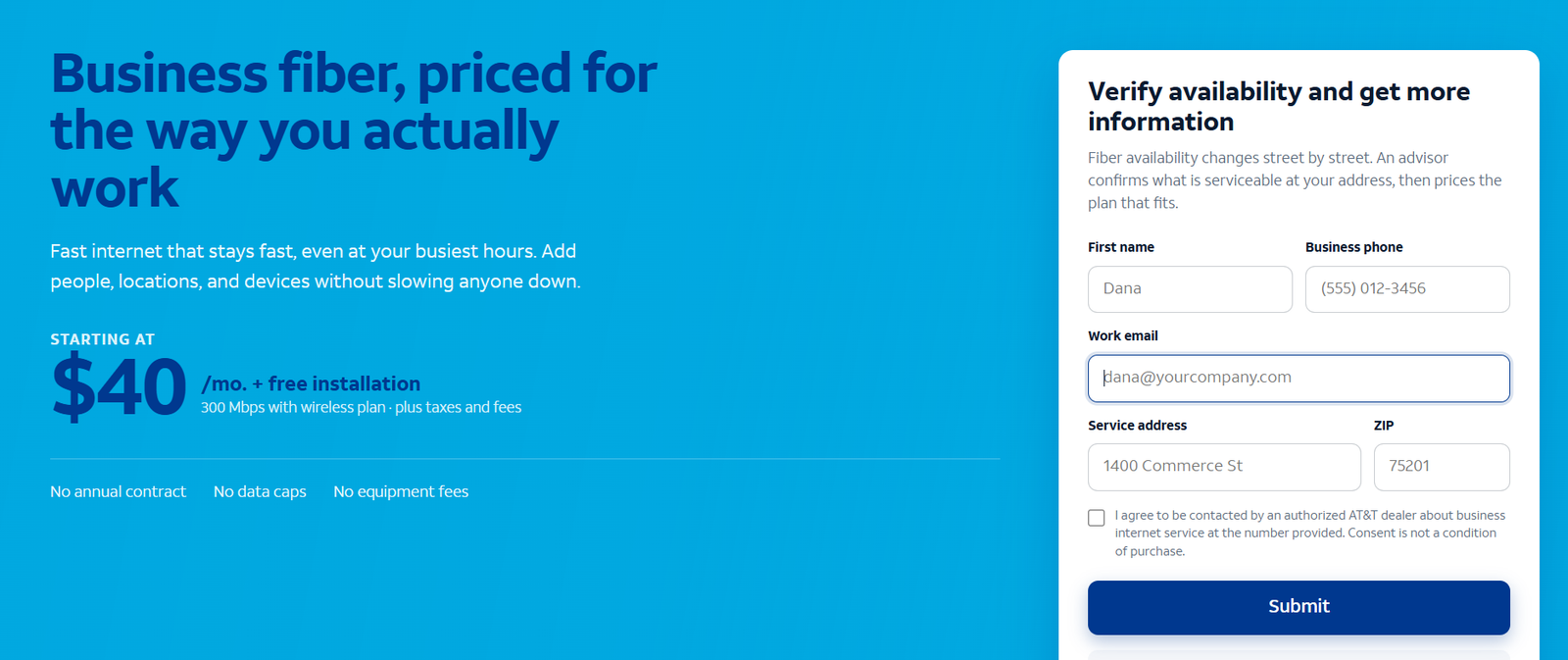
The short answer: AT&T ActiveArmor is the built-in security platform included with AT&T Business Fiber at no extra cost. It adds network-level threat detection and blocking, suspicious-activity alerts and safe-browsing protections on top of your internet connection — a meaningful baseline that most cable business plans simply do not include. It is not a full replacement for endpoint protection, a firewall or employee security training, but it raises the floor for every device on your network from day one. If security matters to your business and you are comparing internet plans, treat built-in security as a real line item in the comparison.
Want business fiber with security built in?
Check AT&T Business Fiber availability at your address — ActiveArmor security is included with every plan.
What Is AT&T ActiveArmor for Business?
AT&T ActiveArmor is AT&T’s security platform for its internet customers, and on the business side it comes included with AT&T Business Fiber plans. Think of it as a security layer that lives in the network itself rather than on any single computer: because your traffic passes through AT&T’s infrastructure, the platform can watch for known threats, block connections to malicious destinations and warn you about suspicious activity before it reaches your devices.
This matters because small and mid-sized businesses are disproportionately targeted by cyberattacks — they hold valuable data but rarely have a dedicated security team. Built-in, always-on network security closes the most common gaps automatically: the employee who clicks a phishing link, the outdated device that never got patched, the smart TV or camera on the office network running ancient firmware. None of those are fully protected by ActiveArmor alone, but each is meaningfully safer than on a connection with no network-level security at all.
Two things to keep straight. First, ActiveArmor is a platform, not a single feature — its exact capabilities can vary by plan and over time, so confirm the current feature set for business fiber when you order. Second, it is included: unlike third-party security subscriptions that add $10–$30 per user per month, there is no separate ActiveArmor line item on a Business Fiber bill. That inclusion is the core of this article’s value argument.
How AT&T ActiveArmor Protects Business Internet Connections
Network-level security works by inspecting traffic as it flows between your office and the internet. When ActiveArmor’s systems recognize a connection to a known-malicious domain — a phishing site, a malware command-and-control server, a scam payment page — the connection can be blocked before any data changes hands. This happens for every device behind your gateway, including the ones you never think about: printers, cameras, thermostats, point-of-sale terminals.
The second mechanism is detection and alerting. Unusual patterns — a device suddenly communicating with servers in unexpected places, traffic spikes at odd hours, signs of a compromised machine — can trigger alerts so you know something needs attention. For a business without an IT department, that early warning is often the difference between a contained incident and a crisis discovered weeks later.
The third is safe-browsing protection: warnings when users head toward suspicious or fraudulent websites. Phishing remains the most common way attackers get into small businesses, and a network-level warning catches the cases where the employee does not recognize the scam themselves. Our business fiber internet explainer covers the underlying connection these protections ride on.
ActiveArmor Security Features Explained
Exactly which features are active on a given business account can change, so treat this as the shape of the platform rather than a binding feature list — and confirm details before you order. The capabilities below reflect how AT&T describes the ActiveArmor platform for internet customers.
Threat Detection and Blocking on the AT&T Network
The core of the platform: AT&T monitors network traffic against threat intelligence — constantly updated lists of malicious domains, IP addresses and attack patterns — and blocks connections to known-bad destinations. This is signature-and-reputation-based protection, the network equivalent of an antivirus blocklist, and it works without any software installed on your devices. Its strength is breadth: it protects everything on the connection, including devices that cannot run security software at all.
Security Alerts and Reporting for Business Owners
Detection is only useful if someone hears about it. ActiveArmor’s alerting surfaces suspicious activity — blocked threats, unusual device behavior, potential compromises — so the business owner or whoever manages the account can act. For a small business, even a simple weekly summary of blocked threats is valuable: it turns the abstract idea of “we might get attacked” into a concrete picture of what the network already stopped.
Safe Browsing and Suspicious Site Warnings
When a user on the network navigates toward a site flagged as fraudulent or dangerous, ActiveArmor can interject a warning before the page loads. This is the last line of defense against phishing: the email already got through, the employee already clicked, and the warning is what stands between that click and a stolen password. No warning system catches everything, but layered with email filtering and employee awareness it meaningfully reduces the success rate of phishing.
What ActiveArmor Does Not Do: Honest Limitations
Built-in network security is a floor, not a ceiling. Understanding its boundaries is what separates a business that is genuinely protected from one that merely feels protected — and the distinction matters more as you grow.
ActiveArmor vs a Business Firewall
A dedicated business firewall does things network-level threat blocking does not: granular rules about which devices and users can reach what, intrusion prevention tuned to your applications, VPN termination for remote workers, content filtering by category. ActiveArmor and a firewall are complements, not substitutes. Businesses handling sensitive data — healthcare, legal, financial services — should assume they need both, and regulated industries should check their compliance requirements rather than relying on any single layer.
Endpoint Protection You Still Need
Network blocking stops threats it recognizes at the network edge. It does not scan the files already on your computers, catch malware that arrives via USB drive, or protect a laptop once it leaves the office and connects to hotel Wi-Fi. Every business device still needs reputable endpoint protection (antivirus/anti-malware) with automatic updates — ActiveArmor protects the pipe, endpoint software protects the device, and you need both.
Wi-Fi Security and Employee Devices
ActiveArmor does not replace basic network hygiene: change the gateway’s default admin password, use WPA3 (or at least WPA2) with a strong Wi-Fi passphrase, keep the gateway firmware updated, and segment guest Wi-Fi away from business devices. And remote workers’ home networks are outside ActiveArmor’s view entirely — which is why our remote and hybrid teams guide recommends VPN and home-network standards as separate layers.
Disclaimer: Ortelcom.com is an independent publisher, not AT&T and not an official AT&T website, and is not endorsed by AT&T. Links in this article are affiliate links to ortelcom.com/recommends/ — we may earn a commission at no extra cost to you. Product names, prices, speeds and offers were checked on the date shown in this article, can change without notice, and availability depends on your business address. AT&T trademarks belong to their owner. This information is for general guidance only — please confirm final pricing, terms and availability on the provider’s page before you order.
Setting Up ActiveArmor on Your Business Internet
Because ActiveArmor is network-based and included with the service, there is no separate product to buy or complex deployment — but you do need to make sure it is active and configured on your account. The exact steps vary, so use this as a checklist of what to confirm rather than a click-by-click manual.
Activating ActiveArmor With AT&T Business Fiber
When you order AT&T Business Fiber, confirm with the sales or installation team that ActiveArmor is enabled on the account — on current offers it is included, but verifying costs nothing and avoids surprises. After installation, check the account portal or the gateway’s management interface for the security status. If you are an existing Business Fiber customer who is unsure whether ActiveArmor is active, the account portal or AT&T business support can confirm in minutes.
Managing Security Settings and Notifications
Once active, review what the platform is set to do: which categories of threats are blocked automatically, where alerts go, and who receives them. Route alerts to someone who will actually read them — an unmonitored alert mailbox is the same as no alerts. If the platform offers sensitivity or category controls, start with the defaults and adjust only if legitimate business traffic is being blocked.
What to Do When ActiveArmor Flags a Threat
Treat every alert as a to-do item, not background noise. A blocked connection to a malicious site is usually good news — the system worked — but ask why the device tried to go there: was it a user clicking a link (coaching opportunity), or is a device behaving strangely on its own (possible compromise, isolate and scan it)? Repeated flags from the same device warrant a closer look: run a full endpoint scan and check for unfamiliar software. And keep a simple incident log — date, device, what happened, what you did — so patterns are visible over time.
AT&T ActiveArmor Security Value: What Built-In Protection Saves You (With Stated Assumptions)
Assumptions: prices are approximate, observed October 20, 2026; AT&T Business Fiber bundled rates assume AutoPay, paperless billing and an eligible wireless line; third-party security figures are approximate typical market ranges for small-business products, not quotes; all examples are illustrative.
ActiveArmor Value Example: 8-Person Office Skipping a Security Subscription
The office: eight employees, Fiber 300 at around $40/mo bundled with ActiveArmor included. The alternative they considered: a basic DNS-layer or network-security subscription at roughly $5–$10 per user per month — $40–$80/mo for the team, or $480–$960/year. ActiveArmor does not replace everything such a subscription does, but as the network-security layer it covers the core use case (blocking malicious destinations for all devices) at $0 incremental cost. First-year value of the included layer: roughly $500–$1,000 in avoided subscription spend, before counting the devices (printers, cameras) that per-user subscriptions would not cover anyway.
ActiveArmor Value Example: 20-Person Company Layering sensibly
The company: twenty staff, Fiber 1 GIG at around $90/mo bundled. They keep reputable endpoint protection on every machine (roughly $5–$8 per device per month is typical — a non-negotiable layer ActiveArmor does not replace) and use ActiveArmor as the network layer instead of buying a separate DNS-filtering product. The saving versus a standalone network-security subscription for 20 users (roughly $100–$200/mo) is $1,200–$2,400/year — money that goes instead toward the endpoint licenses and a proper firewall, which are the layers that actually needed the budget.
ActiveArmor Value Example: Retail Shop With Connected Devices
The shop: point-of-sale terminals, customer Wi-Fi, four security cameras, a smart thermostat — a dozen connected devices, only three of them computers that can run endpoint software. Per-device security subscriptions would be awkward and expensive here; ActiveArmor’s network-level blocking protects the devices that cannot protect themselves, at no added cost on top of the Fiber 300 plan (around $40/mo bundled) the shop already needs for connectivity. For device-heavy, staff-light businesses, included network security is disproportionately valuable.
Who Should Rely on ActiveArmor — and Who Needs More
ActiveArmor as the primary network-security layer fits: general small offices without compliance obligations, retail and hospitality with lots of connected devices, professional services where the main risks are phishing and opportunistic malware. For these businesses, ActiveArmor plus endpoint protection on every computer plus basic network hygiene is a genuinely solid posture.
You need more — a dedicated firewall, managed security, or both — if you handle regulated data (healthcare, finance, legal), store sensitive customer records at scale, operate multiple sites with site-to-site VPN, or are a visible enough target to attract deliberate attacks. The dividing line is consequence: if a breach would trigger legal notification duties or threaten the business’s survival, budget for defense in depth rather than relying on any included feature. Our upload speed guide is a useful companion read — security layers like cloud backup and VPN all depend on upstream capacity.
The bottom line on AT&T ActiveArmor: it is a genuine, included security layer that raises the protection floor for every device on your AT&T Business Fiber connection — valuable precisely because it costs nothing extra and covers the devices nothing else covers. Treat it as the foundation of your security posture, not the whole building.
AT&T ActiveArmor FAQs: Real Questions From Business Owners
What is AT&T ActiveArmor for business?
AT&T ActiveArmor is AT&T’s security platform for its internet customers. For business, it is included with AT&T Business Fiber: network-level threat detection and blocking, suspicious-activity alerts and safe-browsing protections that cover every device on your connection.
Is AT&T ActiveArmor free with Business Fiber?
On current offers, ActiveArmor is included with AT&T Business Fiber at no extra cost — there is no separate line item for it. Confirm inclusion when you order, since offers can change.
Does ActiveArmor replace antivirus software?
No. ActiveArmor works at the network level; it does not scan files on your computers or protect devices when they leave the office network. Keep reputable endpoint protection (antivirus/anti-malware) installed and updated on every business device.
Does ActiveArmor replace a business firewall?
No — they do different jobs. A firewall gives you granular access rules, VPN termination and intrusion prevention tuned to your network; ActiveArmor provides network-level threat blocking and alerts. Many businesses sensibly run both.
How do I know if ActiveArmor is active on my account?
Check your AT&T business account portal or the gateway management interface for the security status, or ask AT&T business support to confirm. When ordering new service, ask the sales team to verify ActiveArmor is enabled.
What kinds of threats does ActiveArmor block?
It is designed to block connections to known-malicious destinations — phishing sites, malware distribution and command-and-control servers, scam pages — based on AT&T’s threat intelligence. It is a reputation-based layer: strong against known threats, not a substitute for vigilance against novel attacks.
Will ActiveArmor slow down my internet?
Network-level threat blocking is designed to operate without noticeably affecting speeds — the inspection happens in AT&T’s infrastructure, not on your devices. If you notice performance issues, check with support rather than assuming the security layer is the cause.
Does ActiveArmor protect remote workers’ home networks?
No — it protects traffic on your business connection. Remote employees’ home networks need their own layers: VPN back to the office, endpoint protection, and sensible home-network standards as described in our remote teams guide.
Can ActiveArmor block legitimate websites by mistake?
Any reputation-based system can occasionally miscategorize a site. If legitimate business traffic is being blocked, check the platform’s controls or contact support — and report it, since false positives improve when reported.
Is built-in security enough for a small business?
For a general small office without compliance obligations, ActiveArmor plus endpoint protection on every device plus basic network hygiene (strong passwords, updates, guest Wi-Fi segmentation) is a solid baseline. Regulated industries and high-value targets should add dedicated firewall and managed security layers.
How does ActiveArmor compare to third-party business security?
It covers the network-threat-blocking use case that standalone DNS-security subscriptions sell for roughly $5–$10 per user per month — at $0 incremental cost. It does not replace endpoint protection, firewalls or managed detection. Think of it as the free foundation layer, and spend your security budget on the layers it does not cover.
Where can I confirm the current ActiveArmor features for business?
Feature details can change, so confirm the current ActiveArmor capabilities for AT&T Business Fiber with AT&T business sales or support before you order — and re-check periodically as an existing customer. This article describes the platform’s general shape, not a binding feature list.
Security is one of those buying criteria that is easy to overlook until the day it matters. When you compare business internet plans, put the security column next to the speed and price columns — and run through our business internet buying checklist before you sign, so nothing important gets decided by default.

