
Verdict: For most construction sites, AT&T Internet Air for Business is the best internet for construction sites when you need a site office online quickly, without drilling, cabling, or waiting for a fixed-line install — provided the site office sits at one qualified business address. It is a wireless service that uses a gateway at that address, so it suits a site office, crew tablets, and cameras at a fixed temporary location far better than it suits a crew that moves to a new address every few days.
The honest limit matters more here than in an ordinary office. Internet Air must be used at the qualified business address, and it is not a mobile or roaming service. If your project will move, or if the site address is not yet qualified, confirm the qualified address rule with an AT&T Business rep before you order, rather than assuming the gateway can simply travel with the job.
This guide works through what a site office actually needs, what the plans cost on official pricing checked in October 2026, how to place the gateway for the best signal, and where fiber becomes the better upgrade. Prices and availability below were checked in October 2026; confirm before ordering, because both vary by address and promotions.
Internet for Construction Sites: Site Office, Tablets and Cameras
Choose fixed-address wireless for a site office that needs connectivity without drilling or landlord cabling work.
Why Internet for Construction Sites Is Different From Office Internet
A permanent office has walls, structured cabling, and time. A construction site has none of those advantages. The office is often a trailer or a cabin, power may be temporary, dust and vibration are everyday realities, and the whole setup may need to move when the project ends. Internet for construction sites therefore has to be judged on speed of setup, tolerance for a rough environment, and the ability to serve a small, busy team — not on the same criteria as a headquarters network.
The second difference is how the connection is used. In a normal office, most work happens at desks. On a site, work happens in the yard, in the cabin, and on tablets carried between the two. Plans, permits, delivery notes, and safety paperwork move constantly, and a camera may be watching the gate or the materials store around the clock. That mix of office work and field work puts more weight on reliable Wi-Fi coverage around the site office than on a single wired desk.
What a Construction Site Office Needs From Its Internet
Start with the jobs the connection must do every day, not with a headline speed figure. A typical site office needs email and document access, a scheduling or project-management app, and a way for supervisors to share photos and drawings. Add crew tablets for timesheets, checklists, and safety forms, and add one or more cameras for the gate, the compound, or the materials store. Each of those jobs matters, and a slow or unstable connection shows up in all of them at once.
- Site-office work: email, drawings, permits, scheduling, and supplier communication.
- Crew tablets: timesheets, safety checklists, inspection photos, and crew apps.
- Cameras: gate, compound, and materials-store monitoring from the site office.
- Visitors and subcontractors: occasional Wi-Fi access, kept separate from office systems.
Construction Site Office, Tablets and Cameras: The Loads to Plan For
The table below is a planning aid, not a promise of performance. It groups the loads a site office usually carries so you can compare them with the plan you choose and with the signal you actually get at the cabin. No per-device speed figure is quoted here, because what a camera or a tablet needs depends on its own settings and on how many devices are active at once — check camera specs and app requirements for your own equipment.
| Load at the site office | What it does | What to watch |
|---|---|---|
| Office computers and email | Drawings, permits, and supplier messages | Stability during uploads of large drawings |
| Crew tablets and apps | Timesheets, checklists, and site photos | Wi-Fi reach outside the cabin |
| Site cameras | Gate and compound monitoring | Total load when several cameras run together |
| Guest and subcontractor access | Occasional visitor connectivity | Keep separate from office systems |
Internet Air for Construction Sites and the Fixed-Address Rule
AT&T Internet Air for Business is a wireless business internet service delivered through a gateway at a business address. For a construction site, the appeal is obvious: no drilling, no cabling through a building you do not own, and no coordination with a building manager for a fixed-line install. The gateway is placed in the site office, connected to power, and positioned for the best signal, as described below.
The fixed-address rule is the condition that shapes everything else. The service must be used at the qualified business address, and it is not designed as a mobile service that moves from site to site. A season-long site office at one address fits that model. A crew that relocates every week, or a gateway carried between active sites, does not. If your project involves site moves, confirm the qualified address rule with an AT&T Business rep before ordering, and ask what happens when the site address changes.
For background on the service itself, see the overview of AT&T Internet Air for Business and the guide to using it as Internet Air as backup internet, which explains a different but related use — keeping a second connection ready if the main one fails. Neither replaces an address check for your own site, which is the step that decides whether this service fits at all.
Construction Site Internet Pricing: Standard and Premium Compared
Official list pricing for AT&T Internet Air for Business, checked in October 2026, is Standard at $65 per month and Premium at $105 per month. With AutoPay and paperless billing, those figures fall to $60 and $100 per month. With an eligible business wireless plan, they fall to $40 and $80 per month. Confirm before ordering, because pricing and promotions vary by address, and the figures here are list prices, not dealer promo prices.
The difference between the two plans is priority, not just price. Both plans have no speed caps, no data caps, and no overage fees on the stated terms, and the typical speed quoted for the service is around 225 Mbps. Premium adds 250GB of AT&T Turbo for Business priority per bill cycle; once that priority allowance is used, the connection may slow when the network is busy. For a site office, that priority can matter during busy periods, but it does not turn a weak signal into a strong one.
| Internet Air plan | List price | With AutoPay and paperless | With eligible business wireless |
|---|---|---|---|
| Standard | $65 per month | $60 per month | $40 per month |
| Premium | $105 per month | $100 per month | $80 per month |
Full pricing detail, including how the wireless discount basis works, is set out in the AT&T Internet Air for Business pricing guide. The service also carries a 30-day money-back term on the stated terms; check the plan details for exactly what that covers at your address, rather than treating it as a trial of the signal at a different site. Equipment, taxes, and fees should also be confirmed before ordering, since the monthly plan price is not the whole bill.
Construction Site Wifi Signal Placement That Works in a Site Office
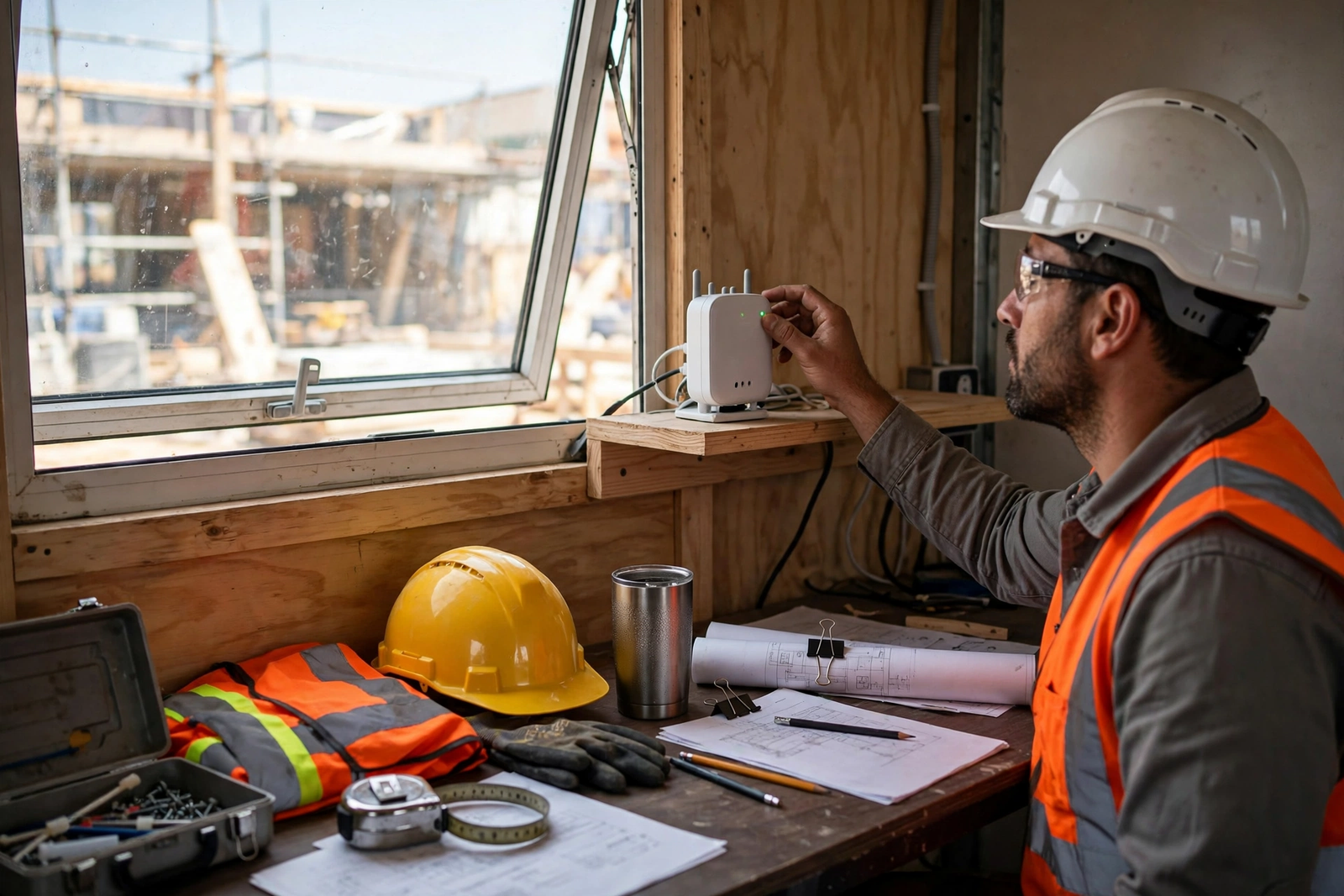
Signal placement is the single most controllable factor on a construction site, and it costs nothing to get right. Start with the gateway elevated, not on the floor, and near a window on the side of the cabin that faces the best outdoor signal. Keep it away from thick metal walls, large metal containers, and machinery where you can, and avoid tucking it inside a metal cabinet or behind stacked materials. Small moves inside the cabin can make a noticeable difference, so test more than one spot before settling.
Use the gateway’s LED lights as your check. The lights indicate the state of the connection, and a steady, healthy indication after placement is worth more than a guess about which corner “should” work. If the lights show a problem, move the gateway, check the power, and re-check the lights before assuming the service itself is at fault. The companion guide to gateway placement for the strongest signal covers the same placement principles in more detail, including the LED check.
Remember that the cabin itself is part of the signal path. Metal-clad cabins, containers used as offices, and cabins parked tight against steel structures can all weaken the signal that reaches the gateway. If the best spot inside the cabin is still poor, try a different window, a higher shelf, or a different wall, and record which position gave the best LED result so the next person on site does not undo it. Do not promise a result for a specific address from this guidance; signal varies by location, surroundings, and network conditions.
Setting Up Internet at a Temporary Location Without Drilling
The practical advantage of Internet Air at a temporary location is what you do not have to do. There is no drilling for a line entry, no cabling run through a landlord’s building, and no coordination with building management for access to risers or utility rooms. For a site office in a trailer or a portable cabin, that removes a whole category of delay and dispute, especially on sites where the office itself is temporary and the building owner is not the project owner.
Setup still needs a short, disciplined routine. Confirm the qualified address first, choose the gateway position using the placement guidance above, connect power, and check the LED lights. Then connect the office computers, test the crew tablets in the places they will actually be used, and check the cameras. If a tablet works at the cabin door but not at the materials store, that is a coverage question to solve with placement or additional Wi-Fi equipment, not a reason to move the gateway to a worse signal position.
Plan the end of the project at the start. Ask, before ordering, what happens when the site closes: whether the service can be moved to a new qualified address, what notice is needed, and what equipment must be returned. Getting those answers in writing from an AT&T Business rep avoids a surprise at handover, when the site office is being packed up and nobody wants to chase a service question. Treat that question as part of setup, not as an afterthought.
Disclaimer: This article contains affiliate links to AT&T Business services. We may earn a commission if you purchase through them, at no extra cost to you. Ortelcom.com is an independent publisher and is not affiliated with or endorsed by AT&T. Pricing, speeds, and availability are not guaranteed, were checked in October 2026, and vary by address and promotions — please confirm all details before ordering. AT&T and all related marks are trademarks of their respective owners.
Construction Site Cameras and Crew Tablets on One Site Office Connection
Cameras and tablets share the same connection, but they do not share the same tolerance for interruption. A tablet that pauses for a few seconds while a photo uploads is an annoyance; a camera feed that drops during a delivery or an incident is a gap in the record. When you plan the load, therefore, give cameras a stable position in your thinking: a gateway placed well, a network that is not crowded with guest traffic, and a check that the cameras actually stay connected during a busy period.
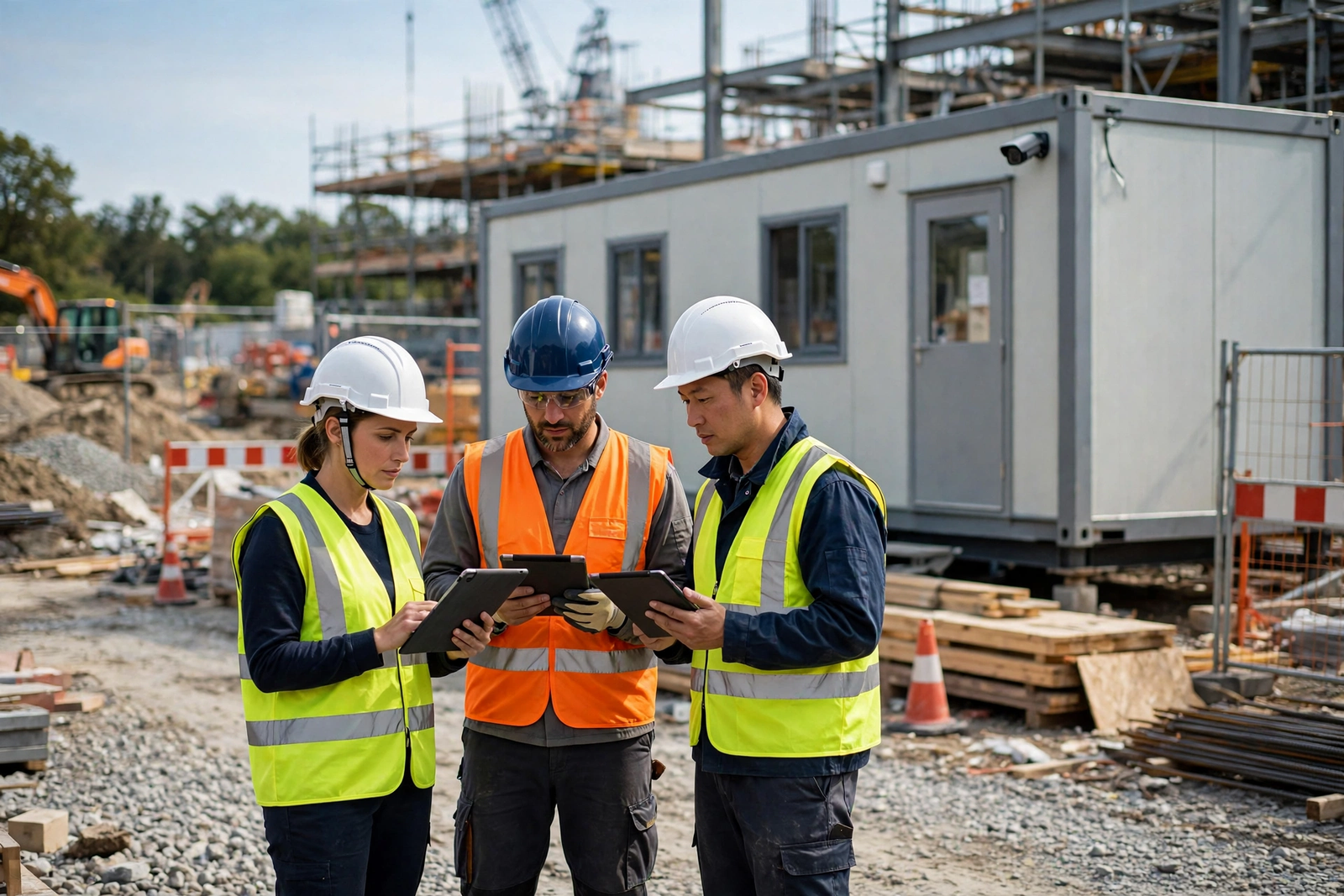
Crew tablets need a different kind of attention: coverage where crews work. Test the tablets at the gate, at the compound, and at the far end of the working area, not just beside the gateway. If coverage fades with distance or through metal structures, consider whether additional Wi-Fi equipment at the site office helps, and confirm compatibility and placement with the gateway’s guidance rather than buying equipment blind. The aim is a working area, not just a working cabin.
Construction Site Internet Speed: Sizing for Your Crew
Typical speed for Internet Air for Business is quoted at around 225 Mbps, with no speed caps, no data caps, and no overage fees on the stated terms. That figure is a useful starting point, but it is not a guarantee for your cabin, and it is not a per-device promise. What you actually get depends on signal, surroundings, network conditions, and how many devices are active at once — which is why placement and a busy-period test matter more than quoting the headline figure to the project manager.
Size by headcount and by peak use. A cabin with two or three office users and a couple of cameras is a lighter load than a cabin serving ten people, several tablets, and cameras during a delivery window. The table below is a rough planning frame, built on assumptions you should adjust to your own site, not a specification. If your peaks regularly exceed the frame, consider the Premium plan’s priority allowance or the fiber upgrade path below.
| Site office size (assumption) | Typical load | Planning note |
|---|---|---|
| Small cabin, 2–4 people | Office work, a few tablets, 1–2 cameras | Standard often enough; test at peak |
| Medium cabin, 5–10 people | Office work, several tablets, several cameras | Consider Premium for busy periods |
| Large or multi-cabin site | Heavy peaks, many devices | Check fiber availability or a second connection |
When to Upgrade a Construction Site to Business Fiber
Fiber is the upgrade path where it is available, and it changes the conversation from “enough for a cabin” to “headroom for a larger operation.” AT&T Business Fiber offers symmetrical speeds, no data caps, and no annual contract on the stated terms, with list prices checked in October 2026 of $60 for 300 Mbps, $100 for 500 Mbps, $140 for 1 GIG, $185 for 2 GIG, and $285 for 5 GIG per month, or $40, $60, $90, $135, and $235 with eligible wireless. Those are the official list figures; confirm before ordering, since availability at a construction address is the deciding factor.
Fiber makes sense when the site is long-term, when the office is in a permanent or semi-permanent building, or when the load has outgrown a wireless gateway — for example, a large site office with many users, heavy drawing uploads, and cameras that cannot tolerate variation. It makes less sense for a short, purely temporary cabin where the cost and time of a fixed-line install outweigh the benefit, or where the address simply does not have fiber available. Availability, not preference, usually decides this question on a construction site.
Limitations of Internet for Temporary Locations
The fixed-address rule is the first limitation, and it is worth repeating because it is the one most likely to be misunderstood. Internet Air is not a roaming service, and it should not be sold to a project team as one. A gateway that moves between sites without a qualified address check risks a service that does not work as expected at the new location, and a team that discovers that on the first morning at a new site has lost the very time the service was meant to save.
Signal is the second limitation. A cabin’s position, its construction, and the surrounding structures all affect what the gateway receives, and no placement guide can guarantee a result at a specific address. That is why the placement routine and the LED check matter, and why a site should test the connection at peak times before relying on it for cameras or for a critical inspection window. If the signal at the only available cabin position is poor, that is a finding, not a failure of effort — and it may point to a different address position or a different service.
Construction Site Internet Checklist Before You Order
Use this checklist as the last step before ordering, not the first. It gathers the decisions this guide has raised into a short sequence that a site manager can work through with an AT&T Business rep, and it leaves a record of what was confirmed for the project file.
- Confirm the qualified business address for the site office, and ask what happens on a site move.
- Confirm the plan, the AutoPay and wireless discount basis, and the full monthly cost including any equipment or fees.
- Choose the gateway position: elevated, near a window, away from thick metal, with an LED check.
- Test office computers, crew tablets, and cameras at peak times, in the places they will be used.
- Separate office systems from guest and subcontractor access, and limit camera access to those who need it.
- Ask about the end of the project: notice, equipment return, and any move to a new qualified address.
For a fixed temporary location that passes those checks, Internet Air is a strong, practical choice: no drilling, no landlord cabling negotiation, and a gateway that can be placed and tested in the site office itself. Check AT&T Internet Air for Business for your construction site and confirm the qualified address, the plan, and the pricing before you commit.
Frequently Asked Questions About Internet for Construction Sites
These questions cover the points site managers ask most often. Where an answer depends on your address or your equipment, it says so directly, because a general guide cannot settle a site-specific question.
Can Internet Air Move With a Construction Site to a New Address?
No, not as a matter of course. The service must be used at the qualified business address, and it is not a mobile or roaming service. Confirm the qualified address rule with an AT&T Business rep before a site move, and ask what process applies at the new address.
What Construction Site Wifi Signal Placement Should I Try First?
Start elevated and near a window, away from thick metal walls and large metal containers, and check the gateway LED lights after each move. Record the position that gives the best LED result so it is not lost when the cabin is rearranged.
How Does Construction Site Internet Pricing Change With AutoPay and Wireless?
On official pricing checked in October 2026, Standard falls from $65 to $60 with AutoPay and paperless billing, and to $40 with eligible business wireless; Premium falls from $105 to $100 and to $80 on the same bases. Confirm before ordering, since pricing varies by address and promotions.
Can Construction Site Cameras Run on Internet Air?
Cameras can run on the connection, but the total load depends on your cameras’ settings and on how many run at once, so check camera specs and test at peak times. Keep camera access limited, keep guest traffic separate, and test the feed during a busy period before relying on it.
Is Internet for a Temporary Location Suitable for a Long Project?
Yes, when the temporary location itself is fixed for the project’s duration — for example, a site office at one address for a season or longer. If the project extends into a permanent office, or the load outgrows the gateway, re-check fiber availability at that address as the upgrade path.
What Happens to Construction Site Internet Speed When the Site Gets Busy?
Speed varies with signal, surroundings, and how many devices are active. Premium includes 250GB of AT&T Turbo for Business priority per bill cycle, after which the connection may slow when the network is busy. Test at peak times and keep guest traffic separate to protect the office load.

