
The short answer: business internet and residential internet differ in five ways that decide whether an office runs smoothly or limps along. Business internet — like AT&T Business Fiber plans — gives you symmetrical upload speeds, reliability guarantees with real SLAs, priority business support, features such as static IP addresses, and terms that permit running a business on the connection. Residential internet is best-effort: slower uploads, no uptime guarantees, consumer support queues, and terms that often forbid business use. Business internet costs more per month, but for any office where an outage means lost revenue, it pays for itself the first time the connection stays up during a crunch. A solo home-office worker with light needs can reasonably get by on residential; everyone else should be on a business plan.
See AT&T Business Fiber plans for your office
Compare symmetrical speed tiers from 300 Mbps to 5 GIG, check availability at your business address, and see business-grade pricing with no annual contract.
Business Internet vs Residential Internet: The Core Differences
Start with the mental model: the physical technology can be identical — the same fiber-optic cable can carry a residential plan and a business plan. What changes is the service wrapped around it. Business internet is engineered, supported and contractually guaranteed for commercial use; residential internet is engineered, supported and priced for households. Those different jobs produce different products, and the differences show up in daily office life.
There are five differences that matter. First, upload speeds. Business fiber is symmetrical — uploads match downloads (300 Mbps down means 300 Mbps up). Residential plans are usually asymmetrical: a 300 Mbps residential plan might upload at 10–20 Mbps. For email and browsing that hardly matters; for video calls, cloud backups and sending large files, it matters enormously. Second, reliability guarantees. Business plans carry service-level agreements (SLAs) with uptime targets and repair-time commitments; residential plans are best-effort, meaning the provider fixes outages when it gets to them. Third, support. Business customers reach business support teams with shorter queues and technicians who understand office networks; residential customers join the consumer queue. Fourth, features. Static IP addresses, enhanced security options and multi-line configurations are business-plan features. Fifth, acceptable use. Business plans are licensed for commercial operation — servers, POS systems, dozens of devices. Residential terms of service frequently prohibit running a business or servers on the line.
None of this means residential internet is bad. It is a good product for its actual job: homes. The problems start when a business treats a residential plan as a cheap substitute for business internet and then discovers the differences during an outage, a big upload, or a support call that cannot wait.
How Business Internet and Residential Internet Differ in Speed and Reliability
Speed is where the comparison starts, but the headline download number is the least informative part. Both business and residential plans advertise fast downloads — a residential gigabit plan and a business gigabit plan can look identical on a speed test at 2 a.m. The differences appear under load, at peak hours, and in the fine print.
Upload capacity is the structural gap. Modern offices upload constantly: video calls, cloud file sync, offsite backups, security camera streams, VoIP. Business fiber’s symmetrical speeds handle this naturally. Residential cable and residential fiber plans (where residential fiber is asymmetrical) throttle uploads to a fraction of downloads, which is why a home-office worker’s video call stutters while their 4K stream downloads flawlessly. If your team spends its day on video, read our business internet speed sizing guide to see how upload needs add up.
Consistency under load is the second gap. Business connections are provisioned with lower contention — fewer customers sharing the same upstream capacity — so speeds hold steadier at 3 p.m. on a Tuesday when the whole street is online. Residential connections are oversubscribed more aggressively because households rarely max their lines simultaneously. That is a rational engineering choice for homes and a frustrating one for offices.
Reliability guarantees are the third gap, and the one with contractual teeth. A business SLA typically promises an uptime percentage (often 99.9% or better on fiber) and a mean time to repair — for example, a technician dispatched within hours, not days. Residential service promises best effort: the provider will fix it, eventually, in the order its queue dictates. When a retail store cannot process card payments, the difference between a four-hour and a four-day repair window is the difference between a bad day and a business crisis.
Business Internet vs Residential Internet: Full Side-by-Side Comparison
The table below puts every meaningful difference in one place. Use it as the quick reference; the sections after it explain what each row means for your office in practice.
| Dimension | Business internet | Residential internet |
|---|---|---|
| Monthly price positioning | Higher; pays for guarantees and support | Lower headline price; best-effort service |
| Download speeds | 300 Mbps–5 GIG on AT&T Business Fiber | Comparable top downloads on many plans |
| Upload speeds | Symmetrical — uploads equal downloads | Usually asymmetrical; uploads much slower |
| Reliability guarantee | SLA with uptime and repair commitments | Best effort; no uptime guarantee |
| Support | Priority business support, shorter queues | Consumer support queues |
| Data caps / throttling | Typically none on business fiber | Varies; some plans cap or deprioritize |
| Static IP addresses | Available for servers, VPNs, cameras | Rarely offered; dynamic IP standard |
| Acceptable use | Licensed for commercial operation | Often forbids business/server use |
| Installation | Business-grade install, sometimes managed | Self-install common |
| Contract terms | Options with no annual contract common | Promotional pricing; contracts vary |
| Best for | Offices, retail, multi-user sites | Households and very light solo use |
Business Internet Pricing vs Residential Internet Pricing
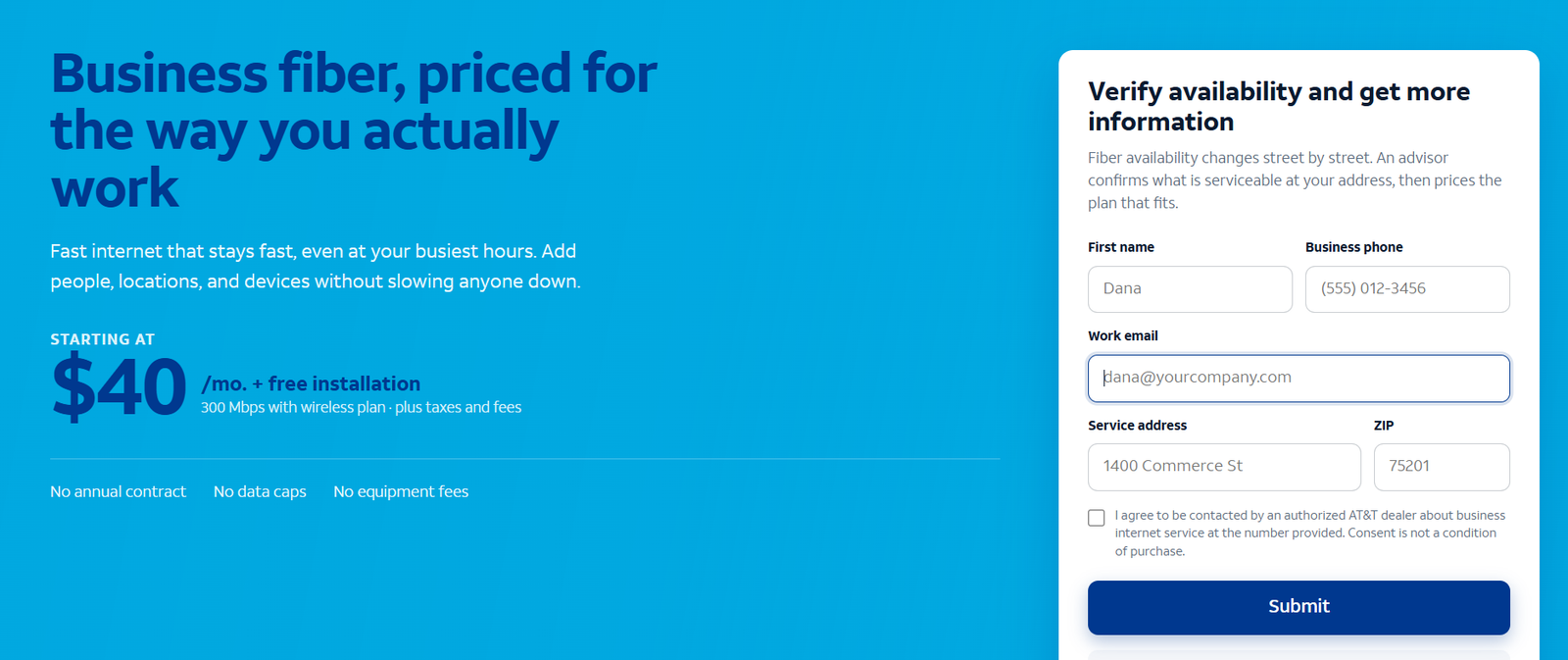
Business internet costs more, and it should — you are buying guarantees, not just megabits. To keep this concrete, here are verified AT&T Business Fiber figures observed in October 2026: speed tiers run 300 Mbps to 5 GIG, all symmetrical, with list pricing about $70–$285/month and bundled pricing (with eligible wireless service) from about $40/month. Observed bundled prices include 300 Mbps at about $40/month, 500 Mbps at about $60/month, 1 GIG at about $90/month, 2 GIG at about $135/month and 5 GIG at about $235/month, with no annual contract, no data caps and no equipment fees. Our business fiber pricing guide breaks down what each tier costs and who each tier fits.
Residential plans from the same providers are typically marketed at lower headline prices — that is their job, since households are price-sensitive and need no SLAs. But headline price is not total cost. A residential plan that goes down for two days costs a retailer thousands in lost card transactions; a business plan’s SLA and priority repair exist precisely to prevent that. When you compare, compare the cost of the plan against the cost of an outage, not just the monthly bill.
There is also a middle path worth knowing: some providers offer “work from home” or small-business tiers that sit between residential and full business plans. If a full business fiber build has not reached your street, Internet Air for Business can serve as a 5G-based business connection with business terms at a lower price point than fiber — a legitimate bridge, not a residential workaround.
Disclaimer: Ortelcom.com is an independent publisher, not AT&T and not an official AT&T website, and is not endorsed by AT&T. Links in this article are affiliate links to ortelcom.com/recommends/ — we may earn a commission at no extra cost to you. Product names, prices, speeds and offers were checked on the date shown in this article, can change without notice, and availability depends on your business address. AT&T trademarks belong to their owner. This information is for general guidance only — please confirm final pricing, terms and availability on the provider’s page before you order.
Upload Speeds: Why Business Internet Wins for Offices
Upload speed deserves its own section because it is the single biggest day-to-day difference most offices feel. Download speed is about receiving: web pages, streams, file downloads. Upload speed is about sending: your video image on a call, files to clients, backups to the cloud, point-of-sale authorizations, security footage to remote storage.
Residential plans are designed around the assumption that households mostly receive. A typical residential cable plan might deliver 300 Mbps down and 15 Mbps up — a 20-to-1 ratio. That works for Netflix. It fails for a 10-person office where four people are on video calls (each needing 3–5 Mbps up), someone is syncing a design file to Dropbox, and the cloud backup is running. The uploads saturate, calls pixelate, and everyone blames “the Wi-Fi.”
Business fiber’s symmetrical speeds eliminate the category: 500 Mbps down means 500 Mbps up, so the office’s sending capacity matches its receiving capacity. This is also why what business fiber internet is matters more than the raw download number — the symmetry is the feature. If your work involves video, cloud collaboration or large file transfers, treat upload speed as the primary spec and download as secondary.
Reliability and SLAs: Business Internet Guarantees vs Residential Best Effort
An SLA — service-level agreement — is a contractual promise about uptime and repair. Business fiber SLAs typically commit to 99.9%+ uptime and define repair windows: when the line goes down, a technician is dispatched within a set number of hours, with credits if the provider misses. That contract is what you are partly paying for in the higher monthly price.
Residential internet has no SLA. “Best effort” means the provider will restore service as its operations allow — which during a widespread outage means business customers with SLAs get priority and residential tickets wait. There is nothing wrong with this; it is the correct prioritization. But it means a business running on a residential line is, during every outage, at the back of the repair queue by design.
Translate this to money. A dental office that cannot access cloud patient records loses its entire day’s billings. A retailer that cannot authorize cards loses every walk-in sale. Our business internet buying checklist includes a simple exercise: estimate one day of lost revenue from an outage, then compare it to the annual price difference between residential and business service. For most real offices, the business plan pays for itself with a single avoided bad day.
Who Needs Business Internet
Choose business internet if any of these describe you — one is enough:
- Anyone with employees on site. Multiple simultaneous users multiply every weakness of residential service: uploads saturate, best-effort repairs strand the whole team, and consumer support cannot triage an office network.
- Retail, hospitality and healthcare. Card payments, reservation systems and patient records cannot wait for best-effort repair. SLAs and priority support are operational necessities, not luxuries.
- Video-heavy and cloud-heavy work. Agencies, consultancies, remote-first teams — symmetrical uploads are the difference between professional calls and pixelated apologies.
- Businesses running servers, VPNs or cameras. Static IPs, permitted server use and business acceptable-use terms are business-plan features. Running them on residential violates most residential terms.
- Anyone who has outgrown “it works most of the time.” If you have ever thought “we really need better internet,” you need business internet — the residential plan is not going to improve with age.
Who Can Get Away With Residential Internet
Residential internet is fine — genuinely fine — for a narrow set of business situations. Be honest about whether you are in it:
- Solo home-office workers with light needs. Email, browsing, occasional video calls, one user. A good residential plan handles this comfortably, and the price is right.
- Side businesses with no revenue dependence. If the connection going down for a day costs you nothing but annoyance, residential’s best-effort repair is an acceptable risk.
- Temporary stopgaps. Waiting on a business fiber install? A residential line or a 5G gateway as a bridge is pragmatic — just do not let the stopgap become permanent.
The test is simple: if an outage during business hours would cost you real money or real customers, you have outgrown residential. The monthly savings are not worth the risk, and most providers will happily migrate you to a business plan at the same address.
Business Internet Limitations Worth Knowing
Business internet is the right product for offices, but go in with open eyes. Availability is street-by-street: business fiber reaches many commercial corridors but not every address — always verify at your exact location before planning around it. Installation can take longer than residential self-install; business installs sometimes need site surveys or construction, so order ahead of a move or opening. The price is higher — genuinely, not marginally — because SLAs, priority support and symmetrical provisioning cost the provider real money. Contracts deserve reading: many business fiber plans now carry no annual contract, but some business services still do; confirm before signing. Finally, business internet does not fix your internal network: an old router, bad Wi-Fi placement or undersized wiring will bottleneck a gigabit business line exactly as fast as a residential one.
Business Internet vs Residential Cost Examples: 3 Scenarios (With Stated Assumptions)
Assumptions: AT&T Business Fiber bundled pricing observed October 2026 (300 Mbps ~$40/mo, 1 GIG ~$90/mo); residential figures are illustrative assumptions labeled as such, not quoted offers; one outage day valued at the business’s stated daily revenue.
- Solo consultant, home office: residential plan (assumed ~$70/mo illustrative) vs Business Fiber 300 (~$40/mo bundled). The business plan is actually cheaper here — and adds symmetrical uploads for client video calls. Verdict: business fiber wins on price and performance.
- 12-person agency, video-heavy: residential gigabit (assumed ~$90/mo illustrative) with ~20 Mbps uploads vs Business Fiber 1 GIG (~$90/mo bundled) with 1,000 Mbps uploads. Same monthly cost, transformational upload difference, plus SLA and priority support. Verdict: business fiber, overwhelmingly.
- Retail store, card payments: residential plan (assumed ~$70/mo illustrative) vs Business Fiber 300 (~$40/mo bundled). One Saturday outage on residential (best-effort repair, no SLA) vs priority business repair. If a lost Saturday costs $3,000, the business plan’s annual cost is recovered many times over by a single avoided outage. Verdict: business internet is cheap insurance.
The bottom line on business internet vs residential internet: residential internet is a household product doing a household job well; business internet is an office product with the uploads, guarantees and support an office actually needs. For most US small businesses the price gap is smaller than expected — and the cost of guessing wrong is an outage at the worst possible moment. Check AT&T Business Fiber availability and business pricing for your address here, and compare it against our fiber vs cable comparison if you are weighing technologies too.
Business Internet vs Residential Internet FAQs
Is business internet faster than residential internet?
Downloads can be similar — both offer gigabit-class plans. The real speed difference is uploads: business fiber is symmetrical (uploads equal downloads), while residential plans are usually asymmetrical with much slower uploads. Under peak-hour load, business connections also hold speeds steadier thanks to lower contention.
Can I use residential internet for my business?
Technically it will connect, but residential terms of service often prohibit business use, and you get no SLA, no priority support and no static IP. For a solo home office with light needs it can be acceptable; for any office with employees or revenue depending on the connection, use a business plan.
Why is business internet more expensive than residential internet?
You are paying for guarantees and service, not just megabits: SLAs with uptime and repair commitments, priority business support, symmetrical speeds, static IP options and commercial acceptable-use terms. The premium funds the infrastructure and staffing that keep business lines running.
Do I need business internet for a home office?
It depends on the stakes. A solo worker doing email and occasional calls is fine on residential. If you run video calls all day, upload large files, host anything, or lose income during outages, business internet — often similarly priced — is the smarter choice.
What is an SLA on business internet?
A service-level agreement: the provider’s contractual promise of uptime (often 99.9%+) and repair times, with service credits if it misses. Residential internet has no SLA — repairs are best-effort, in queue order.
Can I get a static IP with residential internet?
Usually not — residential plans use dynamic IPs that change periodically. Static IPs, needed for self-hosted VPNs, servers and some security camera setups, are a standard business-plan feature.
Is it against the terms to run a business on residential internet?
Often yes. Most residential terms of service prohibit commercial use and running servers. Enforcement varies, but a business discovered running significant operations on a residential line can face throttling, termination or forced migration to a business plan.
Does business internet have data caps?
AT&T Business Fiber carries no data caps and no equipment fees, with no annual contract on current terms. Some residential plans cap data or deprioritize heavy users; business plans are built for sustained commercial workloads.
How do I switch from residential to business internet?
Contact the provider’s business division — it is usually a plan change at the same address, sometimes with a technician visit to verify the business-grade install. Order before you need it: business installs can take longer than residential self-installs, so plan around moves and openings.
Is AT&T Business Fiber worth it over residential fiber?
For offices, yes: symmetrical uploads, an SLA with repair commitments, priority business support, no data caps and business acceptable-use terms — at bundled prices (from ~$40/mo observed) that often match or beat residential gigabit pricing. For a light-use solo home office, residential remains reasonable.

