
When your office internet goes down, the minutes that follow decide whether the day continues or stops. AT&T Fiber 5G backup is designed for exactly that moment: on qualifying 1 Gig and faster AT&T Business Fiber plans, a built-in wireless backup keeps your office connected when the wired Fiber line fails, at no extra cost. Our verdict is that it is one of the most practical features on these plans, because it removes the need to buy and manage a separate backup service while giving your office a genuine second way online.
In this guide, we explain how AT&T Fiber 5G backup works, which plans qualify, what happens during an outage, and what limits to expect. You will learn how automatic failover works through the gateway, how 5G backup performance compares with your normal Fiber speeds, and how to decide whether this built-in backup is enough for your office or whether you still need a separate backup connection. Everything here reflects the plan details available at the time of writing, so confirm the specifics on your quote before ordering.
Get Fiber With Built-In 5G Backup for Your Office
Check AT&T Business Fiber plans and availability for your office, including 1 Gig and faster plans with 5G backup.
How AT&T Fiber 5G Backup Works on Qualifying Plans
AT&T Fiber 5G backup is a feature built into qualifying 1 Gig and faster AT&T Business Fiber plans at no extra cost. Instead of relying only on the wired Fiber line coming into your building, the gateway also connects wirelessly over the mobile network. Under normal conditions, your office traffic travels over the Fiber line, which delivers the full speed of your plan. The wireless connection sits ready in the background, so if the Fiber line fails, the gateway can switch traffic to the wireless connection automatically and keep your office online.
The key idea is independence. A Fiber outage is often caused by something physical, such as a damaged cable or a fault in the local wired network. Because the 5G backup travels over a wireless network rather than those same cables, it is not affected by the same fault. That separation is what makes the backup useful: it survives the events that break the primary connection. Availability and performance of the backup are location-dependent, so the strength of the wireless signal at your address matters, and speeds on the backup may vary from what you are used to on Fiber.
What 1 Gig Fiber 5G Backup Covers in Your Office
When 1 Gig Fiber 5G backup takes over, it keeps your office connected to the internet so that everyday work can continue. Email, cloud applications, web browsing, card payment terminals that run over the internet, and voice calls that use an internet connection can all keep working on the backup. The experience will not be identical to your Fiber connection: wireless backup speeds are generally lower than Fiber speeds and can vary with signal strength, network conditions, and how many devices are connected. For most office tasks, though, the backup provides enough connectivity to keep the business running until the Fiber line is repaired.
It is important to set expectations correctly. A 5G backup is a continuity feature, not a replacement for your Fiber plan. Heavy tasks such as large file transfers, high-volume video production, or running many simultaneous video calls may feel slower on the backup than on Fiber. That is normal and acceptable for a backup: the goal is to keep the office working, not to match Fiber performance. Offices with very demanding workloads should plan around this by knowing which systems get priority during an outage and by testing the backup with their real workload before relying on it.
5G Backup Fiber Plans: Which Speeds Qualify
The 5G backup feature is included on qualifying 1 Gig and faster AT&T Business Fiber plans. That means plans at 1 GIG and above can include the backup, while slower plans do not. On the list price, AT&T Business Fiber 1 GIG is $140 per month, 2 GIG is $185 per month, and 5 GIG is $285 per month, with lower prices when bundled with an eligible wireless plan: $90 per month for 1 GIG, $135 for 2 GIG, and $235 for 5 GIG. Pricing, speeds, and availability vary by address and promotion, so confirm the details and whether the backup feature is included on the plan you are quoted before ordering.
Choosing between 1 GIG, 2 GIG, and 5 GIG is mainly a question of how much speed your office needs day to day, since the backup feature itself is the same concept across qualifying plans. A small or mid-sized office will usually find 1 GIG more than enough for its normal work, while larger offices with many users and heavy cloud use may benefit from 2 GIG or 5 GIG. Our comparison of AT&T Business Fiber 1 Gig versus 2 Gig versus 5 Gig explains how the tiers differ in practice. Our AT&T Business Fiber pricing guide also breaks down the plan prices and bundling options in more detail.
Fiber 5G Backup How It Works During an Outage
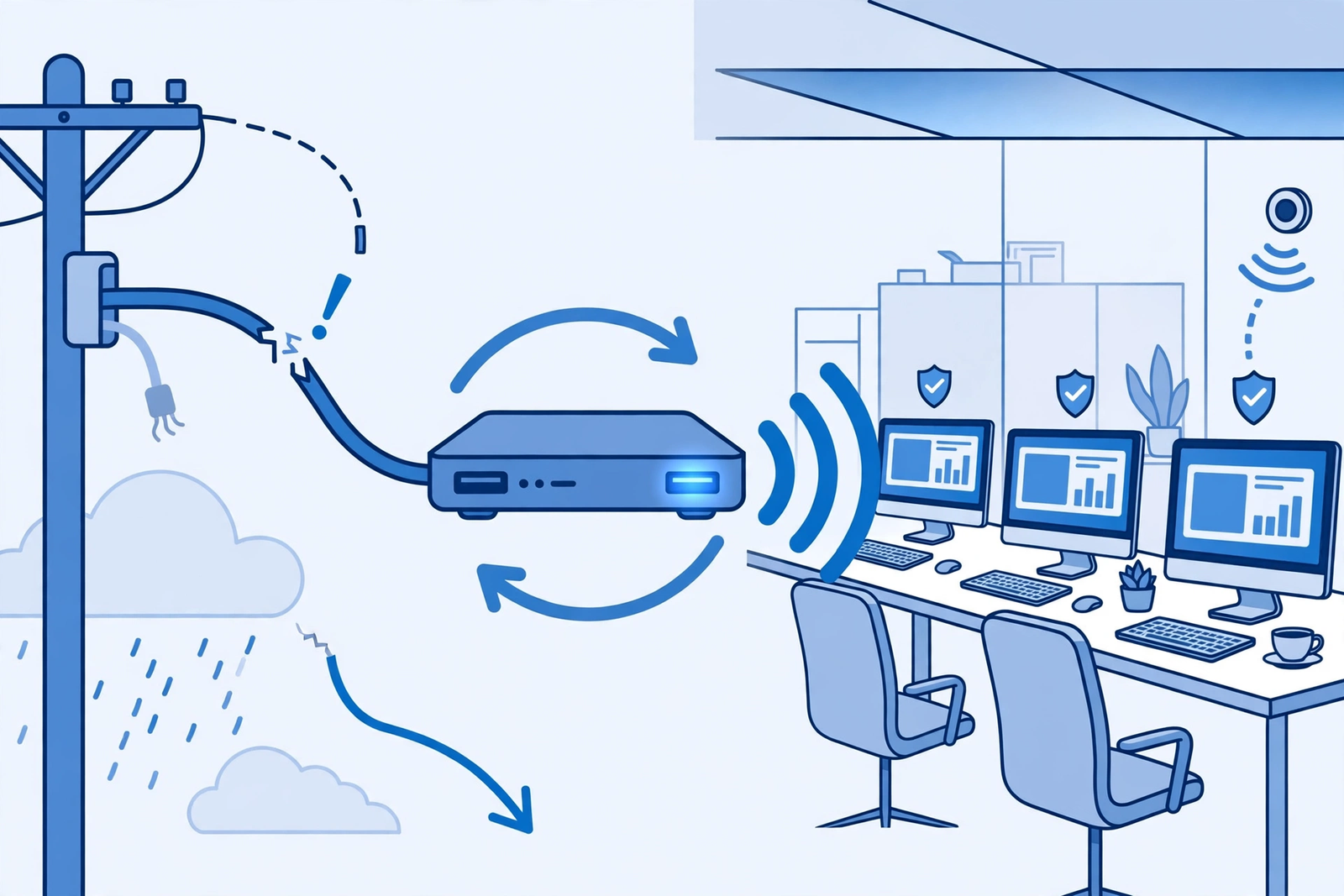
During an outage, Fiber 5G backup works through automatic failover via the gateway. The gateway monitors the Fiber connection, and when it detects that the wired line has failed, it routes office traffic over its wireless connection instead. Staff do not need to change settings, unplug cables, or restart equipment. The switchover is handled by the gateway, so work continues with only a brief interruption. When the Fiber line is repaired, traffic returns to the wired connection, and the office is back on its normal speeds.
There are a few practical points worth knowing about this process. First, the backup depends on wireless signal at your location, so offices in areas with weak signal may see lower backup performance. Second, the gateway needs power to run the backup, so a building-wide power outage is a different problem from a Fiber outage and needs its own planning. Third, the backup is designed to carry your office through a Fiber fault, not to serve as a permanent connection. If the Fiber line is down for an extended period, it is worth contacting support and keeping an eye on how the backup is performing, rather than assuming it will carry full office load indefinitely.
AT&T Business Fiber Backup Setup and What to Expect
Setting up AT&T Business Fiber backup starts with ordering a qualifying plan and having the Fiber service installed at your office. The gateway supplied with the plan includes the wireless backup capability, so there is no separate backup device to buy or second service to arrange. During installation, the technician will confirm the Fiber line is working and that the gateway is properly placed and connected. It is worth asking during installation how to tell whether the backup is ready, so you can check its status later without guessing.
After installation, the most important step is testing. Deliberately simulate an outage during a quiet period if your setup allows it, or at least confirm with support that the backup feature is active on your plan. Then run through the tasks that matter most to your office: process a test payment, join a video call, open shared files, and check that phones and other internet-connected systems behave as expected. AT&T Business Fiber installation and setup are covered in more depth in our main Fiber guide, which is a useful companion to this article if you are still choosing a plan.
Disclaimer: This article contains affiliate links to AT&T Business services. We may earn a commission if you purchase through them, at no extra cost to you. Ortelcom.com is an independent publisher and is not affiliated with or endorsed by AT&T. Pricing, speeds, and availability are not guaranteed, were checked 31 October 2026, and vary by address and promotions — please confirm all details before ordering. AT&T and all related marks are trademarks of their respective owners.
5G Internet Backup Fiber Business Performance and Limits
Performance on 5G internet backup for a Fiber business plan will differ from Fiber performance, and understanding why helps you plan. Fiber delivers consistent, high speeds over a dedicated wired line, while a wireless backup shares a mobile network and is affected by signal strength, distance from the nearest cell site, building materials, and network congestion. Speeds on the backup may vary from moment to moment, and they will generally be lower than the Fiber plan you pay for. That does not make the backup a failure; it makes it a safety net with different characteristics from the main connection.
The limits to keep in mind are straightforward. Backup availability and performance are location-dependent, so an office with strong wireless signal will have a better backup experience than one with weak signal. Data use on the backup is something to watch during a long outage, since heavy continuous use may be managed differently from normal Fiber traffic. Finally, the backup covers the internet connection itself: it does not fix a power outage, a broken office router, or a problem inside your local network. A complete continuity plan still includes power protection and basic network maintenance alongside the backup feature.
During a longer outage, small adjustments help the backup go further. Postpone large downloads, cloud backups, and software updates until the Fiber line is restored, and keep video calls to the ones that genuinely need to happen. If your office has many devices, remind staff to disconnect personal devices from the office network while running on backup so that business systems get priority. None of this requires technical skill, just a short note to the team when the backup is active. Offices that manage their backup load this way usually find that the backup carries them comfortably through a typical Fiber fault.
Comparing 5G Backup Fiber Plans With a Separate Backup Connection
Some offices wonder whether the built-in 5G backup is enough, or whether they should also buy a separate backup connection. For many small and mid-sized offices, the built-in backup is sufficient, because it is automatic, included at no extra cost on qualifying plans, and independent of the wired network. It removes the cost and complexity of a second service, which is a real advantage. The main reason to add a separate backup is if your office cannot tolerate any drop in performance during an outage, or if you want redundancy beyond a single provider’s networks.
| Backup approach | How it works | Extra cost | Best suited for |
|---|---|---|---|
| Built-in AT&T Fiber 5G backup | Automatic failover via the gateway wireless connection | Included on qualifying 1 Gig and faster plans | Most small and mid-sized offices |
| Separate wireless backup service | A second wireless service paired with the office network | Monthly price of the second service | Offices wanting an additional independent backup |
| Second wired line | Another wired service into the building | Monthly price of the second line plus installation | Larger offices and critical systems |
| No backup | Office waits for the primary line to be repaired | None upfront | Not recommended for any office that depends on connectivity |
The comparison comes down to risk tolerance and budget. If an outage costs your office sales, bookings, or customer trust, a backup of some kind is essential, and the built-in 5G backup is the simplest way to get one. If your office runs systems that must never slow down, a separate backup in addition to the built-in feature may be worth the extra cost. Our comparison of AT&T Business Fiber versus Internet Air is useful if you are weighing a wireless service as a separate backup alongside Fiber.
How to Check 5G Internet Backup Fiber Business Availability at Your Address
Checking 5G backup Fiber business availability starts with your address, because both Fiber service and the wireless backup depend on what is available at your specific location. When you request a quote, ask directly whether Fiber is available at your address and whether the 5G backup feature is included on the plan you are being quoted. Do not assume the feature is included just because a plan is 1 Gig or faster: availability can vary by plan and address, and the quote is the document that confirms what you are actually getting. If the backup feature matters to your decision, get that confirmation in writing before you sign up.
It is also worth asking about wireless signal strength at your location during the same conversation. Since backup performance is location-dependent, an office with strong signal will get more from the feature than one with weak signal. If Fiber is not available at your address yet, ask about alternatives, such as a wireless business internet service that could serve as your primary or backup connection in the meantime, and whether Fiber is planned for your area. Either way, base the decision on the quote for your address, not on general plan descriptions.
Preparing Your Office Network for 5G Internet Backup Fiber Business Continuity
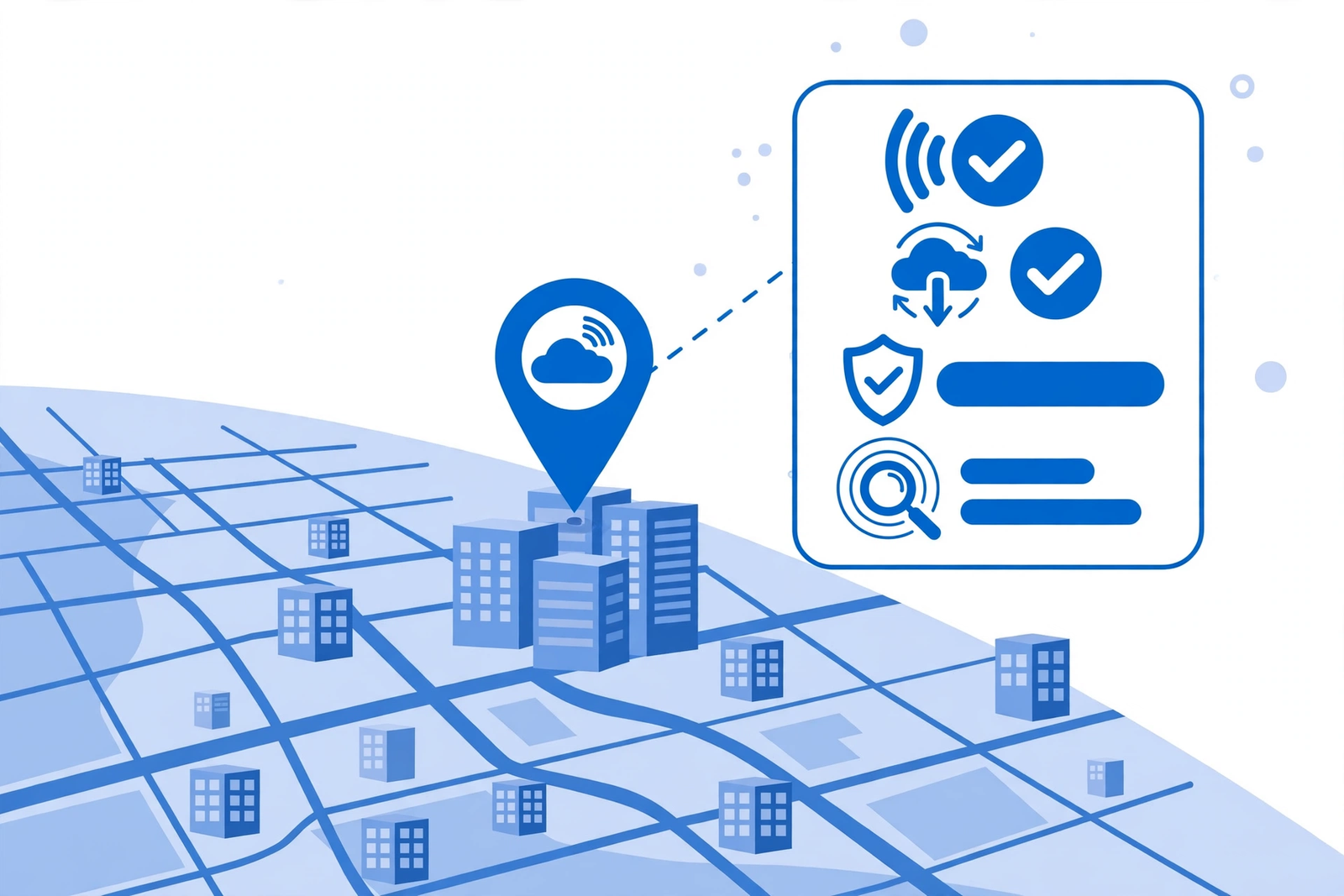
Preparing your office network for 5G internet backup on Fiber is mostly about the basics, and it pays off the first time the backup is used. Keep the gateway in a sensible location with good airflow and, where possible, a clear path to wireless signal, rather than buried in a metal cabinet or a basement corner. Connect your most critical equipment, such as payment terminals and the main office switch, with wired connections where you can, since wired devices behave more predictably during a failover than devices relying on office Wi-Fi. And keep the gateway powered through short power interruptions with a basic uninterruptible power supply if your office already uses one, because the backup cannot help if the gateway itself loses power.
Finally, write down the simple version of your backup arrangement and share it with the team. The note only needs a few lines: the office has a built-in wireless backup on its Fiber plan, it switches over automatically, staff should report any outage to a named person, and heavy downloads should wait until the Fiber line is back. Add the support contact details and the date of the last test. This kind of short, shared note is what turns a technical feature into a real plan, because the people in the office know what is happening and what to do when the primary connection fails.
Is 5G Internet Backup Fiber Business Coverage Right for Your Office
The built-in 5G backup is a strong fit for offices that depend on connectivity but do not need to maintain full Fiber speed during an outage. If your office relies on email, cloud tools, payments, and video calls, and a short period at lower wireless speeds would still let the team work, the feature is an easy win, especially since it costs nothing extra on qualifying plans. Small offices, professional services firms, retail locations, and clinics are all typical examples where the built-in backup covers the real risk: being completely offline while waiting for a Fiber repair.
Offices with stricter needs should look at the limits honestly. If your office runs real-time systems that cannot slow down, transfers very large files continuously, or operates multiple sites with different connectivity risks, the built-in backup may be only part of the answer. In that case, pair it with a separate backup connection or a second wired line, and treat the built-in feature as the first layer of a larger continuity plan. The right answer is the one that matches your office’s tolerance for downtime, and for most offices the built-in backup shifts that tolerance from zero connectivity to workable connectivity, which is a large improvement.
AT&T Fiber 5G Backup: Frequently Asked Questions
Which AT&T Business Fiber plans include 5G backup?
The 5G backup feature is included on qualifying 1 Gig and faster AT&T Business Fiber plans at no extra cost. That means 1 GIG, 2 GIG, and 5 GIG plans can include the feature, while slower plans do not. Availability and inclusion can vary by address and plan, so confirm on your quote that the feature is included on the plan you are ordering.
Does AT&T Fiber 5G backup cost extra?
No, the backup feature itself is included at no extra cost on qualifying 1 Gig and faster plans. You pay for the Fiber plan itself, and the wireless backup capability comes with the plan and the gateway. There is no separate backup service to buy for the built-in feature, although a separate backup connection you choose to add on top would have its own price.
How fast is AT&T Fiber 5G backup during an outage?
Backup speeds are generally lower than Fiber speeds and vary with wireless signal strength, network conditions, and how many devices are connected. The backup is designed to keep everyday office work running, such as email, cloud applications, and voice calls, rather than to match Fiber performance. Offices with strong wireless signal will typically see better backup performance than those with weak signal.
Does the 5G backup switch over automatically?
Yes, the gateway handles automatic failover. When it detects that the wired Fiber line has failed, it routes office traffic over its wireless connection without staff needing to change settings or restart equipment. When the Fiber line is repaired, traffic returns to the wired connection.
Will AT&T Fiber 5G backup work during a power outage?
No, not on its own. The gateway needs power to run the backup, so a building-wide power outage is a separate problem from a Fiber outage. If power continuity matters to your office, pair the Fiber backup with a basic uninterruptible power supply for the gateway and other critical network equipment, and plan power protection as part of your overall continuity arrangement.
Final Word on AT&T Fiber 5G Backup for Your Business
AT&T Fiber 5G backup turns a Fiber outage from a day-stopping event into a manageable interruption, and it does so without extra cost on qualifying 1 Gig and faster plans. The automatic failover, the independence from the wired network, and the absence of a second service to manage make it one of the most practical features on these plans. For offices that depend on connectivity, it is a strong reason to choose a qualifying tier rather than a slower plan that lacks the feature, even if the office would rarely need the backup in practice.
The smartest next step is simple: check availability and pricing for your office address, confirm that 5G backup is included on the plan you are quoted, and test the backup once it is installed. A feature you have tested is a feature you can rely on, and a short test during a quiet period gives your team confidence that the office will keep working when the Fiber line fails. With that done, the backup becomes what it should be: a quiet safety net that you rarely think about until the day it saves the working day.
If you are ready to explore your options, check AT&T Business Fiber plans and availability for your office, including 1 Gig and faster plans with 5G backup, and confirm the details on your quote before ordering.

