
Verdict: a quarterly connectivity audit for your business is a short, repeatable check of speed, plan fit, bills, backup, guest Wi-Fi, and coverage — done every three months, it stops small connectivity problems from becoming expensive ones. Most businesses only think about their internet when it fails. An audit reverses that habit: you test the connection while it works, compare what you pay for with what you actually use, and fix the gaps on your own timetable instead of during a busy trading day. Done well, it takes an afternoon, not a week, and it pays for itself the first time it catches an unused line, a dead zone, or a backup that has never actually been tested.
This guide gives you a practical quarterly connectivity audit checklist for a small business, with decision rules tied to measured use rather than sales pressure. It spans fiber, fixed wireless, and mobile, because most businesses now rely on all three in different ways. Pricing and plan details were checked October 2026 and should be confirmed for your address and account before any change. Where a step is best practice rather than a documented product fact, this guide says so plainly.
Run Your Quarterly Connectivity Audit With a Clear Checklist
Test speed, review your plan, check backup and Wi-Fi coverage, and fix gaps before they cost you trading time.
What a Connectivity Audit Small Business Owners Should Run Covers
A connectivity audit small business owners can actually sustain covers six areas, no more. Speed: is the connection delivering what the plan provides, where the business uses it? Plan fit: does the plan match headcount, devices, and real use? Bills and lines: does the bill match the business you run today? Backup: does the failover actually work when you test it? Guest Wi-Fi and security: is the guest network isolated, and are passwords and device lists current? Coverage: are there dead zones where staff, customers, or devices struggle? Six areas, checked quarterly, cover almost everything that goes wrong in a small-business network, without turning the audit into an IT project.
The audit works best when it is scheduled, not improvised. Pick a fixed date — the first Monday of each quarter is a good default — and put it in the business calendar with a named owner. The owner does not need to be a technical expert; they need to be the person who will actually run the tests, read the bill, and follow up the findings. If the audit depends on “someone getting around to it,” it will not happen, and the business will drift back to thinking about connectivity only when it fails. A fixed date and a named owner are the two cheapest controls in this entire guide.
Keep the audit record simple: one page per quarter, with the date, the test results, the bill summary, the findings, and the actions with owners and dates. Over a year, four pages tell a story that no single bill can: how speed has changed, whether use is growing, whether a plan change helped, and whether the same problem keeps recurring. That record is also your evidence when you need to discuss a plan, query a charge, or decide whether an upgrade is justified. Decisions made from a year’s audit records are better than decisions made from a single frustrating afternoon.
Quarterly Connectivity Audit: Testing Speed the Right Way
Speed testing is the audit’s foundation, and it is easy to do badly. A single test on a phone, over Wi-Fi, during a busy afternoon, tells you almost nothing — it mixes the connection, the Wi-Fi, the device, and the time of day into one number. The method that works, drawn from the Day 4 speed-test guidance, is to test in stages. First, test wired: connect a computer directly to the gateway with an Ethernet cable, close VPNs and cloud backups, and run the test with one device at a time. That number isolates the service itself. Then test Wi-Fi next to the gateway, then test Wi-Fi at the problem spot — the far office, the stockroom, the till. If wired is fine but Wi-Fi is slow, you have a coverage or placement problem, not a slow connection, and upgrading the plan will not fix it.
Compare each result against the right benchmark. For fiber, compare against the provisioned tier: 300 Mbps, 500 Mbps, 1 GIG, 2 GIG, or 5 GIG, checked October 2026. For Internet Air for Business, compare against a typical speed of around 225 Mbps, remembering that fixed wireless varies with signal and congestion in a way fiber does not. Do not judge a connection on one test. Repeat tests at different times of day, and on different days if a result looks odd, because a single slow test may reflect a busy moment rather than a broken service. Record the wired result, the near-gateway Wi-Fi result, and the far-spot result separately, with the time and the device used, so next quarter’s audit can compare like with like.
Also test the devices that matter, not just the test device. A speed test on a new laptop tells you nothing about a point-of-sale terminal on the 2.4GHz band, a printer at the far end of the shop, or a camera uploading over the same connection. During the audit, confirm that each business-critical device connects, stays connected, and performs its job — a card payment, a print job, a camera stream — rather than assuming that a good laptop result covers the whole business. If you want a deeper method, our guide to running a business internet speed test that actually means something walks through the staged method in full.
Business Internet Audit Checklist for Speed and Coverage Tests
Work through speed and coverage as one audit step, because they explain each other. Start wired at the gateway, then Wi-Fi beside the gateway, then Wi-Fi at each key location: the till, the office, the stockroom, the customer area, and any outdoor or outbuilding spot the business uses. At each location, note the result, the device, and whether the business task at that spot — payment, printing, video, browsing — works acceptably. A location with a mediocre test number but a working till is fine; a location with a good number but a printer that drops out is not. The business task is the test that matters, and the speed number is the clue that helps you fix it.
Dead zones deserve a decision, not just a note. For each dead zone, decide whether it needs better gateway placement, an extender or mesh addition, a wired connection, or simply acceptance because nothing business-critical happens there. Guidance, not product specification, says: move the gateway or extender first, because placement is free; add equipment second, because it costs money and needs managing; and wire business-critical devices where possible, because a wired device does not compete for Wi-Fi airtime. Record the decision and the date, so next quarter’s audit can check whether it worked.
Review Business Internet Plan Against Actual Use Each Quarter
Plan review is where the audit saves money or prevents frustration, and it must be tied to measured use, not to a feeling that the internet “seems slow” or “seems fine.” Gather four numbers: headcount and device count, peak concurrent use, total and per-line data and hotspot use, and the business tasks that strain the connection — video calls, cloud backups, point-of-sale traffic, cameras, and guest traffic. Compare those numbers against what the plan provides. If the plan provides far more than the business uses, quarter after quarter, a downgrade may be worth considering. If use regularly presses against the plan’s limits, an upgrade may be worth considering. If use fits comfortably, the right decision is usually to change nothing, and to say so explicitly in the audit record.
Use the published reference tables honestly. AT&T Business Fiber list prices checked October 2026 are $60 for 300 Mbps, $100 for 500 Mbps, $140 for 1 GIG, $185 for 2 GIG, and $285 for 5 GIG, with lower prices alongside an eligible wireless plan ($40, $60, $90, $135, and $235). Internet Air for Business is $65 per month for Standard and $105 for Premium at list, $60 and $100 with AutoPay and paperless billing, and $40 and $80 with an eligible business wireless plan. Premium includes 250GB of AT&T Turbo priority per bill cycle, after which speeds may slow when the network is busy. Business Wireless 3.0 is $30, $40, and $50 per line for Standard, Advanced, and Premium on a 5-plus-line basis with AutoPay and paperless billing, with hotspot allowances of 5GB, 100GB, and 300GB. These are reference figures for planning; confirm the exact offer for your address and account before changing anything, and read our business internet buying checklist before you commit to a change.
Decision rules keep the review honest. Upgrade only when measured use, over at least two quarters, shows a persistent gap — for example, wired tests consistently below the tier during business hours, or a team that has grown beyond the plan’s comfortable capacity. Downgrade only when measured use, over at least two quarters, shows persistent headroom far beyond what the business needs, with no growth expected. Change nothing when the audit shows a good fit, and record that decision with the same care as a change, because “reviewed and retained” is a decision, not an omission. Resist pressure to change a plan on the basis of a single bad week, a single slow test, or a promotional offer that does not match measured use.
Connectivity Audit Small Business Plan Review: Lines, Bills and Users
Fold the monthly lines, bills, and users routine into the quarterly audit as a deeper check. Confirm that the billed line count matches the business today, that discounts you expect are present, and that no line belongs to someone who has left. Confirm that hotspot use per line matches its tier, and that no user retains access they no longer need. A quarterly audit that ignores bills and users is only half an audit, because the most common waste in a business account is not a slow connection but a line, a device, or an access right that nobody owns any more. Check plan details for your account before acting on any finding.
Also review the assumptions behind your plan. Has headcount changed? Has the business added a second site, a new till, more cameras, or a guest network that now carries real traffic? Has working changed — more video calls, more cloud use, more field staff tethering? A plan chosen for last year’s business will eventually misfit this year’s business, and the audit is the moment you catch that drift before it becomes a complaint. Note each change in the audit record, even if it does not yet justify a plan change, so the trend is visible next quarter.
Quarterly Connectivity Audit: Testing Backup and Failover Properly
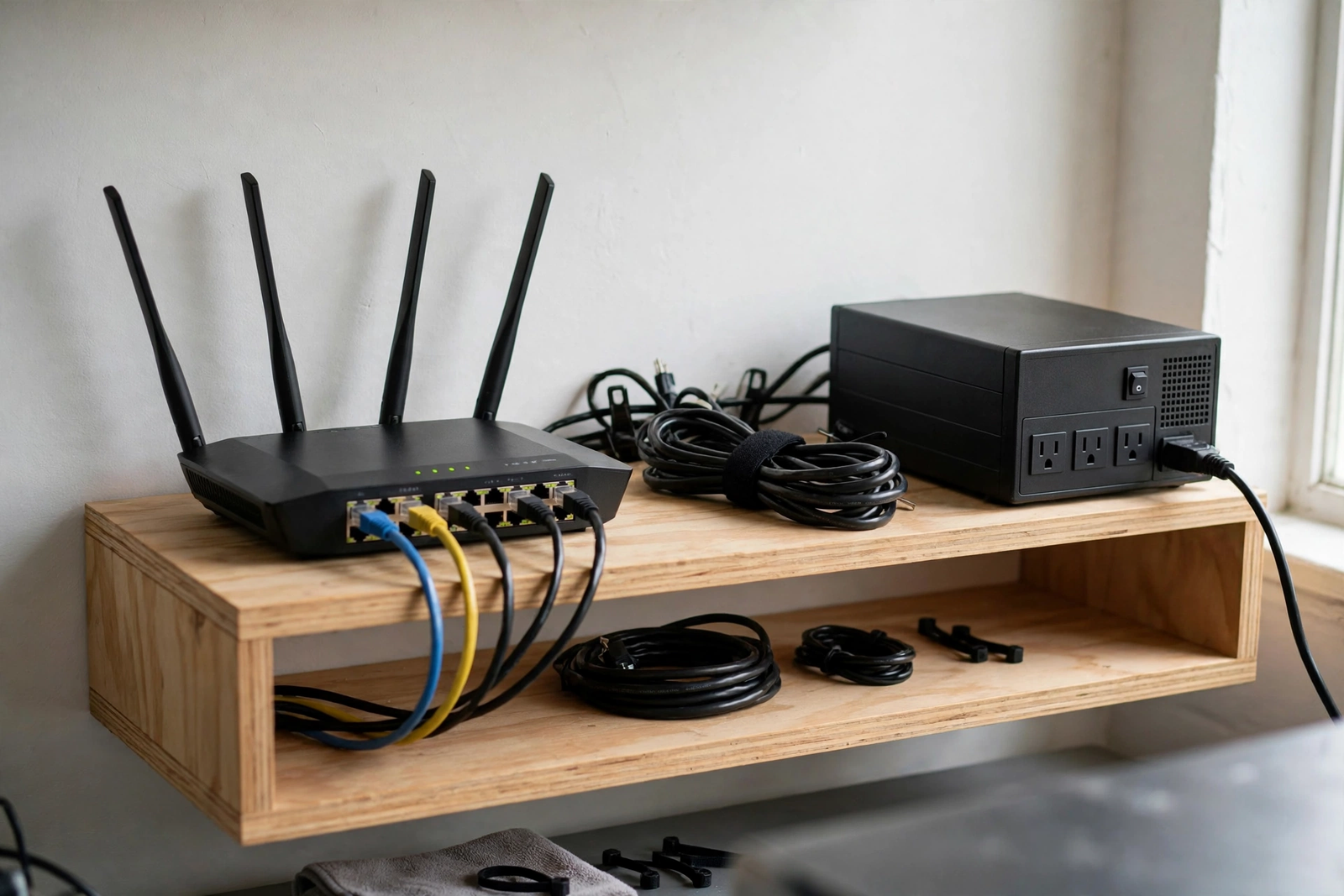
Backup is the audit area most businesses skip, and it is the area where skipping costs the most. A backup that has never been tested is a hope, not a plan. During each quarterly audit, test the failover properly: switch to the backup path, confirm that the business-critical tasks still work — payments, email, point-of-sale, and the systems the team cannot trade without — and then switch back and confirm normal service resumes. If the backup is a second connection fed into a dual-WAN or failover router, test through that router, not by unplugging a cable and hoping. If the backup is the built-in 5G backup included with AT&T Business Fiber at 1 GIG and above at no extra cost, remember that it needs an uninterruptible power supply, because it dies in a power outage without one — test the UPS as part of the same check, or the backup test proves nothing about a real outage.
Record the failover test like any other audit result: the date, the backup path used, what worked, what did not, and how long the switch took. Guidance, not a guarantee, says a failover test should be short and scheduled outside peak trading, so a failed test does not become a failed trading day. If the test fails, that is a successful audit — it found a problem while the primary connection still worked, which is exactly when you want to find it. Fix the problem, retest, and record the retest. A backup that passes a quarterly test is worth more than a backup that is merely paid for, and a backup that fails a test and gets fixed is worth more than a backup that was never tested at all.
Also check the backup’s own health. Is the backup connection still active, still paid for, and still at the address where it will be needed? Fixed wireless backup must stay at the qualified business address, not travel with a staff member. Is the backup’s own plan still appropriate — has its data, hotspot, or speed changed with the business? A backup line that was right two years ago may be wrong today, and the audit is the moment to notice. Our guide to setting up Internet Air as backup internet explains the failover approach in detail if your backup uses a wireless path.
Audit Business WiFi Mobile and Guest Network Security Quarterly
Guest Wi-Fi and device security belong in the audit because they change quietly. Staff join and leave, devices are added and forgotten, passwords are shared and never rotated, and a guest network set up carefully two years ago can drift into a security gap without anyone noticing. During the audit, check four things. First, is the guest network separate and isolated from the business network, so guests and visitors cannot reach point-of-sale systems, printers, or business computers? Second, has the guest password been rotated recently, and is the current password known only to people who need it? Third, does the connected-device list contain anything unfamiliar, and has anything been blocked or removed that should not be there? Fourth, are business-critical devices — tills, printers, card readers — kept off the guest network, on the business network where they belong?
Guidance for the audit is straightforward: rotate the guest password at least quarterly, and immediately when a staff member with access leaves or when the password has been widely shared. Review the device list for unknown devices and investigate anything you cannot identify, rather than assuming it belongs to a customer. Confirm that the main Wi-Fi uses strong encryption — WPA2 or WPA3, never an open network or the outdated WEP standard — and that the admin password for the gateway or router is unique and stored securely. These are best-practice steps, not product specifications, and they apply regardless of which gateway or router your business uses. If you need a refresher on the underlying steps, our guide to securing your business Wi-Fi network covers them in full.
Also review who can change network settings. If several staff members share an admin login, the audit cannot tell who changed what, and a departing staff member retains access until the shared password is changed. Individual logins where available, minimum necessary access, and prompt removal on departure are the same discipline as for mobile account users, applied to the network. Record any access changes in the audit record, with dates, so the next audit can confirm they happened.
| Quarterly audit scorecard area | Pass looks like | Act when |
|---|---|---|
| Speed and coverage | Wired test matches the tier; Wi-Fi works at every business-critical spot | Wired is slow, or a business task fails at a key location |
| Plan fit | Measured use fits the plan over two quarters | Use persistently presses the limits, or sits far below them |
| Bills, lines and users | Bill matches line inventory; access is current | A line, charge, or user cannot be explained |
| Backup and failover | Failover test passes; UPS checked | Failover fails, or has never been tested |
| Guest Wi-Fi and security | Guest network isolated; password rotated; devices reviewed | Guest password is stale, or an unknown device appears |
| Coverage and devices | No business-critical dead zone; devices all accounted for | A till, printer, or office area regularly struggles |
Disclaimer: This article contains affiliate links to AT&T Business services. We may earn a commission if you purchase through them, at no extra cost to you. Ortelcom.com is an independent publisher and is not affiliated with or endorsed by AT&T. Pricing, speeds, and availability are not guaranteed, were checked in October 2026, and vary by address and promotions — please confirm all details before ordering. AT&T and all related marks are trademarks of their respective owners.
Quarterly Connectivity Audit: Turning Findings Into Actions

An audit that produces a list but no actions is a wasted afternoon. For every finding, record three things: the action, the owner, and the date. “Fix the stockroom Wi-Fi” is not an action; “move the extender to the stockroom doorway, retest on Friday, owner Maria” is. “Review the plan” is not an action; “compare two quarters of hotspot use per line and decide on tier changes by the 15th, owner James” is. Small, dated, owned actions get done. Vague findings get carried forward quarter after quarter until they become emergencies, which is exactly what the audit exists to prevent.
Prioritise ruthlessly. Security and backup findings come first, because they protect the business when something goes wrong. Business-critical coverage failures come second, because they affect trading today. Billing waste comes third, because it costs money every month it continues. Nice-to-have improvements — a faster plan the business does not yet need, a tidier cable run — come last, and should only be done when the higher priorities are clear. If the audit finds more than the business can fix in a quarter, that is normal; fix the top three, carry the rest forward explicitly, and note why they were deferred. An honest carried-forward list is far better than a silently forgotten one.
Finally, close the loop. At the next audit, start by checking whether last quarter’s actions were completed and whether they worked. A Wi-Fi fix that did not improve the stockroom is a finding, not a failure — it tells you the cause was different from what you assumed, and the next fix should target a different cause. This loop — test, decide, act, retest — is the whole value of a quarterly audit. Without it, the audit is a report. With it, the audit is how a business keeps its connectivity fit for purpose as the business itself changes.
Common Quarterly Connectivity Audit Mistakes to Avoid
The most common mistake is testing once, on one device, over Wi-Fi, and calling that a result. A single test mixes too many variables to be useful, and a single device tells you nothing about the till, the printer, or the back office. Test in stages, test the business tasks, and repeat tests that look odd. The second mistake is judging a plan on a feeling rather than on measurements. “The internet seems slow” is a starting point for an audit, not a conclusion, and “we probably need faster internet” is not a decision until two quarters of measurements support it.
The third mistake is skipping the backup test because the primary connection works. A backup exists for the day the primary fails, and the only safe day to discover that the backup does not work is a day when the primary still does. Test it quarterly, outside peak trading, and record the result. The fourth mistake is auditing the connection but not the account: a perfect speed test alongside an unexplained bill, an unused line, or a former employee’s access is not a clean audit. Cover all six areas, even when one area looks fine, because the areas interact — a plan decision, for example, depends on both speed measurements and bill details.
The fifth mistake is keeping the audit in one person’s head. If only one person knows the results, the actions, and the decisions, the audit dies when that person is away. Keep the one-page record, share it with whoever needs it, and make sure at least two people in the business can find it. Connectivity is business infrastructure, not a personal hobby, and its record should be treated accordingly.
Connectivity Audit Small Business FAQ: Quarterly Review Questions
How long should a quarterly connectivity audit take?
For a typical small business, an afternoon is realistic: speed and coverage tests, a bill and line review, a failover test, a guest-network and device check, and writing up the actions. The first audit takes longer, because you are building the record and learning the routine. Later audits are faster, because you compare against a record you trust instead of starting from scratch each time.
What speed should I expect from my quarterly connectivity audit tests?
Compare wired results against your provisioned tier for fiber, or against a typical speed of around 225 Mbps for Internet Air for Business, checked October 2026. Judge Wi-Fi results by whether the business task at that location works, not by whether the number matches the wired result exactly. Repeat odd results at different times of day before concluding that a service has a problem.
When should a connectivity audit lead to a plan upgrade or downgrade?
Only when at least two quarters of measured use show a persistent gap: use regularly pressing the plan’s limits for an upgrade, or use sitting far below the plan’s capacity with no growth expected for a downgrade. A single bad week, a single slow test, or a promotional offer alone is not a sufficient reason to change a plan. Record the decision and the measurements behind it.
How often should I test my backup internet connection?
Quarterly, as part of the audit, outside peak trading hours. Test that business-critical tasks work on the backup path, then confirm normal service resumes. If your fiber plan includes built-in 5G backup, check the uninterruptible power supply in the same test, since the backup dies in a power outage without one.
How often should I rotate my guest Wi-Fi password in a quarterly connectivity audit?
At least quarterly, as part of the audit, and immediately when a staff member with access leaves or when the password has been widely shared. Confirm at the same time that the guest network is isolated from business systems and that business-critical devices are kept off it.
Your Next Step for Your Quarterly Connectivity Audit
Schedule the first audit now, for a fixed date this quarter, with a named owner and a one-page record template. Run the six checks — speed and coverage, plan fit, bills and lines, backup, guest Wi-Fi and security, and devices — and turn every finding into an owned, dated action. Then repeat next quarter, starting with whether last quarter’s actions worked. That loop, repeated four times a year, is what keeps a business’s connectivity honest, secure, and fit for the business it actually runs.
If your audit shows that your current plan no longer fits, compare options against your measurements before changing anything, and confirm pricing and availability for your address. Reference figures checked October 2026 are explained in our guides to AT&T Business Fiber pricing and AT&T Internet Air pricing, and the product-matched link below is a starting point for that comparison — not a substitute for checking your own measurements first.
Compare AT&T Business Fiber plans after your connectivity audit

