
Opening a second location is exciting, but it also doubles the number of things that can go wrong with your connectivity. A second business location connectivity plan is not just a copy of your first office internet setup. The new site has its own address, its own wiring, its own foot traffic and its own daily rhythm, and each of those details shapes what kind of connection will actually work there. The smartest approach is to treat the second site as a fresh project with its own checklist, while keeping the standards, security rules and service levels that already work at your first location.
In this second location connectivity playbook, we walk through the whole process in order: checking what is available at the new address, choosing a second office internet plan, designing the Wi-Fi and wiring, securing both sites, and planning a backup so one outage does not close two businesses. You will also find a realistic budget view using AT&T Business Fiber list pricing checked 1 November 2026, plus the questions to ask on your quote so nothing important is left to assumption. Confirm every price, speed and availability detail for your specific addresses before ordering, because connectivity always varies by location.
Check Fiber for Your Second Location
See AT&T Business Fiber plans and availability for your new office address.
What a Second Location Connectivity Playbook Means for a Growing Business
A playbook is simply a written plan that your team can follow without guessing. For a second location, that plan should cover the internet service, the internal network, phones, payments, security and support contacts, all in one place. When the plan is written down, the manager at the new site does not have to improvise, and the team at the original site does not have to answer the same questions twice. It also makes handover easier if a manager changes or a new hire joins the second location later.
The playbook should start with the basics that every site shares: who to call when the internet fails, how staff log in to the network, which systems must stay online first, and what happens when the primary connection goes down. Then it adds the details that are unique to the new site, such as its floor plan, its peak hours and its local support contacts. Keeping one shared standard across both locations is important, but copying the first site blindly is a mistake. A quiet professional office and a busy retail floor need very different Wi-Fi designs, even if they share the same brand and the same internet plan.
Start Your Multi-Location Business Internet Plan Before You Sign the Lease
The best time to check connectivity is before you commit to a new space, not after the lease is signed and the opening date is already fixed. Availability can vary street by street, and a building that looks perfect may have limited wired options or weak wireless coverage. Ask for an availability check for the exact address, including the suite or unit number, and get the answer in writing on a quote. That single step can save weeks of rework and prevent an opening week spent apologising to customers for a slow or unreliable connection.
While you are evaluating the space, look at the physical details that affect a network. Ask where the service enters the building, whether there are existing network points, where the main equipment can live safely, and whether the landlord places any limits on equipment or cabling work. A small room with ventilation and power is far better than a cupboard with no airflow. Also check mobile signal inside the unit, because that matters for backup options and for staff phones. These checks cost nothing at this stage, and they give you a realistic picture of what the new site will need.
It is also worth agreeing, early on, how the two sites will work together. Will staff share the same cloud tools, phone system and payment platform, or will the second site run partly on its own? Will head office need remote access to the new site network, and if so, how will that access be secured? Decisions like these shape the multi-location business internet plan far more than the headline speed does. A short planning meeting with whoever runs IT, operations and the new site can settle them in an afternoon and prevent expensive changes after opening.
Choosing a Second Office Internet Plan for the New Site
Choosing a second office internet plan starts with the work the new site will actually do, not with the fastest speed on the price list. A small office with a handful of staff doing email, cloud documents and occasional video calls has very different needs from a retail store running several payment terminals, customer Wi-Fi and security cameras all day. Count the people, the devices and the always-on systems first, then match the plan to that load, with room for busy periods and growth. A plan that feels generous on a quiet Tuesday should still hold up on your busiest Saturday.
AT&T Business Fiber list pricing checked 1 November 2026 gives a useful starting point for budgeting: 300 Mbps at $60 per month, 500 Mbps at $100, 1 GIG at $140, 2 GIG at $185 and 5 GIG at $285, plus taxes and fees, with lower prices when bundled with an eligible wireless plan at $40, $60, $90, $135 and $235 respectively. Use these figures only as a planning guide and confirm the price, speed and availability for your new address on your quote, since promotions and local availability vary. Our guide to AT&T Business Fiber pricing explains the tiers in more detail, and our overview of AT&T Business Fiber covers what each speed tier is best suited to.
| AT&T Business Fiber plan | List price per month | With eligible wireless plan | Good fit for a second site |
|---|---|---|---|
| 300 Mbps | $60 | $40 | Small office or quiet second site |
| 500 Mbps | $100 | $60 | Busy office or small retail floor |
| 1 GIG | $140 | $90 | Multi-use site with cameras and guest Wi-Fi |
| 2 GIG | $185 | $135 | Large or high-traffic second location |
| 5 GIG | $285 | $235 | Very large or media-heavy operation |
Prices shown are list prices checked 1 November 2026, plus taxes and fees, and they are not a quote for your address. If your second site will share a phone or payment system with the first site, tell the provider during the quote stage, because that can affect how the service is configured. And if the new site is a short-term or seasonal location, ask what contract and service terms apply before you sign, so the plan matches the life of the site rather than locking you into something that no longer fits.
How to Size Branch Location Connectivity for Staff, Customers and Devices
Sizing branch location connectivity well means counting everything that will use the connection, including the devices people forget. Staff laptops and phones are obvious, but so are payment terminals, printers, security cameras, digital signage, smart thermostats, door systems and any equipment that updates itself in the background. Add guest Wi-Fi on top of that, because customers will use it even if you do not advertise it heavily. A site that looks light on paper can turn out to be busy once every connected device is counted.
A practical way to size the connection is to list the systems that must never slow down, then the systems that can wait. Payments, phones and the point-of-sale system belong in the first group. Large downloads, software updates and cloud backups belong in the second group, and they can be scheduled for quiet hours. This simple split does two things: it tells you how much reliable capacity you truly need at peak times, and it gives staff a clear rule for busy periods. If the connection ever feels slow, the team already knows which traffic comes first and which can pause.
New Office Connectivity Setup: Wiring, Wi-Fi and Network Layout
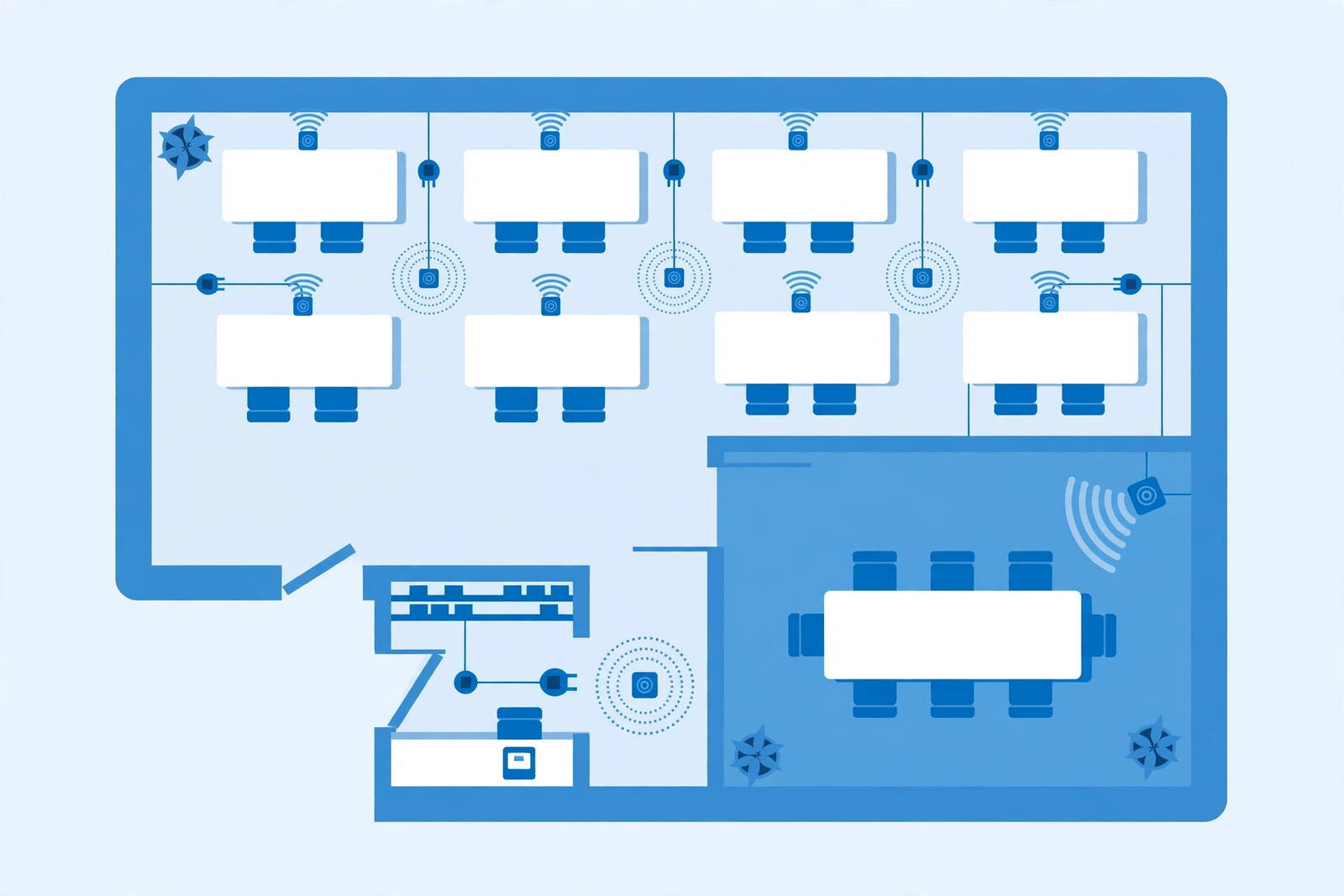
A good new office connectivity setup starts with the layout, not the equipment box. Walk the floor plan and mark where people will actually work, where customers will wait, where payment terminals will sit, and where cameras need a clear view. Each of those spots needs reliable coverage, and the easiest way to guarantee it is to plan wired network points for fixed equipment and well-placed wireless access points for people who move around. Relying on a single router in a corner is the most common cause of dead spots in a new site, and it is much harder to fix after furniture and stock are in place.
Wired connections deserve priority for anything that stays in one place and matters to the business: the main till, the back-office computer, printers and cameras. Wired links are more stable than wireless for these devices and they free up Wi-Fi capacity for staff and customers. For wireless coverage, plan access points based on walls, shelving and building materials rather than on square footage alone, because a long narrow unit and an open-plan unit of the same size need very different coverage. Test the Wi-Fi at every till, desk and seating area before opening day, not after customers start complaining.
Keep the equipment area tidy and documented from day one. Label cables, note which port serves which area, and keep a simple diagram with the playbook so anyone can find a fault quickly. This sounds like extra work during a busy fit-out, but it pays for itself the first time something stops working and a staff member can point support to the right cable in seconds. Good documentation is part of connectivity, not an optional extra, especially when two sites must be supported by the same small team.
Multi-Location Business Internet Security Across Two Sites
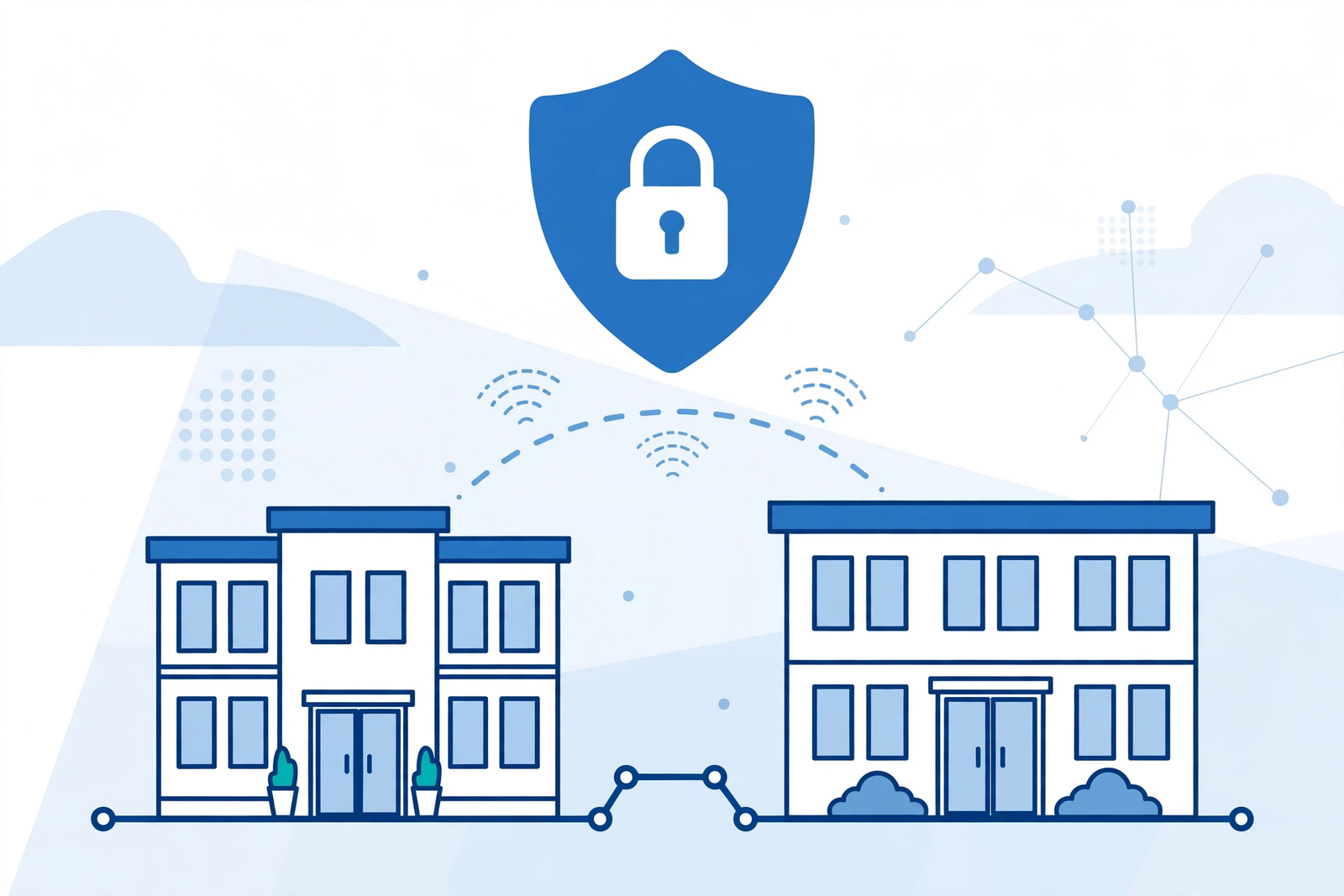
Security becomes more important, not less, when you add a second site, because you now have two doors into the same business systems. The same rules should apply at both locations: strong, unique passwords for network equipment, separate networks for staff, guests and payment devices, and regular updates for routers and access points. Guest Wi-Fi should never give visitors access to staff systems or payment networks, no matter how convenient that might seem during setup. A clear separation between networks is one of the simplest and most effective protections a multi-site business can put in place.
Staff habits matter just as much as equipment settings. Make sure the new site team knows not to share the staff Wi-Fi password with customers, not to plug unknown devices into the network, and who to contact if something looks suspicious. If your business uses a shared cloud system, confirm that access controls cover the new site staff correctly from day one, with the right permissions and nothing left over from a previous tenant or test account. Our guide to securing a business Wi-Fi network walks through these steps in detail, including the separation between guest and staff networks.
Disclaimer: This article contains affiliate links to AT&T Business services. We may earn a commission if you purchase through them, at no extra cost to you. Ortelcom.com is an independent publisher and is not affiliated with or endorsed by AT&T. Pricing, speeds, and availability are not guaranteed, were checked 1 November 2026, and vary by address and promotions — please confirm all details before ordering. AT&T and all related marks are trademarks of their respective owners.
Second Location Connectivity for Payments, Phones and Cloud Tools
Payments, phones and cloud tools are the systems customers notice first when they fail, so they deserve a specific place in your second location plan. Before opening, test a real payment at the new till, make and receive a test call on the new phone setup, and open the shared files and booking system the team will use every day. Testing with real tasks, rather than just checking that a light is green, catches the small configuration problems that a basic connectivity check misses. Do this during a quiet rehearsal, not on opening morning when a queue is already forming.
Also plan for what staff should do if one of these systems stops working while the internet itself is still up. A payment terminal problem, a phone system fault and a cloud login issue can look similar to staff but need different fixes, so the playbook should list the first check for each system and the right support contact. Keep those contacts visible at the new site, not buried in an email thread. When staff know the first step and the right number, a small fault stays small instead of turning into a lost morning of sales.
Keeping Both Locations Connected With Backup for Multi-Location Business Internet
A backup connection is what keeps a second location trading when the primary line fails, and it matters even more across two sites because an outage at either site affects the whole business reputation. The right backup depends on the site: a wireless backup built into a qualifying Fiber plan, a separate wireless service, or a second wired line are all options worth discussing at quote stage. What matters is that the backup is independent of the primary connection, so the same fault cannot take both down, and that staff know it exists and how it behaves during a switch.
Test the backup before you rely on it, during a quiet period and with the real workload of the site. Process a test payment, join a video call and open shared files while running on backup, so you know what still works well and what will feel slower. Write the result into the playbook, including which tasks to postpone during a backup period, such as large downloads and cloud backups. Our guide to a business internet backup connection explains the options and trade-offs in more depth, and it is a useful companion when you are deciding how much resilience each site needs.
Coordinating a Second Office Internet Plan Rollout With Your Team
Rollout coordination is where many second-location projects stumble, because the internet work, the fit-out work and the hiring all happen at the same time. Give one person clear ownership of the connectivity rollout, even if that person is not technical, and give them a short checklist with dates that are planning targets to confirm with the provider, not guarantees. Typical planning ranges run over several weeks from order to a fully tested site, but the exact timing for your address must be confirmed on your quote and with your provider, since building access, wiring and availability all affect it. Build slack into the plan so a delay in one area does not push opening day into chaos.
Keep communication simple during the rollout. A short weekly update covering what is ordered, what is installed, what is tested and what is still blocked is enough for most teams. Make sure the new site manager is part of that update, because they will inherit the network on opening day and need to know where equipment lives, how to restart it safely, and who to call first. If installation work needs landlord or building access, arrange that access early and in writing, since waiting for a key or a permission on installation day is a frustrating and avoidable delay.
Finally, plan a soft opening for connectivity, not just for customers. Open the site to staff a day or two before public trading if you can, and run the full daily routine: open the tills, take test payments, print, use the phones and run the booking system. Note every fault, fix it, and update the playbook with what you learned. A soft opening turns opening day from a test into a routine, and that is exactly what a second location needs if it is going to feel as reliable as the first from the very first customer.
Budgeting a Second Office Connectivity Plan Without Surprises
Budgeting for a second site means looking beyond the monthly plan price. Add the one-off items that are easy to forget: cabling and network points, extra access points, a cabinet or shelf for equipment, power protection, and any building or landlord charges that apply to installation work. Confirm which of these are included in your quote and which are separate, because the answer varies and the difference can be significant. A budget that only lists the monthly price will always look cheaper than the real first-year cost, and that gap causes awkward conversations later.
Also budget for the running costs that grow with a second site: support time, replacement equipment, and the occasional visit from a technician. These are modest compared with rent and staffing, but they should still be in the plan so they are not treated as surprises. Review the connectivity spend for both sites together at least once a year, because a plan that fitted a new site at opening may be too small a year later, or a premium tier may no longer be needed. A short annual review keeps both sites right-sized without a major project each time.
Second Location Connectivity Playbook: Frequently Asked Questions
How early should second location connectivity planning start?
Start second location connectivity planning as soon as a shortlist of premises exists, and certainly before signing a lease. Check availability for each exact address, look at the service entry point and equipment space, and confirm the plan and any building constraints on a quote. Early checks are free and they prevent the most common second-site problem: discovering after signing that the ideal premises has limited connectivity options or needs extra wiring work before it can trade reliably.
What second office internet plan speed does a new site need?
The right second office internet plan speed depends on staff numbers, devices, payment systems, cameras and guest Wi-Fi, not on the size of the premises alone. A small office may be well served by a 300 Mbps plan, while a busy retail or hospitality site may need 1 GIG or more to handle peak times comfortably. List the always-on systems first, allow room for busy periods and growth, and confirm the speed and price for your address on a quote before ordering.
Can multi-location business internet use the same provider at both sites?
Using the same provider for multi-location business internet can simplify support, billing and security standards, because both sites follow one playbook and one set of contacts. It is not always possible, since availability varies by address, so the practical rule is to aim for consistency where you can and document the differences where you cannot. If the sites must use different providers, keep the internal network standards, passwords policy and backup expectations identical, so staff experience stays consistent.
Does branch location connectivity need a backup connection?
Branch location connectivity benefits greatly from a backup, because a single outage can stop payments, phones and cloud tools at that site. A backup that is independent of the primary line, such as a wireless backup, gives the site a second way online while the main line is repaired. Test the backup with real tasks before opening, note which tasks to postpone while on backup, and confirm on your quote what backup option applies to your plan and address.
How do you keep new office connectivity setup consistent across sites?
Keep new office connectivity setup consistent by using one playbook for both sites: the same network separation for staff, guests and payments, the same password and update rules, the same equipment labelling, and the same support contacts. Document the differences that are genuinely site-specific, such as floor plans and access points, rather than letting each site evolve its own informal rules. Consistency makes support faster, training easier, and a second site much simpler to manage as the business grows.
Final Word on Second Location Connectivity for Your Growing Business
A second location succeeds when its connectivity feels invisible: payments go through, calls connect, cloud tools open, and customers enjoy reliable Wi-Fi without thinking about it. That invisibility is not luck. It comes from checking availability before signing, sizing the plan for real peak load, designing Wi-Fi around the actual floor plan, securing both sites to the same standard, and testing a backup before it is ever needed. Do those steps in order, write them into a playbook, and the second site will feel like a natural extension of the first rather than a separate problem to manage.
If you are planning your next site, start with an availability and plan check for the new address. You can check AT&T Business Fiber plans and availability for your second location and confirm pricing, speeds and backup options on your quote. Confirm all details before ordering, keep the playbook updated as the site grows, and revisit the plan each year so both locations stay fast, secure and ready for whatever comes next.

